
action-translate-readme
Introduction
GitHub Action to translate Readme to any language
This is a GitHub Action that automatically translate the readme in your repo to a specified language.
[!NOTE]
v1version translator is implemented throughLinuxthird-party package;v2version is implemented through generative AI for translation
-
We all know writing README documents is time-consuming, but now there's a solution to save you half the time. That's our
action-translate-readme -
Translate different language versions of README through generative AI
-
Automatically commit and push the translated files through GitHub Actions (CI/CD)
-
For example: Write or Modify the English version of the README, automatically generate Traditional Chinese, Simplified Chinese, French... and other versions of the README
How to use ?
[!IMPORTANT] Since the result of the generative AI model's translation may have issues occasionally, it's recommended to perform operations on a branch and finally merge back to the main branch.
[!WARNING] If you encounter this error:
Error: Input required and not supplied: token, please ensure thatTokenis established as per step two below, or check if theTokenhas expired!
-
Click the :star: icon to add this item to your GitHub repository.
-
Set up your
GitHub Token(mandatory):-
Create a new
GitHub Secret Token- Settings
- Developer settings
- Personal access tokens -
Tokens(classic) - Generate new token
- Choose token's lifetime - it's recommended to use permanently
- Scope selection:
repoandworkflow - Keep your secret token (don’t lose it, you’ll need to paste it later)
-
Add the GitHub Token to
repository secret- In your repository -
settings Securities and variablesActionsNew repository secret- Fill in the label and name it with
token(e.g.,Action_Bot)
- In your repository -
-
-
Choose GPT translation model (optional)
-
g4f: Default is to use freeg4ffor OpenAI calls to complete translation tasks. -
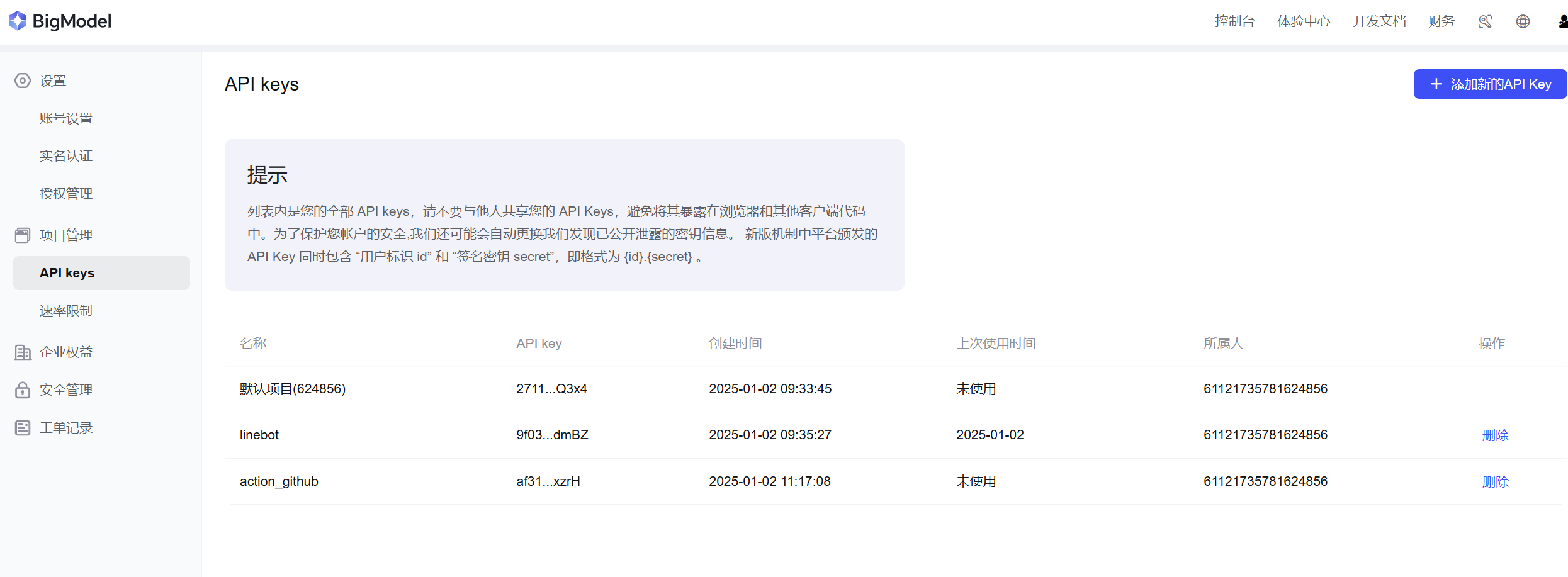
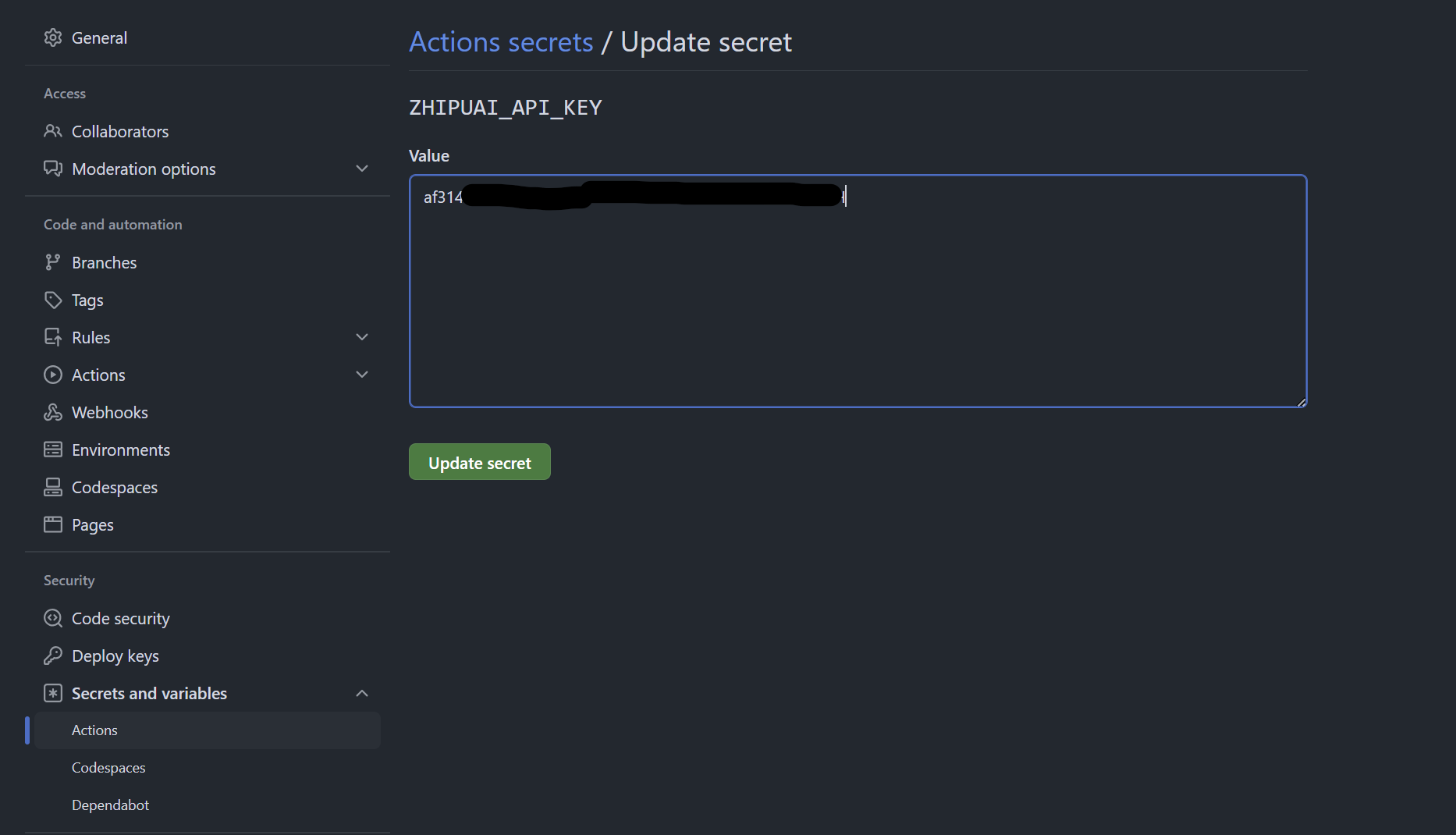
zhipuai: If you need free and stable translation, you can register an account on the Zhipuai AI Platform and apply for an API KEY, which is a completely free GPT model without requiring a credit card.-
To use this option, please follow the method of adding GitHub Token in step 2-2, and add API KEY of Zhipuai AI to GitHub Repos' Secrets.
-
-
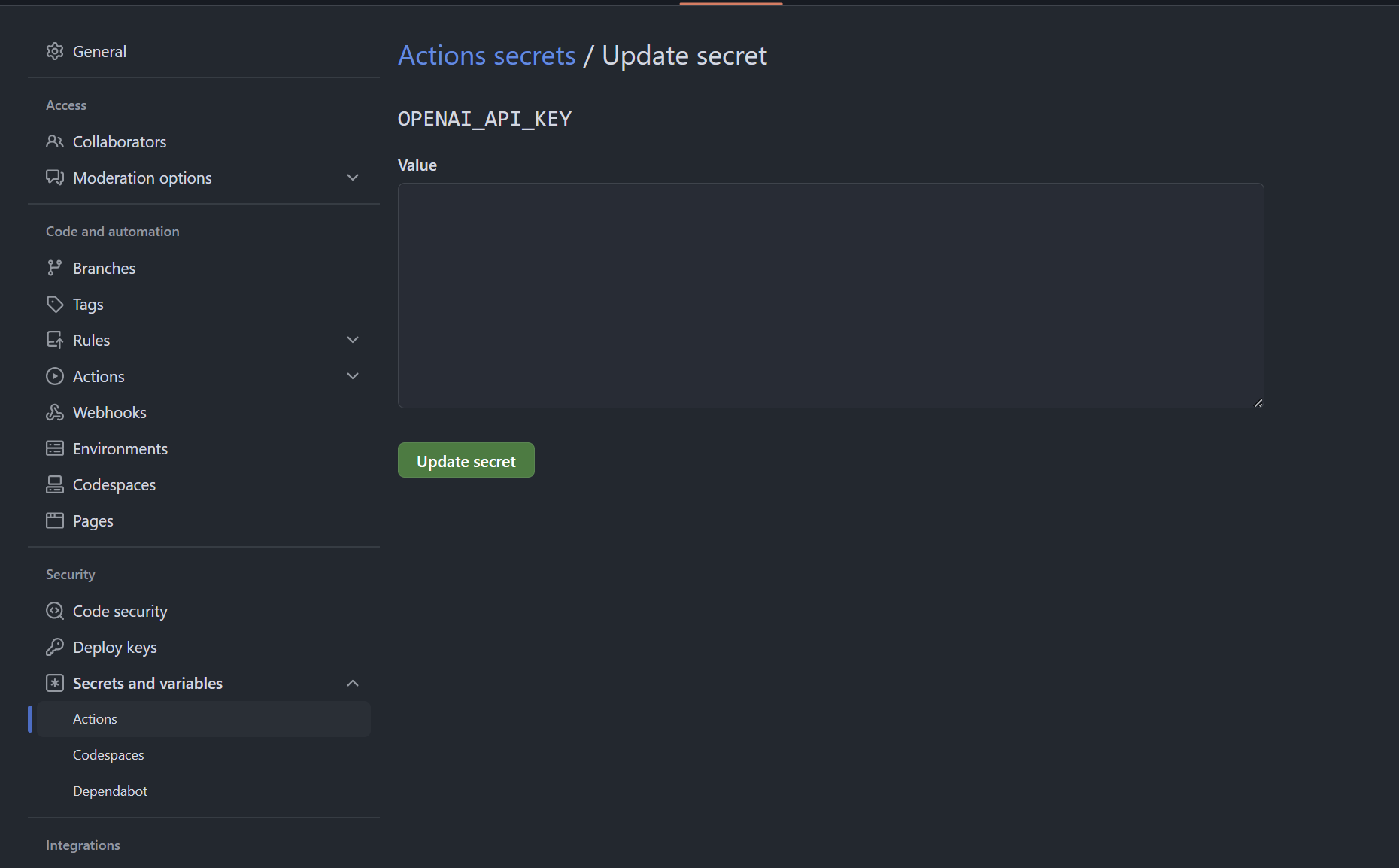
openai: Guarantee high quality and stable quality, if you have an OPENAI API KEY,gpt-4owill be used as the translation model.-
To use this option, please follow the method of adding GitHub Token in step 2-2, and add API KEY of OpenAI to GitHub Repos' Secrets.
-
-
-
Create your action example in
.github/workflows/your_action.yml. You can directly copy the following:# .github/workflows/translate.yml name: Translate Readme on: push: branches: ['**'] jobs: translate: runs-on: ubuntu-latest steps: - name: Checkout uses: actions/checkout@v3 with: fetch-depth: 3 - name: Auto Translate uses: Lin-jun-xiang/action-translate-readme@v2 # Based on the tag with: token: ${{ secrets.Action_Bot }} # Based on step2 name zhipuai: ${{ secrets.zhipuai_api_key }} # Optional: Based on step3 openai: ${{ secrets.openai_api_key }} # Optional: Based on step3 langs: "en,zh-TW,zh-CN,French,Arabic" # You can define any langsPay attention to several parameters in the
.yml:token: GitHub Token for authorizing the operation (added as per step two).zhipuai: Zhipuai API, added as per step three (optional)openai: OpenAI API, added as per step three (optional)langs: Specify the languages to be translated, be sure to separate different languages with,such as:"en": Translate English version only"en,zh-TW": Translate English, Traditional Chinese"French,Arabic": Translate French, Arabic
PS: If neither
zhipuainoropenaiis added to GitHub Secrets,g4fwill be used for translation. -
Now you can update
README.md, and it will automatically generate a translated version!
Demo
Results of Test Document
- View the test document which used our tool to update the documents.