
ADB Device Manager
Connect Android & Windows into one seamless control system
Built for power users, developers, and Android enthusiasts


🚀 Quick Start
| Platform | Download |
|---|---|
| Windows | Download → |
| Linux | [Coming Soon] |
| Mac | [Coming Soon] |
| Android | Download → |
| Full Website | Visit WebSite → |
| Installation | Installation → |
| Developers | Visit For Developers → |
For Android Dex (separate project)
| Platform | Download |
|---|---|
| Project | Visit project → |
| Windows | Download → |
| Linux | Download → |
| Mac | [Coming Soon] |
⚡ TL;DR (What This App Does)
ADB Device Manager lets you — using two modes (ADB Mode & App Mode) — do things like:
- Mirror your Android screen Or audio to Windows
- Control apps, notifications, calls & SMS
- Transfer files, browse photos, manage contacts
🔐 Security & Privacy
- No data collection — we don't track, store, or transmit your personal information
- Local network only — all communication stays within your private network
- VirusTotal Reports (For End Users) →
✨ Overview & Documentation
ADB Device Manager offers two powerful modes that work independently or together:
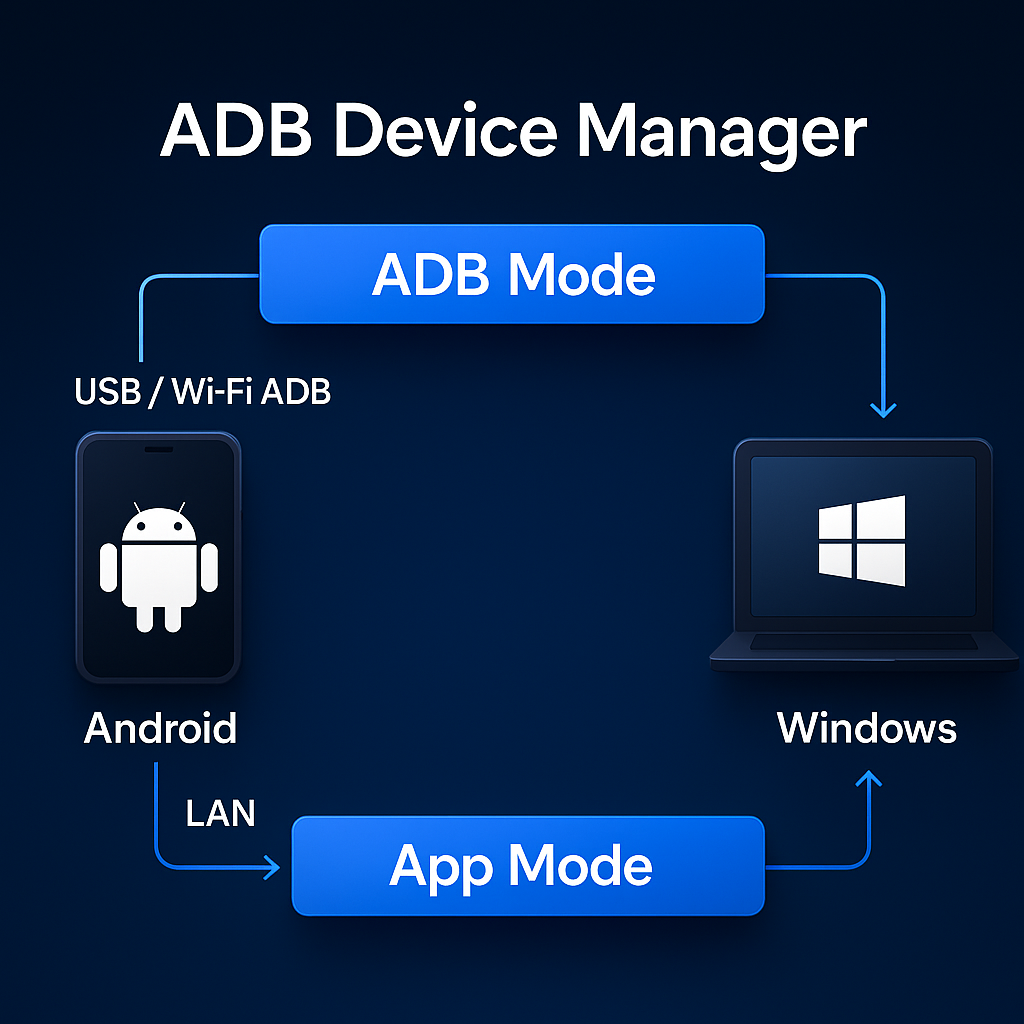
🧩 ADB Mode
System-level control via USB/Wireless debugging
| Feature | Description |
|---|---|
| Screen Mirroring | Mirror Android screen to Windows |
| Audio Streaming | Stream device audio to PC |
| Input Control | Keyboard & mouse control |
| Scrcpy Control | Customize & manage Scrcpy commands |
| Android Dex | Desktop-style experience |
| Desktop Mode | Multi-app virtual display |
| APK Installer | Install apps via ADB |
| Camera View | View device camera on PC |
| Contacts | Extract contacts via ADB |
| Call History | Read call logs |
| SMS | Extract SMS messages |
📱 App Mode
Companion app features over Wi-Fi/LAN
| Feature | Description |
|---|---|
| Android Streaming | Mirror Android screen to Windows |
| Media Control | Control music playback |
| Notifications | Real-time notification sync |
| Photo Gallery | Browse photos wirelessly |
| File Transfer | Fast LAN file transfer |
| Contacts | Rich UI contact access |
| Calls | Manage calls from Windows |
| SMS Messages | Send/receive SMS |
| Device Finder | Auto-discover devices |
| Bluetooth | Bluetooth device tools |
| Audio Cast Copy | Low latency real-time audio casting |
| TV Control | Control Android TV & Cast Media |
| Access Windows/Linux Files | Access Windows/Linux file from Android (Read/Write) |
🪟 Windows Integration
| Feature | Description |
|---|---|
| File Sharing | Browser-based file sharing |
| Bluetooth Pairing | Stream audio to Windows |
| Device Finder | Auto-discover connected devices |
⌨️ Keyboard Shortcuts
| Shortcut | Action |
|---|---|
Alt + S |
Screen Mirroring |
Alt + A |
Audio Streaming |
Alt + Shift + D |
Android DeX |
Alt + F |
File Transfer |
📊 Comparison
| Feature | ADB Device Manager | Vysor Pro version | Link to Windows |
|---|---|---|---|
| Screen Mirroring | Ultra-low latency ✅ | ⚠️ Slower | Good ✅ |
| Screen off control | ✅ | Limited ⚠️ | ❌ |
| App-Audio-Only Mirroring | ✅ | ❌ | ✅ |
| Multi-App Desktop Running | ✅ | ❌ | Limited ⚠️ |
| Per-App Audio On/Off | ✅ | ❌ | ❌ |
| Notifications | ✅ | ❌ | ✅ |
| Quick Access | ✅ | ❌ | Limited ⚠️ |
| SMS & Calls sync | ✅ | ❌ | ✅ |
| Remote Camera | ✅ | Limited ⚠️ | ❌ |
| Bluetooth Audio Pairing | ✅ | ❌ | ✅ |
| Full control Without ADB | Limited ⚠️ | ❌ | ✅ |
| Call Audio Capture | ❌ | ❌ | ✅ |
Friendly Links
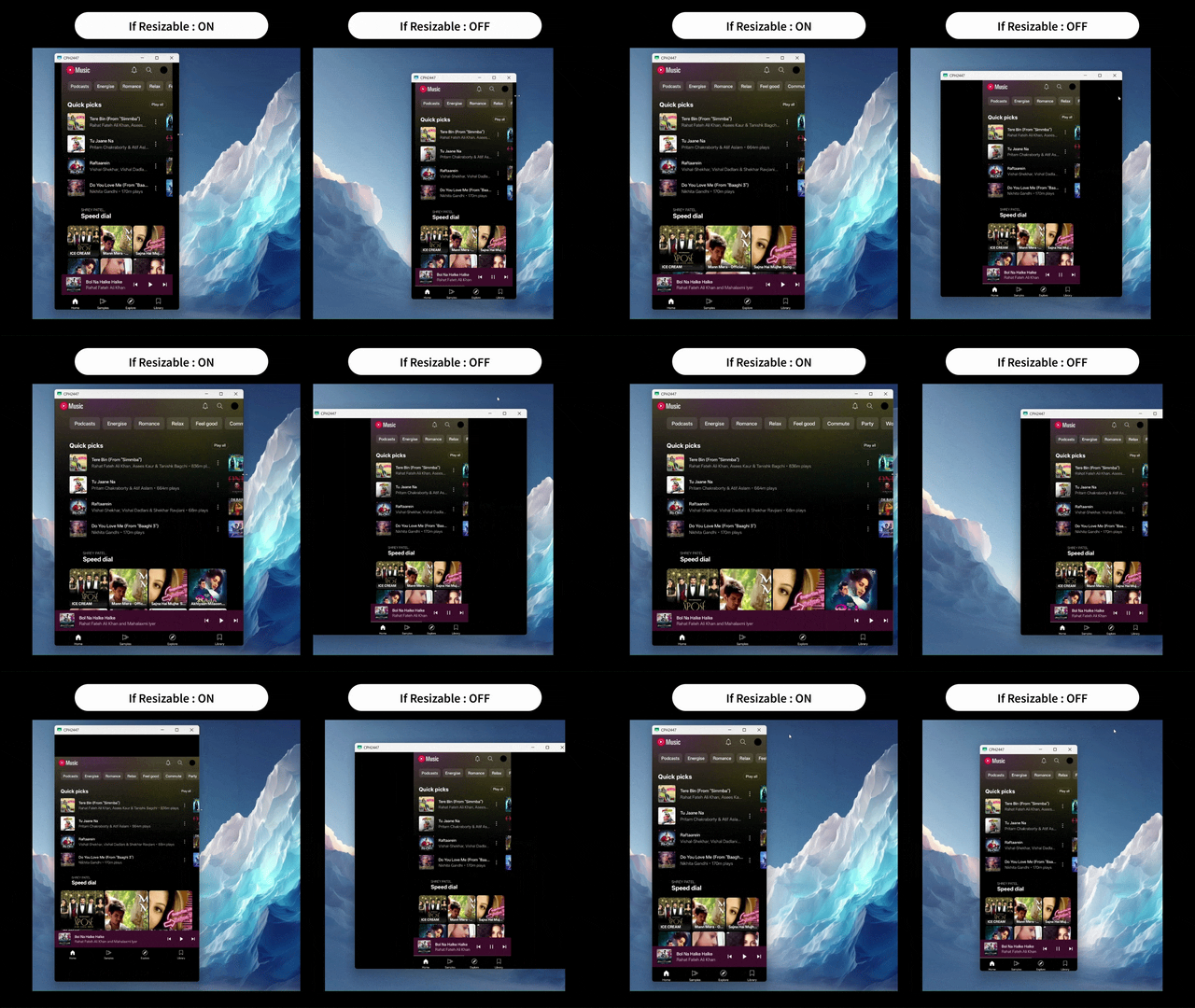
🎥 Live Preview: User Favorites
Resizable Scrcpy
(Experience Android like a Desktop App)
Media Sessions
(Control Android Audio directly from Windows)

🔧 Technologies & Dependencies
A set of tools and frameworks used for ADB communication, screen mirroring, UI rendering, and OS-level integration.
- ADB (Android Debug Bridge) – Device connection, pairing, and command execution
- scrcpy – Android screen mirroring and auto casting over ADB
- nircmd_x64 – Windows window control (open, focus, hide, close)
- Flutter – Cross-platform UI for Windows and Android
- Kotlin – Android backend and UI logic
- Python – Windows backend logic and background services
Thanks to rom1v and yume-chan for their work and insights that helped deepen understanding of ADB, scrcpy, and broader real-world use cases around Android device management.
Star History
🌐 Official Resources
| 📘 Resource | 🔗 Access |
|---|---|
| Main Documentation | Open Docs |
| Installation Guide | Install Guide |
| FAQ | View FAQ |
| Security & Privacy | Security Model |
| Transparency | Transparency Report |
| Privacy Policy | Privacy Policy |
| Troubleshooting | Fix Issues |
For more details, visit the official documentation.
Thanks for using ADB Device Manager!
Made with ❤️ by Shrey113