
Welcome to the Advanced-Movement-System-Godot V1
The Project is made using Godot 4
you can get Godot 4.3 Stable here : https://godotengine.org/
Watch this video for preview :
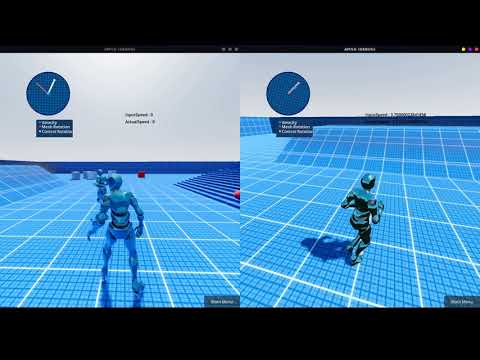
This project is a template for creating advanced Third/First Person movement in GODOT
You may use it in any other camera type like RTS, but you will need to tweak it yourself.
(adding to existing project)
1- copy the files to your Godot project
2- Add the following Input Maps to your project
[input]

forward
back
left
right
jump
sprint
aim
crouch
interaction
switch_camera_view
ragdoll
flashlight
EnableSDFGI
exit
fire
pause
3- autoload the "Global.gd" GDscript, you can find it in "res://addons/AMSG/Global.gd"
Importing characters and animations from mixamo to Godot 4
Animation Retargeting in Godot 4 tutroial :
https://godotengine.org/article/animation-retargeting-in-godot-4-0 .
For how to fix the armature wrong bones orientation and create a control rig for mixamo character in blender to animate the character :
https://youtu.be/zfaskQ2BK1s .
Guide for combining animations from mixamo
https://youtu.be/3NrsSdEUSWI .
Guide for importing animations from blender (If you don't have a ready game rig (Control Rig only)
https://youtu.be/qwz9aPdVoFg .
if you don't know what does this (game rig,control rig) mean, then this will help
https://youtube.com/playlist?list=PLdcL5aF8ZcJvCyqWeCBYVGKbQgrQngen3) .
How to Move (Key Bindings) :
(W,A,S,D) Move In The Four Directions
(Shift) Run
(Shift) Sprint (Press Shift Again before the character returns to walking (0.4 second))
(C) Long Press : Switch First/Third Person View
(C) One Press : Switch Camera Angle (Right Shoulder,Left Shoulder,Head(Center) )
(P) Pause : Toggles a lock on player movement, and shows a message on-screen
(Space) Jump
(CTRL) Crouch/UnCrouch
(F) Interaction
(L) Flashlight
(G) To toggle High graphics : SDFGI (Global illumination),SSIL, SSAO,SSR,Glow