
Agent Ops Dashboard
A modern dashboard for managing and monitoring your n8n agents. "Cursor for agents"
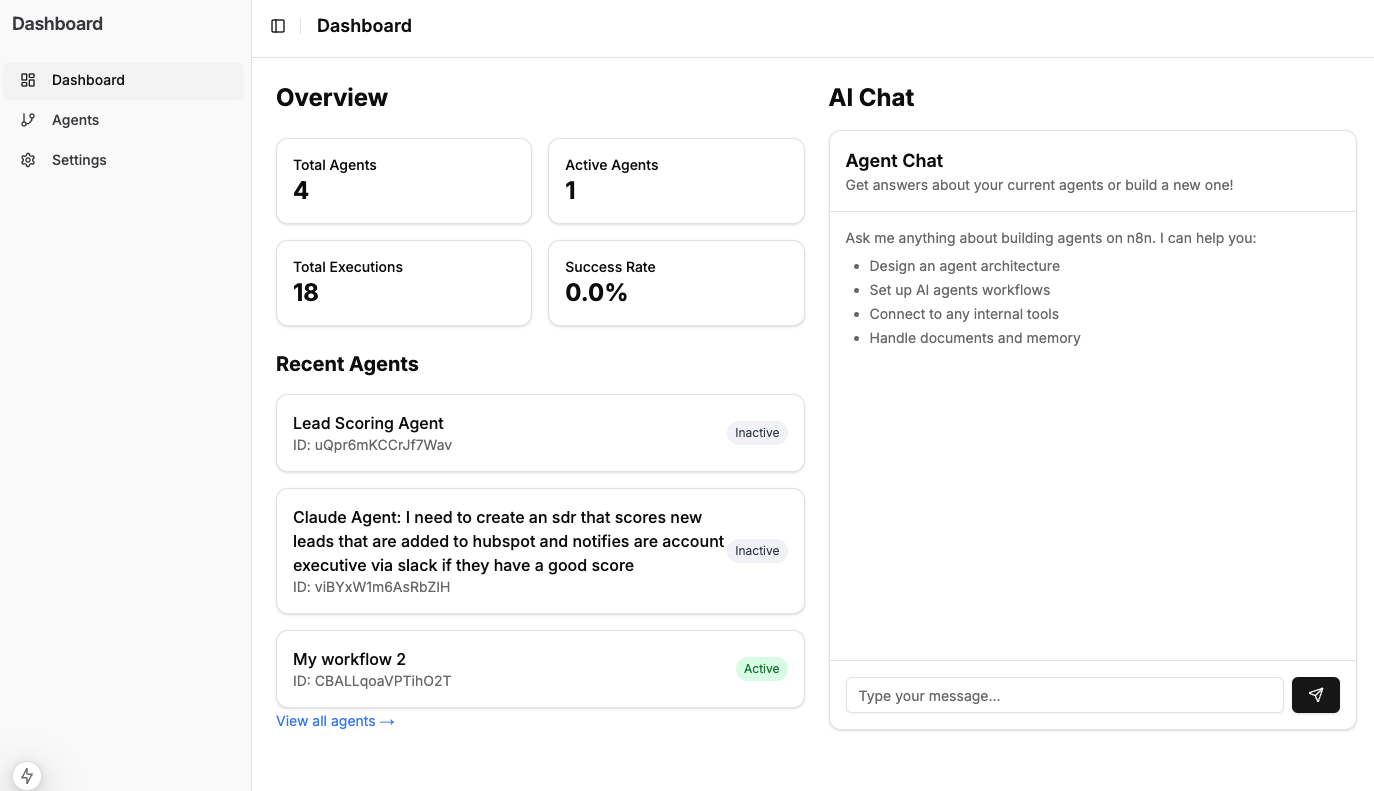
Dashboard Overview: Monitor your agents and executions
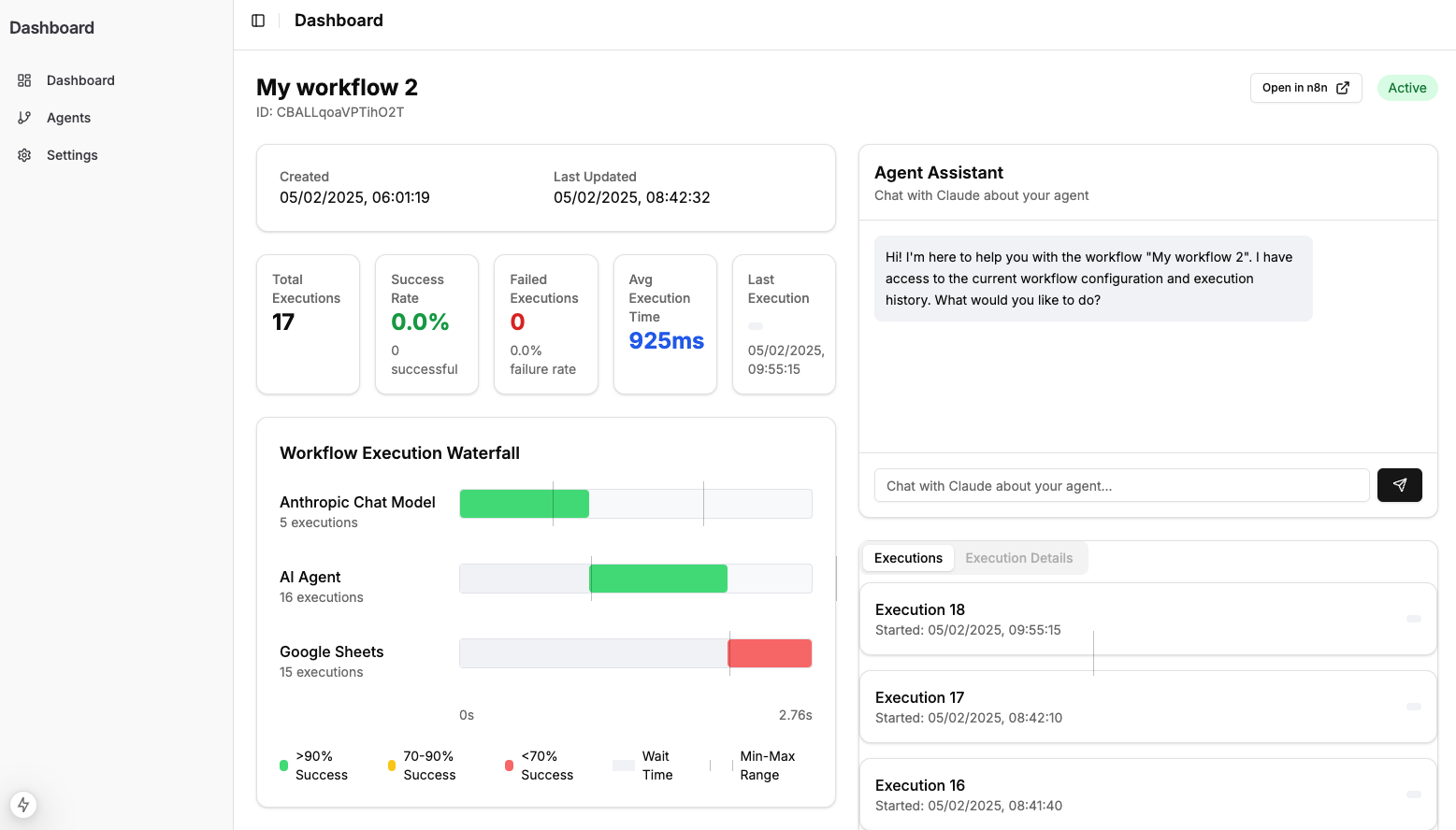
AI Agent Chat: Create and manage your n8n agents with natural language
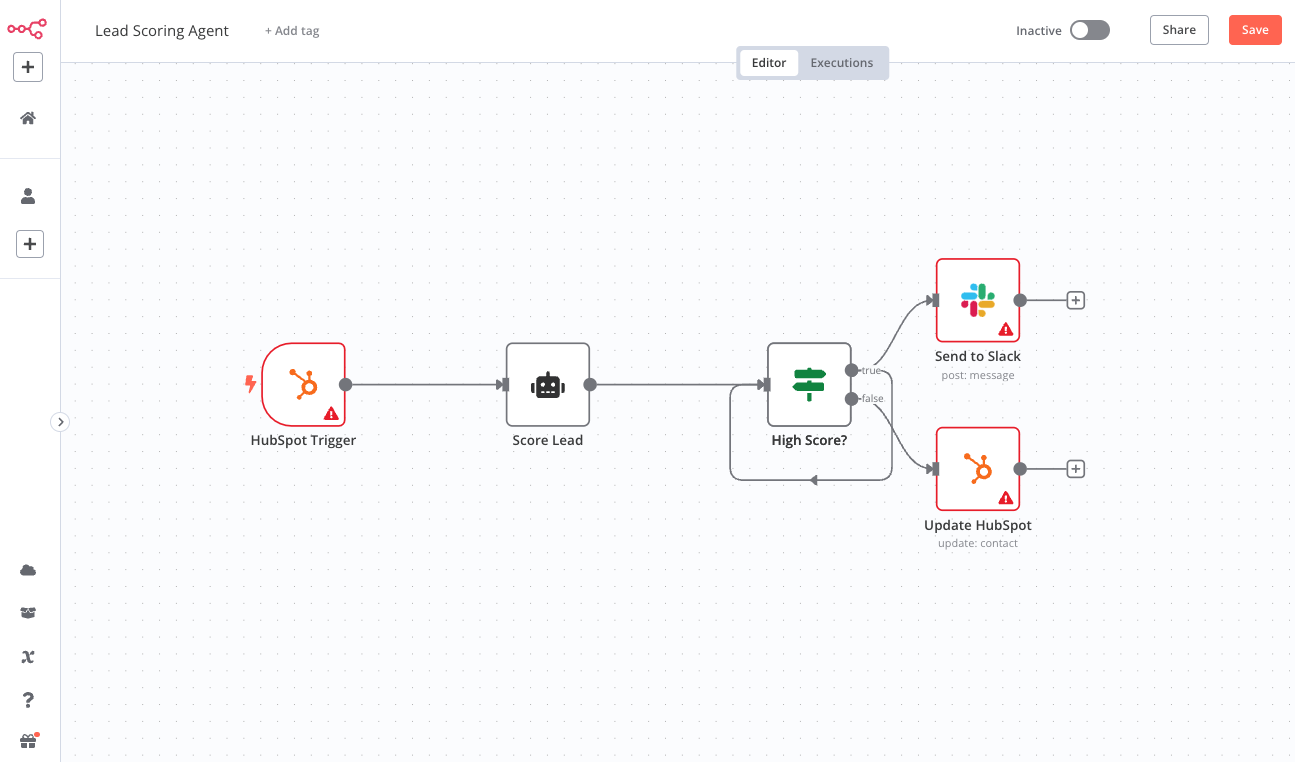
n8n Workflow Editor: Build and configure your agents visually
Watch it in Action
https://github.com/user-attachments/assets/4145677b-8ac2-4bd5-9d9a-4798f46eadb4
Getting Started
First, install the dependencies:
npm install
# or
yarn install
# or
pnpm install
Then, run the development server:
npm run dev
# or
yarn dev
# or
pnpm dev
Open http://localhost:3000 with your browser to see the dashboard.
Configuration
Required Settings
Before using the dashboard, you need to configure the following settings:
-
n8n Instance Configuration
- The dashboard works with any n8n instance:
- n8n Cloud: Use n8n's managed cloud service
- Self-hosted: Install and run n8n on your own infrastructure (Self-hosting guide)
- Enter your n8n instance URL:
- For n8n Cloud: Your cloud instance URL (e.g.,
https://your-workspace.app.n8n.cloud) - For self-hosted: Your instance URL (e.g.,
http://localhost:5678)
- For n8n Cloud: Your cloud instance URL (e.g.,
- Add your n8n API key
- To get your API key:
- Log into your n8n instance
- Go to Settings > API
- Create a new API key with appropriate permissions
- Copy the generated key
- To get your API key:
- The dashboard works with any n8n instance:
-
Anthropic API Key
- Go to the Settings page in the dashboard
- Enter your Anthropic API key
- To get an API key:
- Visit Anthropic's website
- Sign up or log in to your account
- Navigate to the API section
- Generate a new API key
- Copy the key
- To get an API key:
Environment Variables
If you prefer to set these values via environment variables, create a .env.local file in the root directory with:
NEXT_PUBLIC_N8N_URL=your_n8n_url
NEXT_PUBLIC_N8N_API_KEY=your_n8n_api_key
NEXT_PUBLIC_ANTHROPIC_API_KEY=your_anthropic_api_key
Features
- Modern, responsive dashboard interface
- Real-time agent monitoring
- Execution history and statistics
- AI-powered agent chat assistance
- Workflow visualization and management
- Integration with n8n's API
Learn More
To learn more about the technologies used in this project:
Contributing
Contributions are welcome! Please feel free to submit a Pull Request.