

⚖️ AI Lawyer - RAG with DeepSeek R1
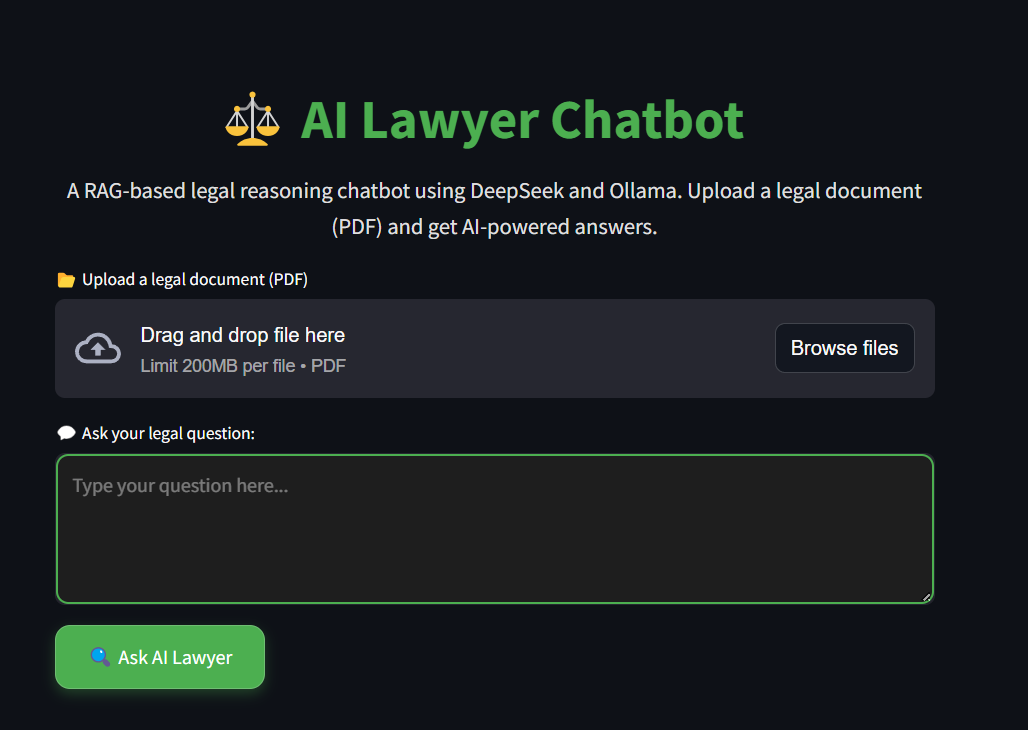
An AI-powered legal chatbot that leverages Retrieval-Augmented Generation (RAG) with DeepSeek R1 and Ollama for advanced legal reasoning.
This chatbot is designed to assist users in understanding complex legal documents, retrieving relevant case laws, and providing structured legal insights. By integrating DeepSeek R1, a sophisticated reasoning model, with the RAG framework, AI Lawyer ensures that responses are grounded in factual legal texts, reducing hallucinations and enhancing reliability. The chatbot can process large legal documents, break them down into meaningful sections, and retrieve the most pertinent information to answer user queries accurately.
Features
- 📂 Upload and analyze legal documents (PDFs)
- 🔍 Retrieve relevant legal information using FAISS vector database
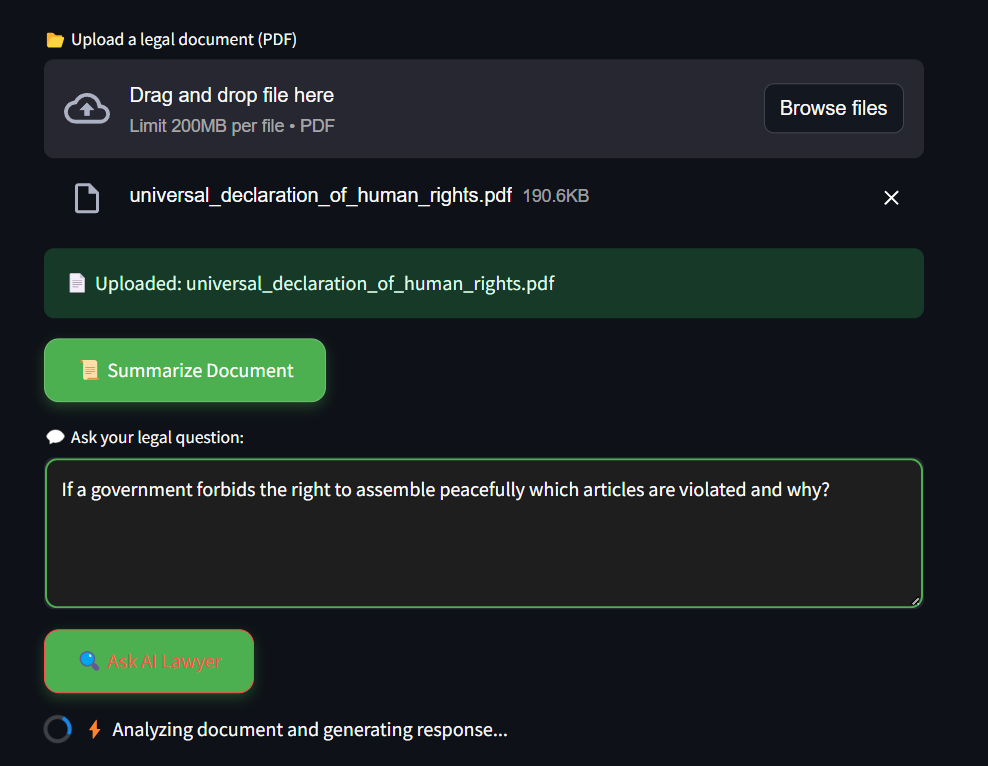
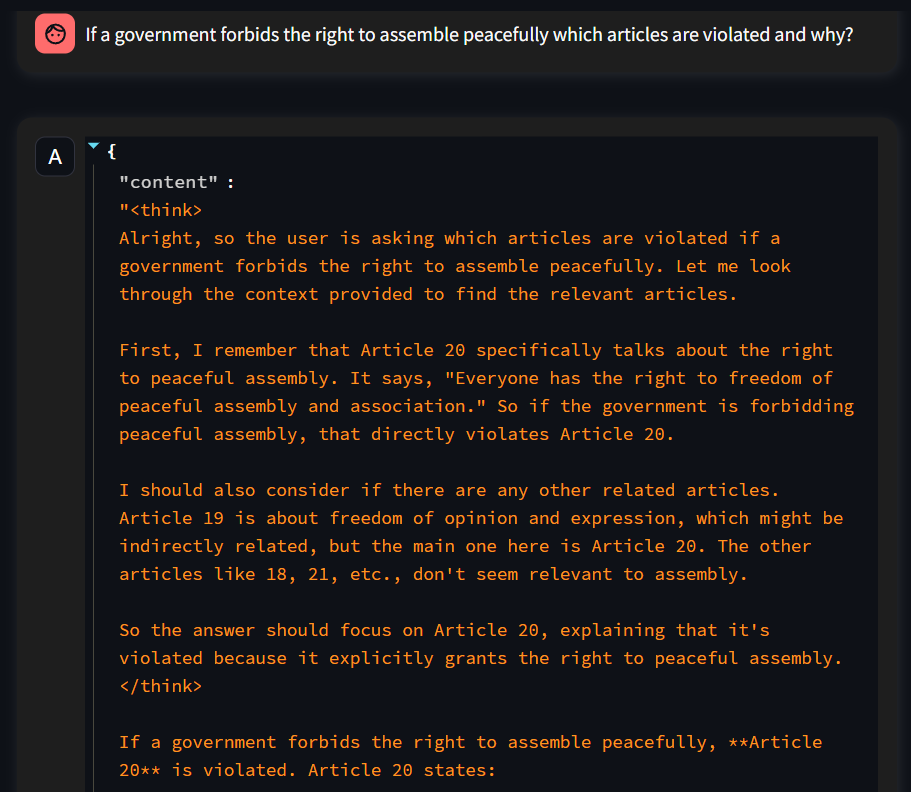
- 🤖 Answer legal questions using DeepSeek R1 with Groq
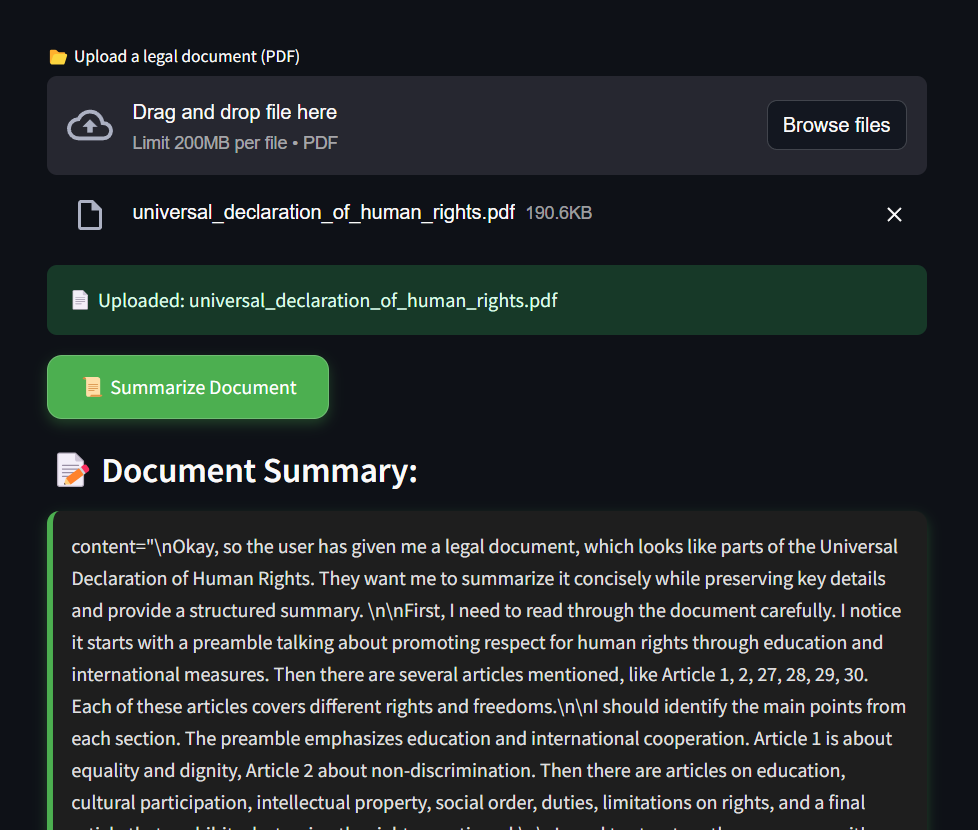
- 📜 Summarize legal documents
- 📄 Generate downloadable AI-generated legal reports
https://github.com/user-attachments/assets/003b6247-9faa-4c9a-b9b6-e1311d1d61d5
📸 Project Demo
 |
 |
|---|---|
 |
 |
📁 Project Structure
    ├── frontend.py          # Streamlit UI for AI Lawyer
    ├── rag_pipeline.py      # Retrieval-Augmented Generation pipeline
    ├── vector_database.py   # FAISS-based vector database
    ├── requirements.txt     # Python dependencies
    └── README.md            # Project documentation
🛠️ Technologies Used
- DeepSeek R1 - AI model for complex reasoning
- Ollama - Local LLM hosting
- LangChain - AI framework for LLM applications
- Streamlit - Frontend UI for chatbot
- FAISS - Vector search for document retrieval
- pdfplumber - PDF document processing
⚙️ Installation & Setup
1️⃣ Clone the Repository
git clone https://github.com/AbhaySingh71/AI-Lawyer-RAG-with-Deepseek.git
cd AI-Lawyer-RAG-with-Deepseek
2️⃣ Set Up the Virtual Environment
python -m venv venv
source venv/bin/activate  # On macOS/Linux
venv\Scripts\activate  # On Windows
3️⃣ Install Dependencies
pip install -r requirements.txt
Deployment on Streamlit Cloud
1️⃣ Push code to GitHub
git add .
git commit -m "Initial commit"
git push origin main
2️⃣ Deploy on Streamlit
- Go to Streamlit Cloud → Deploy a new app.
- Set
GROQ_API_KEYin Streamlit Secrets. - Click Deploy! 🎉
🚀 Usage
- Run the Streamlit application:
- Upload a legal document (PDF)
- Ask legal questions and get AI-powered responses
- Download AI-generated legal reports
streamlit run frontend.py📜 How It Works
- Upload PDF: Documents are uploaded and processed.
- Vector Database: FAISS indexes the document text.
- Query Handling: AI retrieves relevant information.
- LLM Response: DeepSeek R1 generates answers.
- Report Generation: AI generates a downloadable PDF report.
🌐 Deployed Version
The app is deployed on Streamlit! You can check out the live version and explore the analysis on your own:Streamlit App.
🎯 Future Improvements
- 📝 Add support for multiple document formats (DOCX, TXT)
- ⚡ Improve response speed and accuracy
- 🔗 Integrate legal databases for richer context
📬 Contact Us
Have questions or need support? Reach out to us at: