Date Selection tool for Aiogram Telegram Bots
Description
A simple inline calendar, date selection tool for aiogram telegram bots written in Python.
Offers two types of date pickers:
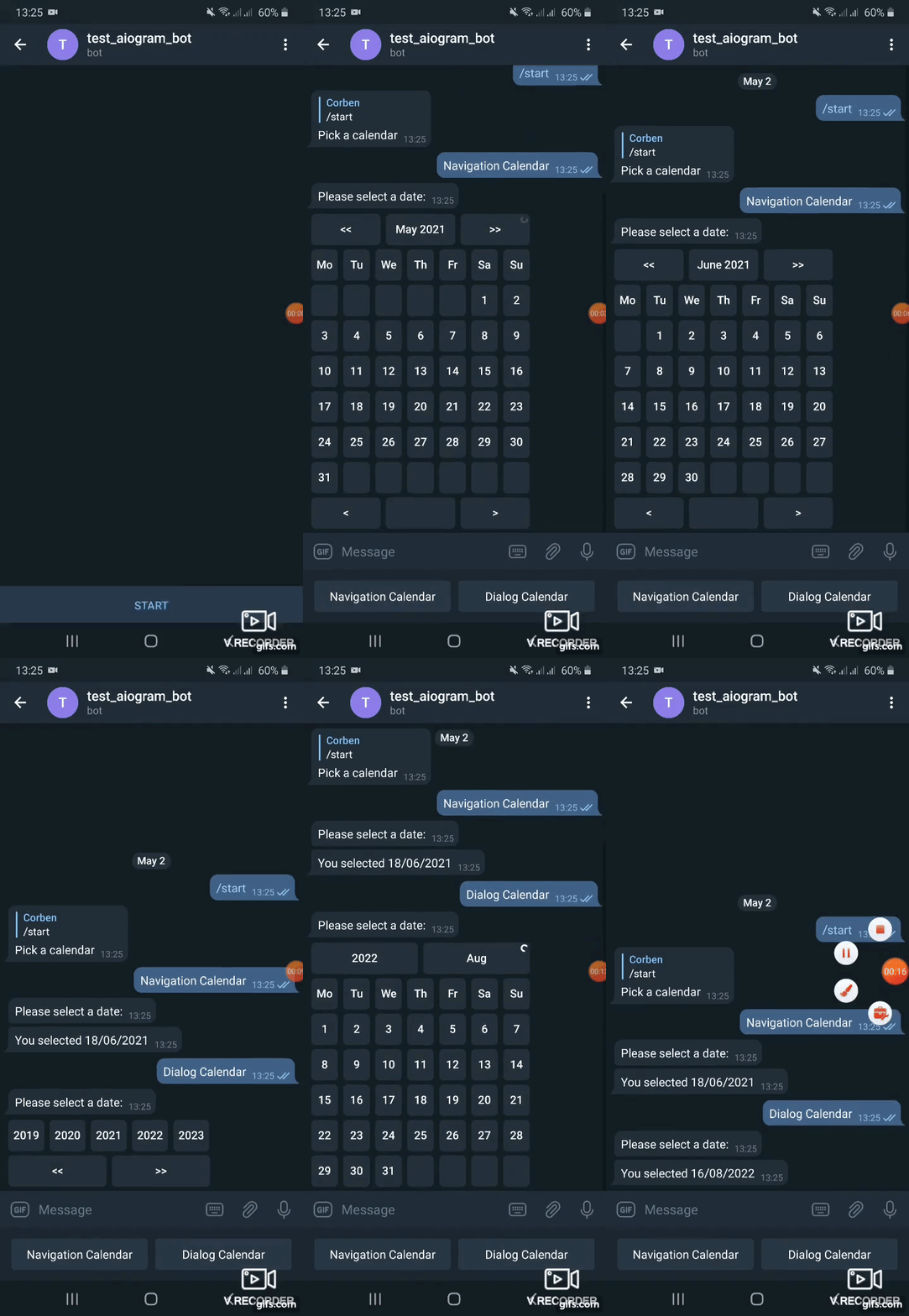
Navigation calendar - user can either select a date or move to the next or previous month/year by clicking a singe button.
Dialog calendar - user selects year on first stage, month on next stage, day on last stage.
From version 0.2 supports aiogram 3, use version 0.1.1 with aiogram 2. **From version 0.6 supports aiogram 3.7, use version 0.5 with aiogram <3.7 **
Main features
- Two calendars with abilities to navigate years, months, days altogether or in dialog
- Ability to set specified locale (language of captions) or inherit from user`s locale
- Limiting the range of dates to select from
- Highlighting todays date
Usage
Install package
pip install aiogram_calendar
A full working example on how to use aiogram-calendar is provided in *bot_example.py*.
In example keyboard with buttons is created.
Each button triggers a calendar in a different way by adding it to a message with a reply_markup.
reply_markup=await SimpleCalendar().start_calendar()
^^ will reply with a calendar created using English localization (months and days of week captions). Locale can be overridden by passing locale argument:
reply_markup=await SimpleCalendar(locale='uk_UA').start_calendar()
or by getting locale from User data provided by telegram API using get_user_locale method by passing message.from_user to it
reply_markup=await SimpleCalendar(locale=await get_user_locale(message.from_user)).start_calendar()
Depending on what button of calendar user will press callback is precessed using the process_selection method.
selected, date = await SimpleCalendar(locale=await get_user_locale(callback_query.from_user)).process_selection(callback_query, callback_data)
Here locale is specified from callback_query.from_user
Gif demo: