
Table of contents
- Table of contents
- Project Requirements
- Project Structure
- High Level Architecture
- :ship: Containers
- Step-by-Step
- Stack
- References
Project Requirements
This project was develop and tested using the following environment.
| Item | Version |
|---|---|
| Ubuntu | 22.04.1 LTS |
| Docker | 20.10.17, build 100c701 |
| Docker Compose | 1.29.2, build 5becea4c |
| Visual Studio Code | 1.71.0 |
| Python | 3.10.4 |
| OpenJDK | 11.0.16 |
| Git | 2.34.1 |
If due to license issues you are not allowed to use Docker it's possible to replace it with Podman which is an alternative highly recommended for companies such as RedHat.
Project Structure
This challenge is currently structured with the following specifications.
| Path | Description |
|---|---|
| src | Dockefile, dags and Spark applications |
High Level Architecture
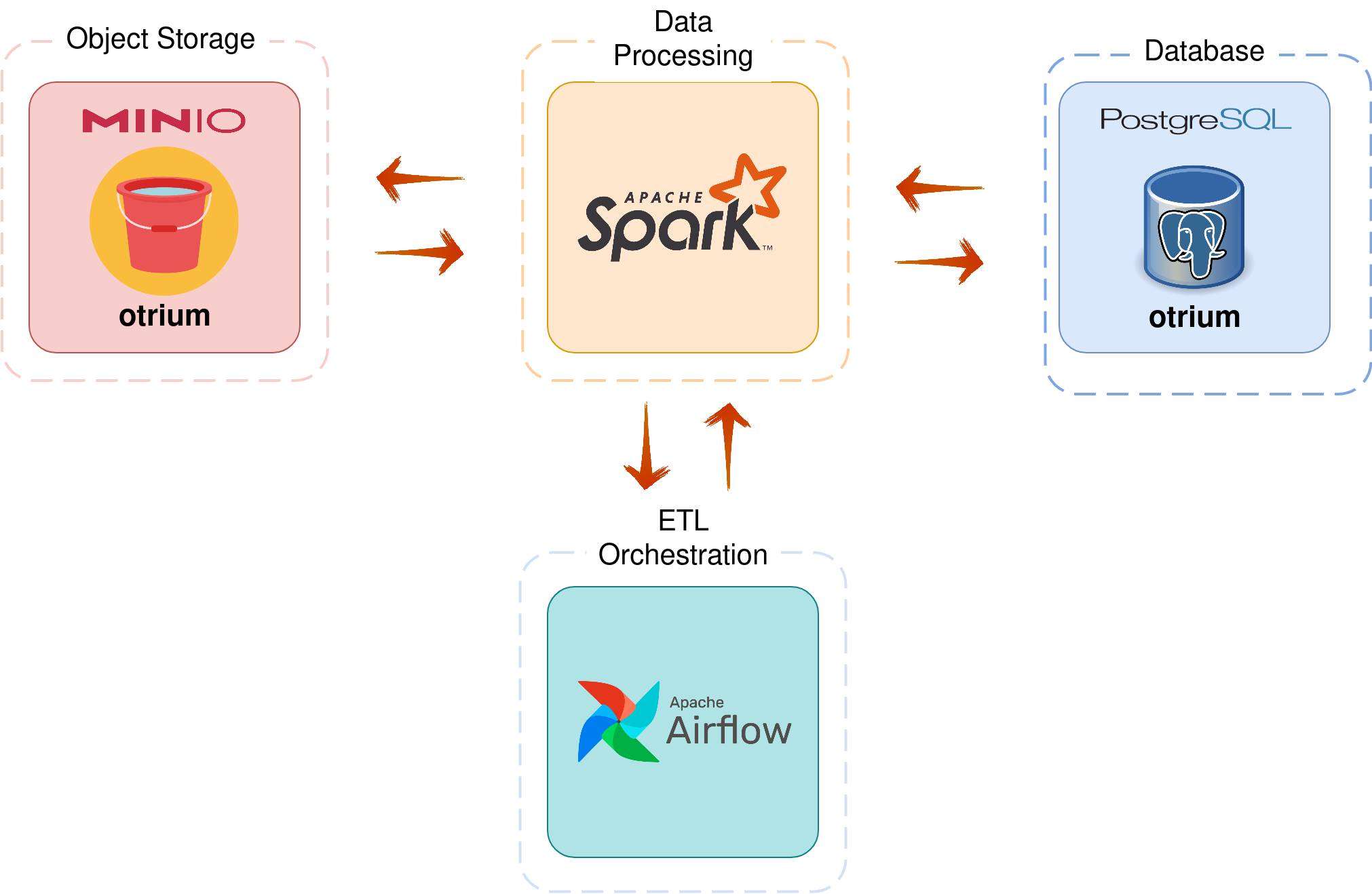
:ship: Containers
-
airflow-webserver: Airflow v2.2.4 (Webserver & Scheduler)
- image: andrejunior/airflow-spark:latest | Based on python:3.8-buster
- port: 8085
-
postgres: Postgres database (Airflow metadata and our pipeline)
- image: postgres:14-bullseye
- port: 5432
-
spark-master: Spark Master
- image: bitnami/spark:3.2.1
- port: 8081
-
spark-worker: Spark workers
- image: bitnami/spark:3.2.1
-
MinIO: Object storage
- image: bitnami/minio:latest
Step-by-Step
1. Clone the Repository
git clone https://github.com/andrejnevesjr/airflow-spark-minio-postgres.git
2. Setup environment
cd otrium-challenge
docker-compose -f docker-compose.yml up -d
3. Airflow: Create user for UI
To access Airflow UI is required to create a new user account, so in our case, we are going to create an fictional user with an Admin role attached.
NOTE: Before RUN the command below please confirm that Airflow is up and running, it can be checked by accessing the URL http://localhost:8085. Have in mind that in the first execution it may take 2 to 3 minutes :stuck_out_tongue_winking_eye:
docker-compose run airflow-webserver airflow users create --role Admin --username airflow
--email [email protected] --firstname airflow --lastname airflow --password airflow
3.1 Airflow: Postgres, MinIO & Spark connections configuration
-
Open the service in your browser at http://localhost:8085 Use the credentials
User: airflow Password: airflow -
Click on Admin -> Connections in the top bar.
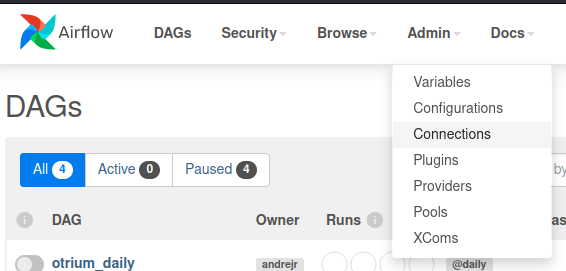
-
Click on + sign and fill in the necessary details for each source below:
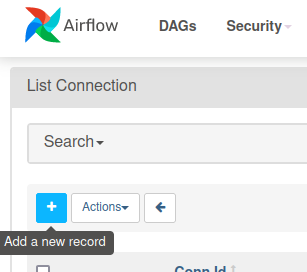
Postgres
Conn Id: postgres_conn
Conn Type: Postgres
Host: postgres
Schema: airflow
Login: airflow
Password: airflow
Port: 5432
MinIO
Conn ID: minio_conn
Conn Type: Amazon S3
Extra: consists of the JSON below:
    { "aws_access_key_id":"airflow",
      "aws_secret_access_key": "airflow",
      "host": "http://bucket:9000"
    }
Spark
Conn ID: spark_conn
Host: spark://spark
Port: 7077
Extra: consists of the JSON below:
{"queue": "root.default"}
Stack
| Application | URL | Credentials |
|---|---|---|
| Airflow | http://localhost:8085 | User: airflow Pass: airflow |
| MinIO | http://localhost:9001 | User: airflow Pass: airflow |
| Postgres | Server/Database: localhost:5432/airflow | User: airflow Pass: airflow |
| Spark (Master) | http://localhost:8081 |