

File transfer without the cloud.
Files go directly between your devices — end-to-end encrypted, no accounts, no servers, no limits.


Contents
About
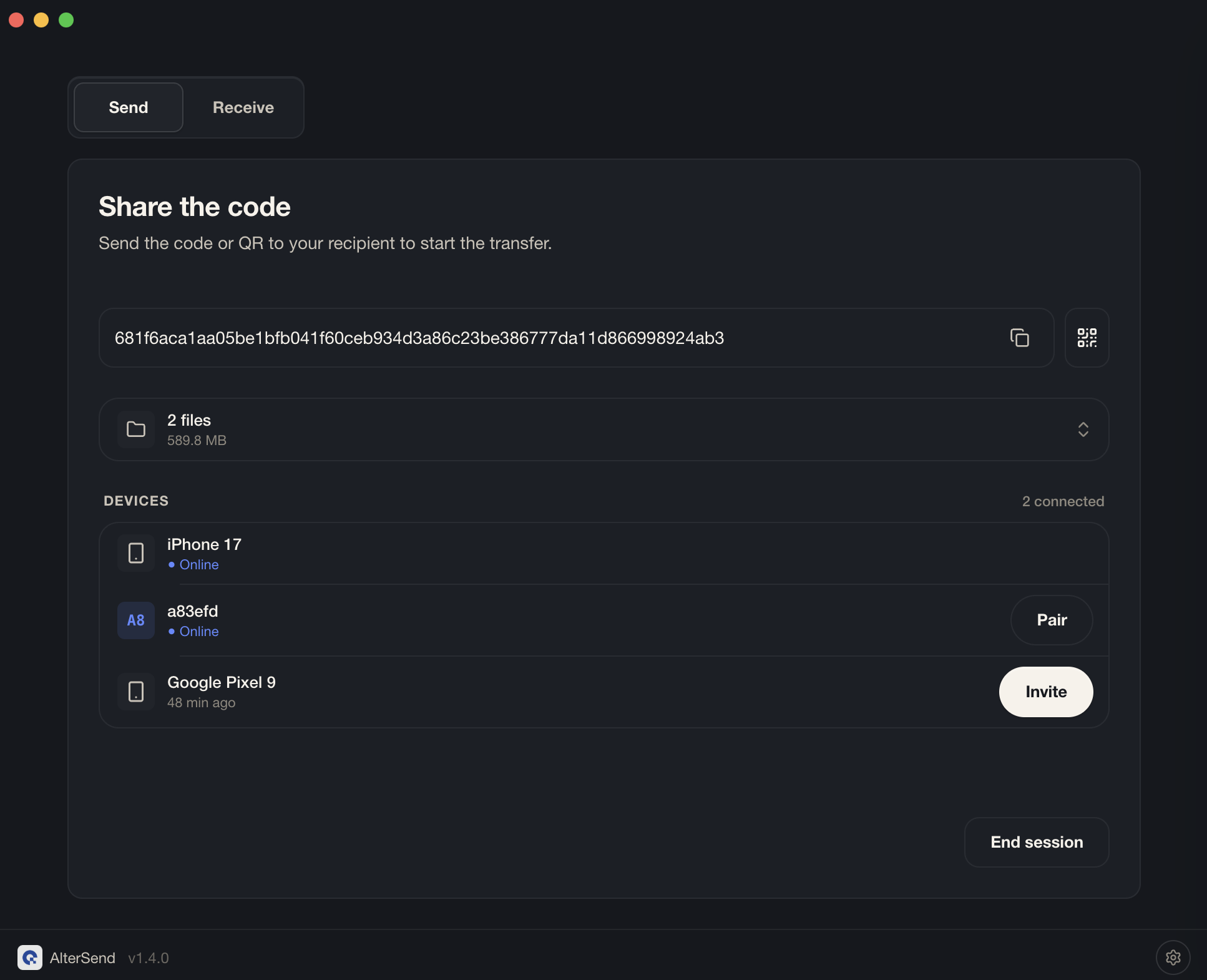
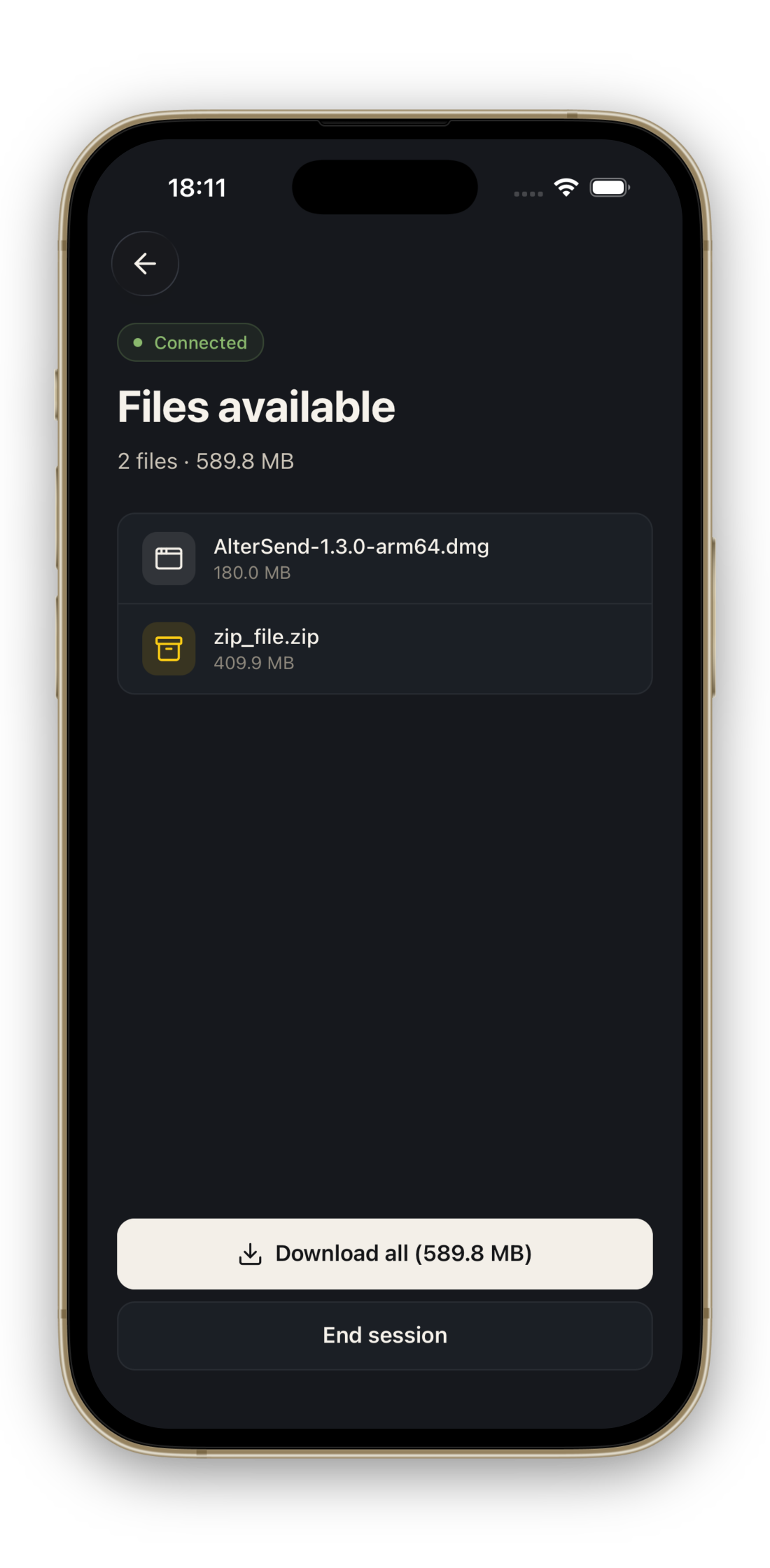
AlterSend is a free, open-source app for sending files directly between your devices — no cloud, no uploads, no size limits. Files transfer peer-to-peer and are end-to-end encrypted; nothing is ever stored on a server.
Why use WeTransfer, Dropbox, or Google Drive when you can send files directly — instantly, privately, with no upload costs and no limits?
Features
- No accounts — no signup, no login, no email address required
- No servers — files transfer directly device-to-device, nothing stored in the cloud
- End-to-end encrypted — only your devices can read your files, always
- No file size limit — send a 100 MB photo or 500 GB video archive, same experience
- Cross-platform — macOS, Windows, Linux, iOS, Android
- Works everywhere — local network or across continents, same code path
- Open source — Apache-2.0, audit every line yourself
Download
Get the latest release from altersend.com/download or directly from the table below.
| Platform | Download |
|---|---|
| Windows | Microsoft Store (signed) · EXE installer |
| macOS | DMG — Apple Silicon · DMG — Intel |
| Linux | AppImage |
| Android | Google Play · APK |
| iOS | App Store |
macOS
.dmg— signed with our Developer ID but not yet notarized by Apple, so macOS will show "AlterSend cannot be opened because the developer cannot be verified" on first launch. Right-click the app → Open → Open to bypass Gatekeeper (one time only). Notarization is in progress.
Windows
.exe— not yet signed, so Windows will show "Windows protected your PC" on first run. Click More info → Run anyway to install. The Microsoft Store version is signed and avoids this warning.
How it works
- Open AlterSend on both devices
- One device shows a join code (or QR)
- The other scans or types it
- Files transfer directly — peer to peer
   ┌─────────┐          encrypted P2P          ┌─────────┐
   │ Device  │ ◄──────────────────────────────► │ Device  │
   │   A     │     direct, no middleman         │   B     │
   └─────────┘                                  └─────────┘
        ▲                                            ▲
        │       peer discovery via Hyperswarm        │
        └────────────────────────────────────────────┘
                   (DHT, no central server)
Discovery uses Hyperswarm (a DHT) — once peers find each other, no central infrastructure is involved. Transfers run over Hyperdrive: encrypted, content-addressed, resumable.
For developers
Prerequisites
- Node.js 20+
- npm 10+
- Xcode (iOS) or Android Studio (Android)
Setup
git clone https://github.com/denislupookov/altersend.git
cd altersend
npm install

cp apps/desktop/.env.example apps/desktop/.env
cp apps/mobile/.env.example apps/mobile/.env
# All env vars are optional in dev — the app runs without them.
Run
npm run dev            # desktop (Electron)
npm run mobile:start   # mobile (Expo)
Build
npm run desktop:build # packages + desktop app
Platform installers (.dmg, .exe, .AppImage) are produced by the release CI workflow — trigger manually from the Actions tab.
Project structure
apps/
  desktop/    Electron app — main + renderer + Bare worklet
  mobile/     React Native / Expo app
packages/
  core/       P2P protocol — Hyperswarm, Hyperdrive, RPC
  domain/     State management — Zustand store, business logic
  components/ Cross-platform UI — React Strict DOM + Tailwind
docs/
  architecture.md   Full system overview
See docs/architecture.md for data flow and inter-process boundaries.
Tech stack
Electron · React Native · Expo · Bare · Hyperswarm · Hyperdrive · React Strict DOM · Tailwind · Zustand
Crash reporting
Crash and error reporting uses Sentry. It is opt-in and off by default — nothing is sent until you enable it in the app's settings.
- Where it runs. Desktop has two Sentry SDKs:
@sentry/electron/mainfor native main-process crashes and@sentry/electron/rendererfor renderer JS / transfer errors. Mobile uses@sentry/react-native. The Bare worklet has no Sentry — it pipes its logs to the renderer over RPC instead. - Opt-in state. Stored locally: desktop uses the
localStoragekeyaltersend.crash-reporting.enabled; mobile uses a marker file in the app document directory. The main process initializes Sentry early (beforeappready) but gates submission inbeforeSend; the renderer pushes the current preference over thesentry:setEnabledIPC channel. - PII scrubbing.
beforeSendrewrites home-directory paths to~in exception messages and breadcrumbs, so usernames and file paths don't leak into stack traces. - DSNs come from env vars —
SENTRY_DSN(desktop main, baked in at build bygen-sentry-dsn.cjs),VITE_SENTRY_DSN(desktop renderer),EXPO_PUBLIC_SENTRY_DSN(mobile). All are optional; see the.env.examplefiles. Community and self-built binaries ship without DSNs, so Sentry is a complete no-op and no telemetry is ever sent.
Contributing
Pull requests welcome. See CONTRIBUTING.md for setup, code style, and the PR process.
Security
Found a vulnerability? Follow the disclosure process in SECURITY.md — please don't open a public issue.
License
Apache-2.0 © AlterSend