
Amgi
암기 (amgi) — Korean for "memorization"
An open-source, offline-first Anki-compatible iOS flashcard client with sync server support.



Amgi wraps the official ankitects/anki Rust backend via C FFI, giving you a native SwiftUI experience backed by the same battle-tested engine that powers Anki Desktop and AnkiDroid. Sync your decks with any compatible sync server (including self-hosted), study with FSRS scheduling, and keep your review history in perfect sync across all your devices.
Features
- Sync Server Support -- login, sync, full upload/download, bidirectional review sync with any compatible server
- FSRS Scheduling -- powered by the official Rust FSRS engine, not a reimplementation
- Card Rendering -- Rust template engine renders cards exactly like desktop clients
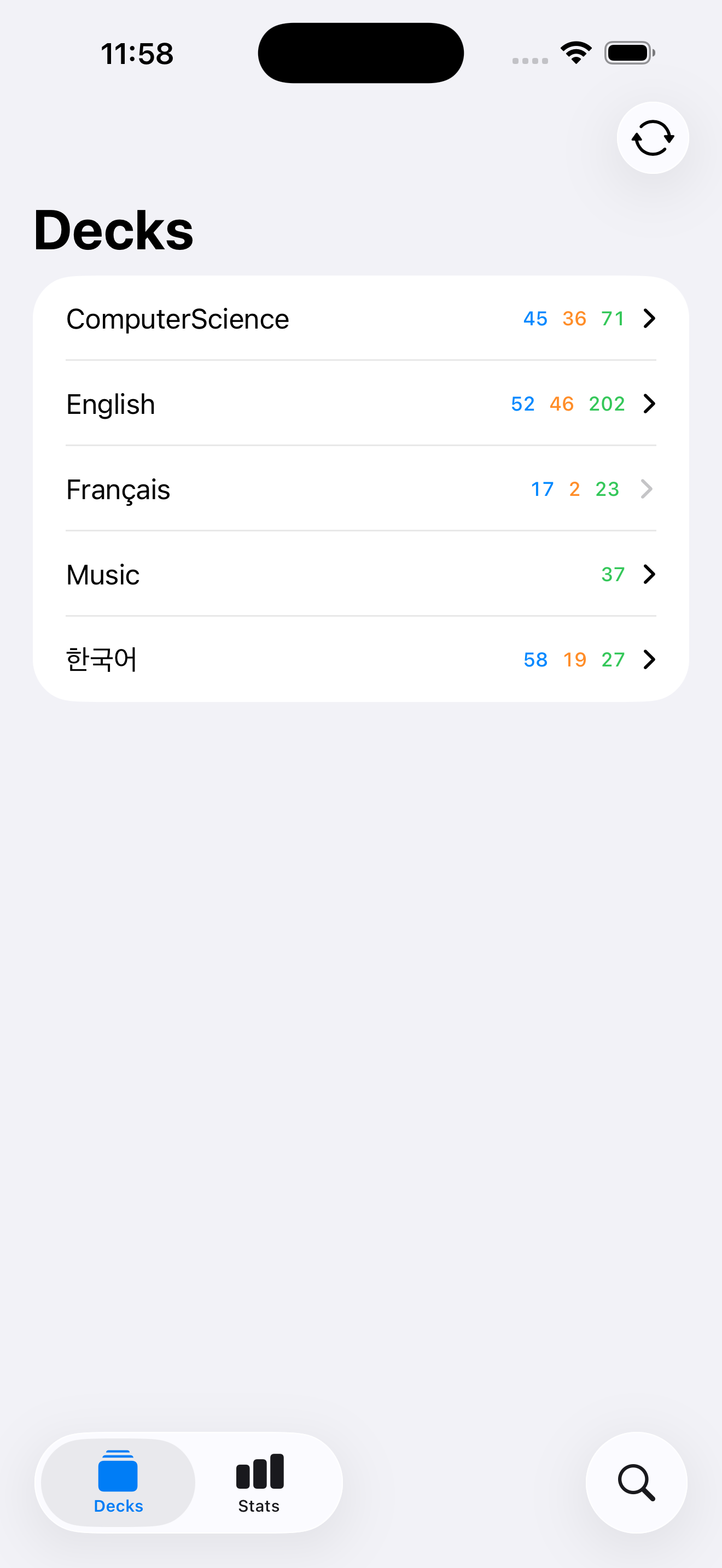
- Deck Browser -- hierarchical deck tree with recursive
DisclosureGroupexpand/collapse, new/learn/review count badges on every node - Study Session -- answer cards with Again/Hard/Good/Easy; next-interval labels shown above each button
- Note Browser -- search notes across all decks, deck filter chips (top-level decks auto-include subdecks), lazy-load results (50 per page)
- Note Editor -- edit note fields with accurate field names from the Rust notetype RPC
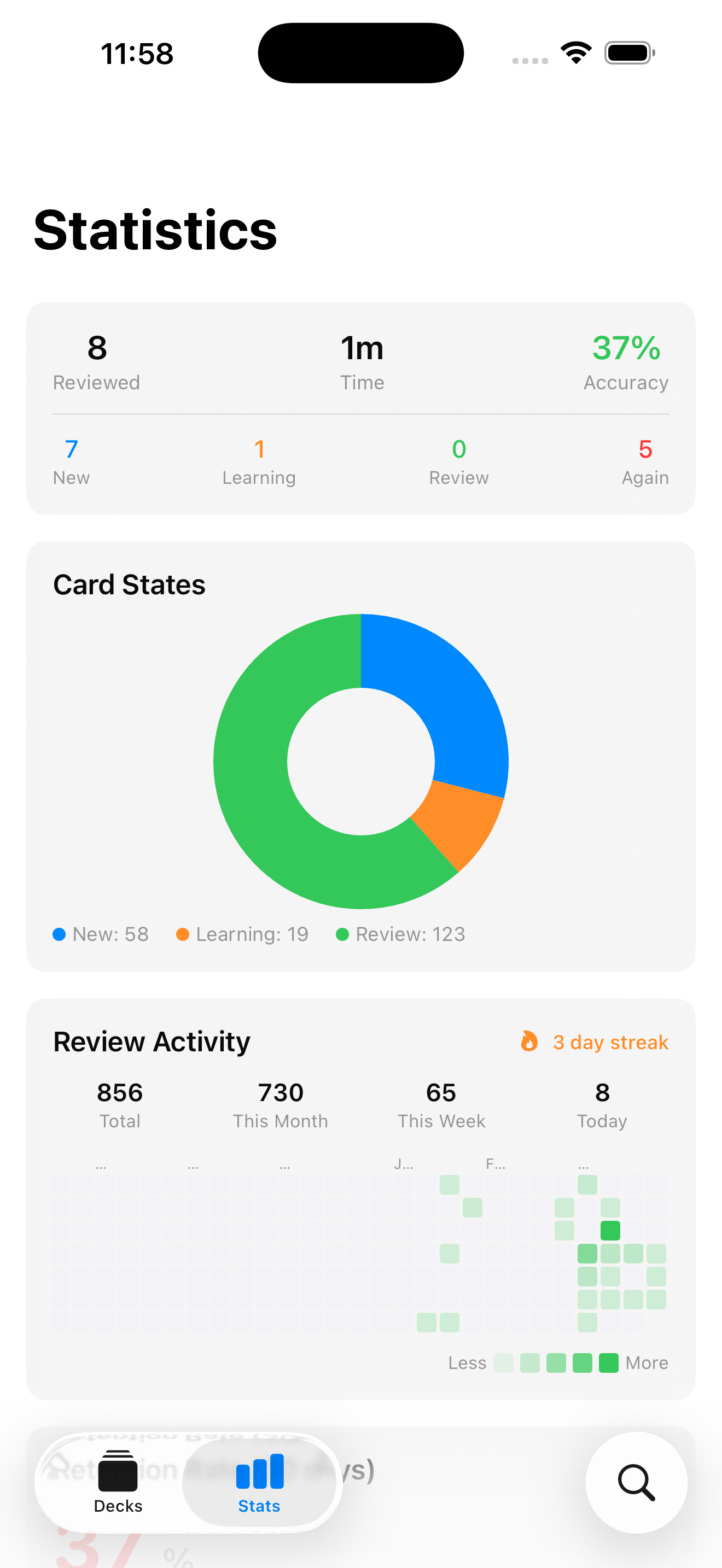
- Statistics Dashboard -- full-year review heatmap (auto-scrolls to today), streak counter, retention rate, forecast chart, card count breakdown
- Reader -- read books from your collection chapter-by-chapter; tap any word for a Yomitan-compatible dictionary lookup; chained popups, search history, per-dictionary collapsed memory; TTS speak button with language-aware voice selection; bundled Korean fonts (Sarasa Mono K, Nanum Myeongjo, Nanum Gothic); vertical writing mode and Latin/CJK auto-detection; cross-device progress sync
- Multi-Profile Accounts -- isolated Anki collections per profile, fast picker in the decks toolbar, per-profile sync credentials and review history
- Image Occlusion -- create and edit notes with rectangle, ellipse, polygon, and text masks; reviewer parity with upstream Anki
- Multi-Theme System -- Vivid + Muted palettes, Light/Dark/Follow-System; persists across app and home-screen widgets via App Group
- Per-Deck Study Options -- FSRS weights editor with optimizer + simulator, preset CRUD, Easy Days, bury rules, timer, auto-advance
- Offline-First -- everything works offline; sync when you have a connection
- Swift 6.2 Strict Concurrency -- zero data races, fully actor-isolated,
Sendablethroughout
Screenshots
Architecture
SwiftUI Views
    |
@DependencyClient structs
    |
AnkiBackend (Swift wrapper)
    |
C FFI (4 functions)
    |
Rust static library (ankitects/anki)
Swift owns the UI. Rust owns everything else -- database, sync, FSRS scheduling, card templates, statistics.
For the full architecture walkthrough, see ARCHITECTURE.md.
Requirements
| Tool | Version |
|---|---|
| iOS | 17.0+ |
| Xcode | 16.0+ |
| Rust | 1.92+ (via rustup) |
| protoc | 3.0+ |
| protoc-gen-swift | latest |
| xcodegen | latest |
Getting Started
1. Clone with submodules
git clone --recursive https://github.com/antigluten/amgi.git
cd amgi
2. Install dependencies
# Rust toolchain
curl --proto '=https' --tlsv1.2 -sSf https://sh.rustup.rs | sh
rustup target add aarch64-apple-ios aarch64-apple-ios-sim x86_64-apple-ios-simulator

# Protobuf compiler and Swift plugin
brew install protobuf swift-protobuf

# Xcode project generator
brew install xcodegen
3. Build the Rust XCFramework
./scripts/build-xcframework.sh
This cross-compiles the Rust bridge for iOS device and simulator, then packages both into AnkiRust.xcframework. The first build takes several minutes; incremental builds are fast.
4. Generate Swift protobuf types
./scripts/generate-protos.sh
5. Open in Xcode
cd AnkiApp && xcodegen generate && cd ..
open AnkiApp/AnkiApp.xcodeproj
6. Build and Run
Select an iOS Simulator or device, then build and run (Cmd+R).
Tech Stack
- UI: SwiftUI with strict concurrency (Swift 6.2, language mode v6)
- Dependency Injection: swift-dependencies (
@DependencyClientstruct-closure pattern) - Backend: ankitects/anki Rust crate via C FFI
- Serialization: Protocol Buffers (24 .proto service definitions)
- Database: SQLite (owned by Rust backend)
- Build: SPM for library modules, xcodegen for the app target
License
This project is licensed under the GNU Affero General Public License v3.0 (AGPL-3.0) because it incorporates ankitects/anki (copyright Ankitects Pty Ltd), which is also AGPL-3.0. See LICENSE for the full license text.
The AGPL requires that if you distribute this software or run it as a network service, you must make the complete source code available under the same license.
Contributing
Contributions are welcome. See CONTRIBUTING.md for guidelines, code style, and the development setup. A list of contributors is maintained in CONTRIBUTORS.md.
Acknowledgments
- Damien Elmes and the ankitects/anki contributors for the Rust backend that powers this app
- DreamAfar for the v0.0.3 fork that contributed Image Occlusion, the multi-theme system, the Settings tab, the card template editor, retrievability stats, tag management, the rich note editor, and the GitHub Actions IPA workflow
- AnkiDroid for pioneering the Rust backend bridge pattern on mobile
- Point-Free for swift-dependencies