
🚀 App-Scrcpy
Wireless Android Screen & Audio Streaming to Windows
Mirror your Android screen to your Windows PC — with real-time audio, low latency, and full remote control. No USB. No ADB. No root. No drivers. Just Wi-Fi.
⚡ Quick Start
| Platform | Download |
|---|---|
| Android APK | Download APK |
| Windows GUI | Download GUI |
| Windows CMD | Download CMD |
| Linux / Mac | Coming Soon ⌛ |
| Setup Guide | View Guide |
| Website | Visit Website |
| How use CMD | How use CMD |
⚠️ Important
App-Scrcpy is part of Adb-Device-Manager-2.
From v1.5, it's also available as a standalone lightweight app . Full Project - Adb-Device-Manager-2
📊 Feature Overview
| Feature | Android App | ADB Required | Works on Lock Screen |
|---|---|---|---|
| Screen Streaming | ✅ Yes | ❌ No | ❌ No |
| Internal Audio | ✅ Yes | ❌ No | ✅ Yes |
| Full Control | ✅ Yes | ❌ No | ❌ No |
| App Access | ✅ Yes | ✅ Yes | ✅ Yes |
✨ What Makes It Special?
App-Scrcpy is built for performance, stability, and real control.
You get:
✔ Real-time screen streaming (H.264 hardware encoded) ✔ Internal system audio streaming (48kHz stereo) ✔ Full touch control ✔ Adaptive bitrate for smooth performance ✔ Audio-only mode
All over your local Wi-Fi network.
🧠 How It Works (Simple Version)
The Android app:
- Captures your screen using MediaProjection
- Captures internal audio (Android 10+)
- Encodes video using hardware H.264
- Hosts a lightweight WebSocket server
The Windows app:
- Connects using your phone’s IP
- Decodes video with FFmpeg
- Plays audio using PortAudio
- Renders video with SDL2
- Sends mouse & keyboard input back to your phone
Everything runs in real time.(*Depend on your wifi speed & Device performance)
⌨ Windows Hotkeys
| Shortcut | Action |
|---|---|
| Ctrl + F | Toggle Fullscreen |
| Ctrl + W | Toggle Border |
| Ctrl + A | ALL Apps |
| Ctrl + S | Open Settings |
| Ctrl + B | Go Back |
| Ctrl + R | Open Recent Apps |
| Ctrl + H | Go to Home Screen |
Lock-Free Audio Engine
Audio uses a real-time ring buffer to prevent glitches and robotic sound.
Adaptive Bitrate
If Wi-Fi slows down, quality adjusts automatically to keep the stream smooth.
Android Requirements
- Android 10+ (for audio capture)
- Accessibility permission (for remote control)
- Screen capture permission
Windows Requirements
- Windows 10 or newer
- Same local network as your phone
- No installation required (portable app)
🚀 How To Use
- Install Android APK
- Grant required permissions
- Note your phone’s local IP
- Open Windows app
- Enter IP → Click Connect
That’s it.
Your screen appears in seconds.
💡 Why App-Scrcpy?
Because it’s:
- Lightweight
- Fast
- Clean architecture
- Built from scratch
- Designed for stability
- Made for real usage
Sample Images
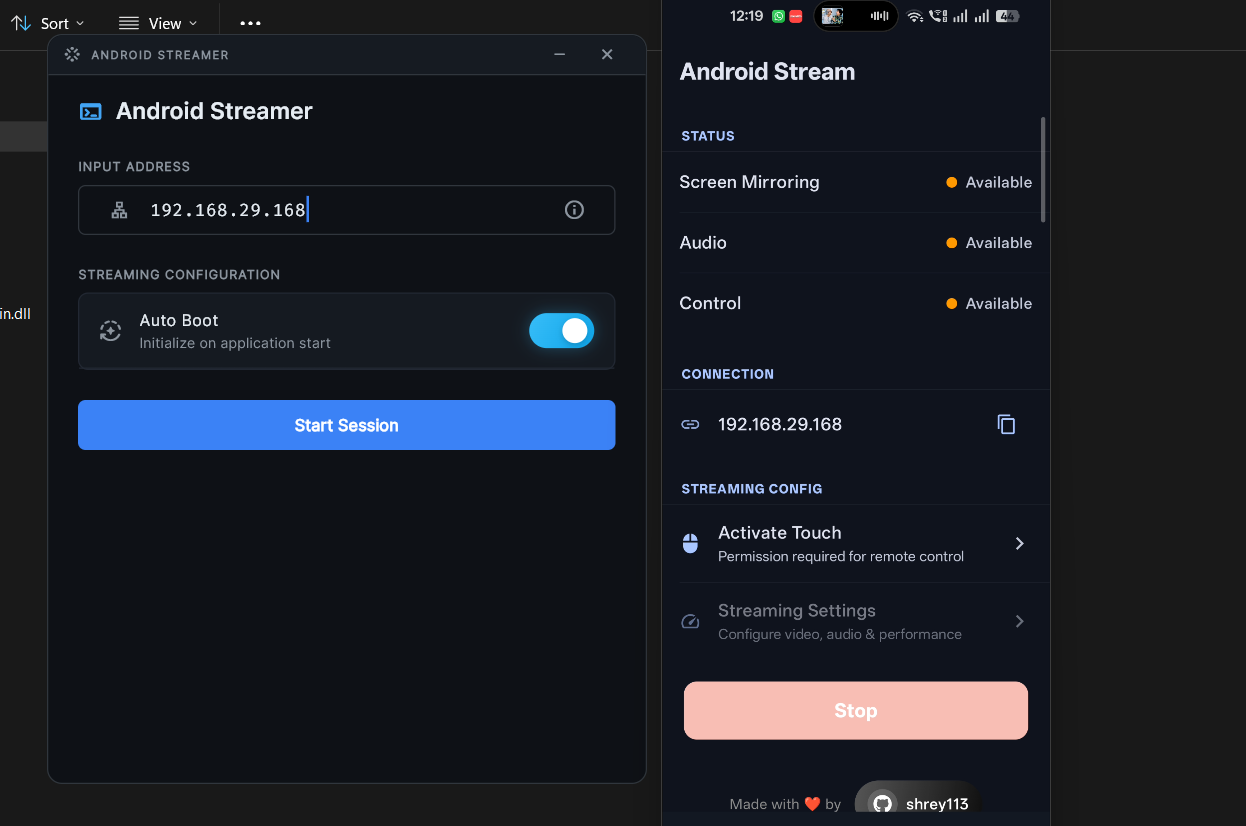
Built by Shrey GitHub: https://github.com/Shrey113/App-Scrcpy Website: https://shrey113.github.io/App-Scrcpy/