
aPulse
A one-file NodeJS server status monitoring/notification tool.
Demo
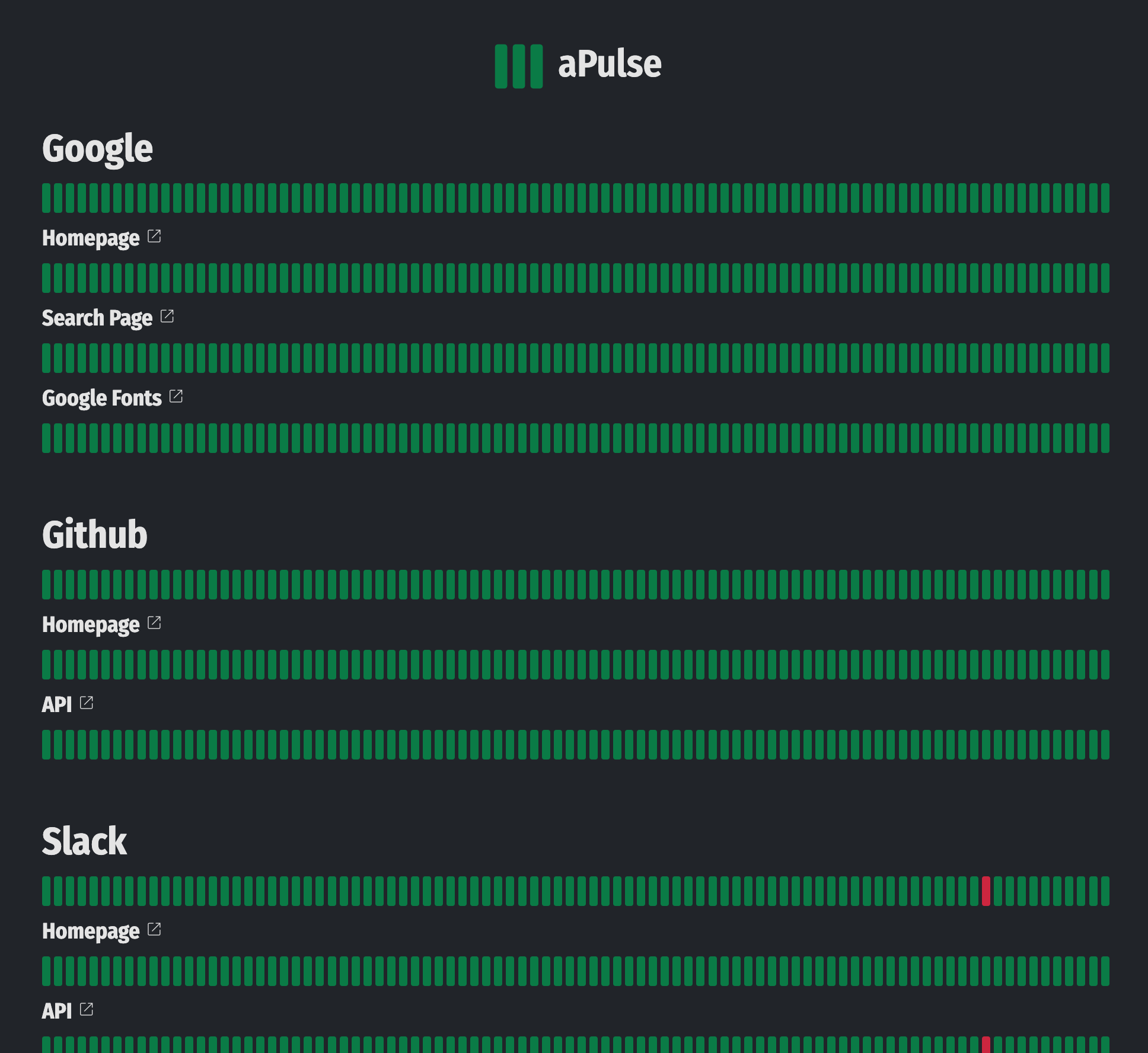
Visit https://apulse.ybouane.com for a demo!
Features
- Highly and easily configurable, edit the config.js file to add test endpoints and configure the watcher
- Supports sending outage notifications by: Telegram, Discord, Slack, SMS (Twilio API), Email (SendGrid API)
- Uses the Fetch API to test server-responses, you can configure GET, POST, PUT... requests and have full control over the fetch options.
- Check content for validity, HTTP status...
- Measures latency
- Minimal and easy to use dashboard
- Easy to setup. Run the watcher.js script and open the static/index.html page to view the dashboard.
- Auto-reload of the config file (no need to restart the watcher)
- No dependencies
How does it work
aPulse can be configured through the "config.js" file and it looks like this
export default {
	interval			: 15, // Interval in minutes between each pulse
	nDataPoints			: 90, // Number of datapoints to display on the dashboard
	responseTimeGood	: 300, // In milliseconds, this and below will be green
	responseTimeWarning	: 600, // In milliseconds, above this will be red
	timeout				: 5000, // In milliseconds, requests will be aborted above this
	verbose				: true, // Whether or not to output pulse messages in the console
	readableStatusJson	: true, // Format status.json to be human readable
	logsMaxDatapoints	: 200, // Maximum datapoints history to keep (per endpoint)
	telegram			: {}, // optional, tokens to send notifications through telegram
	slack				: {}, // optional, tokens to send notifications through slack
	discord				: {}, // optional, tokens to send notifications through discord
	twilio				: {}, // optional, tokens to send notifications through twilio (SMS)
	sendgrid			: {}, // optional, tokens to send notifications through sendgrid (Email)
	consecutiveErrorsNotify			: 1, // After how many consecutive Errors events should we send a notification
	consecutiveHighLatencyNotify	: 3, // After how many consecutive High latency events should we send a notification
	sites				: [ // List of sites to monitor
		{
			id				: 'google', // optional
			name			: 'Google',
			endpoints		: [ // Each site is a bunch of endpoints that can be tested
				{
					id				: 'homepage', // optional
					name			: 'Homepage', // optional
					link			: 'https://www.google.com', // optional, for notifications and dashboard only, [defaults to endpoint.url], can be disabled by setting it to false
					url				: 'https://www.google.com', // required
					request			: { // optional, fetch options
						method: 'GET',
					},
					mustFind		: 'Feeling Lucky', // optional, String | Array | Regex | Function | AsyncFunction
					mustNotFind		: /Page not found/i, // optional, String | Array | Regex | Function | AsyncFunction
					customCheck		: async (content, response)=>{return true;}, // optional, Function | AsyncFunction -> Run your own custom checks return false in case of errors
					validStatus		: [200], // optional, Which http status should be considered non errors [defaults to 200-299]
				}
			]
		}
	],
};
Installation
Clone the repo:
git clone https://github.com/ybouane/aPulse.git
Either run the watcher.js script directly (you need to keep it running in the background)
cd aPulse
node watcher.js
Or use a tool like PM2 (prefered method):
npm install pm2 -g
Start watcher.json
pm2 start pm2.json
Configure pm2 to automatically start during startup
pm2 startup
Save current pm2 processes list
pm2 save
Serving the status page
The watcher.js script only takes care of running the status checks and updates the status.json file in the static/ folder. If you want to view the final result, you simply need to serve the files in the static/ folder. You can use Nginx with a config like:
# Pulse
server {
	root /var/www/apulse/static/;
	index index.html;
	server_name apulse.ybouane.com;
	location /favicon.ico {
		return 301 "/favicon.png";
	}
	listen 80;
}
Or use any other tool to serve those files like the npm http-server package:
cd static
npx http-server -o ./