
ARK ASA Server Manager (Windows)







ARK ASA Server Manager for Windows manage ARK: Survival Ascended (ASA) dedicated servers with safe start/stop, reliable RCON, and a clean staging-based INI workflow.
Disclaimer: Not affiliated with Studio Wildcard / Snail Games.
Quickstart (recommended)
- Download the latest EXE: Releases (latest)
- Start
ARK-ASA-Manager.exe - Run First Install once (Administrator recommended)
- Configure Paths, Server Settings, Operations
- Click Start Server
- Use Stop Server (Safe) for controlled shutdown (optional backup + baseline restore)
The tool is designed to do the safe thing by default: deterministic start-lines, safe stop sequencing, and config handling that prevents half-applied changes.
Preview
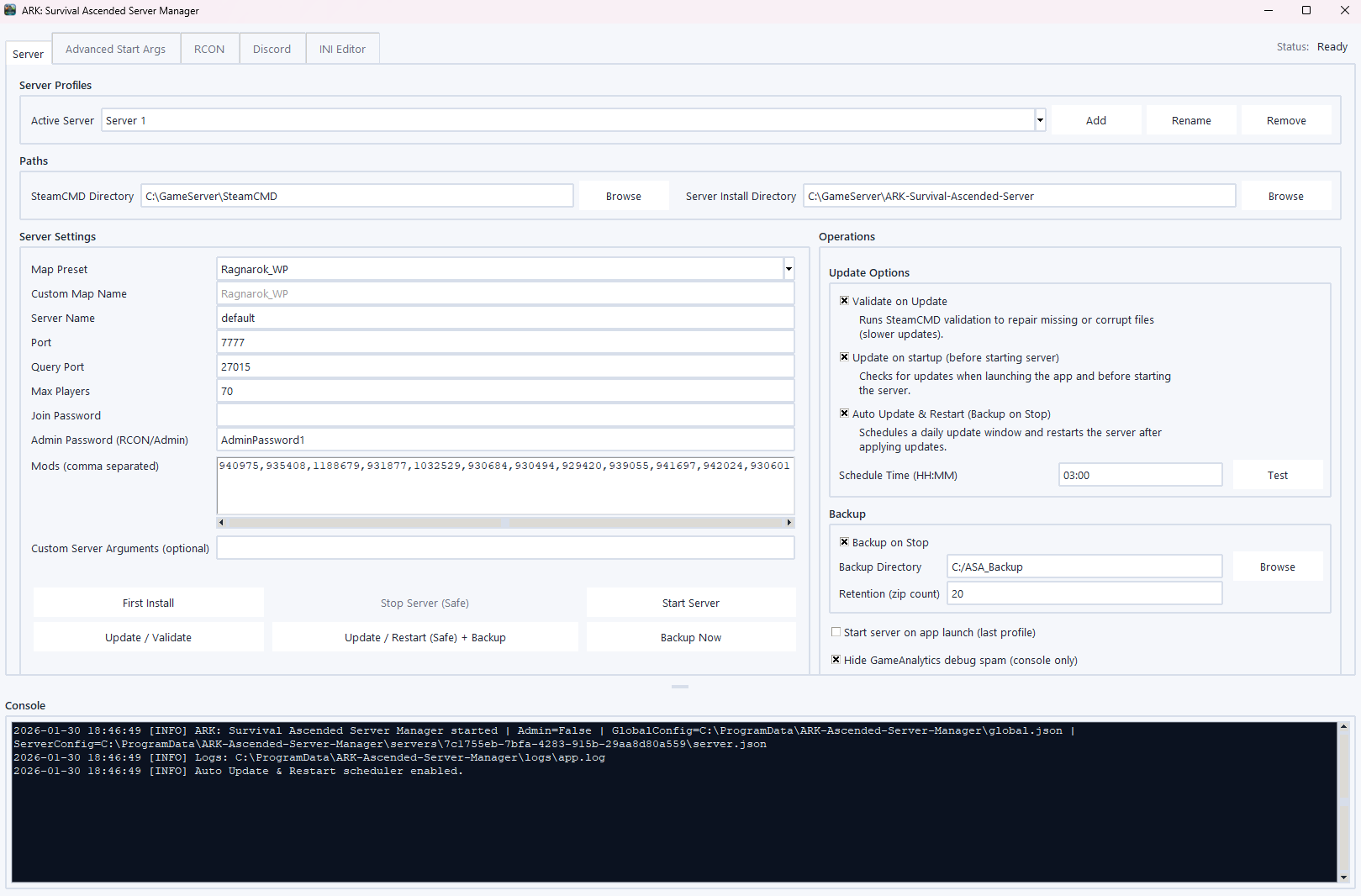
Core concept: Staging + Baseline
This manager separates edit time and runtime:
- Staging
- your edits live here
- applied to the server folder on Start
- Baseline
- created once from the server’s original INIs
- restored into the server folder on Stop (Safe)
Result: no “half-edited live INIs”, fewer drift issues, and safe rollback without losing your intended changes.
What you get
First install automation (Admin recommended)
- Installs prerequisites:
- Visual C++ 2015–2022 Redistributable (x64)
- DirectX Legacy Runtime (web installer)
- Amazon certificates (helps on hardened hosts / strict TLS chains)
- Installs SteamCMD automatically
- Downloads/updates the ASA dedicated server via SteamCMD
Safe operations
- Deterministic start-line generation
Map, ports, session, mods, BattleEye, RCON, cluster, and advanced flags are generated consistently. - Safe stop sequence
SaveWorld→DoExit
Reliable RCON
- Uses Python
rcon(Source RCON) - Saved commands + fast execution
- Output written into the shared Console
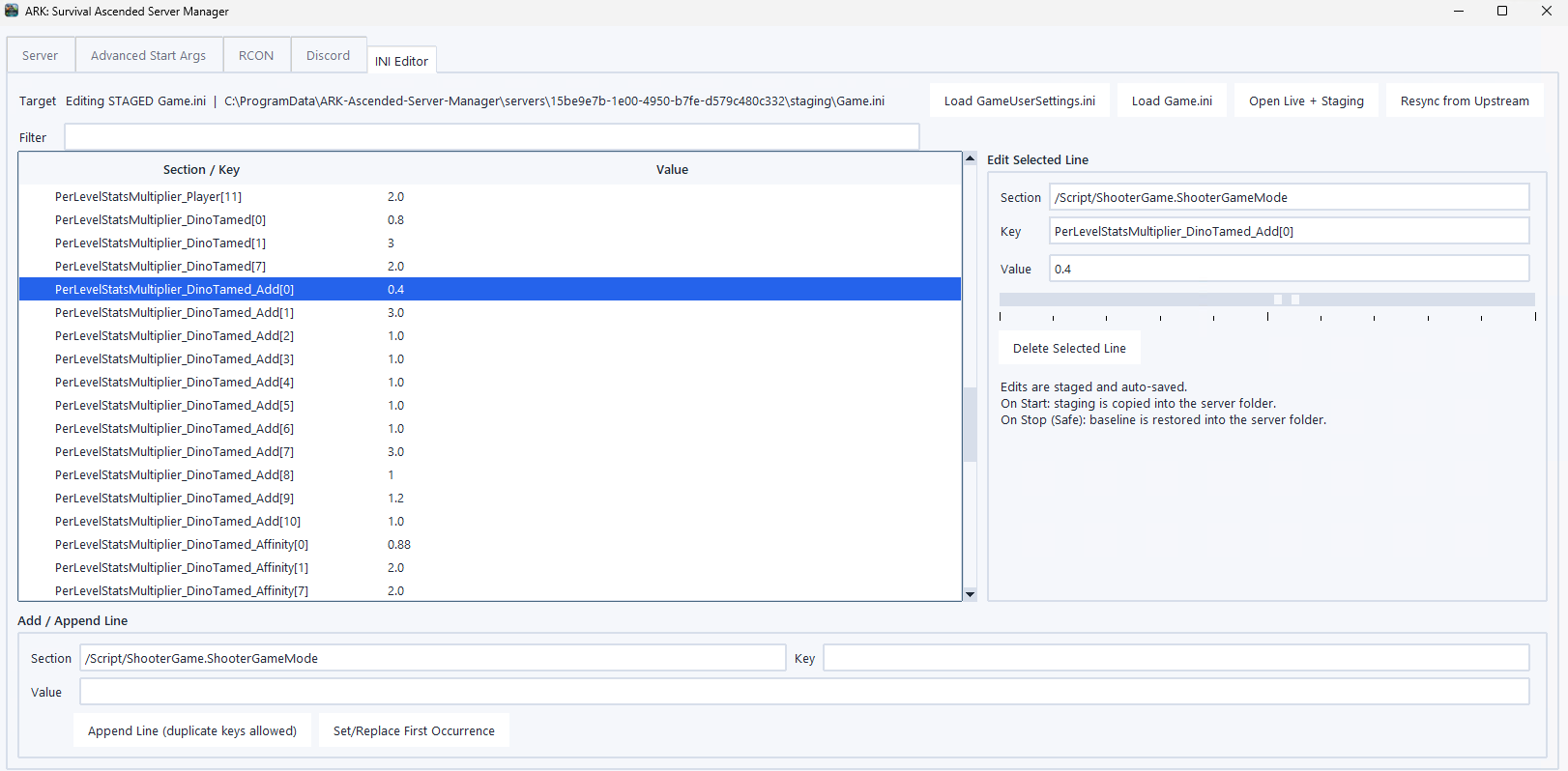
INI Editor (staging workflow)
- booleans via
True/Falseselector - numeric values via slider + tick marks
- staged writes are debounced to avoid noisy updates
Advanced start arguments (grouped)
- Cluster configuration
- Dino modes (mutually exclusive)
- Logs
- Mechanics / performance flags
Backups + retention
- Optional backup on stop
- Zip retention policy
- Optional “include configs” mode
Auto update & restart
- Time-based update/validate + safe restart
- Skips triggers while the app is busy
- Add the 'Auto Start' option to the last profile on startup.
CLI flags
--no-admin-prompt(alias:-no-admin)- Skips the "Administrator rights recommended" dialog
- Starts directly in non-admin/limited mode
- No UAC relaunch attempt is made
Windows autostart
Startup folder runs at user logon. For a reliable autostart, prefer Task Scheduler.
Shortcut (Startup folder):
"C:\Path\ARK-ASA-Manager.exe" --no-admin-prompt
Task Scheduler (recommended, GUI visible):
- Trigger: At log on
- General: Run only when user is logged on
- Action:
- Program/script:
C:\Windows\System32\WindowsPowerShell\v1.0\powershell.exe - Add arguments (replace the paths):
-NoProfile -WindowStyle Hidden -ExecutionPolicy Bypass -Command "Start-Process -FilePath '<EXE_FULL_PATH>' -ArgumentList '--no-admin-prompt'"
- Program/script:
Option B: Build EXE (PyInstaller)
Build command
pyinstaller --noconfirm --clean --onefile --windowed `
  --name "ARK-ASA-Manager" `
  --icon ".\assets\app.ico" `
  --add-data ".\assets;assets" `
  --collect-all rcon `
  ".\ARK-Ascended-Server-Manager.py"
Trust & integrity (recommended)
Unsigned Windows executables (especially Python GUI + networking features) can trigger SmartScreen/Defender heuristics.
Verify SHA256 locally (PowerShell)
Get-FileHash -Algorithm SHA256 ".\ARK-ASA-Manager.exe"
Best practice: compare the SHA256 from the Release notes/assets with your local hash before running the binary.
Usage notes
Multi-instance hosting
- Use unique ports per instance (game/query/RCON)
- Use
AltSaveDirectoryNameper instance to keep saves separated - For clusters: keep cluster IDs consistent across instances that should transfer
Rule of thumb: treat each instance as a separate “service unit” (ports + save path + config), even if they share the same host.
Networking
Typical defaults (depends on your config)
- Game Port (UDP):
7777 - Query Port (UDP):
27015 - RCON Port (TCP):
27020(only if RCON enabled)
Router / NAT (port forwarding)
Forward ports to the server host:
7777/UDP27015/UDP27020/TCP(optional, only for RCON)
Windows Firewall (PowerShell)
Allow inbound ports
New-NetFirewallRule -DisplayName "ARK ASA Game Port (UDP 7777)"   -Direction Inbound -Action Allow -Protocol UDP -LocalPort 7777
New-NetFirewallRule -DisplayName "ARK ASA Query Port (UDP 27015)" -Direction Inbound -Action Allow -Protocol UDP -LocalPort 27015
New-NetFirewallRule -DisplayName "ARK ASA RCON Port (TCP 27020)"  -Direction Inbound -Action Allow -Protocol TCP -LocalPort 27020
Validate listening ports
netstat checks
netstat -aon | findstr :7777
netstat -aon | findstr :27015
netstat -aon | findstr :27020
Security
RCON
Do not expose RCON to the public internet.
Credentials
- Keep your Admin/Join password private
- Avoid committing
config.jsonor secrets to public repos
Troubleshooting
“First Install” fails
Run the EXE as Administrator. Installers and certificate store writes may fail without elevation.
Hardened Windows builds often enforce stricter certificate chain rules and installer restrictions.
Dependencies (Official Download Sources)
| Category | Component | Purpose | Source |
|---|---|---|---|
| Runtime | SteamCMD | Install / update ASA dedicated server | steamcmd.zip |
| Runtime | VC++ 2015–2022 (x64) | Microsoft runtime libraries | vc_redist.x64.exe |
| Runtime | DirectX Web Setup | Legacy DirectX components | dxwebsetup.exe |
| Trust | AmazonRootCA1 | TLS trust chain (hardened hosts / strict chains) | AmazonRootCA1.cer |
| Trust | Amazon R2M02 | TLS trust chain (hardened hosts / strict chains) | r2m02.cer |
Note: “First Install” may download these components from official vendor endpoints (listed).