
Audiobookbay Downloader





A modern web application for searching and downloading audiobooks from AudiobookBay. Features a clean web UI and REST API for automated audiobook management with support for multiple torrent clients and authentication systems.
Features
- 🎧 Audiobook Search: Search AudiobookBay via Jackett integration
- 📥 Multi-Client Downloads: Support for Transmission, qBittorrent, and Decypharr torrent clients
- 🔐 Flexible Authentication: Support for Authentik SSO and no-auth modes
- 📚 Beets Integration: Optional music library management integration
- 🌐 Web UI: Clean, responsive interface for browsing and managing downloads
- 🔄 Auto-Import: Automated processing and cleanup of completed downloads
- 📗 Goodreads Integration: Auto-download audiobooks from your Goodreads "to-read" shelf
- 🏷️ Label Management: Organize torrents with custom labels
Screenshots

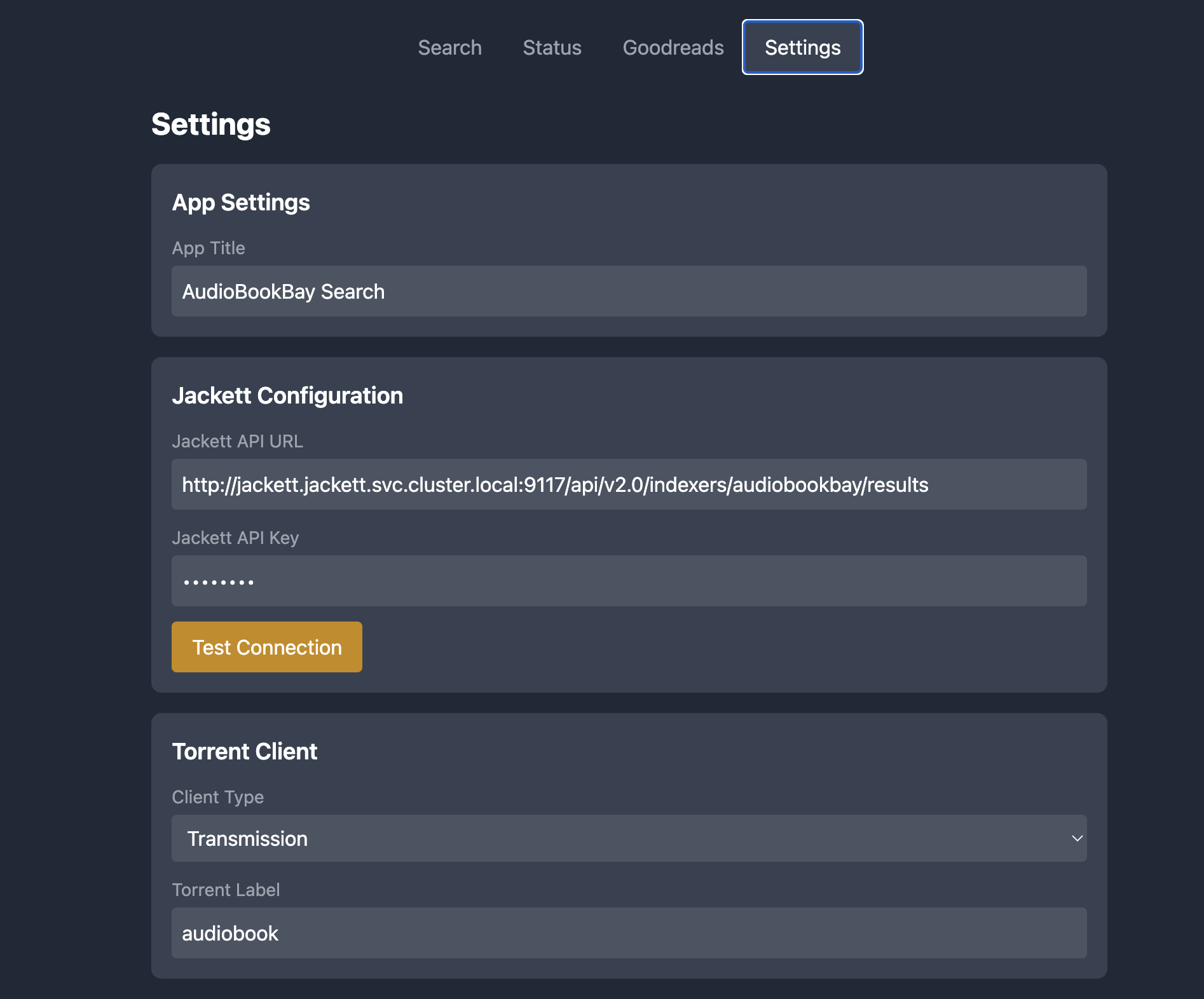
Settings Page
Quick Start (Docker)
If you just want it running locally, use one of the ready-made Docker Compose files in example/.
- Install Docker.
- Start the stack:
docker compose -f example/docker-compose.full.yml up -d
- Open the web UI: http://localhost:9000
Tip: The first time you bring this up, you still need to configure Jackett (API key + indexer).
Which compose file should I use?
- Full stack (Transmission + Jackett):
example/docker-compose.full.yml - External services (you already run Jackett + torrent client):
example/docker-compose.external.yml - qBittorrent stack (no VPN):
example/docker-compose-qbittorrent.yml - qBittorrent + VPN:
example/docker-compose-qbittorrent-vpn.yml
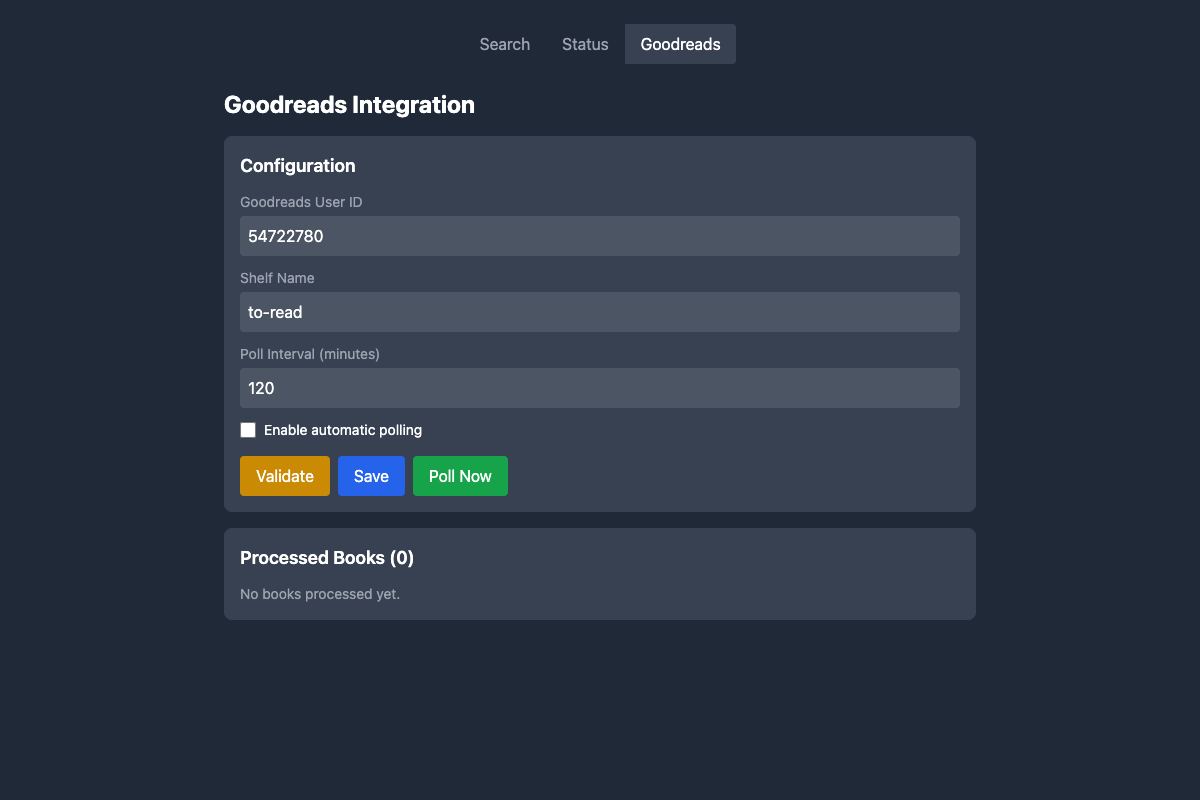
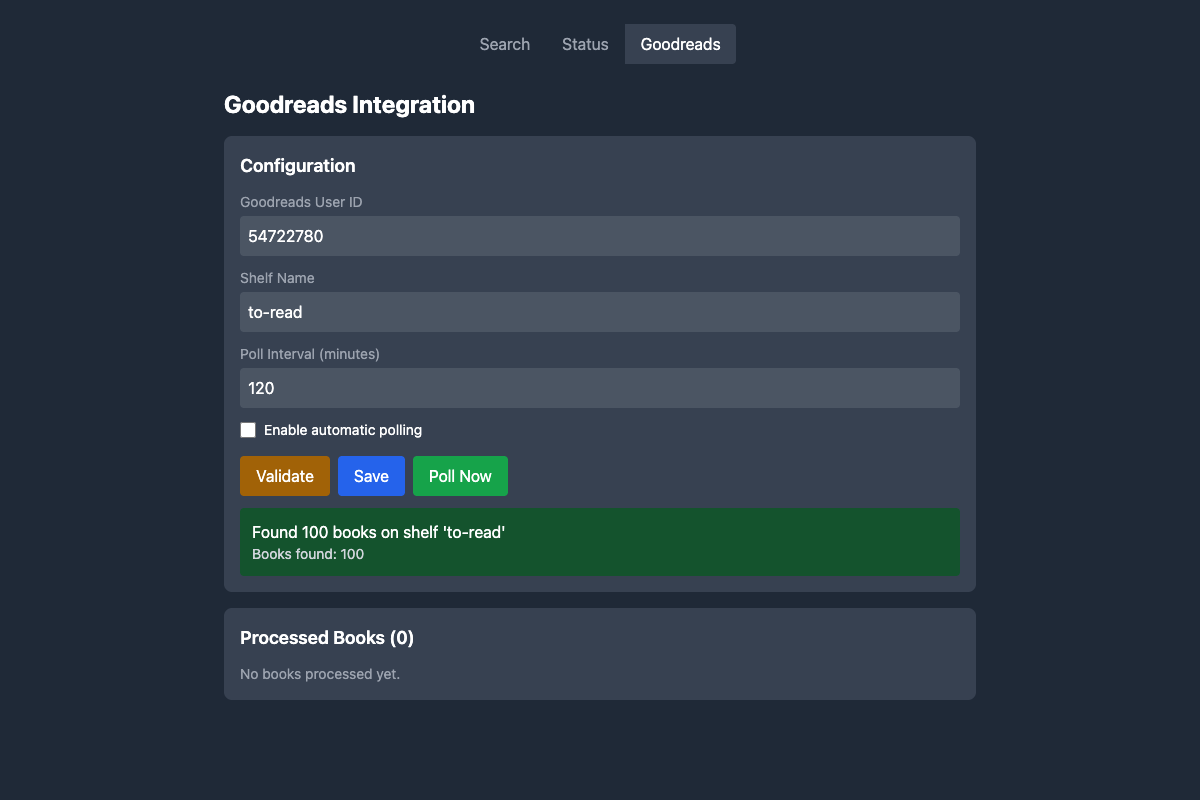
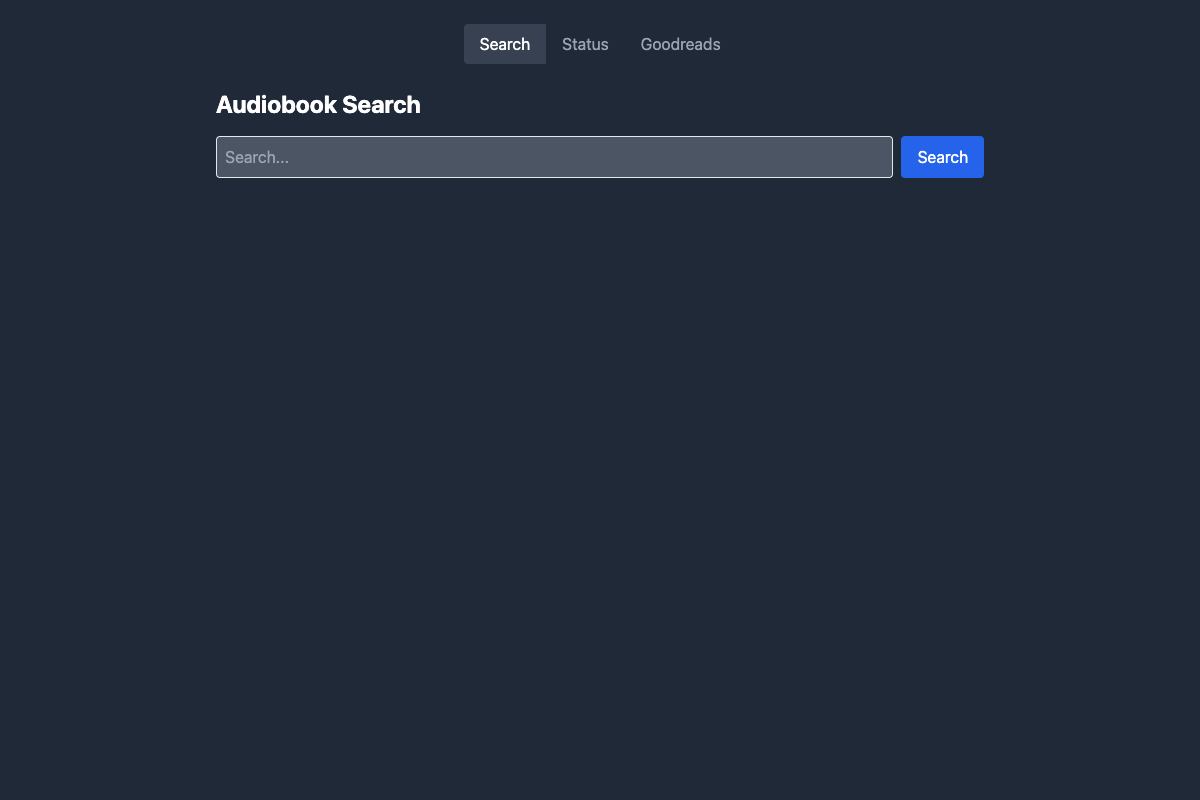
Goodreads Integration
qBittorrent Category Management
Environment Variables
Required Configuration
Jackett Configuration (Required)
JACKETT_API_URL=https://jackett.example.com/api/v2.0/indexers/audiobookbay/results
JACKETT_API_KEY=your_jackett_api_key
Torrent Client Configuration (Choose One)
Option 1: Transmission
TORRENT_CLIENT_TYPE=transmission
TRANSMISSION_URL=https://transmission.example.com/transmission/rpc
TRANSMISSION_USER=your_transmission_user
TRANSMISSION_PASS=your_transmission_password
Option 2: qBittorrent
TORRENT_CLIENT_TYPE=qbittorrent
QBITTORRENT_URL=https://qbittorrent.example.com
QBITTORRENT_USERNAME=your_qbittorrent_user
QBITTORRENT_PASSWORD=your_qbittorrent_password
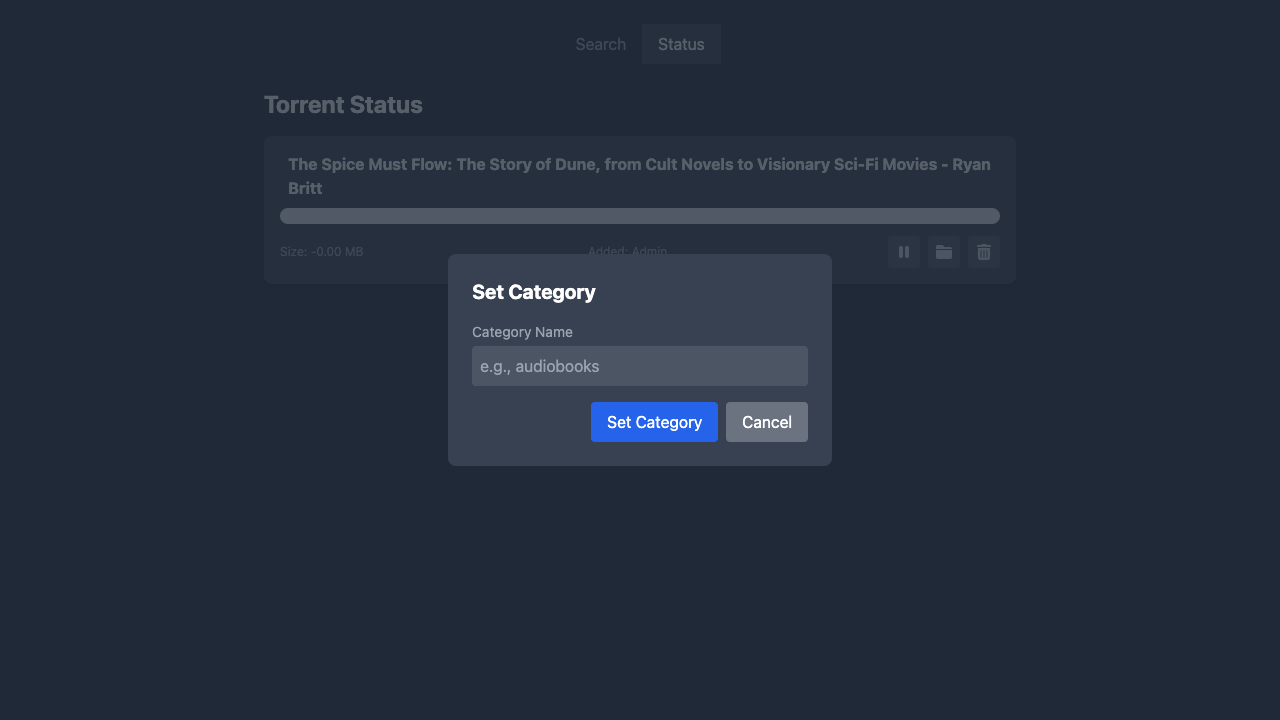
qBittorrent Category Support
qBittorrent categories allow you to organize downloads and automatically save them to specific paths. You can set a default category for new downloads and change categories for existing torrents.
Setup:
- Create a category in qBittorrent (Options → Downloads → Default Save Path for categories)
- Set the save path for each category
- Set default category for new downloads (optional):
QBITTORRENT_CATEGORY=audiobooks # Default category for all downloads (optional)
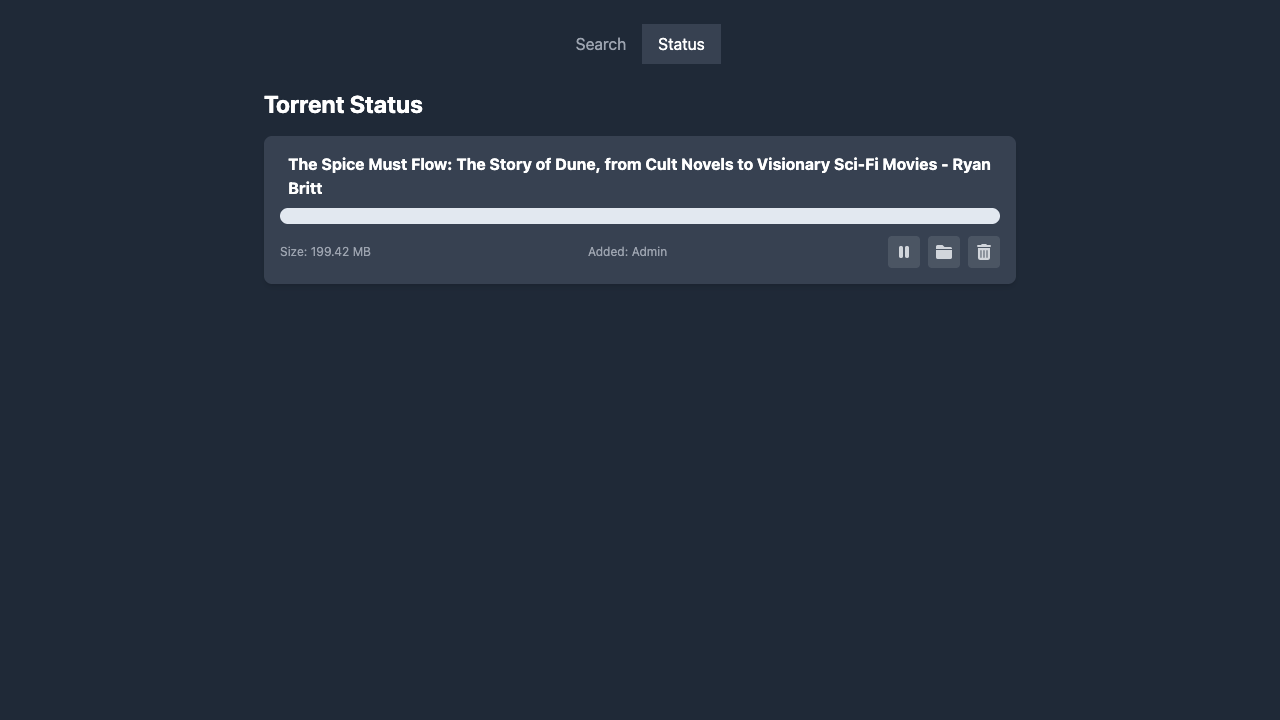
Change Category:
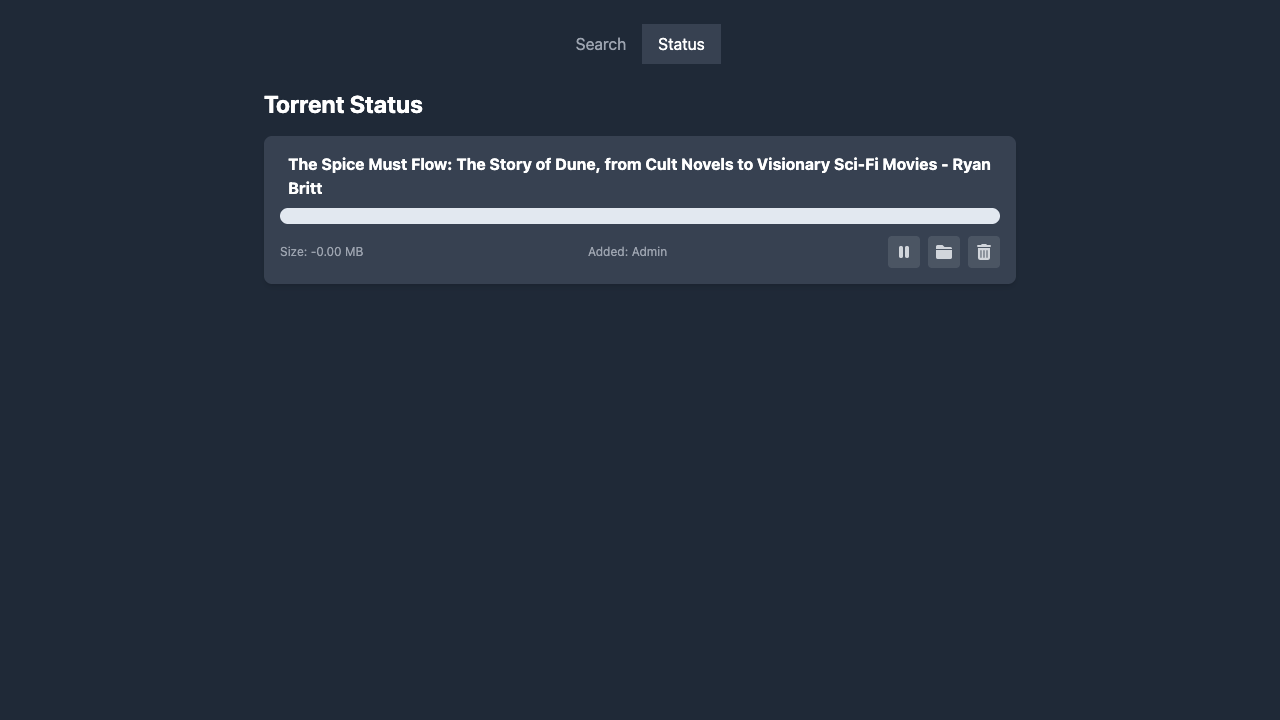
- Navigate to the Status page
- Click the folder icon button next to any torrent
- Enter the new category name
- qBittorrent will move the download to the new category's save path
Option 3: Decypharr
TORRENT_CLIENT_TYPE=decypharr
DECYPHARR_URL=https://decypharr.example.com
DECYPHARR_API_KEY=your_decypharr_api_key
Optional Configuration
Application Settings
# App Configuration
TITLE="Audiobook Search"                    # Application title
SESSION_KEY="your_random_session_key"       # Session encryption key
AUTH_MODE=none                              # Authentication mode: authentik, none
LABEL=audiobook                             # Default torrent label
DB_PATH=/tmp                                # Path for database files
Cleanup Configuration
DELETE_AFTER_DAYS=14                        # Days before marking torrents for deletion
STRICTLY_DELETE_AFTER_DAYS=30               # Days before force deletion
Beets Integration (Optional)
Note: Beets integration is supported with Transmission and qBittorrent clients only. Decypharr does not support beets integration due to API limitations (no label/file management APIs).
USE_BEETS_IMPORT=false                      # Enable beets music library integration
BEETSDIR=/config                            # Beets configuration directory
BEETS_INPUT_PATH=/beetsinput                # Input path for beets processing
BEETS_COMPLETE_LABEL=beets                  # Label for beets-processed torrents
BEETS_ERROR_LABEL=beetserror                # Label for beets processing errors
Beets Integration Setup (Audiobooks)
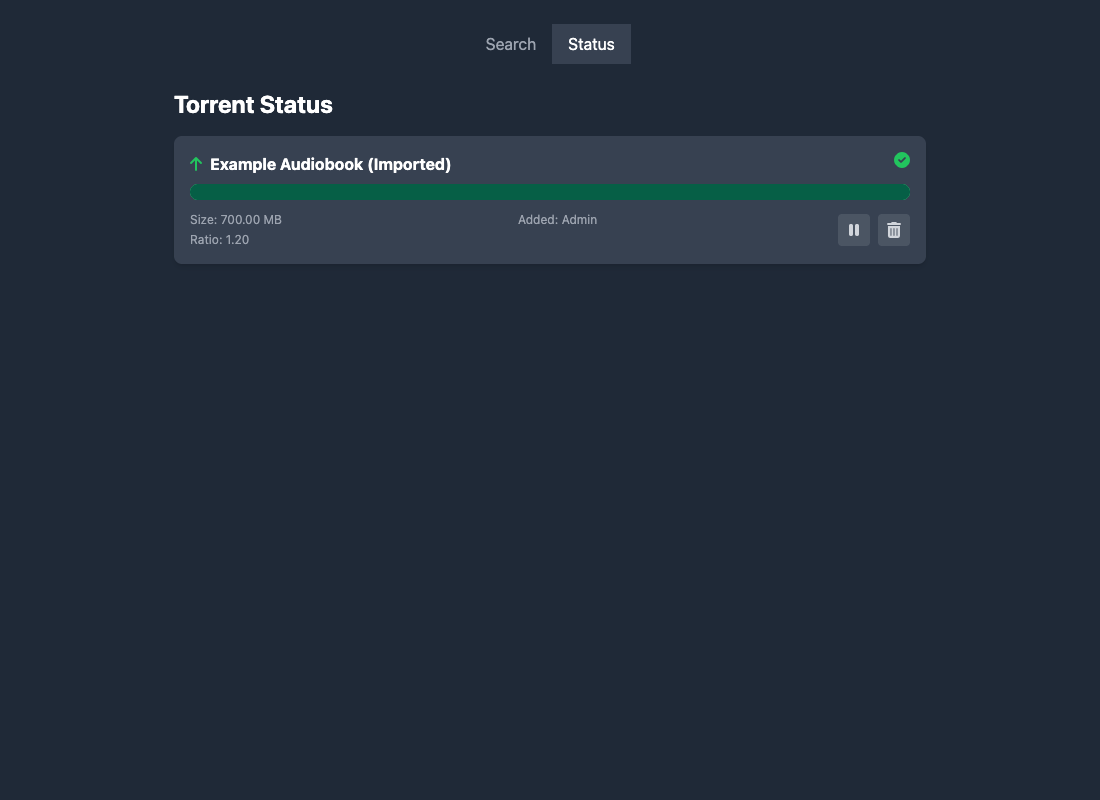
When enabled, ABB will run a beets import for completed torrents and:
- apply
BEETS_COMPLETE_LABEL(default:beets) on success - apply
BEETS_ERROR_LABEL(default:beetserror) if beets needs manual selection
1) Enable beets via environment variables
USE_BEETS_IMPORT=true

# Where your beets config.yaml and library.db live (mounted into the ABB container)
BEETSDIR=/config

# Path inside the ABB container that points at your download directory
# (mount the same downloads volume/path into ABB)
BEETS_INPUT_PATH=/downloads

BEETS_COMPLETE_LABEL=beets
BEETS_ERROR_LABEL=beetserror
2) Create the beets config
Create ${BEETSDIR}/config.yaml (inside the container). With Docker, this is typically a host directory mounted to /config.
plugins: audible copyartifacts edit fromfilename scrub

# Where your organized audiobook library will live INSIDE the container.
# Make sure you mount a volume to this path.
directory: /audiobooks

paths:
  # For books that belong to a series
  "albumtype:audiobook series_name::.+ series_position::.+": $albumartist/%ifdef{series_name}/%ifdef{series_position} - $album%aunique{}/$track - $title
  "albumtype:audiobook series_name::.+": $albumartist/%ifdef{series_name}/$album%aunique{}/$track - $title
  # Stand-alone books
  "albumtype:audiobook": $albumartist/$album%aunique{}/$track - $title
  default: $albumartist/$album%aunique{}/$track - $title
  singleton: Non-Album/$artist - $title
  comp: Compilations/$album%aunique{}/$track - $title
  albumtype_soundtrack: Soundtracks/$album/$track $title

# disables musicbrainz lookup, as it doesn't help for audiobooks
musicbrainz:
  enabled: no

import:
  incremental: yes

match:
  strong_rec_thresh: 0.10
  medium_rec_thresh: 0.25

audible:
  match_chapters: true                      # match files to audible chapters
  source_weight: 0.0                        # disable the source_weight penalty
  fetch_art: true                           # retrieve cover art
  include_narrator_in_artists: true         # include author and narrator in artist tag
  keep_series_reference_in_title: true      # keep ", Book X" in titles
  keep_series_reference_in_subtitle: true   # keep series reference in subtitle
  write_description_file: true              # output desc.txt
  write_reader_file: true                   # output reader.txt
  region: us                                # au, ca, de, es, fr, in, it, jp, us, uk

copyartifacts:
  extensions: .yml  # copy metadata.yml if present

scrub:
  auto: yes
3) Mount volumes correctly (Docker)
You need:
- a persistent
/config(for beetsconfig.yaml+library.db) - the downloads volume mounted into ABB (so
BEETS_INPUT_PATHcan be read) - a persistent audiobook library mount (matching
directory:in the beets config)
Example:
services:
  audiobookbay-downloader:
    volumes:
      - ./beets-config:/config
      - ./downloads:/downloads
      - ./audiobooks:/audiobooks
4) How it works in ABB
- Torrent completes and enters Seeding.
- ABB runs beets import for that torrent's top-level folder.
- On success, ABB adds the
beetslabel. - If beets is ambiguous, ABB adds
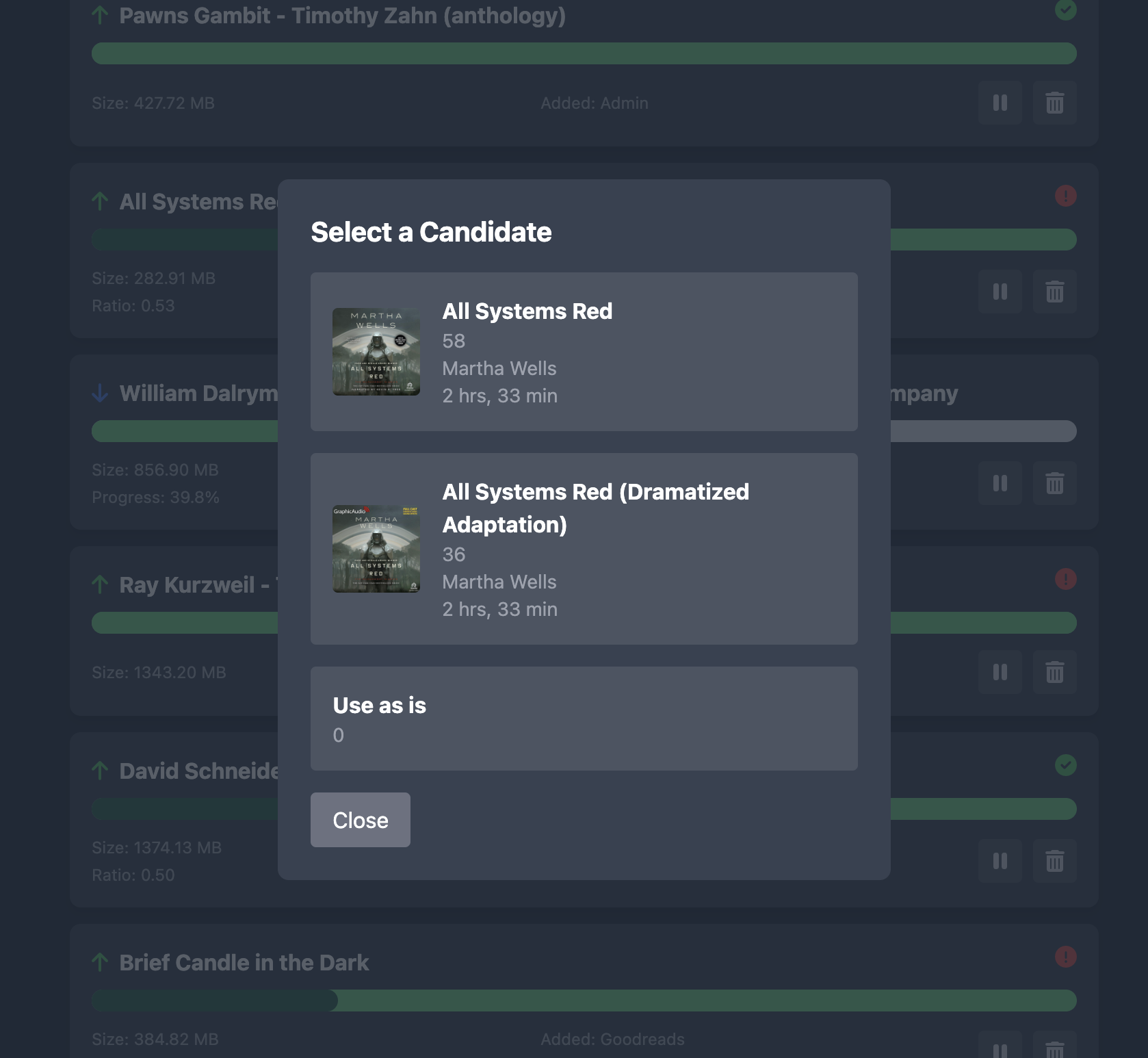
beetserrorand stores candidate matches. - In the Status tab, click the red error icon to select a candidate; ABB will re-run import.
Testing tip (fast screenshot / UI verification)
If you want to test the candidate-selection UI without waiting for a real torrent to finish/import, you can populate the TinyDB file used for candidates. Set DB_PATH to a writable location and add an entry to ${DB_PATH}/beets.json with your torrent's hash_string as torrent_id.
Screenshots
Beets import succeeded
Beets import needs manual selection
Resources
- Beets Audible plugin: https://github.com/Neurrone/beets-audible
- Beets path formats: https://beets.readthedocs.io/en/stable/reference/pathformat.html
Goodreads Integration (Optional)
GOODREADS_ENABLED=true # Enable Goodreads tab in UI (default: false)
When enabled, a new "Goodreads" tab appears in the web UI where you can configure:
- User ID: Your Goodreads user ID (found in your profile URL)
- Shelf: The shelf to monitor (default: "to-read")
- Poll Interval: How often to check for new books (in minutes, default: 60)
- Auto-download: Enable/disable automatic downloading of new books
Note: Configuration changes take effect immediately without requiring a pod restart. The polling scheduler automatically starts/restarts when you save the configuration.
Authentication Modes
None Mode (Default)
- Description: No authentication required
- Use Case: Private networks, development environments
- Configuration:
AUTH_MODE=none - Access: All users have admin privileges automatically
Authentik Mode
- Description: Integration with Authentik SSO
- Use Case: Production environments with existing Authentik setup
- Configuration:
AUTH_MODE=authentik - Headers Required:
X-authentik-username: Username from AuthentikX-authentik-uid: User ID from AuthentikX-authentik-role: User role (admin/user)
Docker Compose Deployments
Option 1: External Services (Recommended for existing setups)
Use this when you already have Jackett and Transmission/qBittorrent/Decypharr running.
📁 File: example/docker-compose.external.yml
# Download and use the external services compose file
curl -O https://raw.githubusercontent.com/moonblade/audiobookbay-downloader/main/example/docker-compose.external.yml
docker-compose -f example/docker-compose.external.yml up -d
View example/docker-compose.external.yml content
# See the complete file: example/docker-compose.external.yml
# This compose file includes:
# - Audiobookbay downloader service
# - Configuration for external Jackett and Transmission/qBittorrent/Decypharr
# - Environment variables for connecting to existing services
# - Volume mapping for data persistence
Option 2: Full Stack (Complete setup with all services)
Use this for a complete setup including Jackett and Transmission services.
📁 File: example/docker-compose.full.yml
# Download and use the full stack compose file
curl -O https://raw.githubusercontent.com/moonblade/audiobookbay-downloader/main/example/docker-compose.full.yml
docker-compose -f example/docker-compose.full.yml up -d
View example/docker-compose.full.yml content
# See the complete file: example/docker-compose.full.yml
# This compose file includes:
# - Audiobookbay downloader service
# - Jackett service with LinuxServer.io image
# - Transmission service with Flood UI
# - Shared volumes for downloads and configuration
# - Internal networking between services
Option 3: qBittorrent Stack (Complete setup without VPN)
Use this for a complete setup with qBittorrent as the torrent client (without VPN).
📁 File: example/docker-compose-qbittorrent.yml
# Download and use the qBittorrent compose file
curl -O https://raw.githubusercontent.com/moonblade/audiobookbay-downloader/main/example/docker-compose-qbittorrent.yml
docker-compose -f example/docker-compose-qbittorrent.yml up -d
View example/docker-compose-qbittorrent.yml content
# See the complete file: example/docker-compose-qbittorrent.yml
# This compose file includes:
# - Audiobookbay downloader service
# - qBittorrent service with LinuxServer.io image
# - Jackett service pre-configured for AudiobookBay
# - Shared volumes for downloads and configuration
# - Internal networking between services
Option 4: qBittorrent + VPN Stack (Privacy-focused setup)
Use this for a complete, privacy-focused setup with qBittorrent running behind a VPN (gluetun).
📁 File: example/docker-compose-qbittorrent-vpn.yml
# Download and use the VPN compose file
curl -O https://raw.githubusercontent.com/moonblade/audiobookbay-downloader/main/example/docker-compose-qbittorrent-vpn.yml
docker-compose -f example/docker-compose-qbittorrent-vpn.yml up -d
Features:
- 🔒 Kill switch - torrents stop if VPN disconnects
- 🌐 60+ VPN providers supported (ProtonVPN, Mullvad, NordVPN, etc.)
- 📁 Bind mounts for easy file access
- 🏥 Health checks on all services
View example/docker-compose-qbittorrent-vpn.yml content
# See the complete file: example/docker-compose-qbittorrent-vpn.yml
# This compose file includes:
# - gluetun VPN container (configure your provider)
# - qBittorrent routed through VPN
# - Jackett service for AudiobookBay search
# - Audiobookbay downloader service
# - Kill switch protection
Supported VPN Providers: ProtonVPN, Mullvad, NordVPN, Surfshark, Private Internet Access, and 60+ more.
Initial Setup
1. Configure Jackett
- Access Jackett at
http://localhost:9117 - Add the AudiobookBay indexer
- Copy the API key from Jackett dashboard
- Update your environment variables with the Jackett URL and API key
2. Configure Torrent Client
For Transmission:
- Access Transmission at
http://localhost:9091 - Set up authentication if required
- Update environment variables with credentials
For qBittorrent:
- Access qBittorrent web UI (default port 8080)
- Enable Web UI in settings if not already enabled
- Set up authentication credentials
- Update environment variables with credentials
For Decypharr:
- Access Decypharr web interface
- Generate an API key
- Update environment variables
3. Start the Application
# Using Docker Compose
docker-compose up -d

# Or running locally (no Docker)
pip install -r requirements.txt
PYTHONPATH=source python -m uvicorn abb.main:app --host 0.0.0.0 --port 9000
4. Access the Application
- Web UI:
http://localhost:9000 - API Documentation:
http://localhost:9000/docs
API Endpoints
GET /search?query=bookname- Search for audiobooksPOST /add- Add torrent to download queueGET /list- List all torrentsDELETE /torrent/{id}- Delete torrentPOST /torrent/{id}/pause- Pause torrentPOST /torrent/{id}/play- Resume torrentPOST /autoimport- Trigger auto-import processPOST /torrent/{id}/category- Set category for torrent (qBittorrent only)
Development
# Clone the repository
git clone <repository-url>
cd audiobookbay-downloader

# Copy and configure environment variables
cp secrets/dev.env.sample secrets/dev.env
# Edit secrets/dev.env with your actual configuration values

# Create virtual environment
make venv

# Install dependencies
make requirements

# Run the application
make run
Makefile Commands
make venv- Create Python virtual environmentmake requirements- Install Python dependenciesmake run- Start the development servermake freeze- Show installed package versionsmake build- Build Docker image
Environment Configuration
The application uses environment variables from secrets/dev.env. Copy the sample file and update with your values:
cp secrets/dev.env.sample secrets/dev.env
Edit secrets/dev.env with your actual configuration values for Jackett, torrent client, and other settings.
Troubleshooting
Common Issues
-
Jackett Connection Failed
- Verify JACKETT_API_URL and JACKETT_API_KEY
- Ensure AudiobookBay indexer is configured in Jackett
- Check network connectivity between services
-
Torrent Client Connection Failed
- Verify torrent client URL and credentials
- Check if the torrent client is accessible
- Ensure correct TORRENT_CLIENT_TYPE is set
-
Authentication Issues
- Verify AUTH_MODE setting
- For Authentik mode, check header configuration
- For none mode, no additional setup required
Logs
Check application logs for detailed error information:
docker-compose logs audiobookbay-downloader
Contributing
Contributions are welcome! Please feel free to submit a Pull Request.