
AvalonDock



Support this project with a :star: — report an issue, or even better, place a pull request :mailbox: :blush:
AvalonDock is a WPF Document and Tool Window layout container that is used to arrange documents and tool windows in similar ways to many well known IDEs, such as Visual Studio, Eclipse, JetBrains Rider, and more. Version 5.0 introduces first-class MVVM support, dependency injection integration, and a modular package architecture.
AvalonDock is used by many open source and commercial projects, including:
- Stride — Free and open-source cross-platform C# game engine
- Optick — C++ Profiler for Games
- RoslynPad — A cross-platform C# editor based on Roslyn and AvalonEdit
- WpfDesigner — The WPF Designer from SharpDevelop
- DaxStudio — DAX query tool for Power BI and Analysis Services
- Macad3D — Free and open-source 3D Construction Tool
- Edi — Open source text editor IDE based on AvalonDock and AvalonEdit (330 stars)
- Profile Explorer — Microsoft CPU profiling trace viewer (273 stars)
Be sure to check out the Wiki and the documentation site for tutorials and API reference.
NuGet Packages
Core
| Package | Downloads | Description |
|---|---|---|
| Dirkster.AvalonDock | |
Main WPF docking framework package |
| Dirkster.AvalonDock.Core |  |
UI-agnostic interfaces and models |
| Dirkster.AvalonDock.Mvvm |  |
MVVM base classes (DockableBase, ToolboxBase, DockLayoutService) — no external dependencies |
| Dirkster.AvalonDock.Mvvm.CommunityToolkit |  |
CommunityToolkit.Mvvm integration (ObservableDockableBase, ObservableToolboxBase) with [ObservableProperty] support |
| Dirkster.AvalonDock.DependencyInjection |  |
IServiceCollection extensions for DI registration |
Serializers
| Package | Downloads | Description |
|---|---|---|
| Dirkster.AvalonDock.Serializer.Xml |  |
XML layout serialization |
| Dirkster.AvalonDock.Serializer.Json |  |
JSON layout serialization (new in v5) |
Themes
| Package | Downloads | Description |
|---|---|---|
| Dirkster.AvalonDock.Themes.Arc |  |
Arc theme NEW! |
| Dirkster.AvalonDock.Themes.Aero |  |
Aero theme |
| Dirkster.AvalonDock.Themes.Expression |  |
Expression theme |
| Dirkster.AvalonDock.Themes.Metro |  |
Metro theme |
| Dirkster.AvalonDock.Themes.VS |  |
Visual Studio Themes (2015, 2022) incl. .vstheme support |
| Dirkster.AvalonDock.Themes.VS2010 |  |
Visual Studio 2010 theme (Legacy) |
| Dirkster.AvalonDock.Themes.VS2013 |  |
Visual Studio 2013 theme (Legacy) |
Quick Start
Install the packages you need:
dotnet add package Dirkster.AvalonDock
dotnet add package Dirkster.AvalonDock.Mvvm
dotnet add package Dirkster.AvalonDock.Mvvm.CommunityToolkit  # optional, for [ObservableProperty] support
dotnet add package Dirkster.AvalonDock.DependencyInjection
dotnet add package Dirkster.AvalonDock.Themes.Arc
Docking Manager
The DockingManager control is the main entry point for using AvalonDock in your WPF application. It provides the core docking functionality, including layout management, drag-and-drop support, and theme integration.
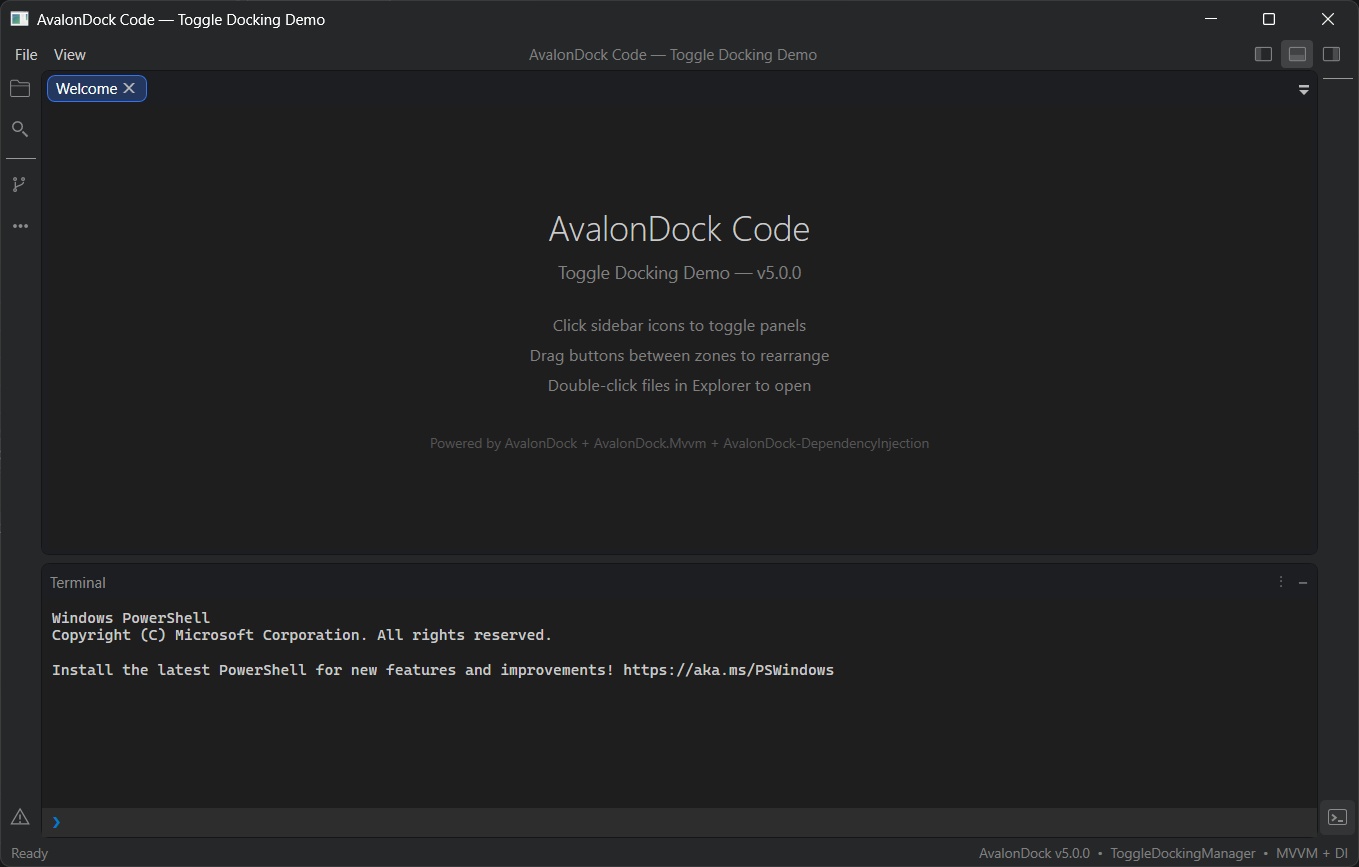
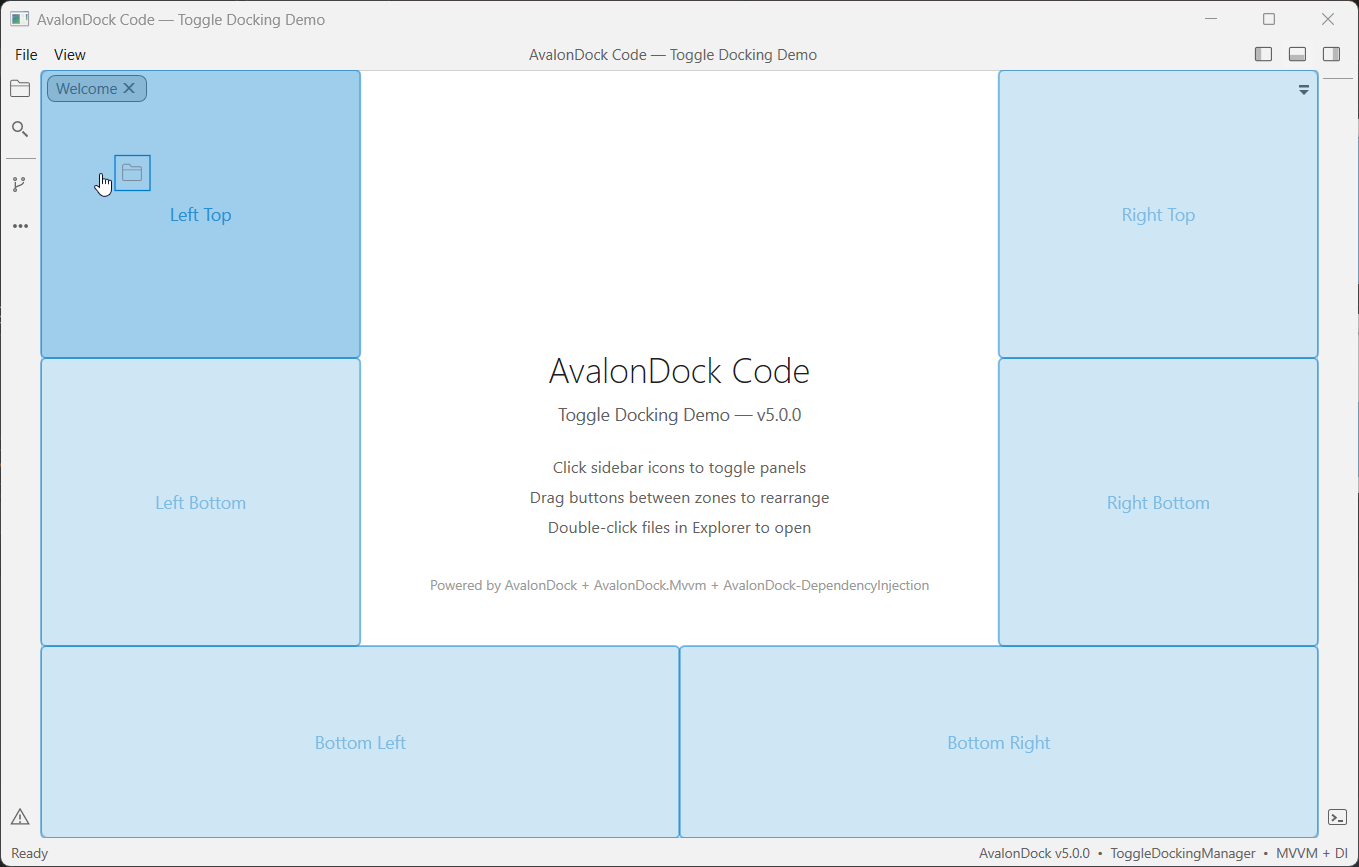
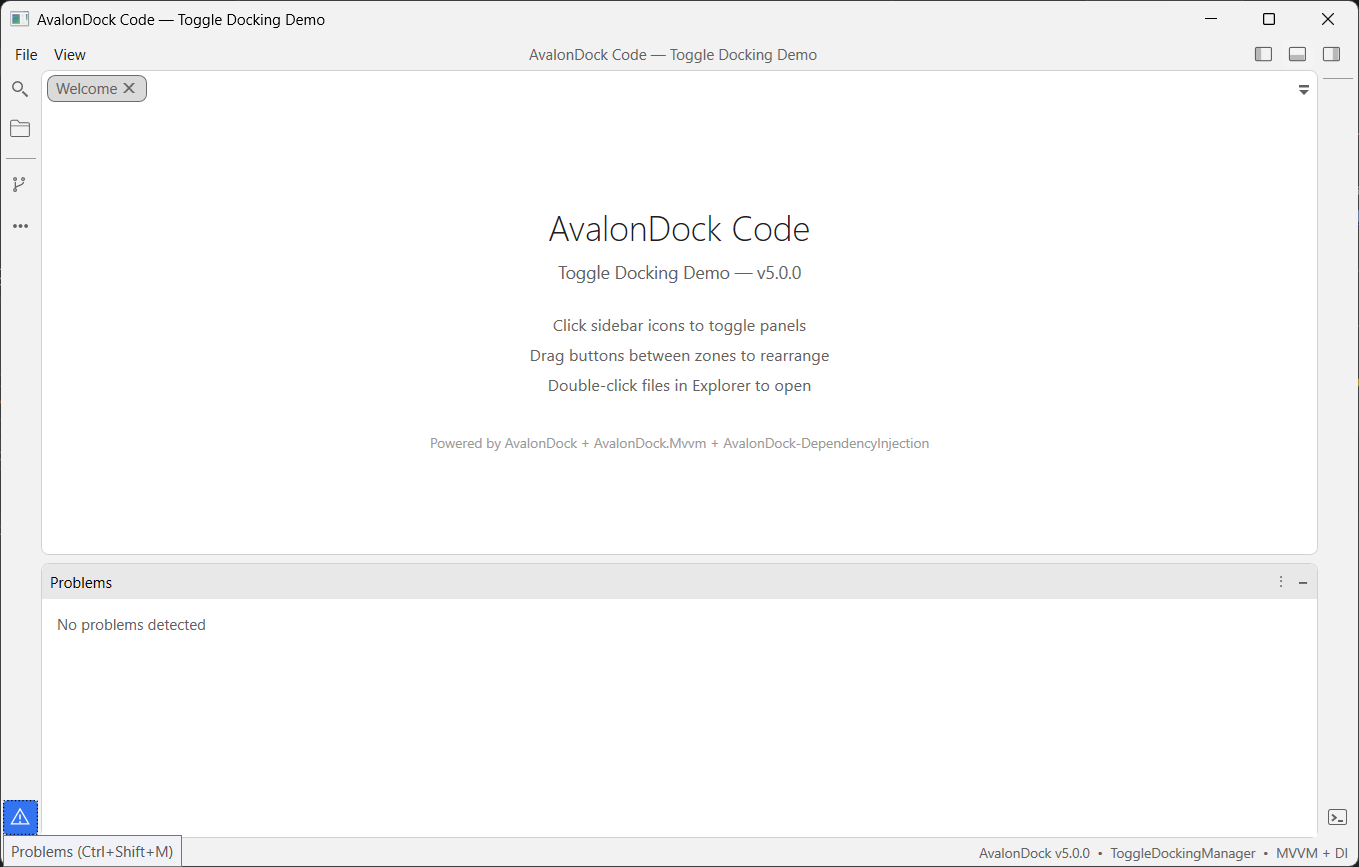
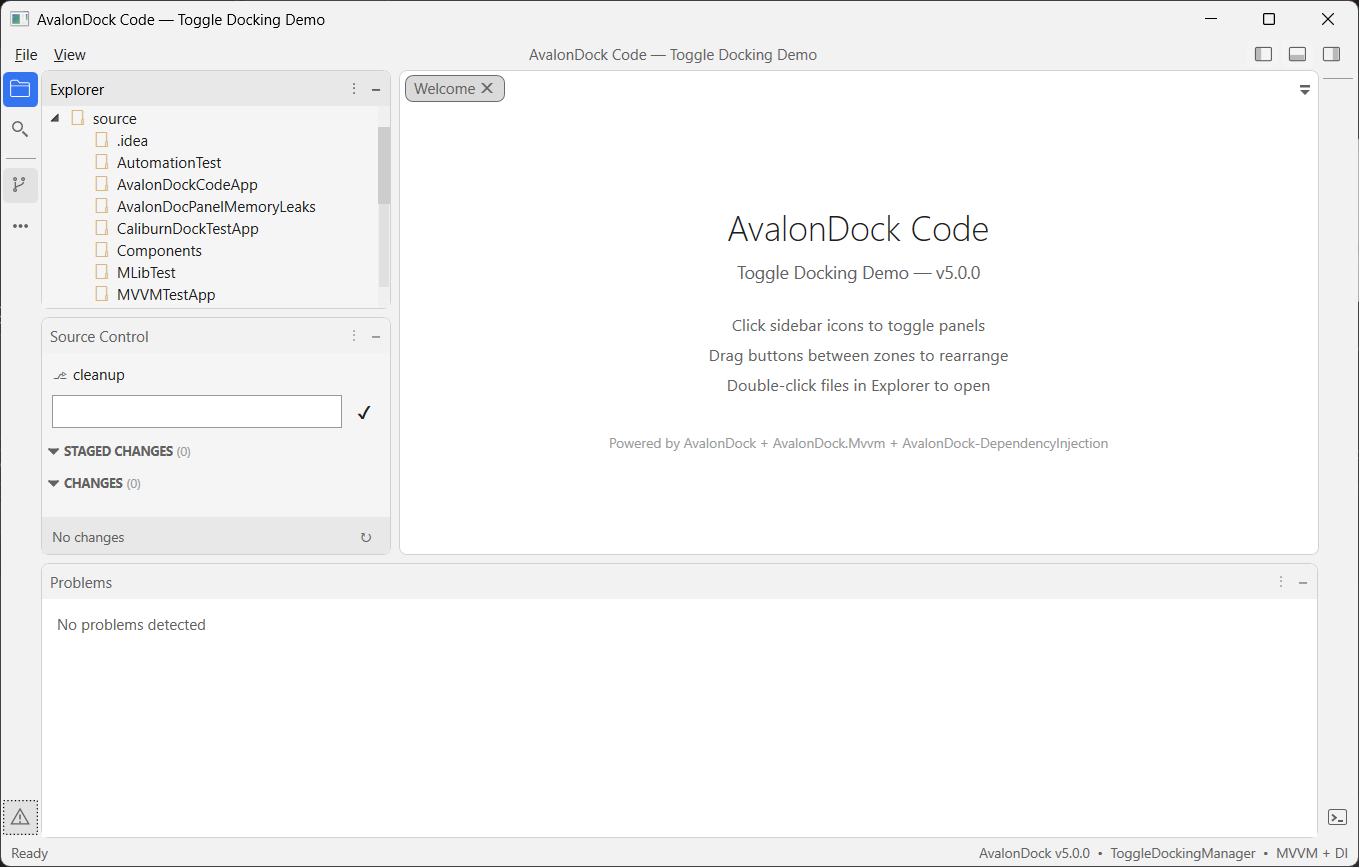
AvalonDock also includes a ToggleDockingManager which adds a built-in sidebar for toggling tool windows, similar to VS Code's or Jetbrains IDE's behavior.
DockingManager
The standard DockingManager provides a blank canvas for custom layouts and is ideal for applications that require full control over the docking behavior and UI.

ToggleDockingManager
The ToggleDockingManager includes a built-in sidebar that automatically populates with registered tool windows (anchorable view models). This is perfect for applications that want a modern, out-of-the-box docking experience without manual layout management.
Dependency Injection
The AvalonDock.DependencyInjection package provides IServiceCollection extension methods to wire up the entire docking system through your DI container. This replaces manual DocumentsSource/AnchorablesSource binding with a clean, service-oriented composition root.
Extension Methods
| Method | Purpose |
|---|---|
AddDockLayoutService(configure) |
Register IDockLayoutService with a builder to configure toolboxes and toggle dock options in a single call |
AddDockLayoutService() |
Register IDockLayoutService without builder configuration |
AddAvalonDock<TFactory>() |
Register a custom IFactory implementation |
AddAvalonDockSerializer<T>() |
Register an ILayoutSerializer (XML or JSON) |
AddAvalonDockThemeManager<T>() |
Register a theme manager |
AddDockingManager(factory) |
Register an IDockingManager wrapper |
AddAutoHideManager<T>() |
Register an auto-hide manager |
AddFloatingWindowService<T>() |
Register a floating window service |
AddDragDropHandler<T>() |
Register a custom drag-and-drop handler |
DockLayoutBuilder Methods
| Method | Purpose |
|---|---|
ConfigureToggleDock(configure) |
Configure sidebar button size, default dock dimensions, and layout priority |
AddToolbox<T>() |
Register a toolbox (anchorable) view model as a singleton |
AddToolbox<T>(factory) |
Register a toolbox with a custom factory for constructor parameters |
Composition Root Example
using AvalonDock.Core;
using AvalonDock.DependencyInjection;
using Microsoft.Extensions.DependencyInjection;

public partial class App : Application
{
    private IServiceProvider? _serviceProvider;

    protected override void OnStartup(StartupEventArgs e)
    {
        base.OnStartup(e);

        var services = new ServiceCollection();

        // Configure dock layout: toggle dock options + toolboxes in one call
        services.AddDockLayoutService(dock =>
        {
            dock.ConfigureToggleDock(opts =>
            {
                opts.ButtonSize = 28;
                opts.DefaultDockWidth = 280;
                opts.DefaultDockHeight = 220;
                opts.LayoutPriority = nameof(AvalonDock.DockLayoutPriority.BottomFullWidth);
            });

            dock.AddToolbox<ExplorerToolbox>();
            dock.AddToolbox<SearchToolbox>();
            dock.AddToolbox<TerminalToolbox>();
        });

        services.AddSingleton<MainViewModel>();
        services.AddSingleton<MainWindow>();

        _serviceProvider = services.BuildServiceProvider();
        _serviceProvider.GetRequiredService<MainWindow>().Show();
    }

    protected override void OnExit(ExitEventArgs e)
    {
        (_serviceProvider as IDisposable)?.Dispose();
        base.OnExit(e);
    }
}
Layout Priority Options
The LayoutPriority setting controls how panels are arranged when multiple panels are docked:
| Priority | Behavior | Similar To |
|---|---|---|
BottomFullWidth |
Bottom panel spans the full window width | JetBrains Rider |
SidesFullHeight |
Side panels span the full window height | VS Code |
Default |
No automatic restructuring | Classic AvalonDock |
For a complete walkthrough, see the Dependency Injection tutorial.
MVVM
The AvalonDock.Mvvm package provides ready-to-use view model base classes with zero external dependencies. These classes implement the core interfaces from AvalonDock.Core and handle property change notifications, serialization attributes, and docking behavior out of the box.
For projects using CommunityToolkit.Mvvm source generators ([ObservableProperty], [RelayCommand]), install the optional AvalonDock.Mvvm.CommunityToolkit package which provides ObservableObject-based equivalents.
Base Classes
AvalonDock.Mvvm (no external dependencies):
| Class | Purpose |
|---|---|
DockableBase |
Base for all dockable view models — provides Id, Title, CanClose, CanFloat, CanPin, IsModified, DockState, and more |
ToolboxBase |
Base for toolbox (anchorable) view models — adds Zone, IsOpenByDefault, ToolTipText, and Icon |
DockBase |
Container for multiple dockables — manages VisibleDockables, ActiveDockable, and navigation |
RootDock |
Root of the layout tree — manages floating and pinned dockables |
DocumentDock |
Container for document tabs |
ToolDock |
Container for tool windows with Alignment and AutoHide support |
AvalonDock.Mvvm.CommunityToolkit (requires CommunityToolkit.Mvvm):
| Class | Purpose |
|---|---|
ObservableDockableBase |
ObservableObject-based equivalent of DockableBase — supports [ObservableProperty] and [RelayCommand] |
ObservableToolboxBase |
ObservableObject-based equivalent of ToolboxBase |
ObservableDockBase |
ObservableObject-based equivalent of DockBase |
ObservableDocument / ObservableTool |
Leaf dockable classes for documents and tools |
Creating a Toolbox View Model
Using AvalonDock.Mvvm (no external dependencies):
using AvalonDock.Core;
using AvalonDock.Mvvm;

public class ExplorerToolbox : ToolboxBase
{
    public ExplorerToolbox()
    {
        Id = "Explorer";
        Title = "Explorer";
        Zone = DockZone.LeftTop;        // Sidebar placement zone
        IsOpenByDefault = true;          // Open when app starts
        ToolTipText = "Solution Explorer";
    }
}
Using AvalonDock.Mvvm.CommunityToolkit (with [ObservableProperty] support):
using AvalonDock.Core;
using AvalonDock.Mvvm.CommunityToolkit;
using CommunityToolkit.Mvvm.ComponentModel;

public partial class ExplorerToolbox : ObservableToolboxBase
{
    [ObservableProperty] private string _searchFilter = string.Empty;

    public ExplorerToolbox()
    {
        Id = "Explorer";
        Title = "Explorer";
        Zone = DockZone.LeftTop;
        IsOpenByDefault = true;
        ToolTipText = "Solution Explorer";
    }
}
Dock Zones
Toolboxes declare their sidebar placement using DockZone:
| Zone | Position |
|---|---|
LeftTop / LeftBottom |
Left sidebar |
RightTop / RightBottom |
Right sidebar |
BottomLeft / BottomRight |
Bottom panel |
IDockLayoutService
IDockLayoutService is the central service for managing documents and toolboxes at runtime:
public class MainViewModel
{
    private readonly IDockLayoutService _dockService;

    public MainViewModel(IDockLayoutService dockService)
    {
        _dockService = dockService;
    }

    // Open a new document
    public void OpenFile(string filePath)
    {
        _dockService.OpenOrActivateDocument(
            existing => existing.FilePath == filePath,
            () => new EditorTabViewModel { Title = Path.GetFileName(filePath) });
    }

    // Close a document
    public void CloseFile(IDockable document) => _dockService.CloseDocument(document);

    // Access a registered toolbox by type
    public ExplorerToolbox? Explorer => _dockService.GetAnchorable<ExplorerToolbox>();

    // Iterate all open documents
    public IEnumerable<IDockable> Documents => _dockService.Documents;

    // Bind this to ToggleDockingManager.DockLayout in XAML
    public IRootDock DockLayout => _dockService.Layout;
}
XAML Binding
For the ToggleDockingManager, bind the DockLayout property to your view model:
<avalonDock:ToggleDockingManager x:Name="dockManager"
    DockLayout="{Binding DockLayout}"
    LayoutItemContainerStyleSelector="{StaticResource PanesStyleSelector}" />
For the classic DockingManager, bind the DockLayout to the Layout property:
<avalonDock:DockingManager x:Name="dockManager"
    Layout="{Binding DockLayout}"
    LayoutItemContainerStyleSelector="{StaticResource PanesStyleSelector}" />
Architecture (v5.0)
AvalonDock v5 is organized into modular packages with clear separation of concerns:
AvalonDock.Core            UI-agnostic interfaces (IDockable, IDock, IFactory, IToolbox, etc.)
  └── netstandard2.0       Cross-platform abstractions

AvalonDock.Mvvm            MVVM base classes (DockableBase, ToolboxBase, etc.) — no external deps
  └── netstandard2.0

AvalonDock.Mvvm.CommunityToolkit  CommunityToolkit.Mvvm integration ([ObservableProperty] support)
  └── netstandard2.0

AvalonDock.DependencyInjection  IServiceCollection extensions
  └── netstandard2.0

AvalonDock                 WPF docking library (DockingManager, ToggleDockingManager)
  ├── net9.0-windows
  ├── net10.0-windows
  └── net48

AvalonDock.Serializer.Xml  XML layout persistence (extracted from core in v5)
AvalonDock.Serializer.Json JSON layout persistence (new in v5)
AvalonDock.Themes.*        Theme packages (Arc, Aero, Expression, Metro, VS2010, VS2013)
Theming
Arc Theme (NEW!)
Modern theme with compact tabs, rounded corners, and semi-transparent design elements:
dockManager.Theme = new ArcDarkTheme();  // Dark mode
dockManager.Theme = new ArcLightTheme(); // Light mode
VS2013 Theme
Classic Visual Studio 2013 look with Dark, Light, and Blue variants:
dockManager.Theme = new Vs2013DarkTheme();
dockManager.Theme = new Vs2013LightTheme();
dockManager.Theme = new Vs2013BlueTheme();
Other Themes
- VS2010 — Visual Studio 2010 style
- Expression Dark/Light — Expression Blend inspired
- Metro — Modern Metro/WinUI style
- Aero — Classic Windows Aero theme
Migrating from v4.x
Version 5.0.0 includes several breaking changes. See the full Breaking Changes guide.
Key Changes
| Change | Impact | Action |
|---|---|---|
XML serializer moved to AvalonDock.Serializer.Xml |
High | Install serializer package, update using statements |
Namespace AvalonDock.Layout.Serialization → AvalonDock.Serializer.Xml |
High | Update using statements |
| .NET Framework < 4.8 dropped | High | Upgrade target framework |
| .NET Core 3.x / 5 dropped | High | Upgrade target framework |
ILayoutEngine introduced |
Low | No action for default behavior |
Supported Frameworks
- .NET Framework 4.8
- .NET 9.0 (
net9.0-windows) - .NET 10.0 (
net10.0-windows)
Building from Source
This project requires Windows (WPF is Windows-only) and .NET SDK 9.0.x / 10.0.x.
dotnet restore source/AvalonDock.sln
dotnet build source/AvalonDock.sln --configuration Release --no-restore
dotnet test source/AvalonDock.sln --configuration Release --no-restore -m:1
See CONTRIBUTING.md for more details.
Screenshots
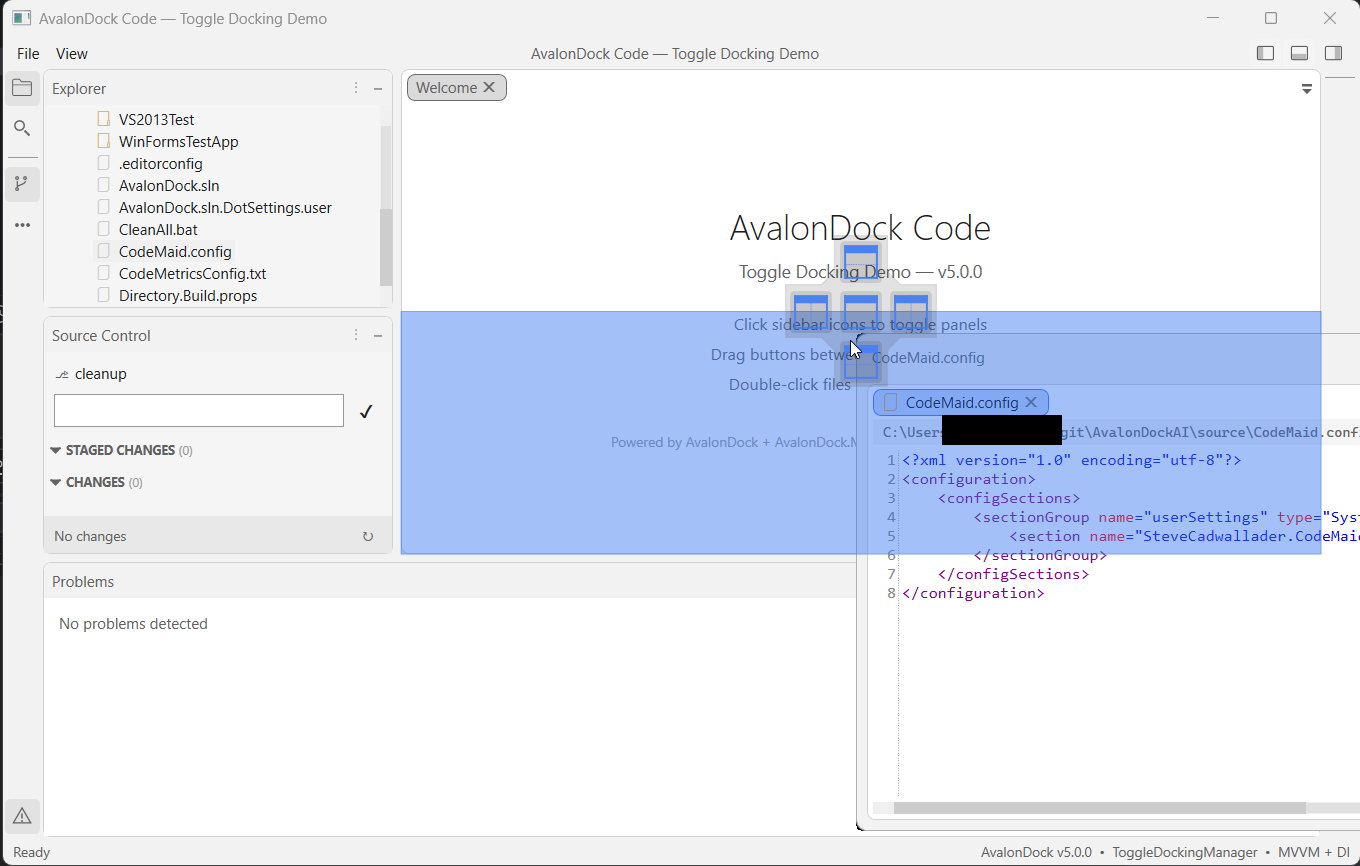
ToggleDockingManager
| Description | Dark | Light |
| Dock Document | 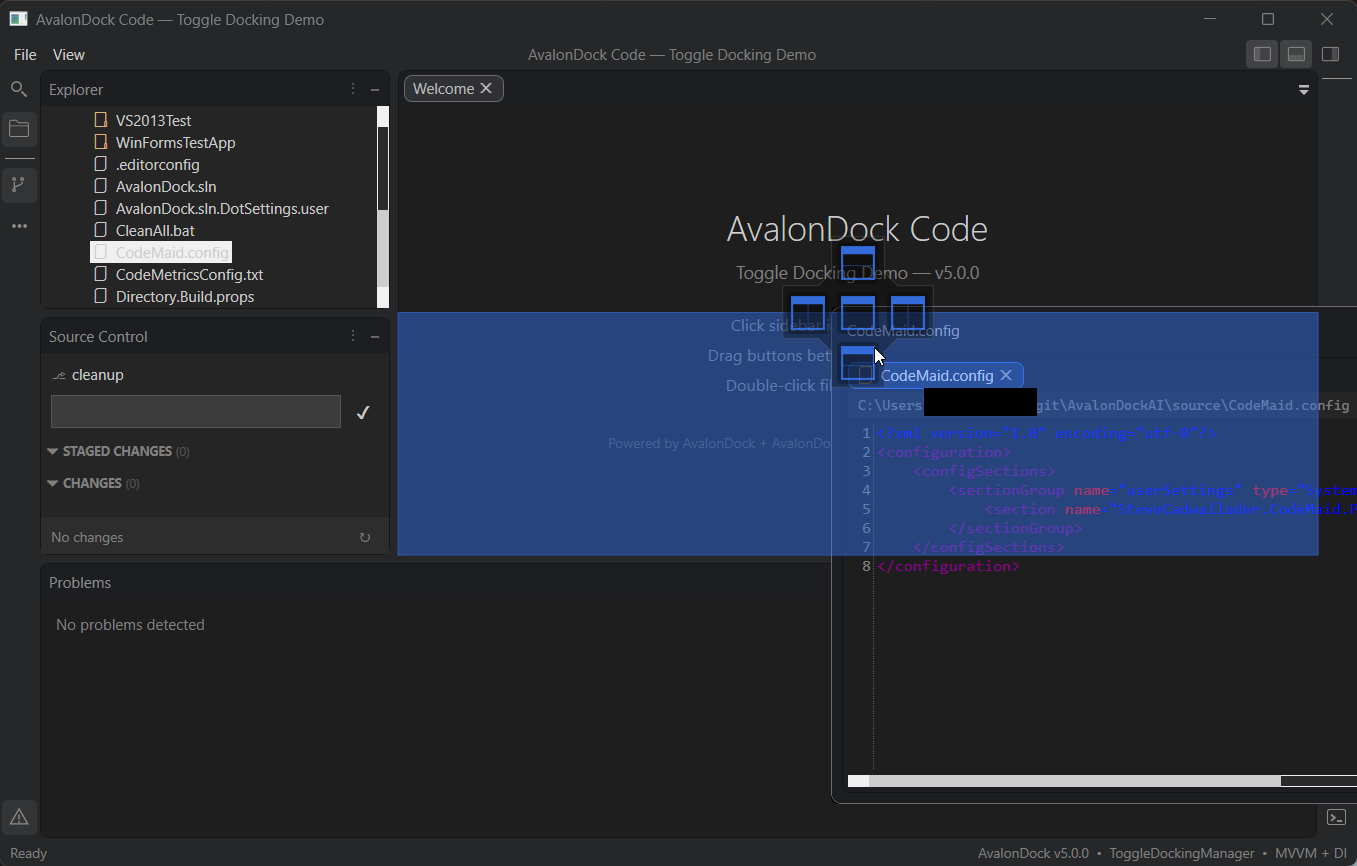 |
 |
| Dock Tool Window | 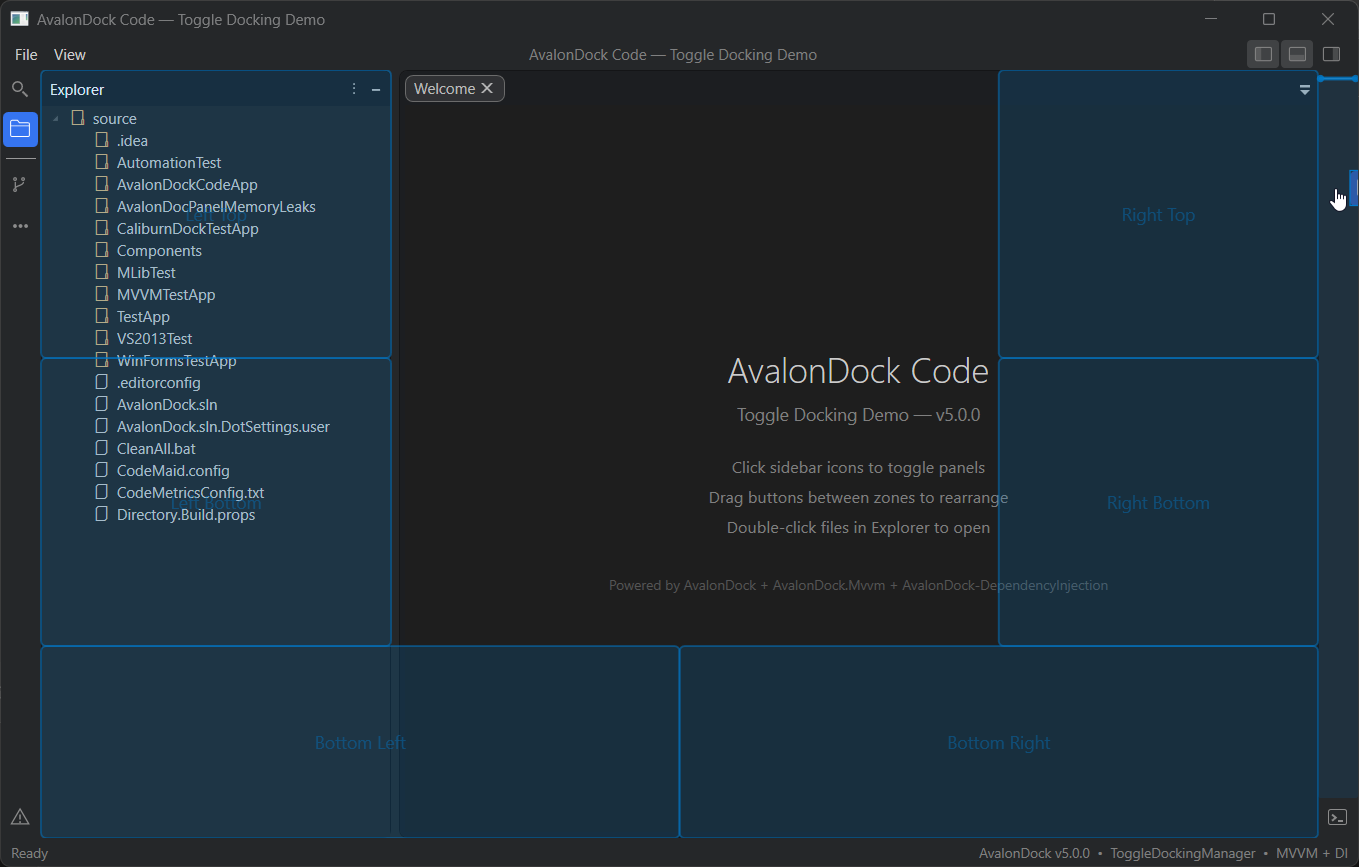 |
 |
| Document | |
 |
| Tool Window | 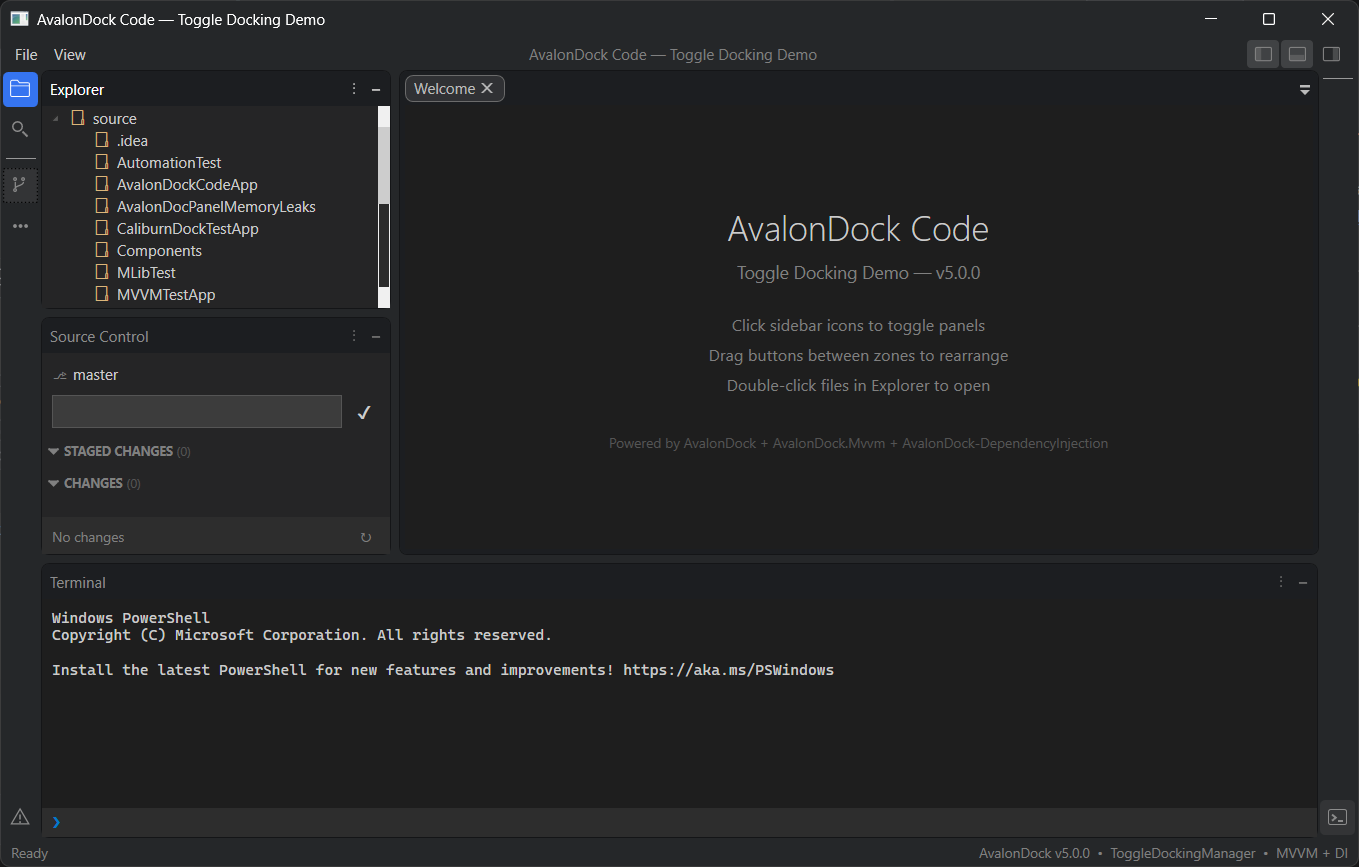 |
 |
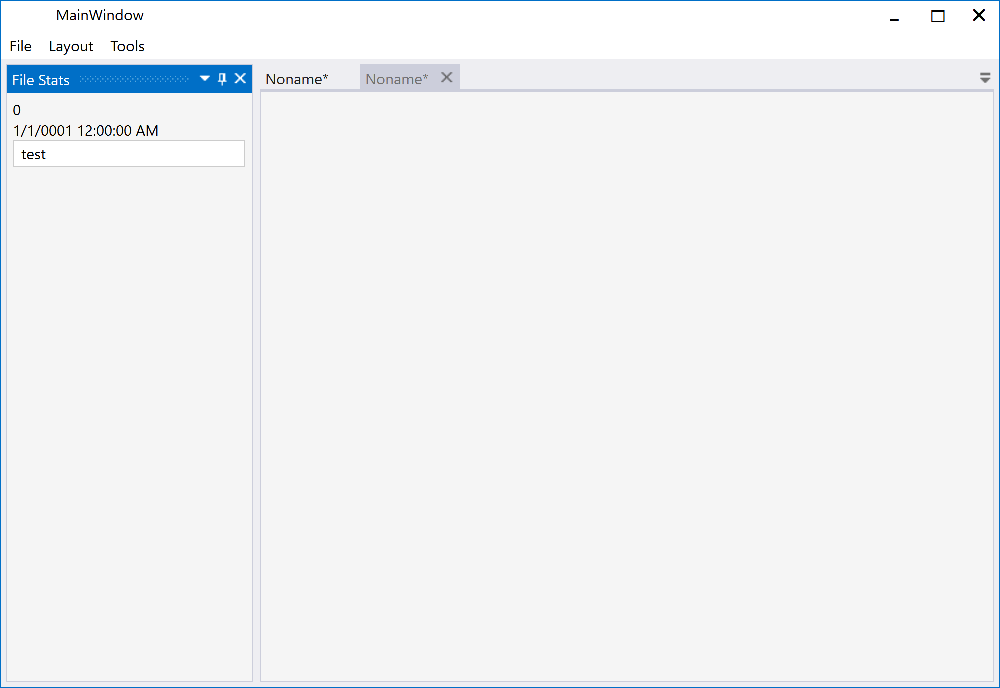
Classic DockingManager
| Description | Dark | Light |
| Dock Document | 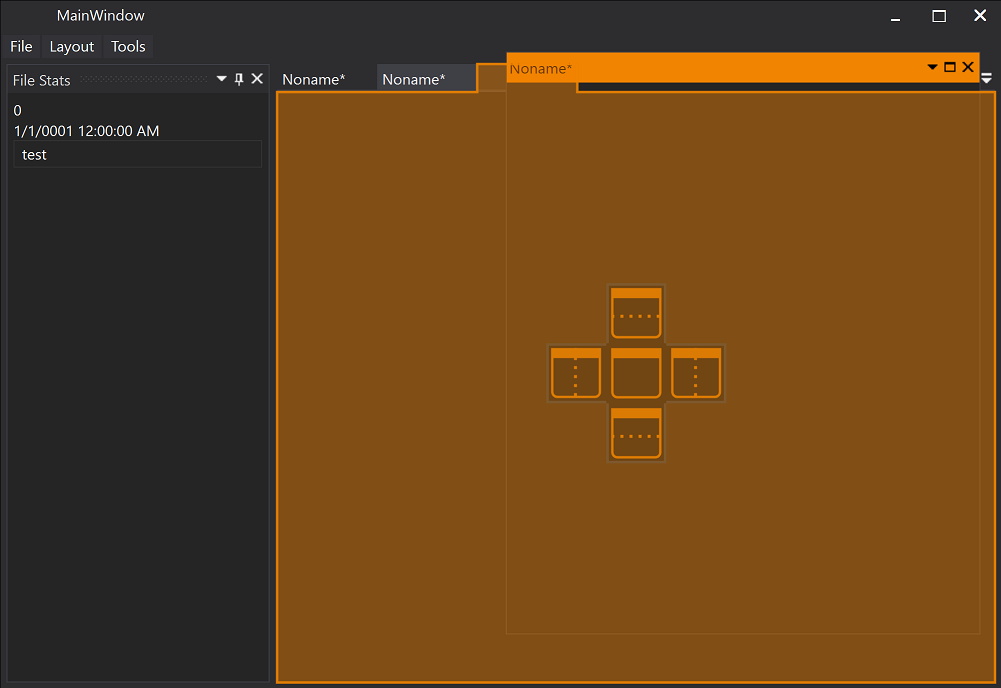 |
 |
| Dock Document | 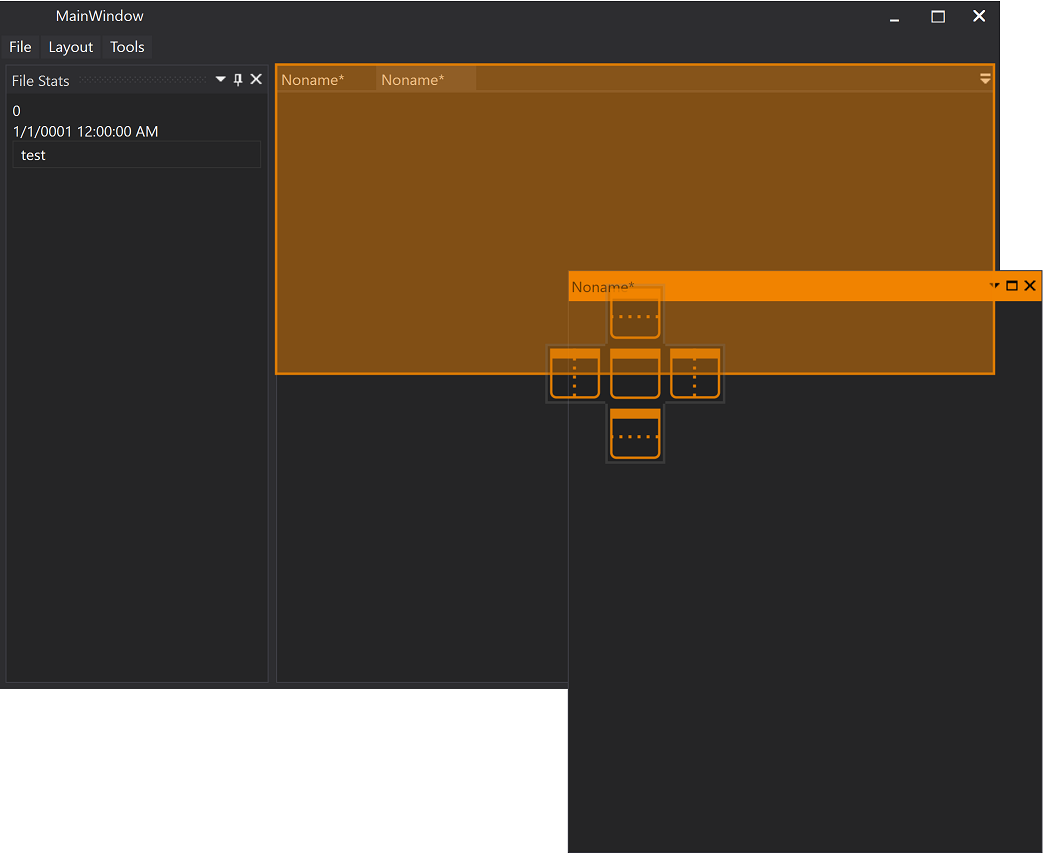 |
 |
| Dock Tool Window | 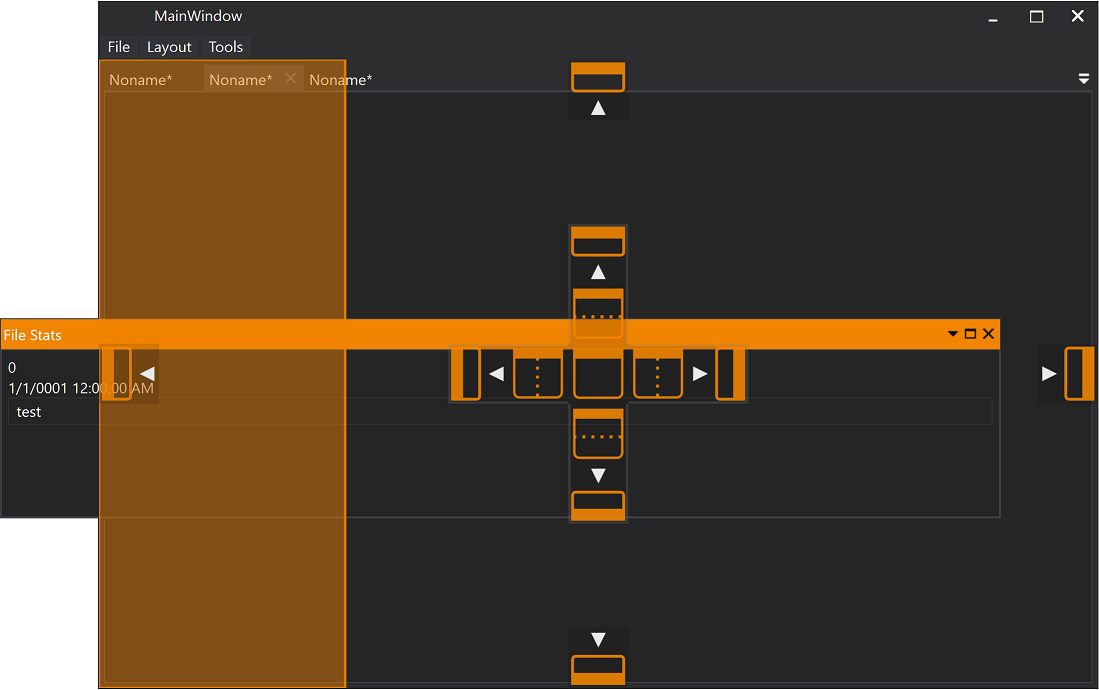 |
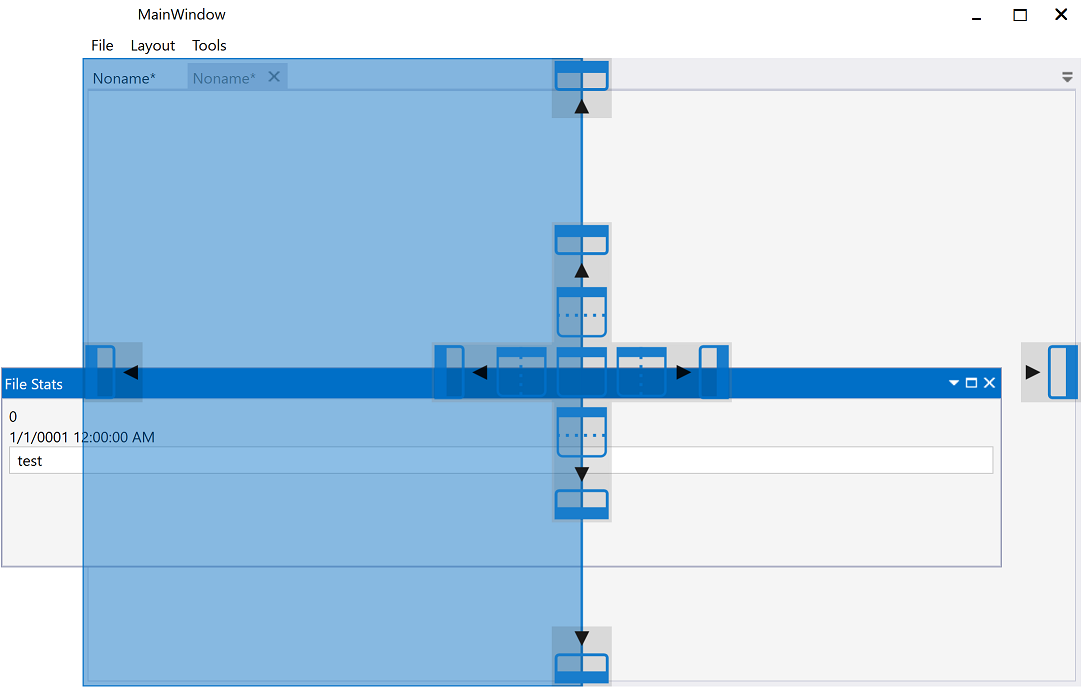 |
| Document | 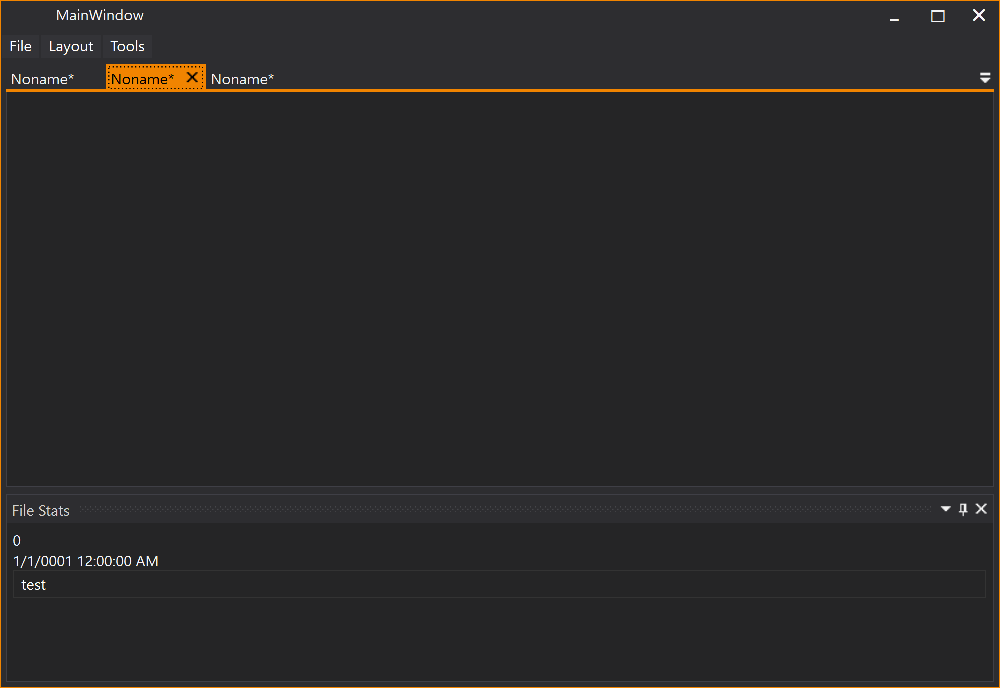 |
|
| Tool Window |  |
 |
Release History
For detailed release notes and version history, see the GitHub Releases page.