
awsesh
A modern AWS SSO session manager with an interactive TUI, powerful CLI, and a reusable SDK.
Features
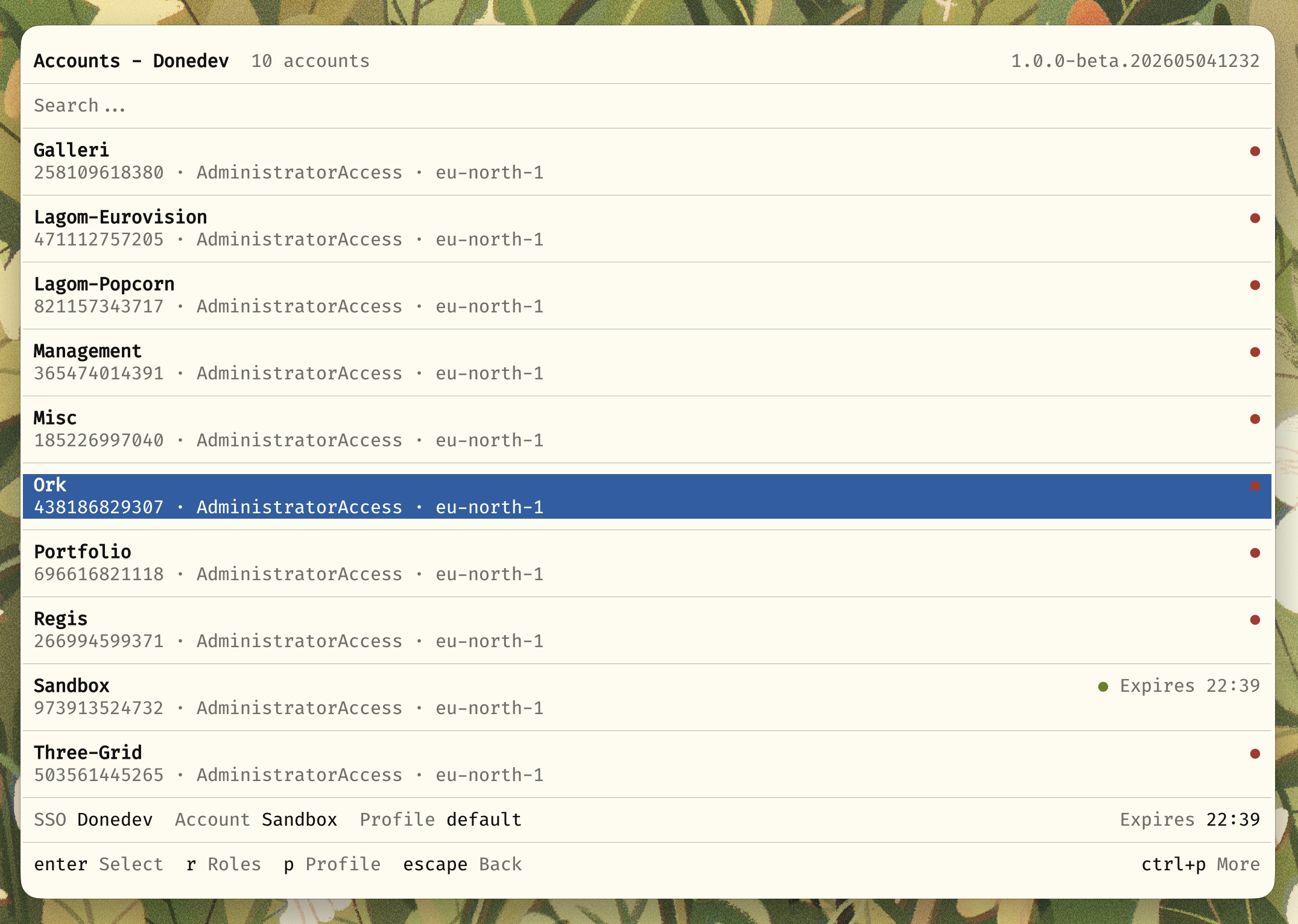
- Interactive terminal UI for managing AWS SSO sessions
- Interactive CLI if that's more your jam
- Fast fuzzy search across accounts and roles
- Multiple SSO profile support
- Automatic credential management
- Remappable keybindings
- Browser integration for quick AWS Console access
- Shell integration with environment variable exports
- Reusable SDK for building your own tools
- XDG Base Directory compliant
Installation
Homebrew (macOS/Linux)
brew tap elva-labs/elva
brew install awsesh
Pre-built Binaries
Download the latest release from the Releases page.
# Linux (x64)
curl -L https://github.com/elva-labs/awsesh/releases/latest/download/awsesh-linux-x64 -o awsesh
chmod +x awsesh
mv awsesh ~/.local/bin/

# macOS (Apple Silicon)
curl -L https://github.com/elva-labs/awsesh/releases/latest/download/awsesh-darwin-arm64 -o awsesh
chmod +x awsesh
mv awsesh /usr/local/bin/
Build from Source
Requires Bun 1.3.1+
git clone https://github.com/elva-labs/awsesh.git
cd awsesh
bun install
bun run build
Interactive TUI
Launch the interactive terminal interface:
awsesh

Navigation
| Key | Action |
|---|---|
j / k or arrows |
Navigate up/down |
Enter |
Select item |
Esc / Backspace |
Go back |
/ |
Start fuzzy search |
Ctrl+P |
Open command palette |
? |
Show help |
Managing SSO Profiles
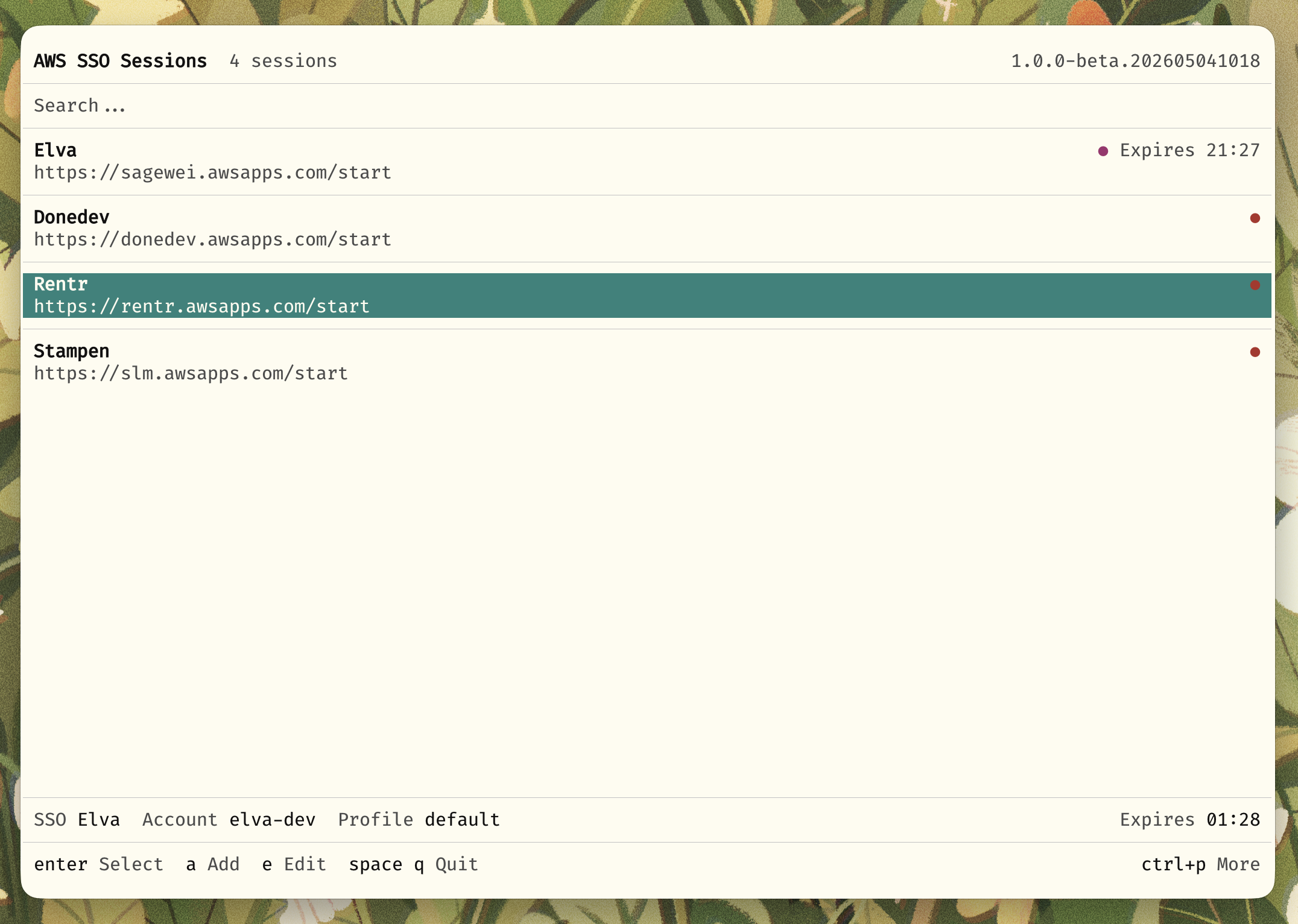
| Key | Action |
|---|---|
n |
Add new SSO profile |
e |
Edit selected profile |
d |
Delete selected profile |
o |
Open SSO dashboard in browser |
Account & Role Selection
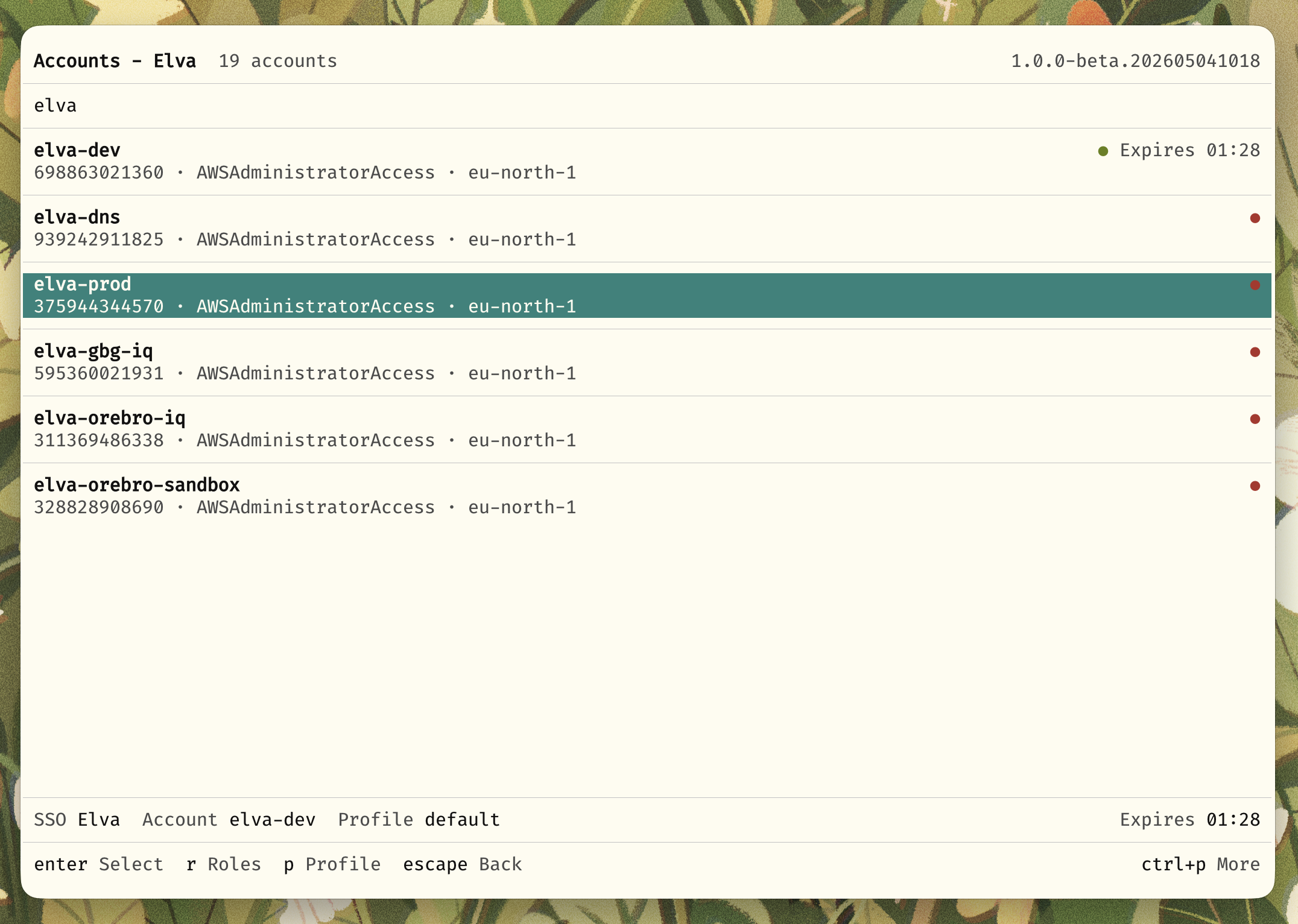
| Key | Action |
|---|---|
r |
Set custom region for account |
R |
Refresh account list |
b |
Open account in AWS Console |
p |
Set custom profile name |
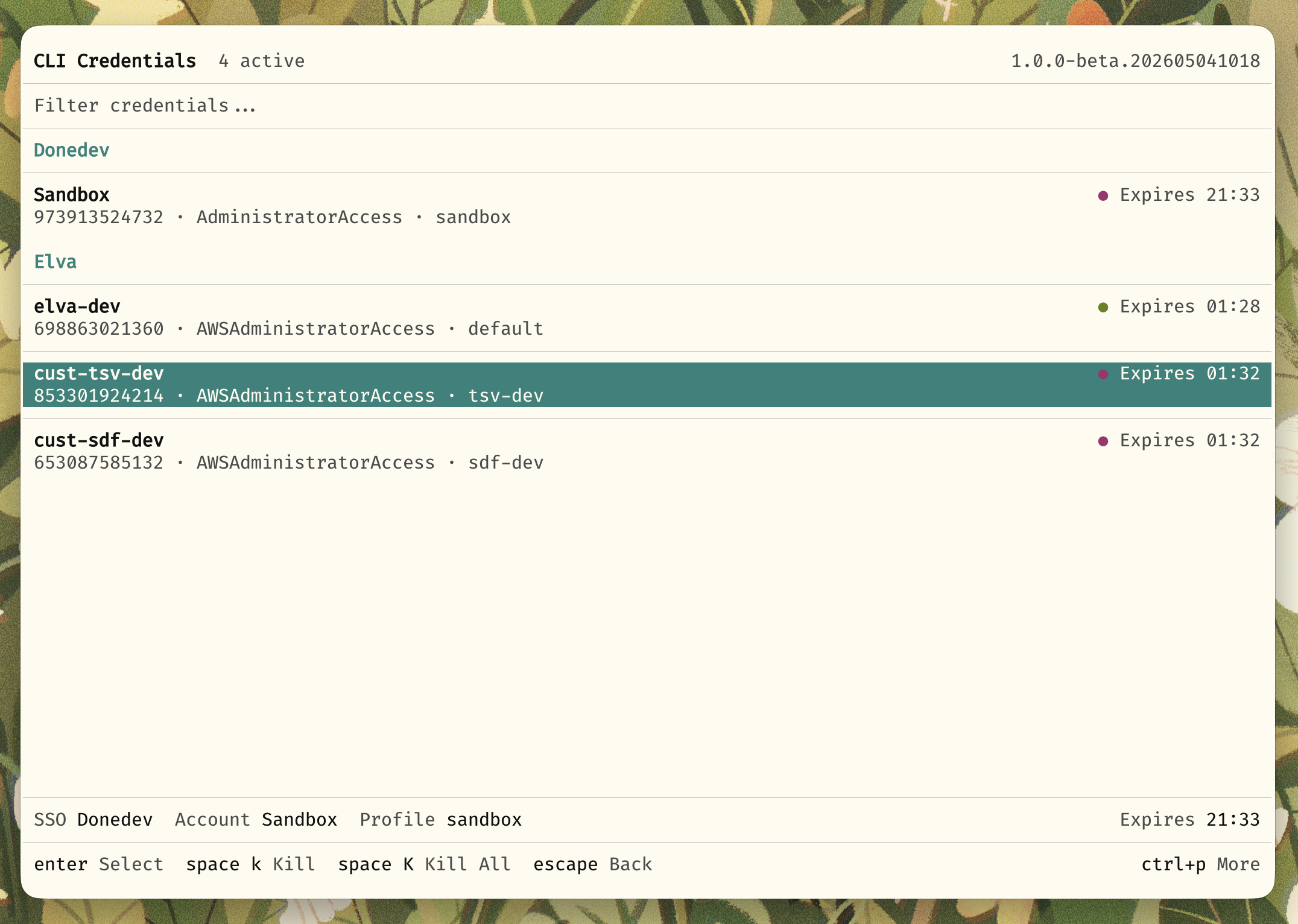
Active Sessions
View and manage your active credential sessions:
CLI
Use awsesh directly from the command line for scripting and automation.

Quick Usage
# Set credentials
awsesh set

# Set credentials for a specific role
awsesh set <sso-profile> <account-name> <role-name>

# Check current identity
awsesh whoami

# List active sessions
awsesh sessions

# List cached accounts
awsesh accounts
Commands
| Command | Description |
|---|---|
awsesh |
Launch interactive TUI |
awsesh set <sso> <account> [role] |
Set credentials directly |
awsesh whoami |
Show current AWS identity |
awsesh sessions |
List active credential sessions |
awsesh accounts |
List cached AWS accounts |
awsesh credentials |
List credentials in ~/.aws/credentials |
awsesh set <sso> <account> <role> |
Set credentials (explicit command) |
awsesh auth <sso> |
Authenticate with SSO |
awsesh migrate |
Migrate from old awsesh config |
awsesh open config |
Open config directory |
awsesh open data |
Open data directory |
Options
awsesh [options] [sso] [account] [role]

Options:
  -e, --eval              Output environment variables for shell eval
  -b, --browser           Open AWS Console in browser
  -r, --region <region>   Override region for this session
  -p, --profile <name>    Use custom profile name
  -v, --version           Show version
  -h, --help              Show help
Shell Integration
Add this to your shell config for seamless environment variable integration:
Bash/Zsh:
sesh() { # i personally prefer "sesh" over "awsesh"
    eval "$(command awsesh --eval "$@")"
}
Fish:
function sesh
    eval (command awsesh --eval $argv)
end
When you run awsesh --eval (or sesh in the examples above), awsesh exports AWS credentials plus session metadata:
AWSESH_ACCOUNT_IDAWSESH_ACCOUNT_NAMEAWSESH_ROLE_NAMEAWSESH_SESSION_NAMEAWS_REGIONAWS_ACCESS_KEY_IDAWS_SECRET_ACCESS_KEYAWS_SESSION_TOKENAWS_SESSION_EXPIRATION
SDK
The core functionality is available as a standalone SDK for building your own AWS SSO tools.
Installation
npm install @awsesh/core
# or
bun add @awsesh/core
Quick Start
import { createAwsesh } from "@awsesh/core"

const awsesh = createAwsesh({
  configDir: "~/.config/awsesh",
  dataDir: "~/.local/share/awsesh",
  awsDir: "~/.aws",
})

// List SSO sessions
const sessions = await awsesh.sessions.list()

// Start SSO login
const session = await awsesh.sessions.get("my-org")
const loginInfo = await awsesh.sso.startLogin(session)
console.log(`Open: ${loginInfo.verificationUriComplete}`)

// Poll for token
const token = await awsesh.sso.pollForToken(session, loginInfo)

// List accounts
const accounts = await awsesh.sso.listAccounts(session, token.token)

// Get credentials
const creds = await awsesh.sso.getCredentials(session, token.token, accountId, roleName)
See the full SDK Documentation for detailed API reference.
For a complete working example, see the awsesh-sdk-example repository.
Themes
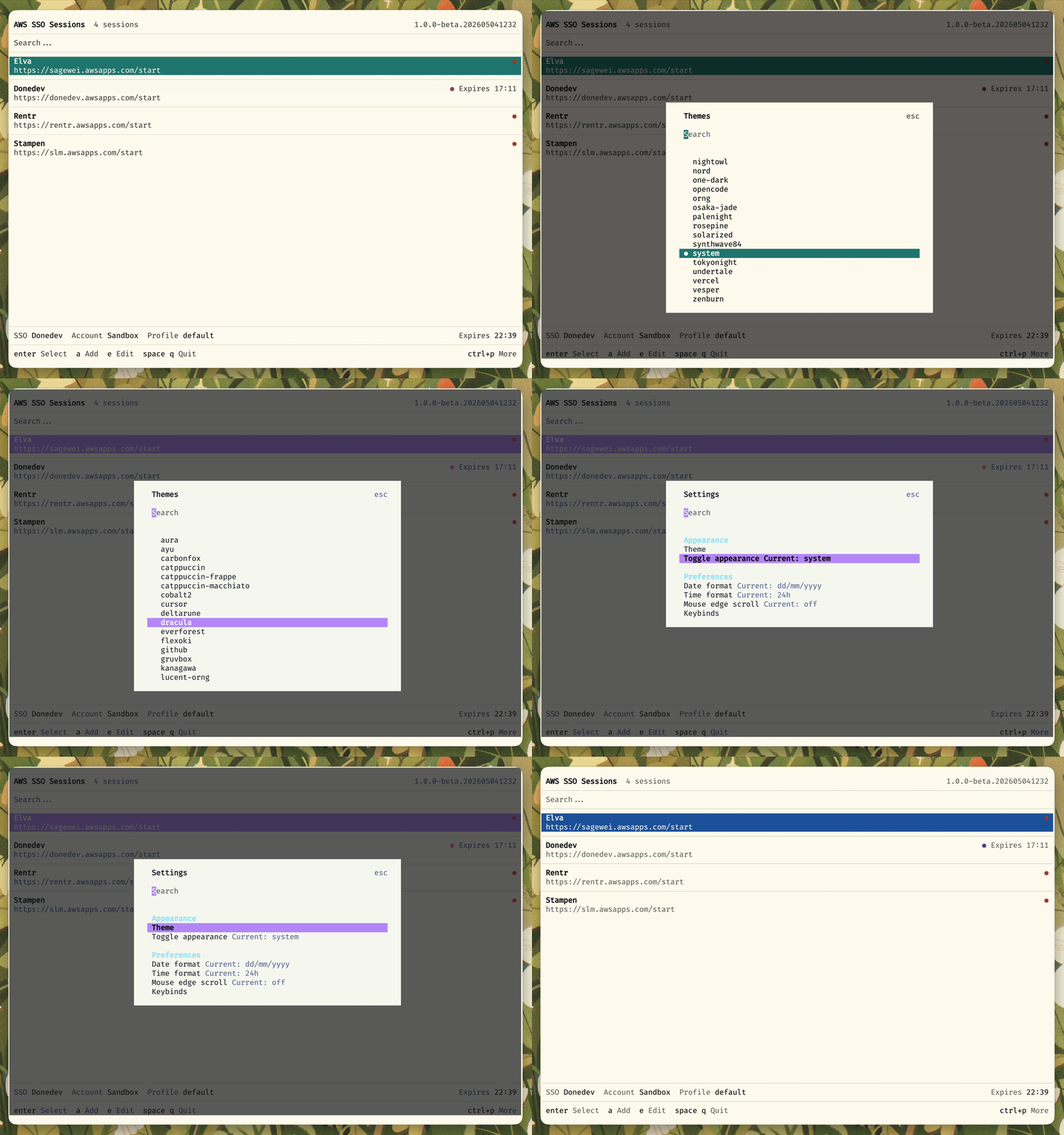
Awsesh currently supports a bunch of themes, the base one using your terminal colors.
Migrating from Go Version
If upgrading from the original Go version of awsesh the mgiration should run automatically. Otherwise you can run the migration command manually:
awsesh migrate
Options:
--dry-run- Preview changes without applying--force- Force migration even if config exists--no-backup- Skip backup (not recommended)
The migration converts your existing profiles, tokens, and preferences to the new JSON format.
Should the migration fail I suggest you to clean up your ~/.aws folder and remove most any awsesh files and the aws files .config and .credentials since they can interfere as well.
Configuration
awsesh follows XDG Base Directory specification:
| Location | Purpose |
|---|---|
~/.config/awsesh/ |
Configuration files |
~/.local/share/awsesh/ |
Data storage (tokens, cache, preferences) |
~/.local/share/awsesh/logs/ |
Log files |
Settings
Access settings via Ctrl+P > Settings in the TUI, or edit ~/.config/awsesh/config.json:
{
  "theme": "dark",
  "logLevel": "info"
}
Acknowledgments
Huge thanks to the great team over at Anomalyco both for OpenTui and the structure of OpenCode from a few months ago. I shamelessly based the refactor on the structure of OpenCode at the time and it's been great for me.
License
MIT - see LICENSE for details.