
AzuDrop

Fast local text and file transfer between multiple devices on the same network.
Features · Quick start · Security · Troubleshooting
Overview
AzuDrop is a lightweight local web app for transferring text and files between devices connected to the same network.
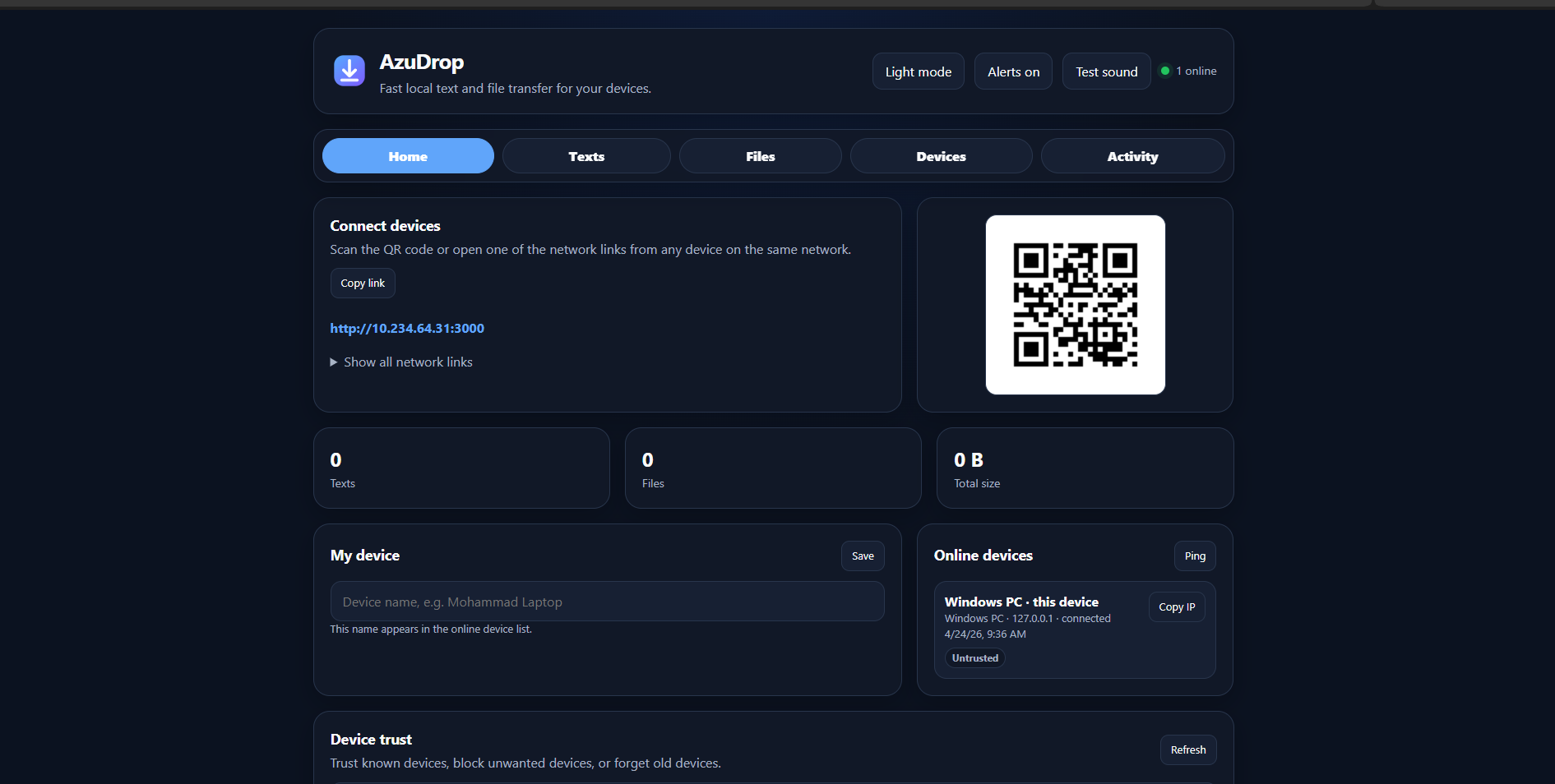
Run it on one device, open the generated local network link or scan the QR code from any other device, and start sharing text or files without cloud storage, accounts, or external servers.
It is designed for quick everyday transfers between laptops, desktops, phones, tablets, and other devices on a trusted local network.
Features
Multi-device sharing
- Connect multiple devices at the same time
- Works across desktop and mobile browsers
- QR code for fast connection
- Shows all available local network links
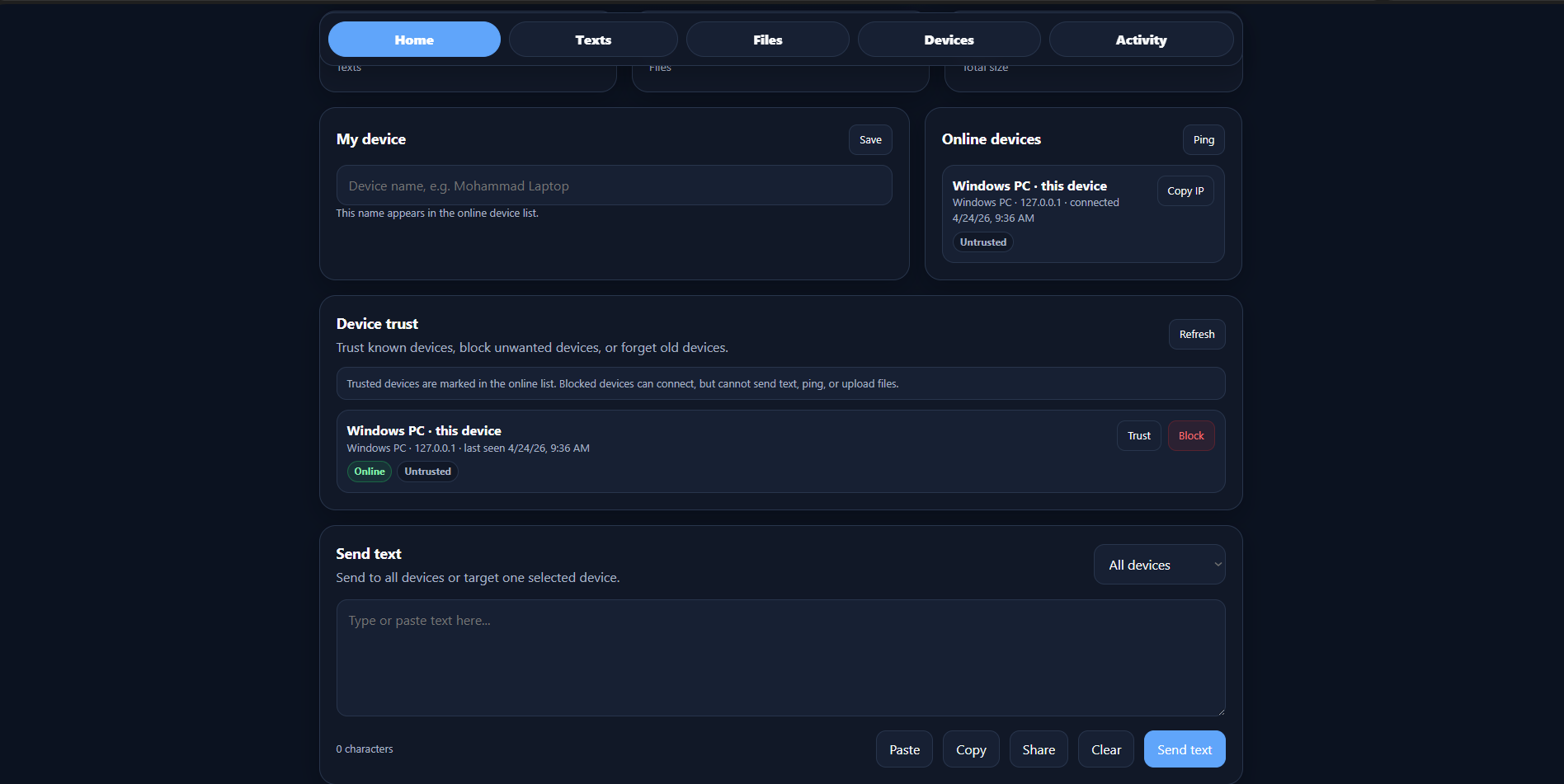
- Online device list with name, type, IP address, and status
Text transfer
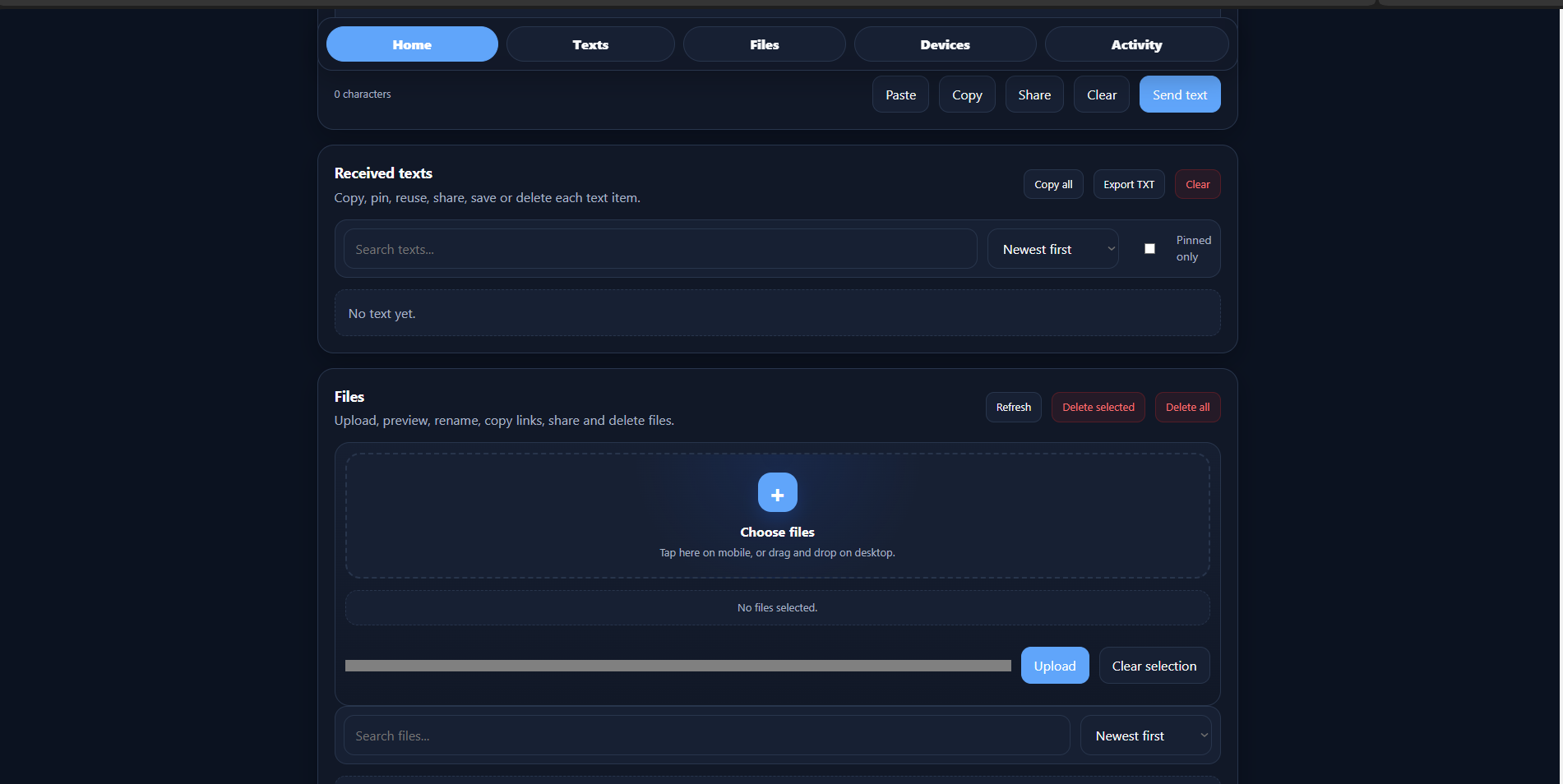
- Send text to all devices or to a selected device
- Received text history
- Copy button for every text item
- Pin important text items
- Search and sort received texts
- Reuse, share, save, or delete text items
- Export text history as a
.txtfile
File transfer
- Upload multiple files
- Mobile-friendly upload area
- Drag and drop support on desktop
- Upload progress indicator
- File search and sorting
- Minimal image thumbnails
- Preview support for common media types
- Copy download links
- Share file links on supported devices
- Rename files
- Delete selected files or all files
Device Trust
- Persistent device identity per browser
- Trust or untrust known devices
- Block unwanted devices
- Forget old devices
- Blocked devices can connect but cannot send text, ping, or upload files
User experience
- Light mode and dark mode
- Local system font stack for a native feel
- Mobile tab navigation for quick access to sections
- Desktop navigation shortcuts
- Activity feed limited to the latest events
- Sound alerts with a built-in test button
- SVG favicon included
Requirements
- Node.js 18 or newer
- A local network where devices can reach each other
- A modern browser on each device
Recommended browsers:
- Chrome / Chromium
- Edge
- Firefox
- Safari
Quick start
Clone the repository:
git clone https://github.com/your-username/azudrop.git
cd azudrop
Install dependencies:
npm install
Start AzuDrop:
npm start
Open it on the host device:
http://localhost:3000
Then open one of the displayed network links from another device on the same network, or scan the QR code.
One-click launchers
This project also includes simple launchers for local use.
Windows
Double-click:
Run AzuDrop - Windows.bat
macOS
Double-click:
Run AzuDrop - macOS.command
If macOS blocks execution, run once:
chmod +x "Run AzuDrop - macOS.command"
Then double-click the file again.
Linux
Run:
chmod +x run-azudrop-linux.sh
./run-azudrop-linux.sh
How it works
AzuDrop starts a local Node.js server on port 3000 by default.
The server:
- Serves the web interface
- Generates local network URLs
- Generates a QR code for the preferred network URL
- Handles file uploads and downloads
- Uses Socket.IO for real-time text, device, alert, and activity updates
Uploaded files are stored locally in:
uploads/
Device trust data is stored locally in:
azudrop-trust.json
Configuration
Change the port
Use the PORT environment variable:
PORT=4000 npm start
On Windows PowerShell:
$env:PORT=4000; npm start
Then open:
http://localhost:4000
Project structure
azudrop/
  public/
    app.js
    favicon.svg
    index.html
    style.css
  uploads/
  package.json
  server.js
  README.md
  README.fa.md
  Run AzuDrop - Windows.bat
  Run AzuDrop - macOS.command
  run-azudrop-linux.sh
Security notes
AzuDrop is intended for trusted local networks.
Do not expose it directly to the public internet without adding additional protections such as authentication, HTTPS, rate limiting, and stricter upload controls.
Important notes:
- Anyone who can reach the local URL may be able to open the app.
- Device Trust helps manage known and blocked devices, but it is not a replacement for full authentication.
- Uploaded files are stored on the host device.
- Files are not encrypted by default.
- Use AzuDrop only on networks you trust.
Troubleshooting
Other devices cannot open the link
Make sure:
- All devices are on the same network
- The host device and the other device can reach each other
- You are using the network link, not
localhost - The firewall allows Node.js on private networks
- VPN, guest Wi-Fi isolation, or hotspot isolation is not blocking local devices
USB tethering does not work
USB tethering can give the computer internet access through the phone, but it does not always allow the phone to connect back to the computer.
For best results, use one of these setups:
- Connect all devices to the same Wi-Fi router
- Connect devices to the computer's mobile hotspot
- Use a trusted local network where device-to-device access is allowed
Sound alerts do not play
Most browsers block audio until the user interacts with the page.
Click Alerts off or Test sound once after opening the app. After that, sound alerts should work for new events.
macOS says the launcher cannot be opened
Run:
chmod +x "Run AzuDrop - macOS.command"
Then try again.
Development
Install dependencies:
npm install
Start the development server:
npm run dev
The app will run at:
http://localhost:3000
The current app is intentionally simple and does not require a front-end build step.
Roadmap
Planned or recommended improvements:
- PIN / room code for joining
- Auto-expiring files
- Download selected files as ZIP
- Better clipboard paste support for images and files
- PWA install support
- Share Target support on mobile
- Optional portable Node.js runtime bundles
- Electron desktop version with tray icon
- Clipboard sync mode
- End-to-end encryption mode
Contributing
Contributions are welcome.
Suggested workflow:
- Fork the repository
- Create a feature branch
- Make your changes
- Test on desktop and mobile browsers
- Open a pull request
Please keep the app lightweight and avoid unnecessary front-end dependencies unless there is a clear benefit.
Creator
Made by Mohammad Mehdi Azizi.
- X: https://x.com/the_azzi
- GitHub: https://github.com/TheGreatAzizi
- Telegram: https://t.me/luluch_code
- Website: https://theazizi.ir/
- Financial support: https://theazizi.ir/#support