
BAMF — Bridge Access Management Fabric


Secure infrastructure access with short-lived certificates, centralized audit, and zero-trust tunnels. An open-source alternative to Teleport that builds in minutes with standard toolchains.
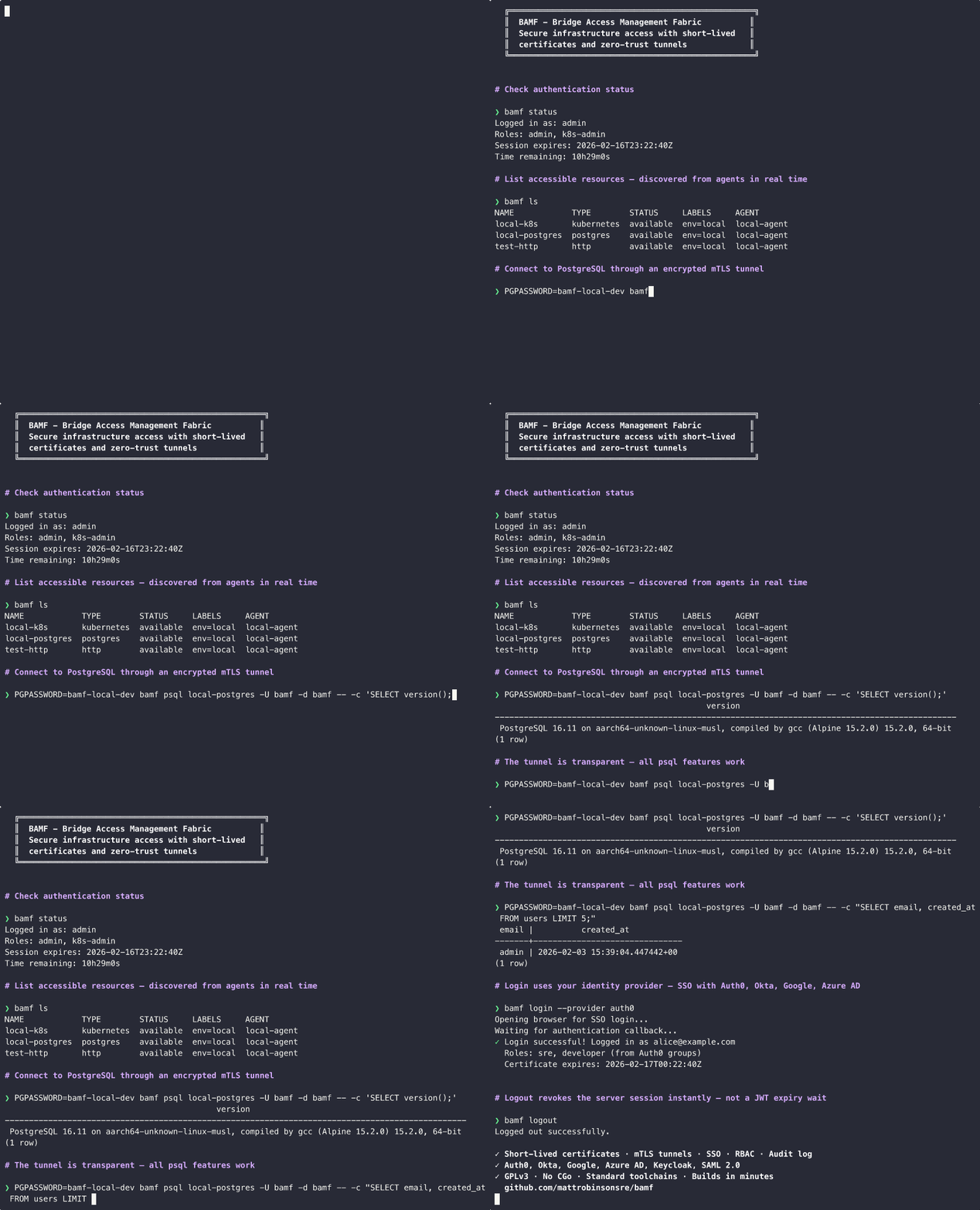
BAMF gives your team secure, audited access to SSH servers, databases, Kubernetes clusters, and internal web applications — all through a single platform with SSO integration, role-based access control, and session recording.
Why BAMF?
Teleport's Community Edition switched to a commercial license starting with v16 (June 2024). Companies with >100 employees or >$10M revenue cannot legally use it. And even within those limits, SSO is locked to GitHub only — Okta, Azure AD, Google, SAML, and generic OIDC all require Enterprise.
BAMF is GPLv3 — no usage restrictions, no feature gating:
| BAMF (GPLv3) | Teleport Community | |
|---|---|---|
| SSO (OIDC/SAML) | All providers included | GitHub only (Okta, Azure AD, SAML: Enterprise) |
| Session recording | SSH + DB query + HTTP audit | SSH only (enhanced recording: Enterprise) |
| Web app access | Included | Enterprise only |
| Commercial use | Unrestricted | <100 employees and <$10M revenue |
| Build from source | Go + Python, minutes | Go + Rust + C + libfido2, hours |
| License | GPLv3 | Commercial (since v16, June 2024) |
Features
-
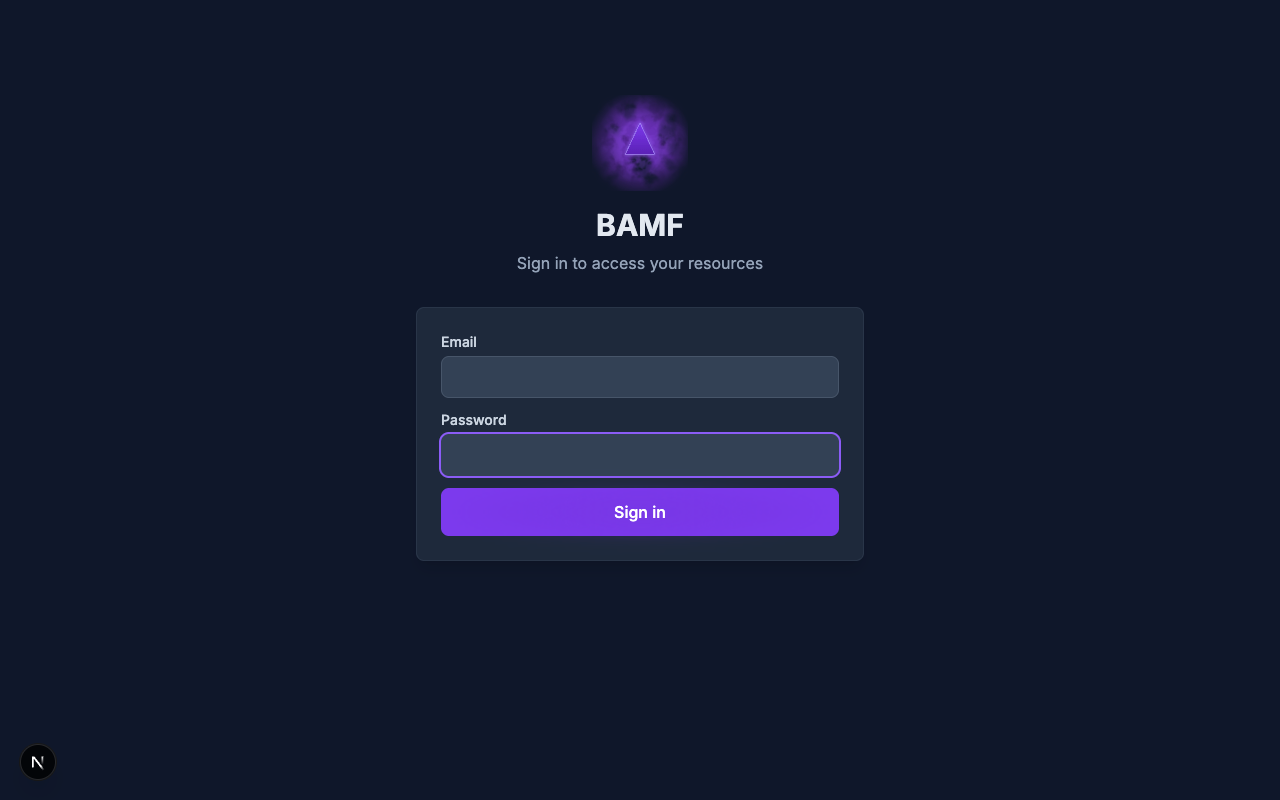
SSO integration with Auth0, Okta, Google, Azure AD, Keycloak (OIDC), and any SAML 2.0 identity provider. MFA is delegated to the IdP — no TOTP or WebAuthn implementation to maintain. Configuration
-
SSH access with short-lived certificates — no static keys, no TOFU prompts. Wraps native
ssh/scp/sftpso all flags and config work unchanged. Guide -
TCP tunnels for any TCP service — databases, Redis, message brokers, custom protocols. Convenience aliases for
bamf psqlandbamf mysql;bamf tcp --execfor everything else. Guide -
Kubernetes access via standard
kubectlwith a kubeconfig entry pointing at BAMF. Uses Kubernetes impersonation — works with Helm, k9s, Lens, Terraform. Guide -
HTTP proxy for internal web apps and APIs — browser-based (Grafana, Jenkins, ArgoCD) and non-browser (curl, scripts, CI/CD). Per-request auth, RBAC, header rewriting, and audit logging. Guide
-
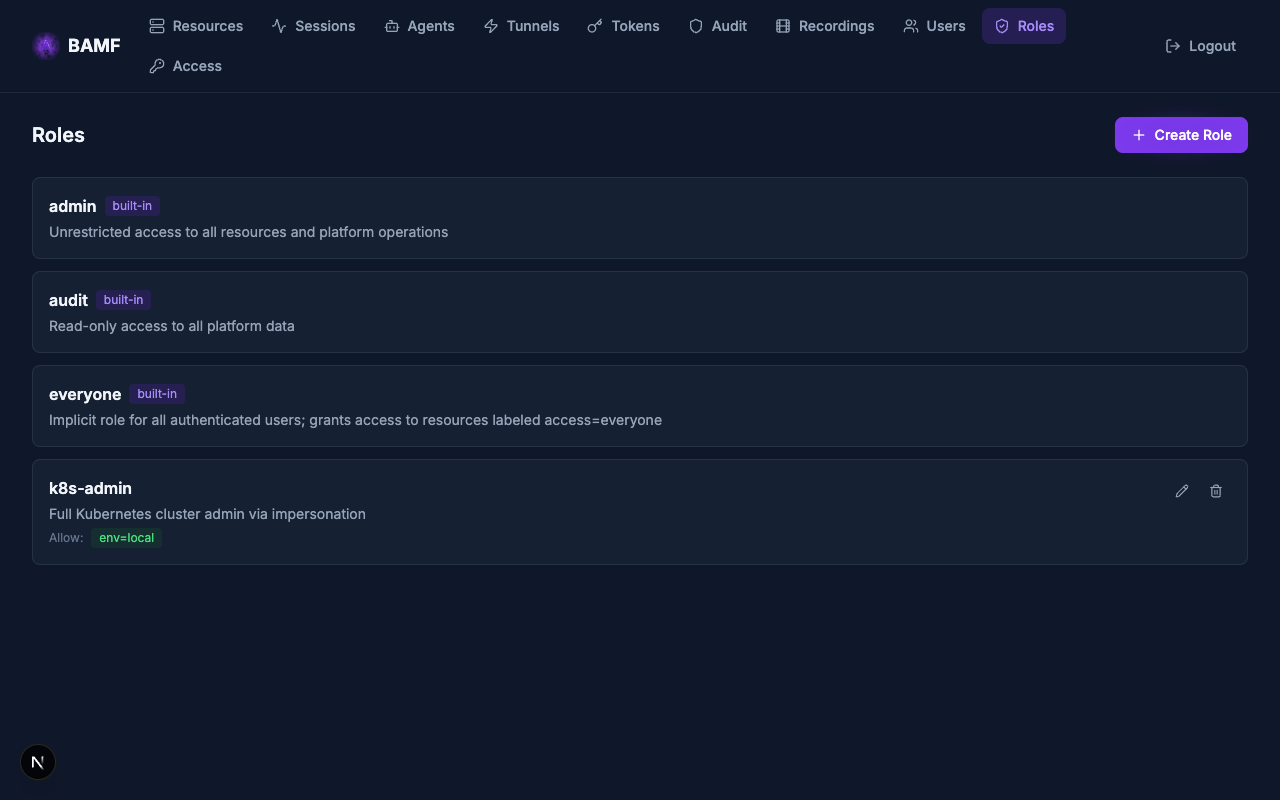
Role-based access control with allow/deny rules, resource labels, and claims-to-roles mapping from identity providers. RBAC guide
-
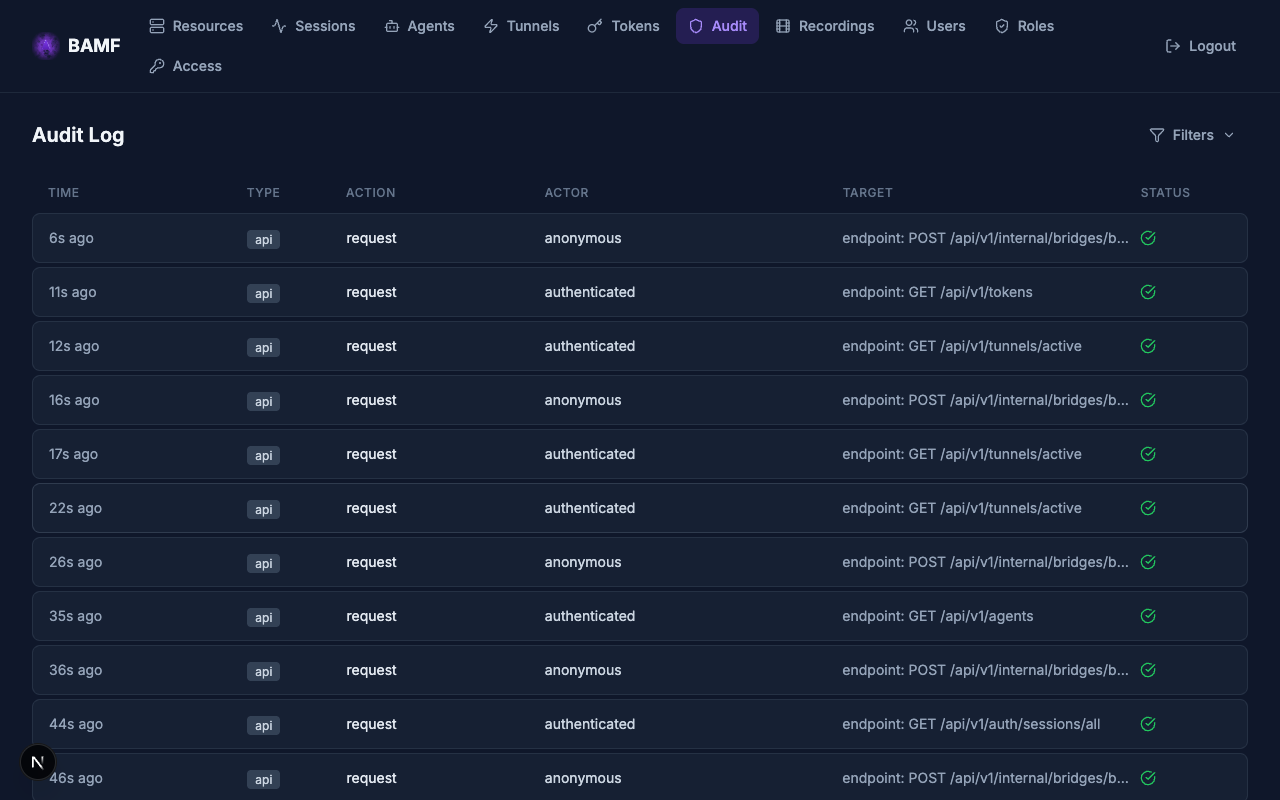
Audit logging of all authentication, authorization, and session events. Structured JSON audit log with cursor-based pagination, exportable via REST API for SIEM integration.
-
Browser-based terminal — SSH, PostgreSQL, and MySQL access directly from the web UI using xterm.js. Upload your SSH key per-session (never stored) or enter database credentials. Sessions survive API pod restarts transparently. No CLI installation required. Guide
-
Session recording — SSH terminal recording in asciicast v2 format (opt-in
ssh-audittype) with web-based playback. Database query audit logging for PostgreSQL and MySQL via passive wire protocol tapping (postgres-audit,mysql-audittypes). HTTP request/response audit for web app proxy traffic (http-audittype) with full exchange capture. -
Reliable tunnel streams — TCP tunnels survive bridge pod failure transparently. End-to-end reliable framing between CLI and agent retransmits unacknowledged data through a new bridge. Application sessions (SSH, psql) experience a brief stall, not a disconnect. Graceful bridge drain migrates tunnels with zero data loss during scale-in, maintenance, and spot termination.
-
Multi-region outpost deployments — deploy proxy+bridge clusters in multiple regions with a central API as the single source of truth. Agents relay to all outposts simultaneously so any outpost can serve any resource. GeoIP-based routing directs users to the nearest outpost. Region-pinned resources get stable per-outpost URLs. Architecture
-
Certificate-based trust model — BAMF CA issues short-lived x509 and SSH certificates. No long-lived secrets. Session certs encode the authorization decision directly — the bridge validates certs locally during tunnel operation.
-
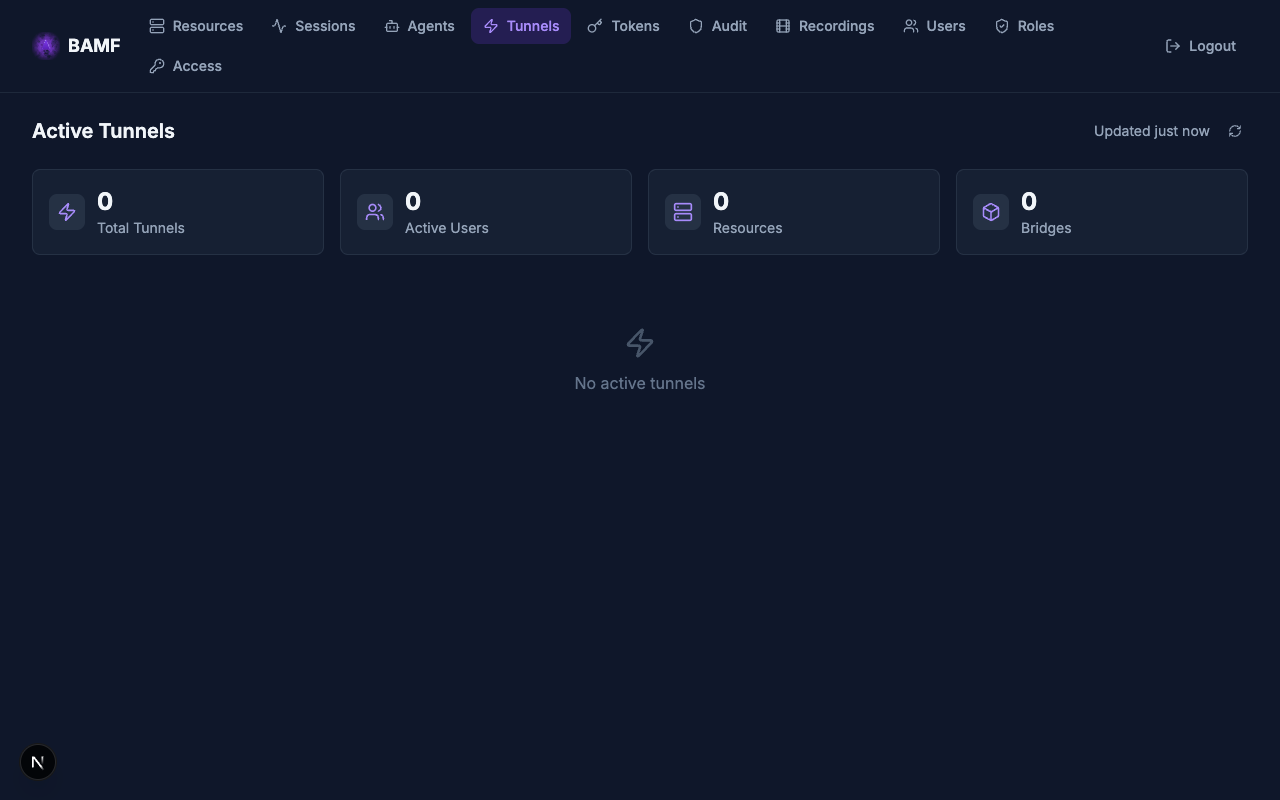
Real-time operations dashboard — live tunnel monitoring, agent fleet status, session management, resource discovery, audit log viewer, and recording playback — all in a modern web UI with auto-refreshing data.
Web UI
 |
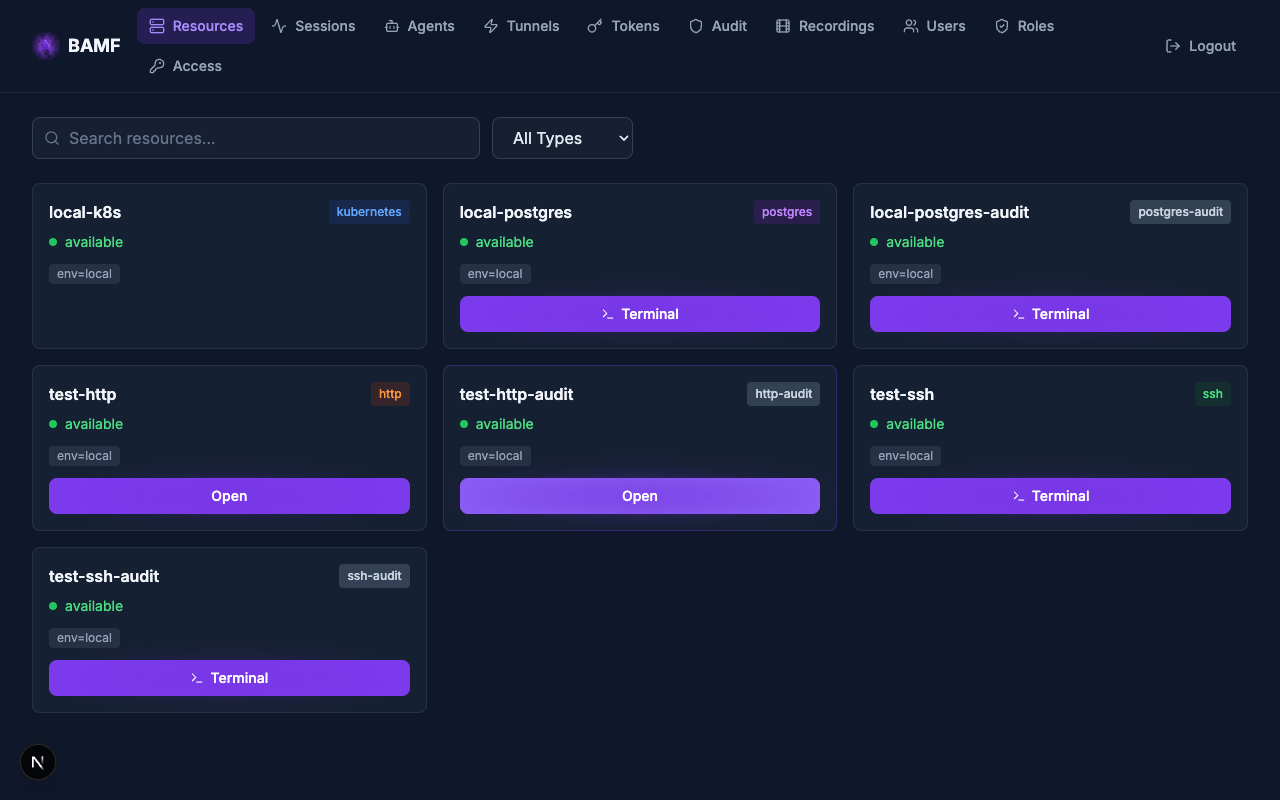 |
| Login (local + SSO providers) | Resource discovery with one-click terminal access |
 |
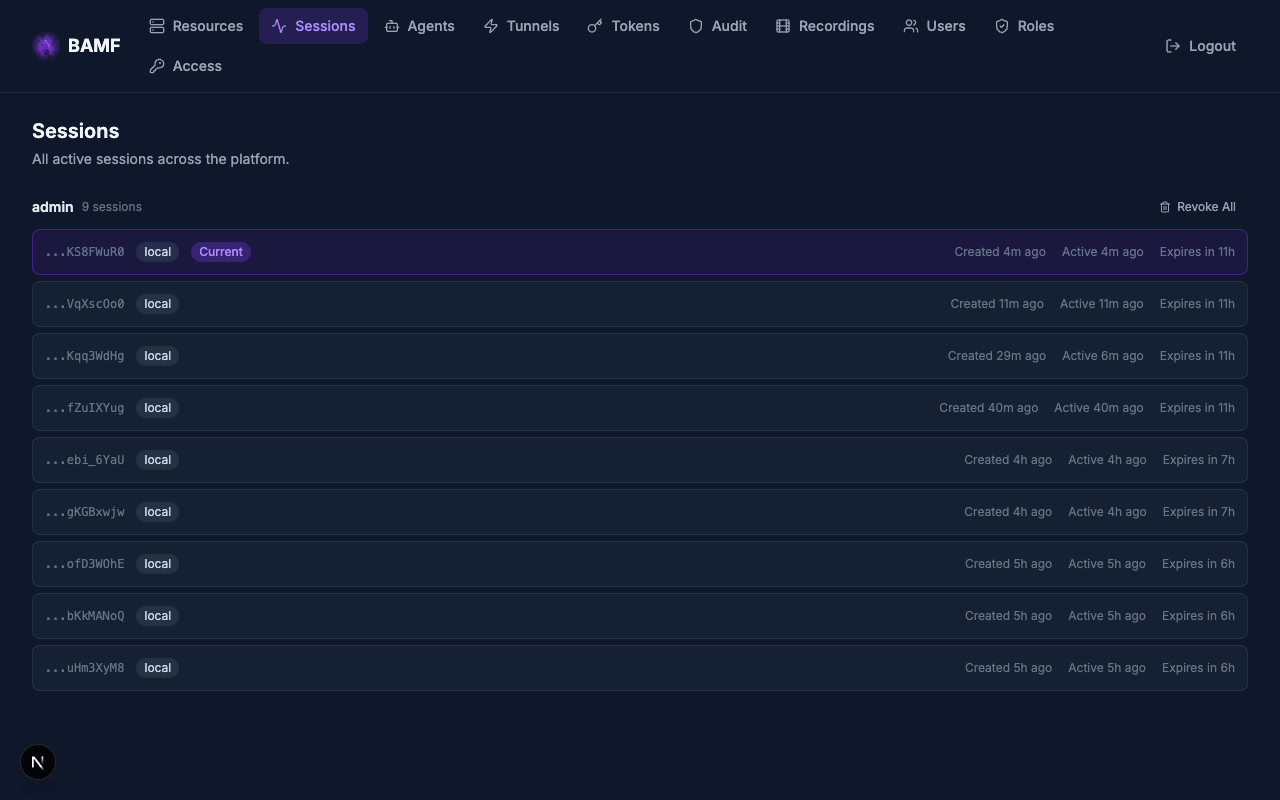 |
| Live tunnel monitoring | Session management with configurable TTL |
 |
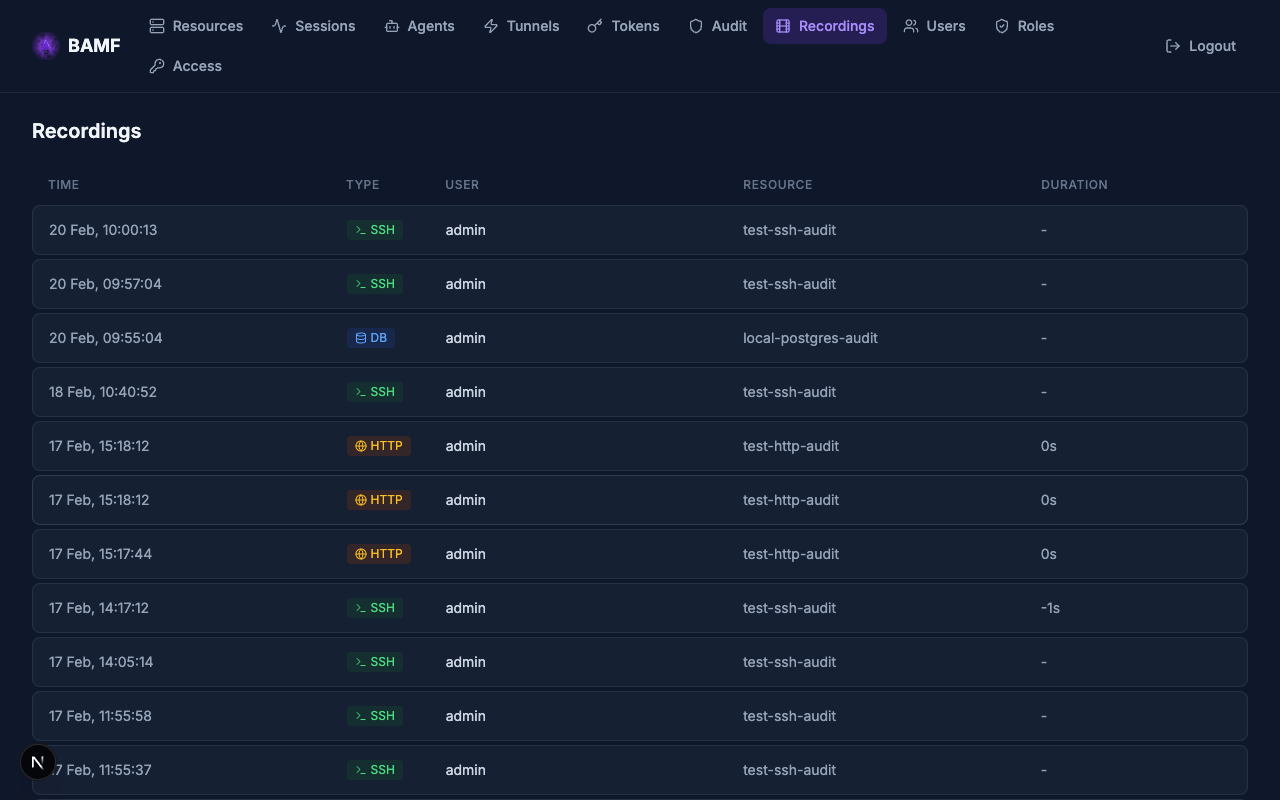 |
| Structured audit log with filters | SSH, database, and HTTP session recordings |
 |
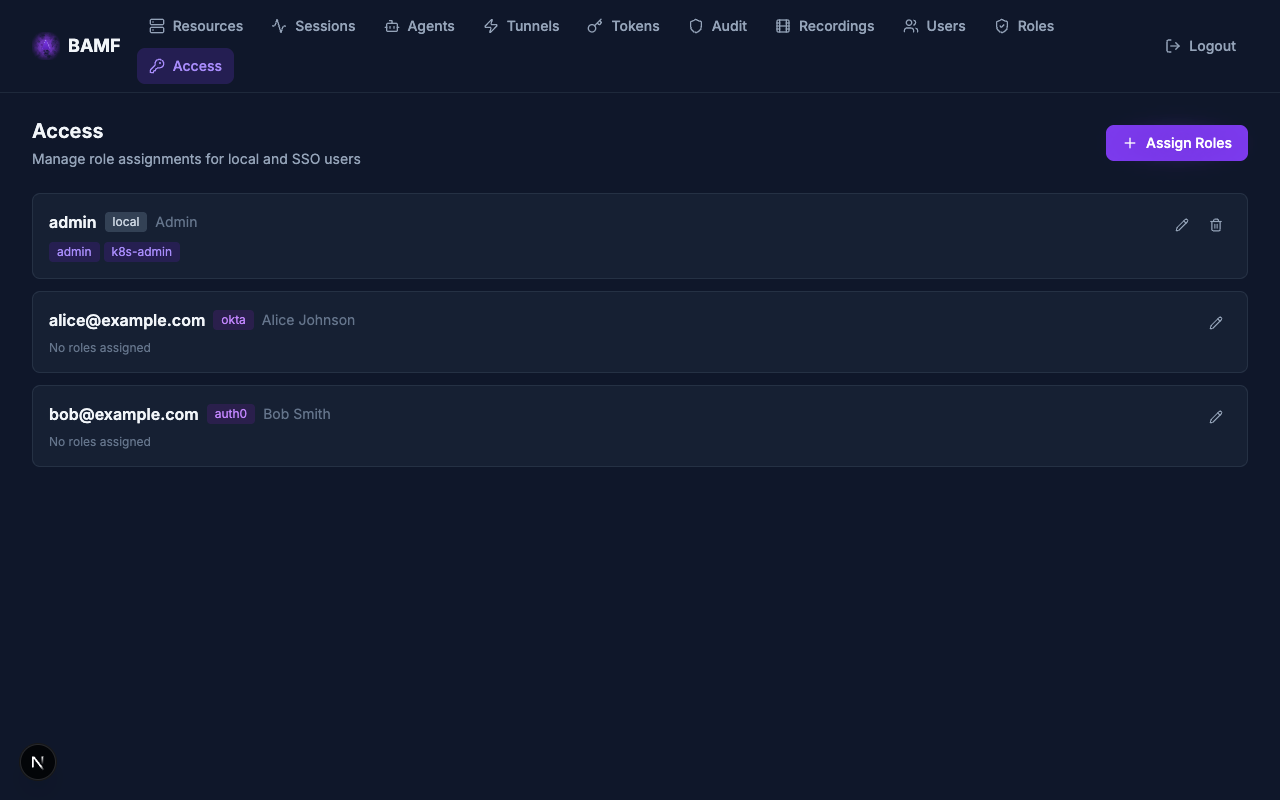 |
| RBAC role definitions | Per-user role assignments (local + SSO) |
Architecture
                         Public Internet
                                │
               ┌────────────────┴────────────────┐
               │                                 │
               ▼                                 ▼
    ┌──────────────────────────────────────────────────────┐
    │         Traefik / Istio Gateway (single LB)          │
    │   HTTP routes (API, Web UI, proxy) │ TCP/SNI routes  │
    └──────────┬────────────────────────┴────────┬─────────┘
               │                                 │
               ▼                                 ▼
      ┌──────────────────┐              ┌──────────────────┐
      │   API Server     │              │  Bridge (Go)     │
      │  Python/FastAPI  │◀────────────▶│  StatefulSet     │
      │  CA · RBAC · SSO │              │  tunnel relay    │
      │  HTTP proxy      │              └────────┬─────────┘
      └──────────────────┘                       │
               │                        ┌────────▼─────────┐
      ┌────────▼─────────┐              │   Agents (Go)    │
      │   Web UI (SPA)   │              │   K8s or VM      │
      │   Next.js/React  │              └────────┬─────────┘
      └──────────────────┘                       │
                                         Target Resources
┌──────────────┐                      (servers, databases,
│  CLI (Go)    │                       web apps, K8s clusters)
│  `bamf`      │
└──────┬───────┘
       ├── SSO login ──────▶ API
       └── tunnels ────────▶ Bridge (mTLS)
Go handles the data path (CLI, bridge, agent) — portable static binaries with no CGo. Python handles the control plane (API, CA, RBAC, SSO, proxy) where development velocity matters. Next.js provides the web UI.
Kubernetes Ingress Requirements
BAMF requires SNI-based TLS passthrough for routing TCP tunnel traffic to individual bridge pods. This is an advanced ingress capability that goes beyond standard Kubernetes Ingress resources. BAMF supports two providers:
- Traefik v3 (default) — uses IngressRouteTCP with
tls.passthrough: trueandHostSNI()matching. Ships with k3s and Rancher Desktop. - Istio Gateway API — uses TLSRoute (experimental channel) with SNI-based
passthrough. Requires
istioctland Gateway API CRDs.
Standard Kubernetes Ingress objects only support HTTP(S) routing. They cannot route raw TCP by SNI hostname, which is essential for BAMF's tunnel architecture. BAMF must run on a Kubernetes cluster with one of the above ingress controllers. It cannot be hosted behind a basic Ingress controller, a standalone reverse proxy (nginx, HAProxy), or outside Kubernetes without significant custom infrastructure.
Quick Start
Install the CLI
Download the latest release for your platform:
# macOS (Apple Silicon)
curl -L https://github.com/mattrobinsonsre/bamf/releases/latest/download/bamf-darwin-arm64 \
  -o /usr/local/bin/bamf && chmod +x /usr/local/bin/bamf

# macOS (Intel)
curl -L https://github.com/mattrobinsonsre/bamf/releases/latest/download/bamf-darwin-amd64 \
  -o /usr/local/bin/bamf && chmod +x /usr/local/bin/bamf

# Linux (amd64)
curl -L https://github.com/mattrobinsonsre/bamf/releases/latest/download/bamf-linux-amd64 \
  -o /usr/local/bin/bamf && chmod +x /usr/local/bin/bamf
Deploy the Platform
helm install bamf oci://ghcr.io/mattrobinsonsre/bamf \
  --namespace bamf --create-namespace \
  --set gateway.hostname=bamf.example.com \
  --set gateway.tunnelDomain=tunnel.bamf.example.com \
  --set core.postgresql.bundled.enabled=true \
  --set core.redis.bundled.enabled=true \
  --set core.bootstrap.adminEmail=admin \
  --set core.bootstrap.adminPassword=changeme
See Deployment Guide for production configuration.
Deploy an Agent
# Create a join token
bamf tokens create --name prod-agents --ttl 24h

# Deploy the agent (Kubernetes)
helm install bamf-agent oci://ghcr.io/mattrobinsonsre/bamf \
  --set agent.enabled=true \
  --set agent.platformUrl=https://bamf.example.com \
  --set agent.joinToken=${TOKEN}

# Or deploy on a VM
curl -L https://github.com/mattrobinsonsre/bamf/releases/latest/download/bamf-agent-linux-amd64 \
  -o /usr/local/bin/bamf-agent && chmod +x /usr/local/bin/bamf-agent
bamf-agent --platform-url https://bamf.example.com --join-token ${TOKEN}
See Agent Guide for configuration and resource setup.
Connect
# Login
bamf login --api https://bamf.example.com

# SSH
bamf ssh user@web-server

# Database
bamf psql orders-db -U admin -d mydb

# Kubernetes
bamf kube login prod-cluster
kubectl --context bamf-prod-cluster get pods

# Web apps — just open in browser
# https://grafana.tunnel.bamf.example.com
Documentation
| Guide | Description |
|---|---|
| Getting Started | 10-minute first deployment |
| Access Guides | |
| SSH | SSH, SCP, SFTP |
| TCP Tunnels | Databases, Redis, HTTP APIs, any TCP |
| Kubernetes | kubectl through BAMF |
| HTTP Apps | Web apps and HTTP APIs (browser + CLI) |
| Web Terminal | Browser-based SSH and database access |
| Agents | Deploying and managing agents |
| Administration | |
| Deployment | Production Helm deployment |
| RBAC | Roles, rules, labels |
| SSO | OIDC and SAML configuration |
| Users | User and session management |
| Certificates | CA management, cert lifecycle |
| Operations | |
| Backup & Restore | PostgreSQL backup, DR |
| Scaling | HPA, bridge scaling |
| Monitoring | Prometheus, structured logging |
| Upgrading | Helm upgrade procedures |
| Architecture | |
| Overview | System design |
| Tunnels | Tunnel protocol, reliable streams |
| Authentication | Auth flows, connectors, sessions |
| Security | Certificate model, trust bootstrap |
| Outpost Deployments | Multi-region proxy+bridge topology |
| Reference | |
| CLI | Complete CLI reference |
| API | REST API endpoints |
| Helm Values | All Helm values documented |
| Agent Config | Agent YAML config reference |
| Development | Building from source |
| BAMF vs Teleport | Feature and license comparison |
Security Testing
BAMF includes a built-in pen testing suite covering static analysis, container image CVE scanning, and dynamic application security testing against the live stack. All tools run in Docker — no local security tooling required.
# Static analysis (Semgrep) — no prerequisites
gmake pentest-sast

# Container image CVE scan (Trivy) — requires gmake images
gmake pentest-images

# Dynamic testing against live stack (Nuclei) — requires gmake dev
gmake pentest-dast

# Run all pen tests
gmake pentest
| Tool | What it checks |
|---|---|
| Semgrep (SAST) | OWASP Top 10, secrets in code, Python/Go best practices, BAMF architecture rules (no CGo, no direct DB access from Go, timezone-aware datetimes) |
| Trivy (image scan) | OS package and language dependency CVEs in all four container images (API, bridge, agent, web) |
| Nuclei (DAST) | Auth bypass, identity header injection, internal endpoint exposure, CORS misconfig, certificate endpoint security, webhook method restrictions |
SAST and image scanning run in CI on every push. Custom Semgrep rules enforce BAMF-specific architecture invariants. Custom Nuclei templates validate the security properties documented in Security Model.
See Development Guide for details.
Building from Source
# Prerequisites: Docker, gmake (brew install make)

# Cross-compile Go binaries for all platforms (runs in Docker)
gmake build

# Build Docker images
gmake images

# Run tests (Go + Python, runs in Docker)
gmake test

# Run linters (runs in Docker)
gmake lint

# Local development (requires Rancher Desktop + Tilt)
gmake dev
See Development Guide for the full setup.
License
BAMF is licensed under the GNU General Public License v3.0.