


baru
A simple system monitor for WM statusbar
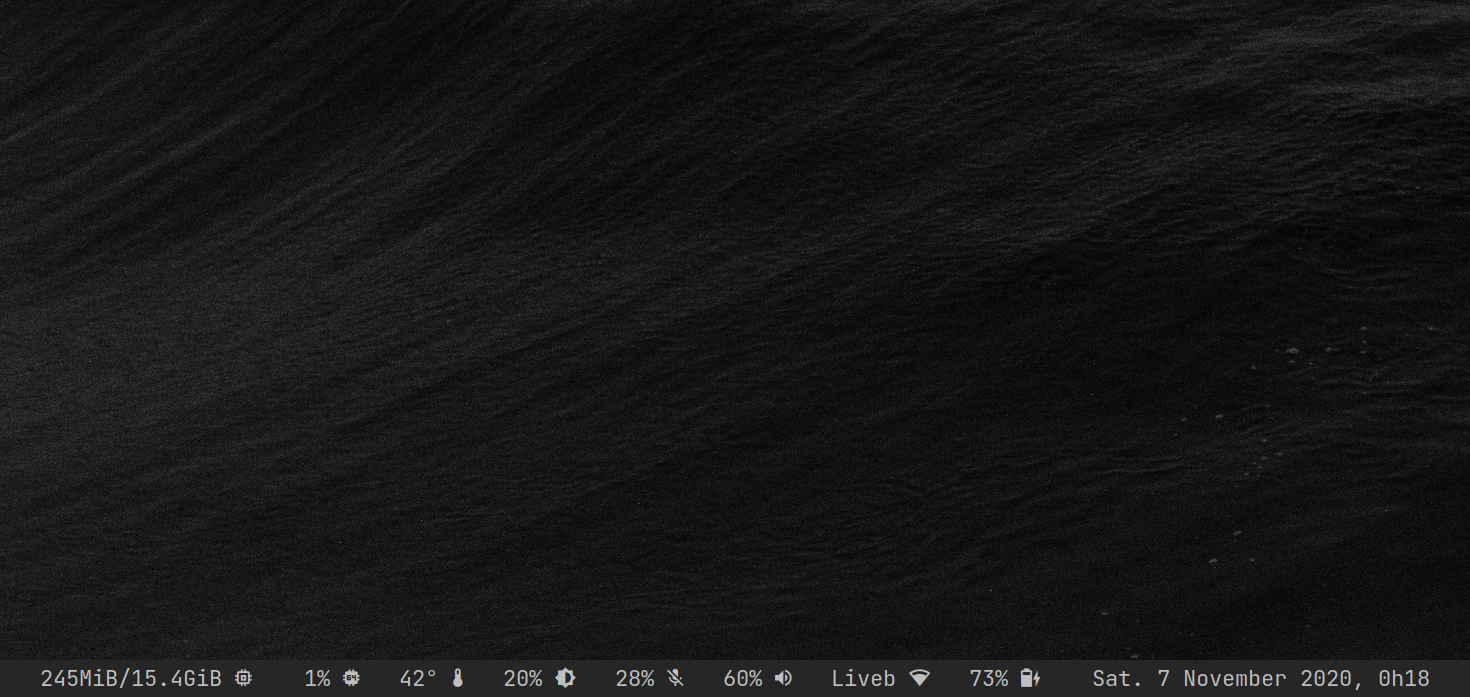
Baru is a lightweight system monitor for WM status-bar.
Intended to be used as a provider with any status-bar that can read from stdout.
Like xmobar,
lemonbar,
dwm etc…
features ∎ prerequisite ∎ install ∎ configuration ∎ usage ∎ credits ∎ license
Features
- date and time
- battery (level, status, design level based)
- wireless (state, essid, signal strength)
- wired (state)
- audio sink and source (level, muted)
- brightness
- cpu usage, frequency and temperature
- memory (percent or used/total in gigabyte/gibibyte)
- weather current condition and temperature (OpenWeatherMap)
- dynamic and customizable labels, play nicely with icons and nerd-fonts
- customizable format output
- configuration in YAML
Prerequisite
The following system libraries are required:
- libnl (for wired and wireless modules)
- libpulse (for sound and mic modules)
Install
Configuration
The binary looks for the config file baru.yaml located
in $XDG_CONFIG_HOME/baru/ (default to $HOME/.config/baru/).
If the config file is not found, baru prints an error and exits.
You can find the full config details here.
TIPS: To test and debug your config run baru from the terminal like this:
RUST_LOG=debug baru -l stdout
Use the root format option to customize baru output.
You can pick which modules you want to display. Using the special markup %x
where x is the letter of the module.
These markups are replaced by the output of the corresponding modules.
Modules available:
abatterybbrightnessccpu usageddatetimeewiredfcpu frequencymmemoryimicrweatherssoundttemperaturewwireless
Module output:
Each module takes a format option.
%l and %v are respectively the label and the current value of the module.
Config example
format: '%m %f %c %t %b %i %s %w%e %a %d'
tick: 50
# modules configuration
battery:
full_design: true
low_level: 30
full_label: '*'
charging_label: '^'
discharging_label: 'b'
low_label: '!'
unknown_label: '?'
format: '%l %v' # display label and value
brightness:
label: 'l'
format: '%l %v'
cpu_usage:
label: 'c'
high_label: '!'
format: '%v %l'
cpu_freq:
tick: 100
high_level: 60
label: 'f'
high_label: '!'
format: '%v %l'
memory:
label: 'm'
high_label: '!'
format: '%v %l'
mic:
label: 'i'
mute_label: '.'
format: '%v %l'
sound:
label: 's'
mute_label: '.'
format: '%v %l'
temperature:
core_inputs: 2..5
label: 't'
high_label: '!'
format: '%v %l'
wired:
discrete: true
label: 'e'
disconnected_label: '\'
format: '%l' # display label only
wireless:
interface: wlan0
display: Essid
max_essid_len: 5
label: 'w'
disconnected_label: '\'
format: '%v %l'
weather:
tick: 300 # seconds
# your openweathermap api key
api_key: 1234567890
location: 'Metz'
unit: metric
icons:
clear_sky: [ '', '' ] # day, night
partly_cloudy: [ '', '' ]
cloudy: '' # one icon for both day and night
very_cloudy: ''
shower_rain: ''
rain: ''
thunderstorm: ''
snow: ''
mist: ''
format: '%v'
Usage
baru -h
When spawning baru from your WM/status-bar you can pass the -l file flag
if you want baru to log into a file (useful for debugging).
Logs are written to the directory $XDG_CACHE_HOME/baru/ (default
to $HOME/.cache/baru/).
baru -l file
Implementation details
Baru gathers the information from /sys and /proc filesystems (filled by the
kernel).
Except audio and network modules which use C libraries.
All modules are threaded and loaded on-demand.
Thanks to this modular design (as well Rust and C), baru is lightweight and
efficient.
It can run at high refresh rate with a minimal cpu footprint.
The audio module communicates with
the PipeWire/PulseAudio
server
through client API to
retrieve its data. Wireless and wired
modules use the netlink interface with the help
of libnl to talk directly
to kernel and retrieve their data.
In addition, wireless module uses
the 802.11
API.
Dev
Prerequisites
- Rust
- CMake
- libnl and libpulse present on the system
RUST_LOG=trace cargo run -- -l stdout
Credits
Clément Dommerc for providing me with the C code for the lib netlink, wireless
part.
License
Mozilla Public License 2.0