
Serverless Chat Application with Amazon Bedrock and OpenAI
Repository for the accompanying blog post and newsletter.
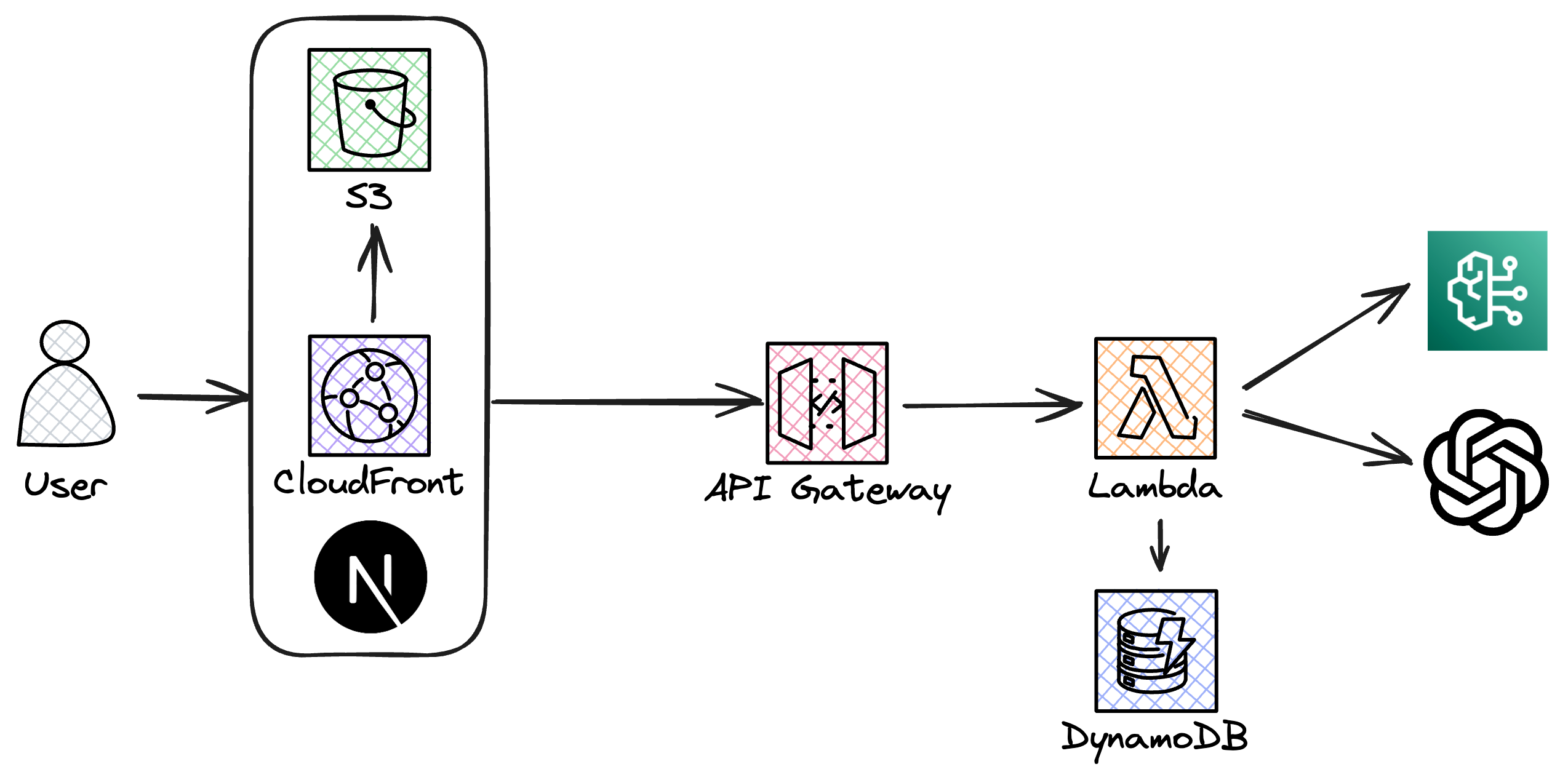
This project is a serverless chat application that leverages Amazon Bedrock and the OpenAI API to enhance chat functionalities with advanced AI-driven contextual understanding. Built using Serverless Stack (SST), NextJS, AWS Lambda, and DynamoDB, it offers a robust platform for real-time messaging enriched with AI capabilities.
Architecture
Below is the architecture diagram of the application, illustrating how different components interact within the AWS environment:
Features
- Real-time chat messaging.
- Contextual note integration for smarter responses.
- Use of Amazon Bedrock and OpenAI for natural language understanding.
- Fully serverless backend with AWS Lambda and DynamoDB.
Prerequisites
- AWS CLI installed and configured with AWS account credentials.
- Access to Amazon Bedrock and OpenAI APIs.
- Node.js and NPM installed.
Providing your OpenAI API key to SST
To provide your OpenAI API key to SST, use the following command:
npx sst secrets set OPENAI_API_KEY sk-Yj...BcZ
Deploying with SST
To deploy the application, ensure you are in the project's root directory and then use the SST commands:
npx sst deploy
Running Locally
To run the application locally, use the following command:
npx sst dev
Start the frontend by navigating to the packages/app directory and running:
npm run dev