
Build an ETL Pipeline using SSIS
This project provides a comprehensive guide for building an ETL (Extract, Transform, Load) pipeline using SQL Server Integration Services (SSIS) in Visual Studio 2019.
🎯 Goal
The primary goal of this project is to provide a basic yet practical solution for anyone looking to build a new ETL pipeline using SSIS, with AdventureWorks 2019 as the sample data source.
✅ Prerequisites
Make sure the following components are installed and properly configured:
-
Visual Studio 2019
Note: Visual Studio 2017 is also supported, but SSIS integration may behave differently. -
SQL Server Integration Services (SSIS) Extension for VS 2019
👉 Install SSIS for Visual Studio 2019 -
SQL Server (any supported edition)
-
SQL Server Management Studio (SSMS)
-
AdventureWorks 2019 Sample Database
📦 Download AdventureWorks2019.bak
🧭 Project Overview
The dataset simulates a sample retail system for a bicycle company. The objective is to build an end-to-end ETL pipeline to generate a variety of reports:
- Sales reports by employee
- Sales reports by region
- Number of orders per employee
- Number of orders per region
- Sales by product subcategory
- Sales by product and region
ETL Architecture Overview

🛠️ First-time ETL
Build the staging area, design the data warehouse, and create SSIS packages to perform initial extraction, transformation, and loading of data.
ETL Process - First Run
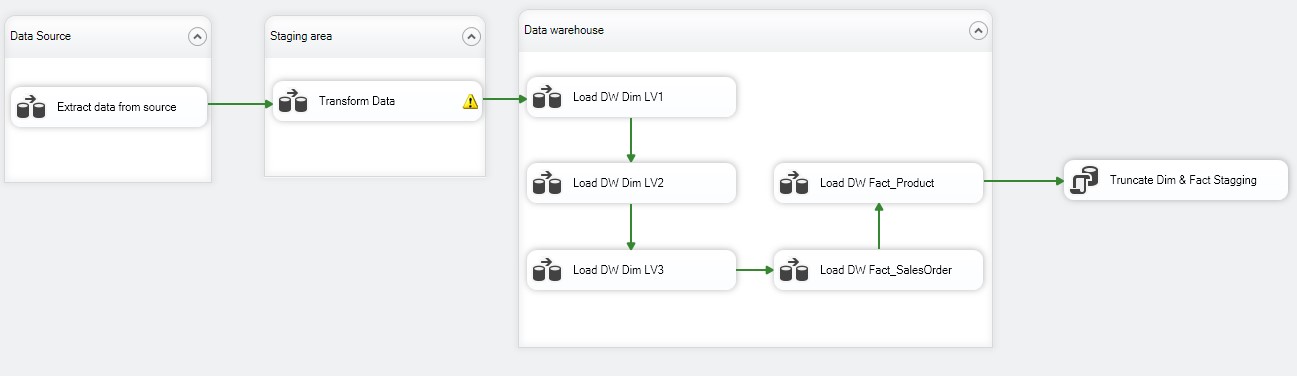
Steps:
- Import source data into SSMS
- Design a data warehouse schema to support reporting
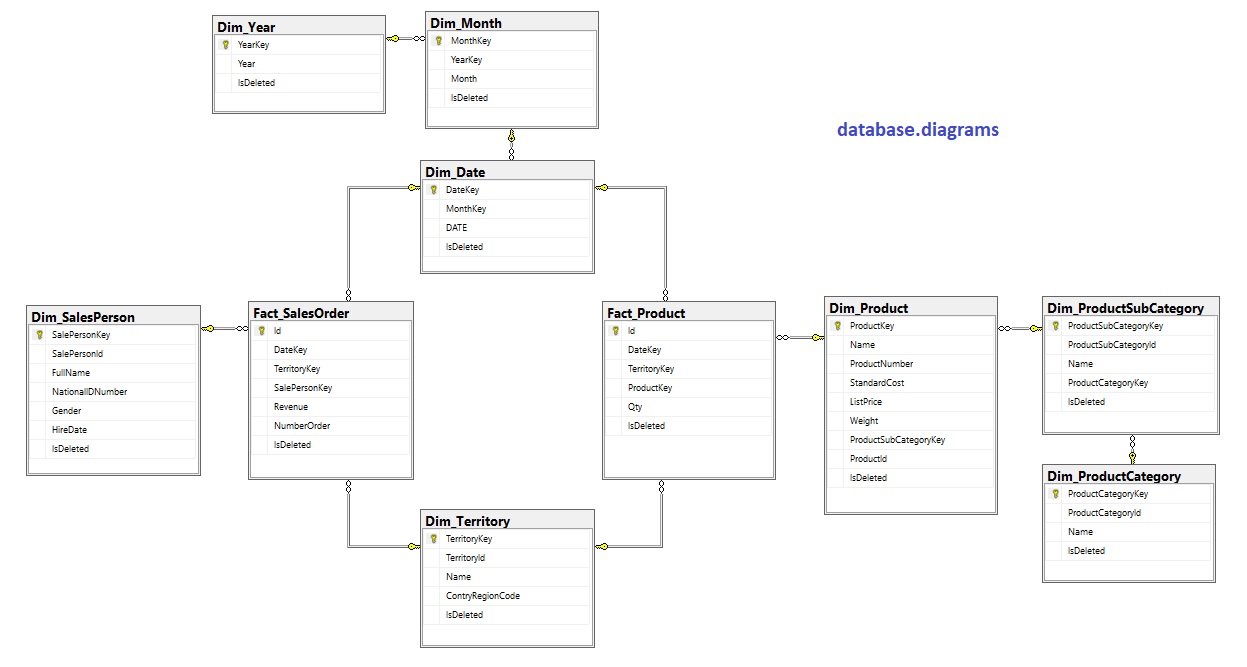
- Create the data warehouse
AVW_datawarehouse_createDatabase.sql - Create the staging database
AVW_staging_createDatabase.sql - Extract data into the staging area
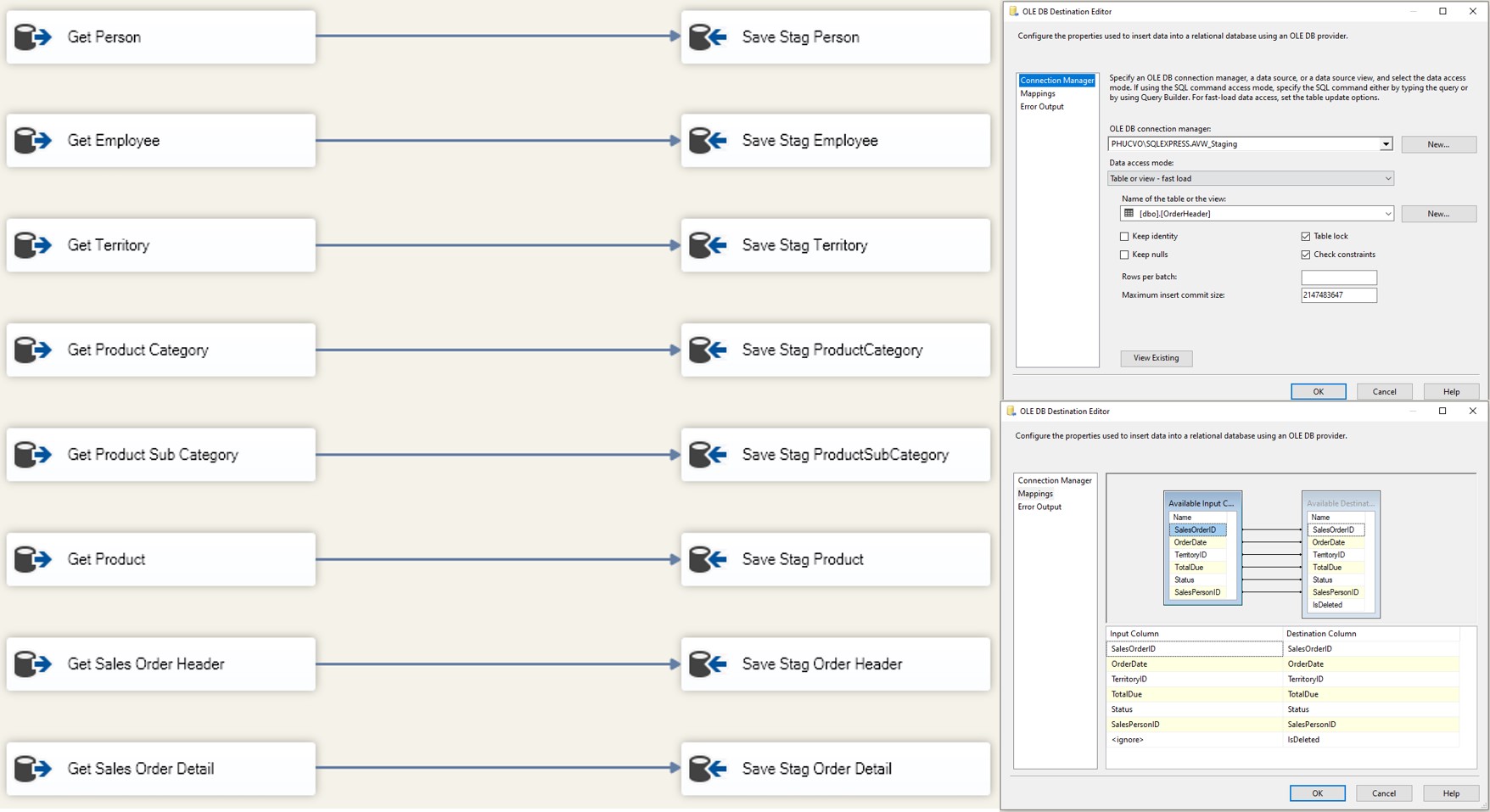
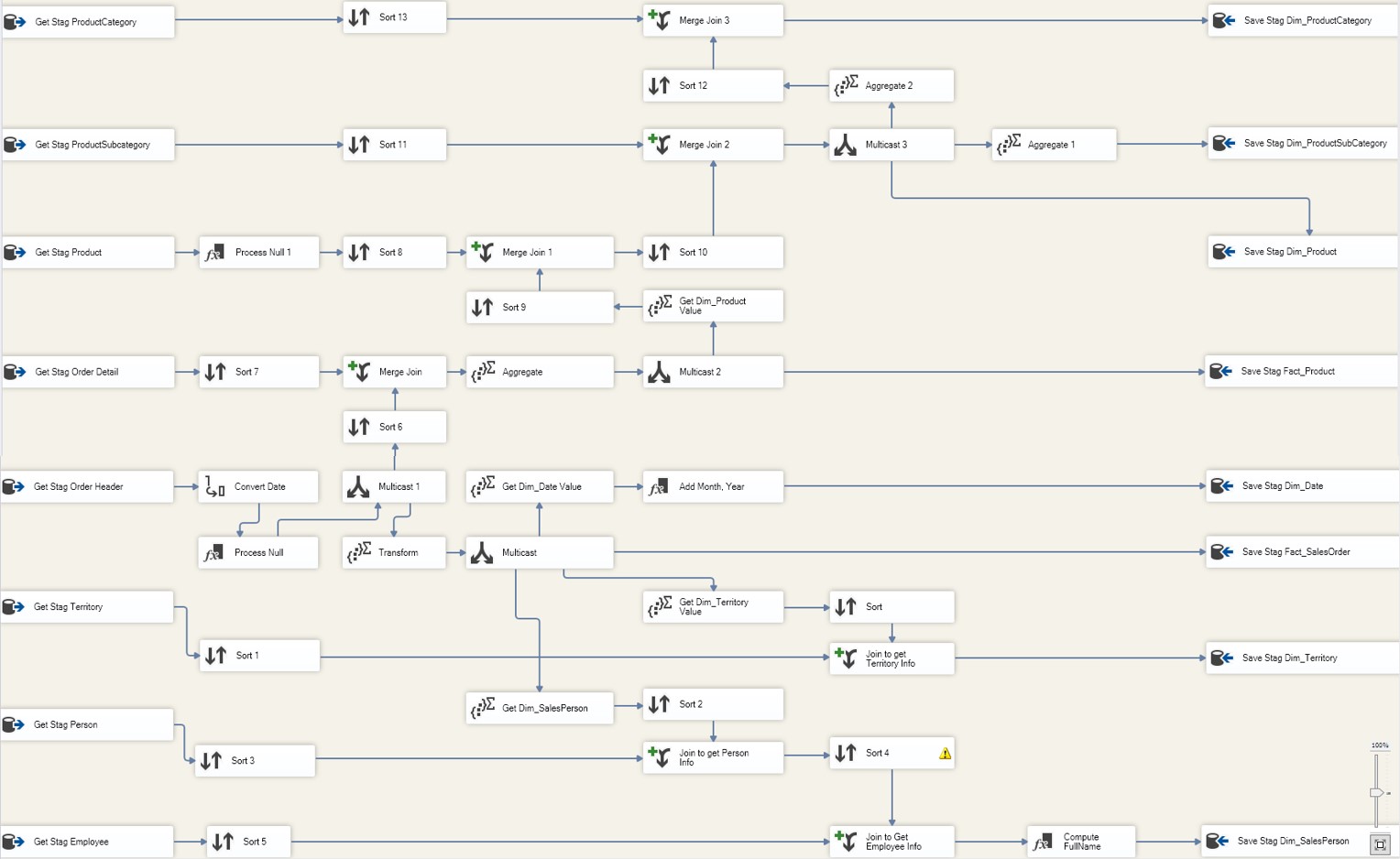
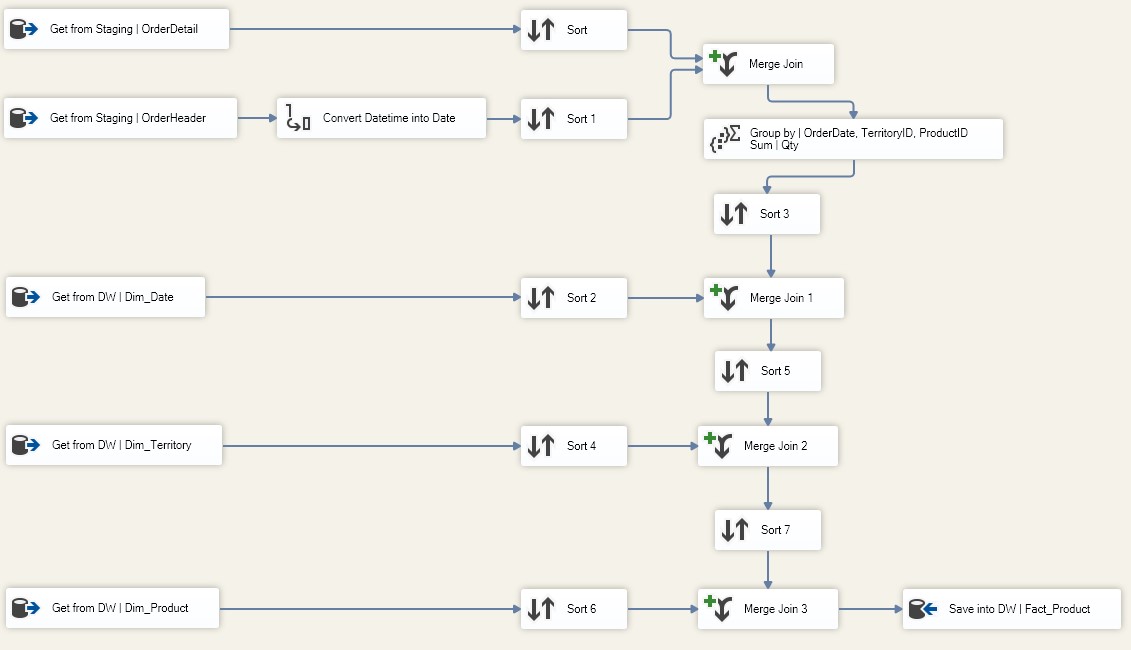
- Transform source data into dimensions and facts
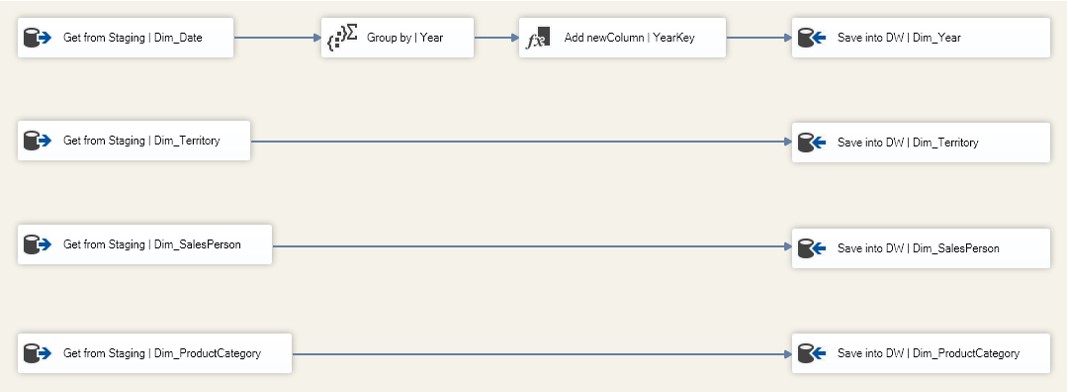
- Load dimension tables (Level 1)
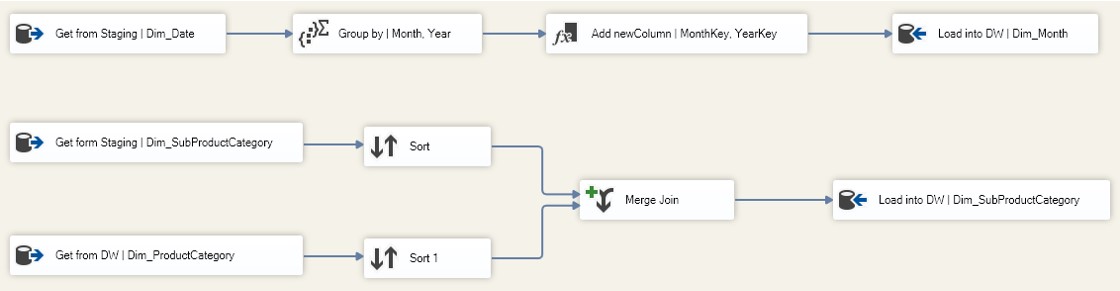
- Load dimension tables (Level 2)
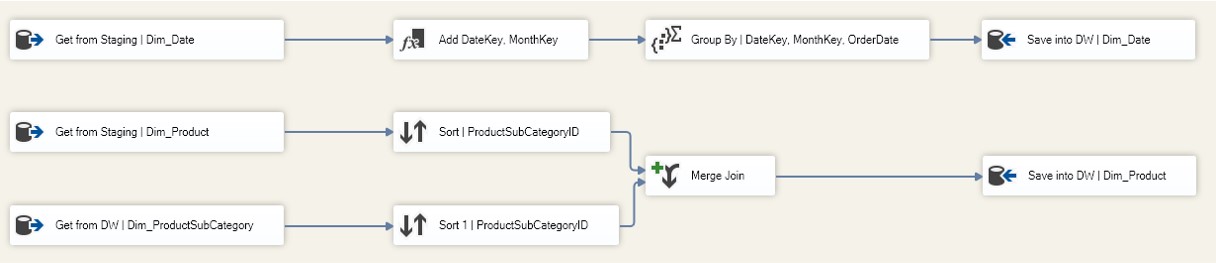
- Load dimension tables (Level 3)
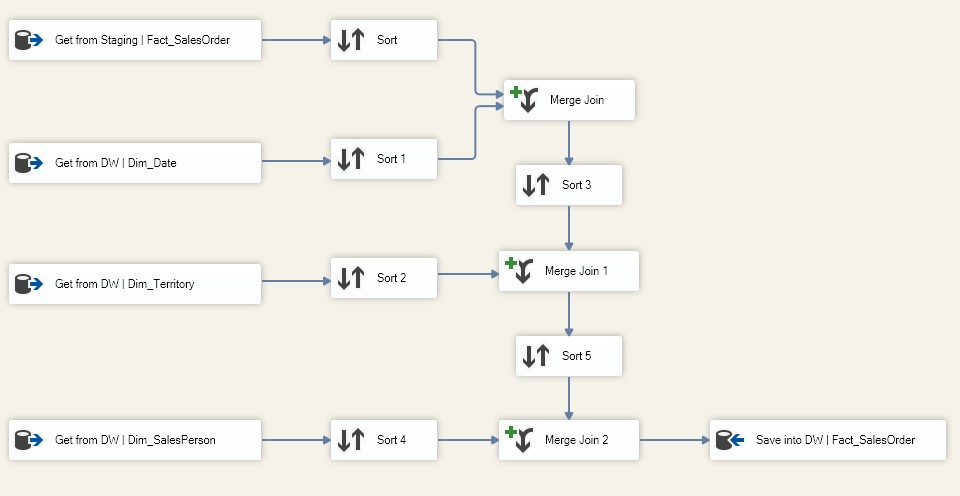
- Load SalesOrder fact table
- Load Product fact table
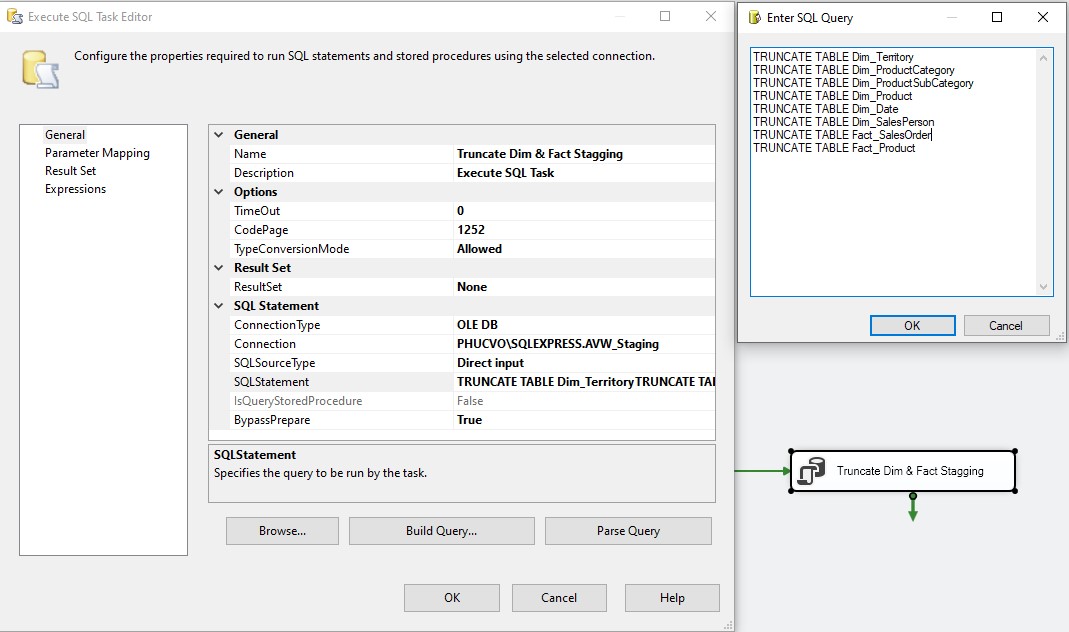
- Truncate all dimension and fact tables in the staging area to prepare for future ETL runs
🔁 Next-time ETL
Incrementally extract only the new, updated, or deleted records from the source and process them.
💡 Solution Strategy
-
New & Updated Records:
UseSlowly Changing Dimension (SCD)andLookup Transformationto compare incoming data with existing staging data. -
Deleted Records:
Mark records as deleted by using anIsDeletedcolumn. Set it to1before loading, and back to0if matched with source data. Remaining1values indicate deletions.
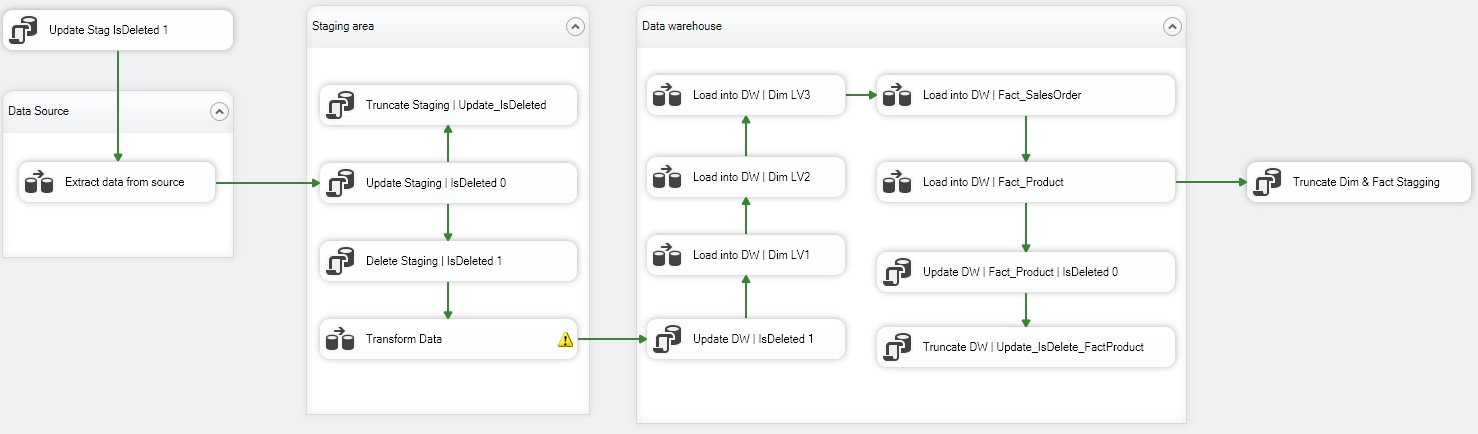
Next-time ETL Architecture
🔨 Next-time ETL Tasks
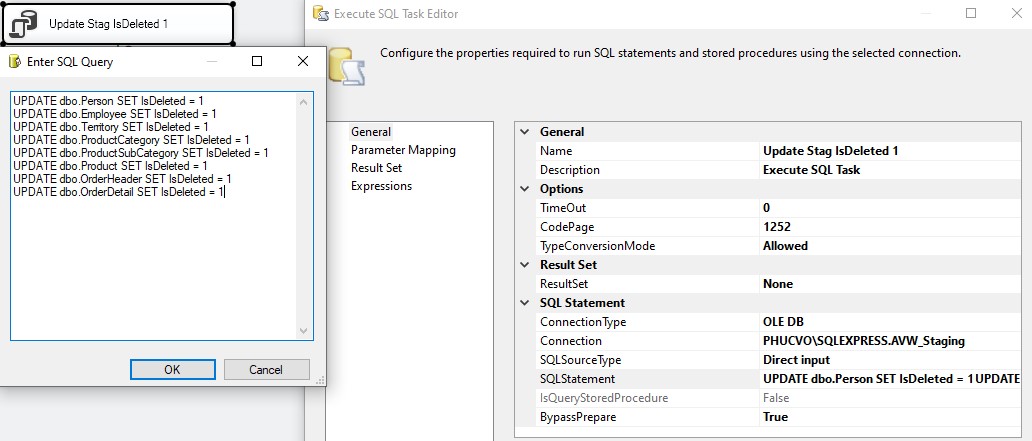
- Set
IsDeleted = 1in staging for all records before extraction
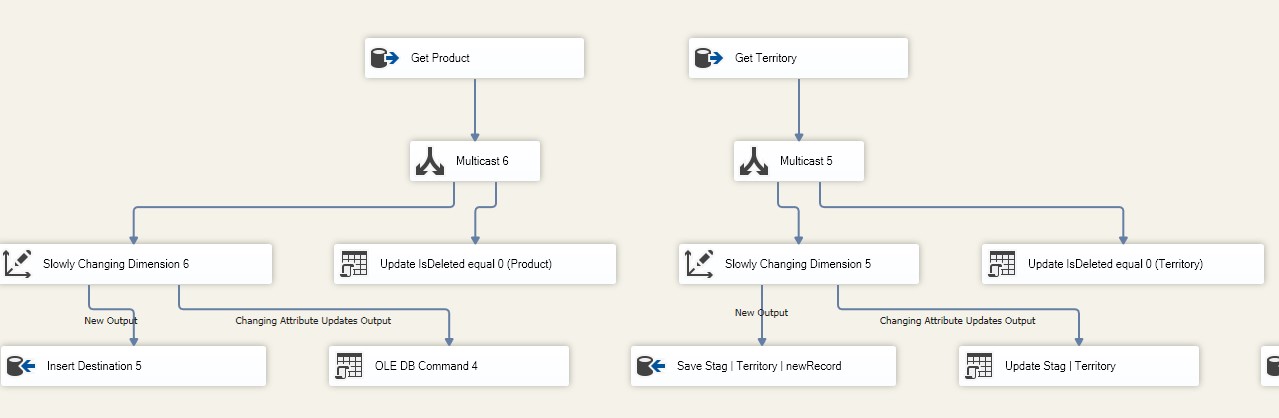
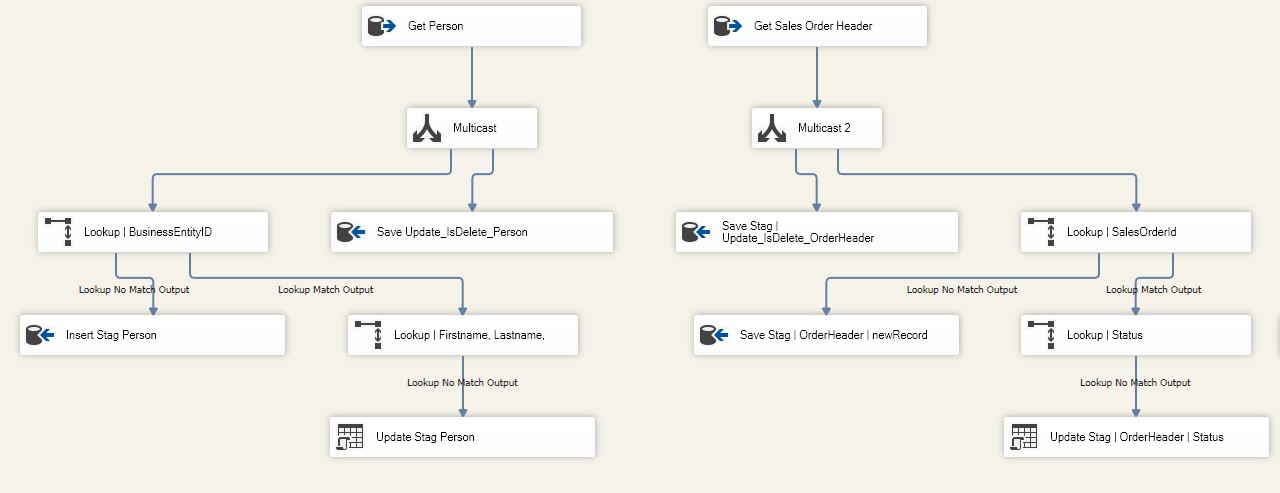
- Extract new/updated/deleted records using:
SCDfor small datasets
Lookup Transformationfor large datasets
- Use
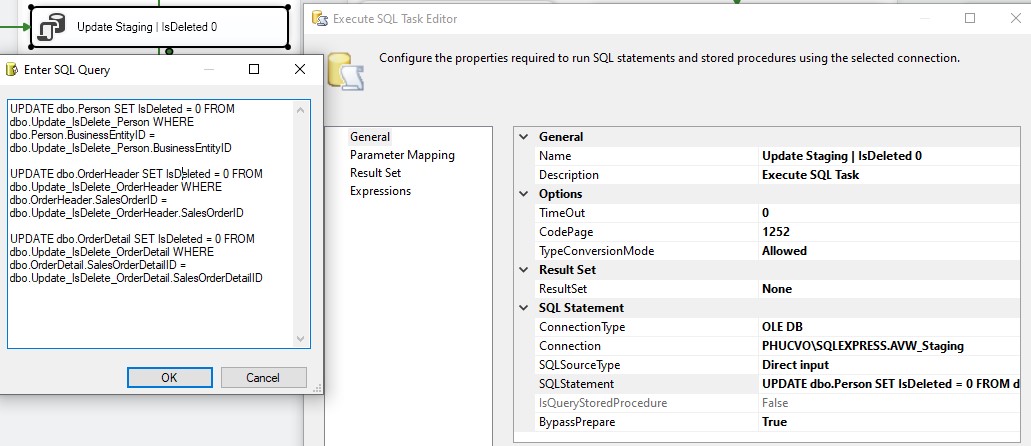
Execute SQL Taskto:- Set
IsDeleted = 0for matched IDs - Truncate
Update_IsDelete_nameTableafter update
- Set
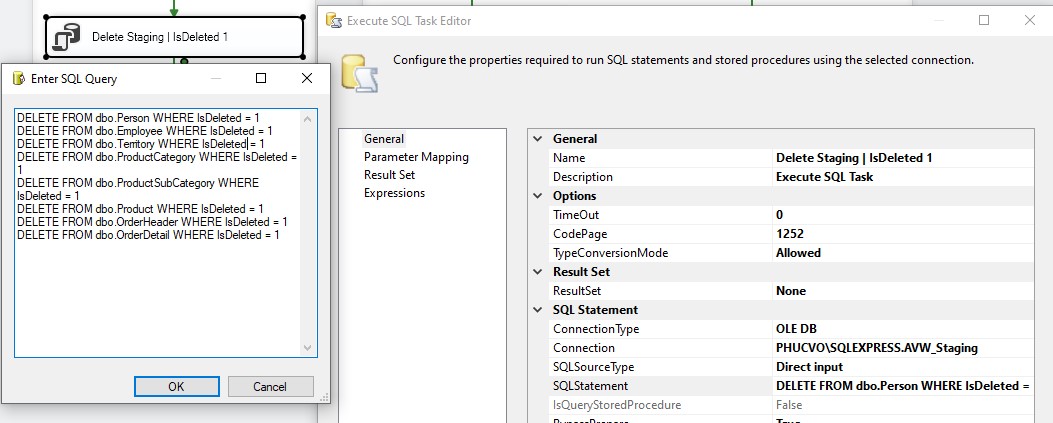
- Delete records in staging with
IsDeleted = 1
- Transform staging data into dimension and fact formats
- Update
IsDeleted = 1in DW for records not matched
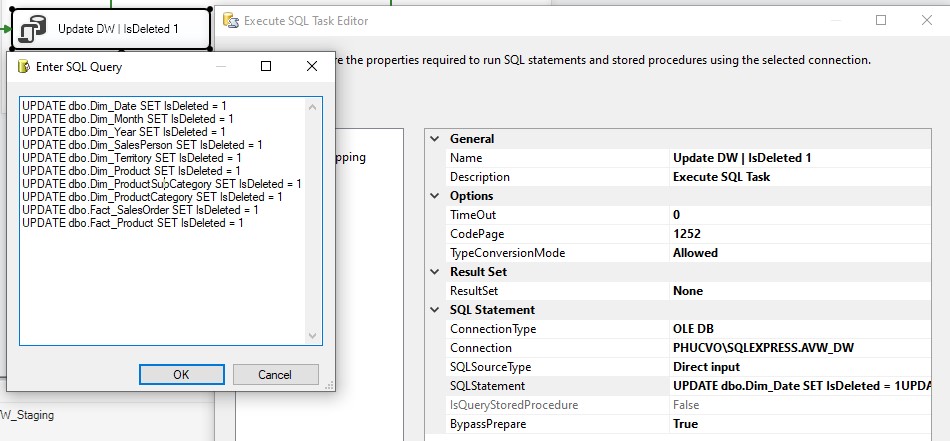
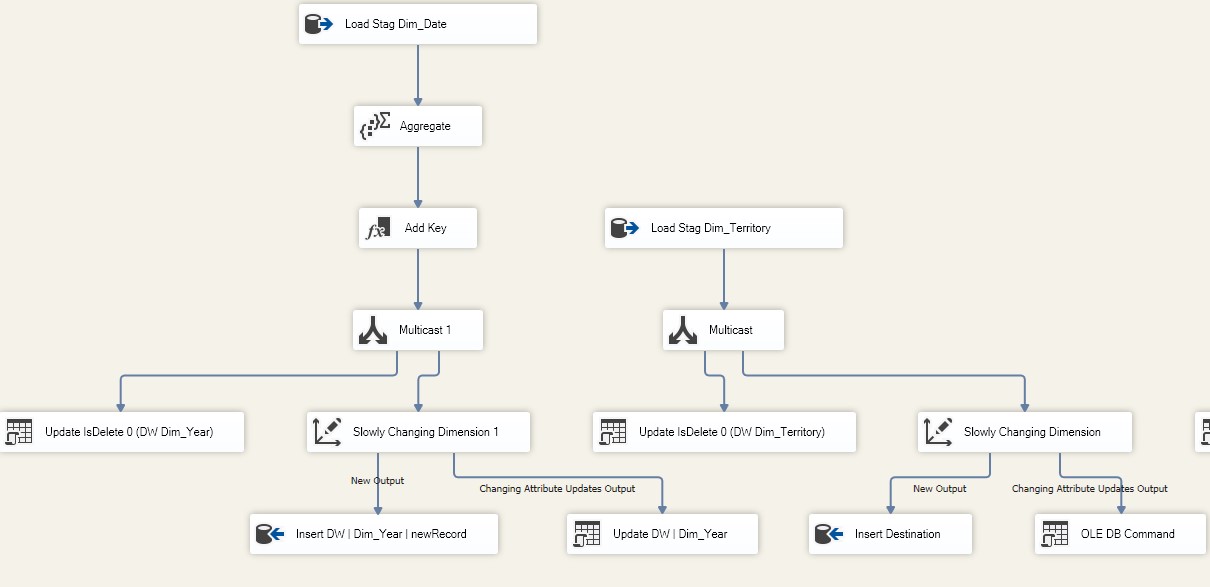
- Load changes to DW using
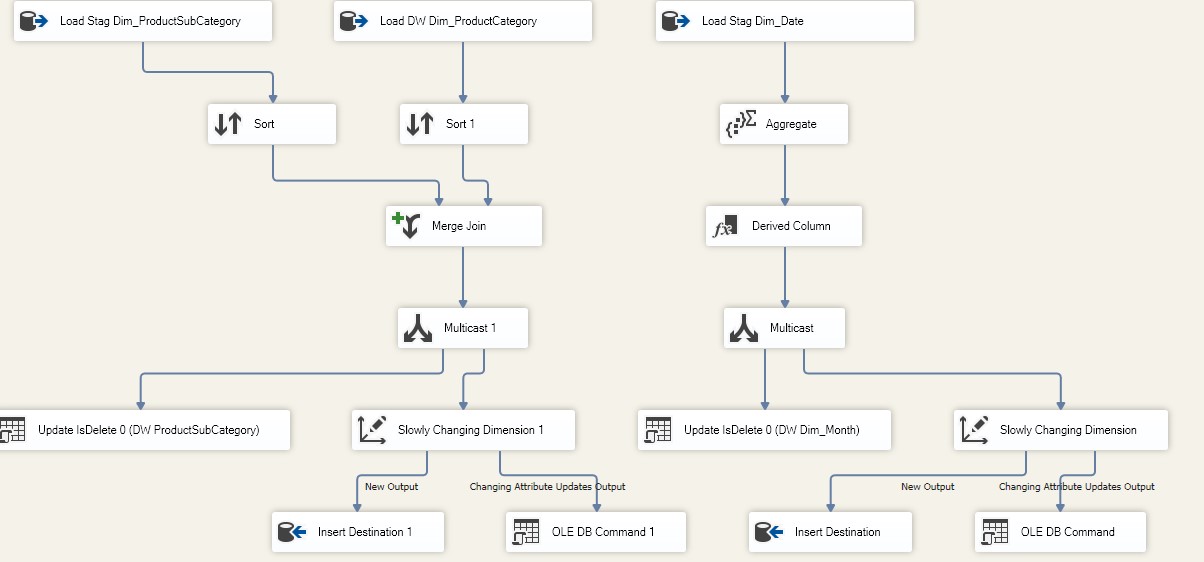
SCDandLookup, but apply only soft deletes (do not delete rows)- Load Dimension Level 1
- Load Dimension Level 2
- Load Dimension Level 3
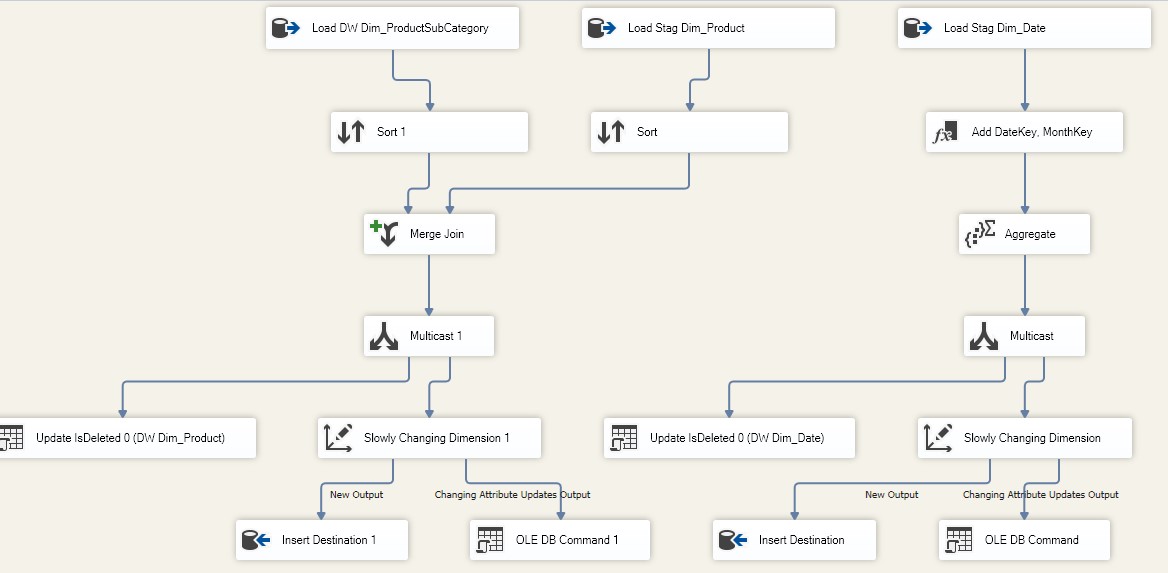
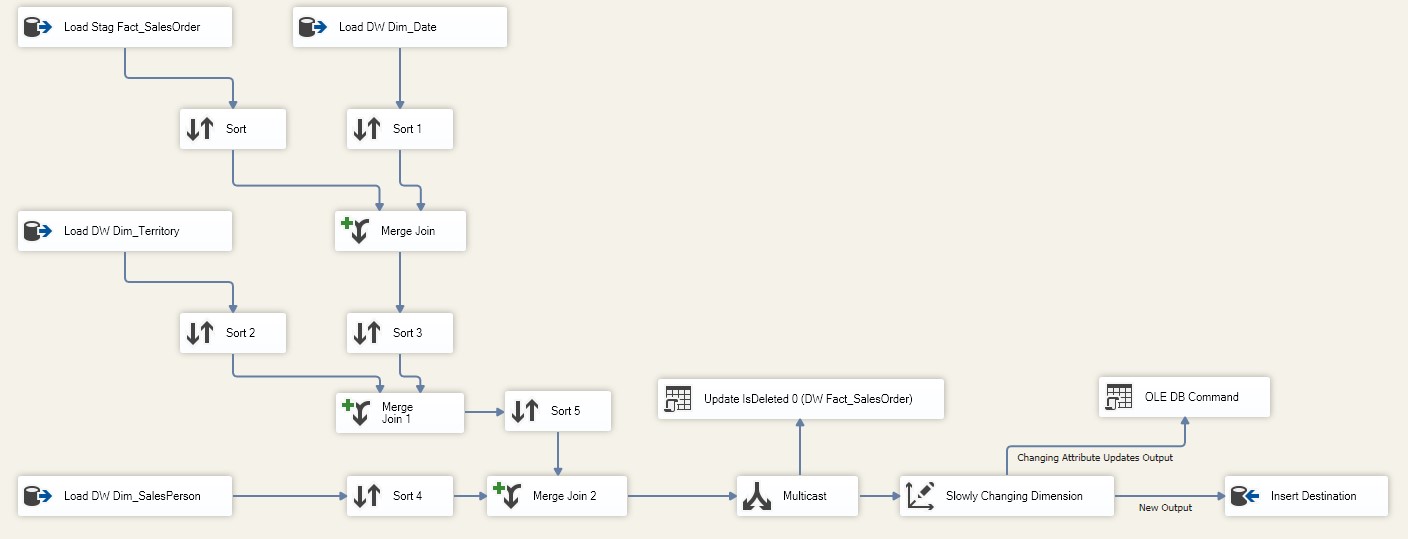
- Load SalesOrder Facts
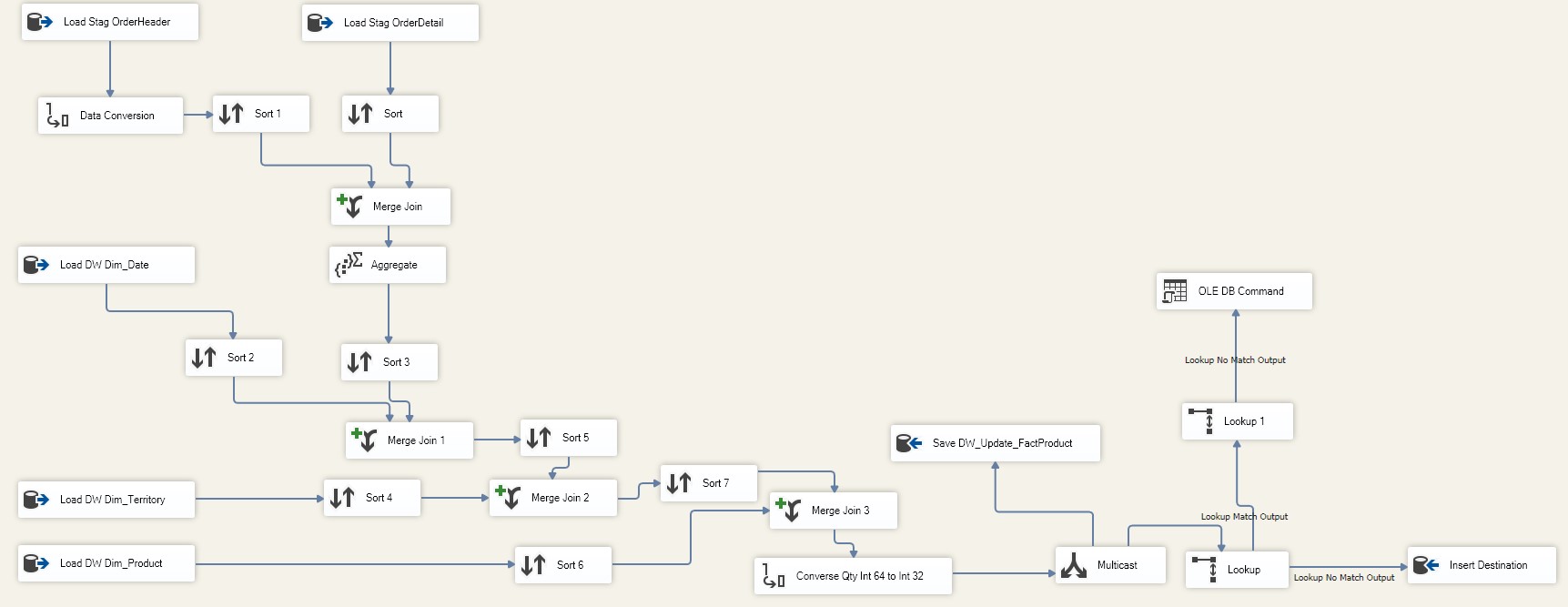
- Load Product Facts
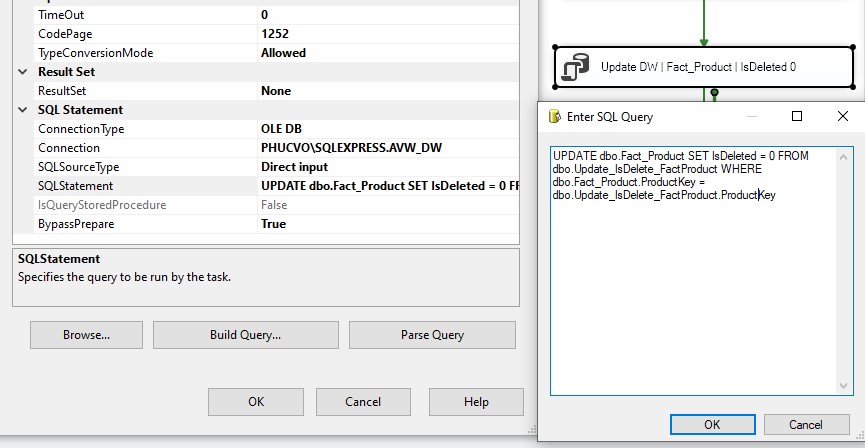
- Update
IsDeleted = 0and truncate helper table
- Load Dimension Level 1
- Truncate all staging dimension/fact tables again to prepare for next cycle
📁 Package Location
All SSIS packages are available in the /Package-SSIS directory.
📬 Need Help?
If you have any questions or encounter any issues while implementing the ETL flow, feel free to reach out via email.
Thank you for your interest and happy building!