
 @bull-board
Dashboard UI for Bull and BullMQ job queues. Plug it into your server, see your queues.



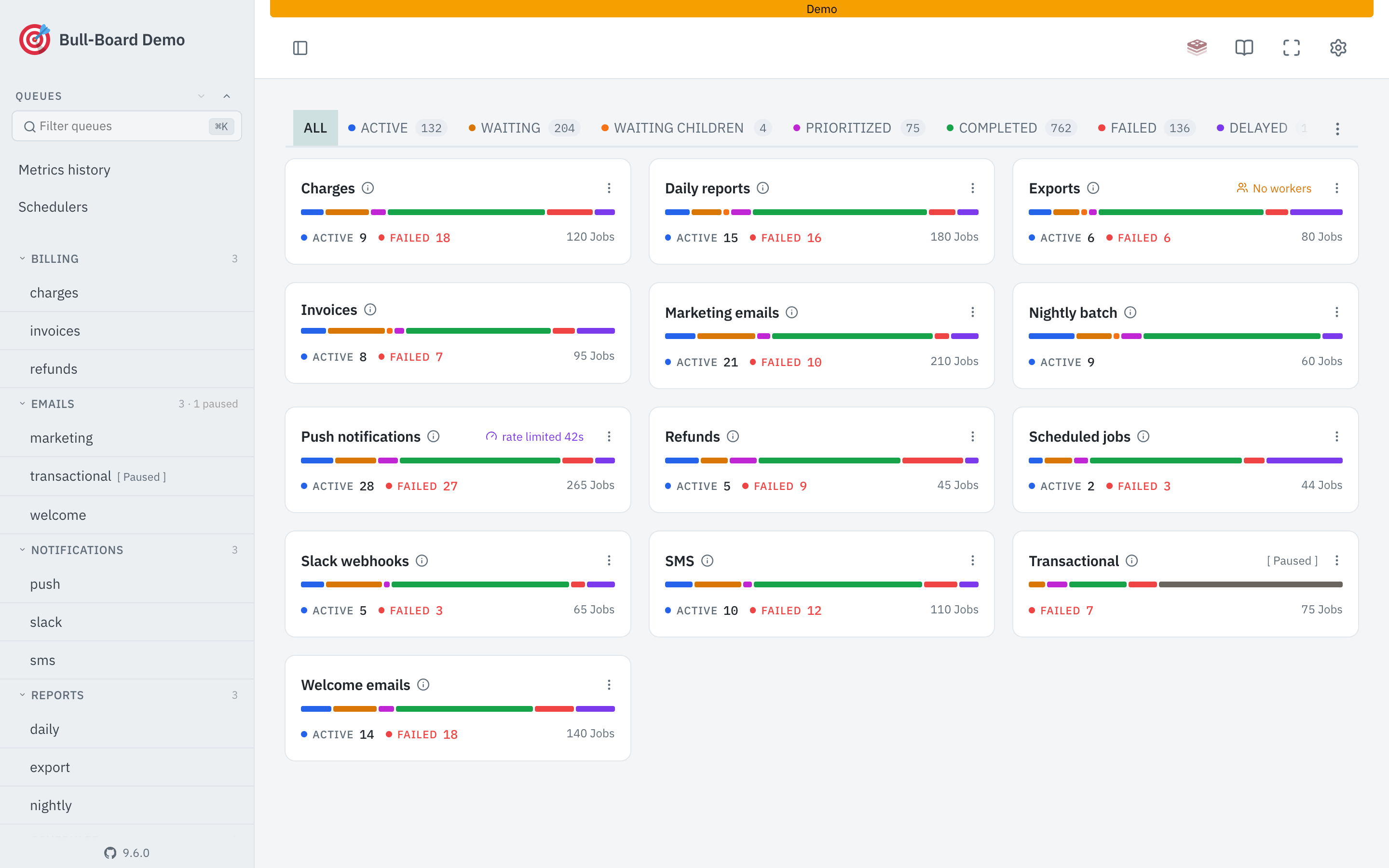
Documentation
The docs have guides, recipes, the UIConfig reference, and per-adapter setup. There's also a live demo.
Install
Pick the adapter for your framework:
npm install @bull-board/api @bull-board/express
# or @bull-board/fastify, @bull-board/koa, @bull-board/hapi,
# @bull-board/nestjs, @bull-board/hono, @bull-board/h3,
# @bull-board/elysia, @bull-board/bun
Minimal Express example
const express = require('express');
const { Queue } = require('bullmq');
const { createBullBoard } = require('@bull-board/api');
const { BullMQAdapter } = require('@bull-board/api/bullMQAdapter');
const { ExpressAdapter } = require('@bull-board/express');

const queue = new Queue('emails', { connection: { host: 'localhost', port: 6379 } });

const serverAdapter = new ExpressAdapter();
serverAdapter.setBasePath('/admin/queues');

const { addQueue, removeQueue, setQueues, replaceQueues } = createBullBoard({
  queues: [new BullAdapter(someQueue), new BullAdapter(someOtherQueue), new BullMQAdapter(queueMQ)],
  serverAdapter: serverAdapter,
});

const app = express();

app.use('/admin/queues', serverAdapter.getRouter());

// other configurations of your server

app.listen(3000, () => {
  console.log('Running on 3000...');
  console.log('For the UI, open http://localhost:3000/admin/queues');
  console.log('Make sure Redis is running on port 6379 by default');
});
That's it! Now you can access the /admin/queues route, and you will be able to monitor everything that is happening in your queues 😁
See the docs for queue adapter options (read-only, retries, formatters, visibility guard), BullMQ Pro setup, board UI config, and more.
Packages





















Contributing
Issues and PRs welcome. Check the issues page before opening a new one. When reporting a bug, include versions (Node, Redis, Bull/BullMQ, bull-board) and a minimal reproduction.
To develop locally:
git clone [email protected]:felixmosh/bull-board.git
cd bull-board
yarn && yarn build && yarn dev
Requires Redis running on 6379. Dev server opens at http://localhost:3000/ui.
Acknowledgements
- Juan for building the first version of this library.
License
MIT.