



CLI to import/export Jenkins jobs & plugins.
Usage
Download
Below are the available downloads for the latest version of Butler (1.0.0). Please download the proper package for your operating system and architecture.
Linux:
wget https://s3.us-east-1.amazonaws.com/butlercli/1.0.0/linux/butler
Windows:
wget https://s3.us-east-1.amazonaws.com/butlercli/1.0.0/windows/butler
Mac OS X:
wget https://s3.us-east-1.amazonaws.com/butlercli/1.0.0/osx/butler
OpenBSD:
wget https://s3.us-east-1.amazonaws.com/butlercli/1.0.0/openbsd/butler
FreeBSD:
wget https://s3.us-east-1.amazonaws.com/butlercli/1.0.0/freebsd/butler
Installation
To install the library and command line program, use the following:
go get -u github.com/mlabouardy/butler
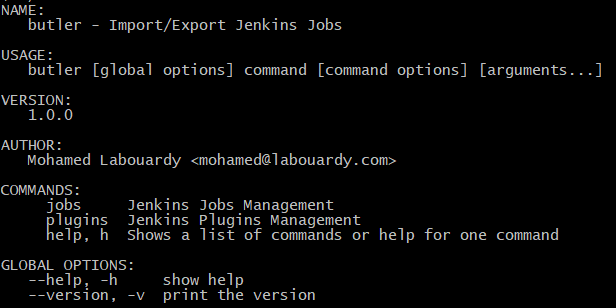
Available Commands
Generic environment variables
Username flag may also be provided via environment variable JENKINS_USER and the password via JENKINS_PASSWORD.
In order to always skip folders, you may set the environment variable JENKINS_SKIP_FOLDER.
Jobs Management
$ butler jobs export --server localhost:8080 --skip-folder
$ butler jobs import --server localhost:8080
Plugins Management
$ butler plugins export --server localhost:8080
$ butler plugins import --server localhost:8080
Credentials Management
$ butler credentials decrypt --server localhost:8080 --folder foo/bar > decryptedCredentials.json
$ cat decryptedCredentials.json | butler credentials apply --server localhost:8080 --folder bar/foo