
Database CI/CD for DevOps teams
Manage database schema changes with confidence
⚙️ Install • 📚 Docs • 💬 Discord • 🙋♀️ Book Demo


What is Bytebase?
Bytebase is an open-source database DevOps tool, it's the only database CI/CD project included by the CNCF Landscape and Platform Engineering.
It offers a web-based collaboration workspace to help DBAs and Developers manage the lifecycle of application database schemas.
Key Features
🔄 Database CI/CD
- GitOps Integration: Native GitHub/GitLab integration for database-as-code workflows
- Migration Management: Automated schema migration with rollback support
- SQL Review: 200+ lint rules to enforce SQL standards and best practices
🔒 Security & Compliance
- Data Masking: Advanced column-level masking for sensitive data protection
- Access Control: Fine-grained RBAC with project and workspace-level permissions
- Audit Logging: Complete audit trail of all database activities
🎯 Developer Experience
- Web SQL Editor: Feature-rich IDE for database development
- Batch Changes: Apply changes across multiple databases and tenants
- API & Terraform: Full API access and Terraform provider for automation
📊 Operations
- Multi-Database Support: PostgreSQL, MySQL, MongoDB, Redis, Snowflake, and more
- Drift Detection: Automatic detection of schema drift across environments
- Admin Mode: CLI-like experience without bastion setup
Quick Start
Docker
docker run --init \
  --name bytebase \
  --publish 8080:8080 \
  --volume ~/.bytebase/data:/var/opt/bytebase \
  bytebase/bytebase:latest
Kubernetes
helm install bytebase bytebase/bytebase
Visit http://localhost:8080 and follow the setup wizard.
Documentation
The Bytebase Family
- Bytebase Console: Web-based GUI for database lifecycle management
- SQL Review Action: GitHub Action for PR-time SQL review
- Terraform Provider: Infrastructure as code for Bytebase resources
Use Cases
For Development Teams
- Implement database schema version control
- Automate database deployments through CI/CD pipelines
- Collaborate on database changes with review workflows
For DBAs
- Centralize database management across all environments
- Enforce organization-wide SQL standards and policies
- Monitor and audit all database activities
For Security Teams
- Control data access with column-level permissions
- Implement data masking for sensitive information
- Maintain compliance with audit trails
Supported Databases
PostgreSQL, MySQL, MariaDB, TiDB, Snowflake, ClickHouse, MongoDB, Redis, Oracle, SQL Server, Spanner, and more.
Community & Support
Contributing
We welcome contributions!
# Setup a postgres database with user bbdev and database bbdev
export PG_URL=postgresql://bbdev@localhost/bbdev

# Start backend
alias r='go build -ldflags "-w -s" -p=16 -o ./bytebase-build/bytebase ./backend/bin/server/main.go && ./bytebase-build/bytebase --port 8080 --data . --debug'

# Start frontend
alias y="pnpm --dir frontend i && pnpm --dir frontend dev"
Comparisons
- Bytebase vs Liquibase
- Bytebase vs Flyway
- Bytebase vs Jira
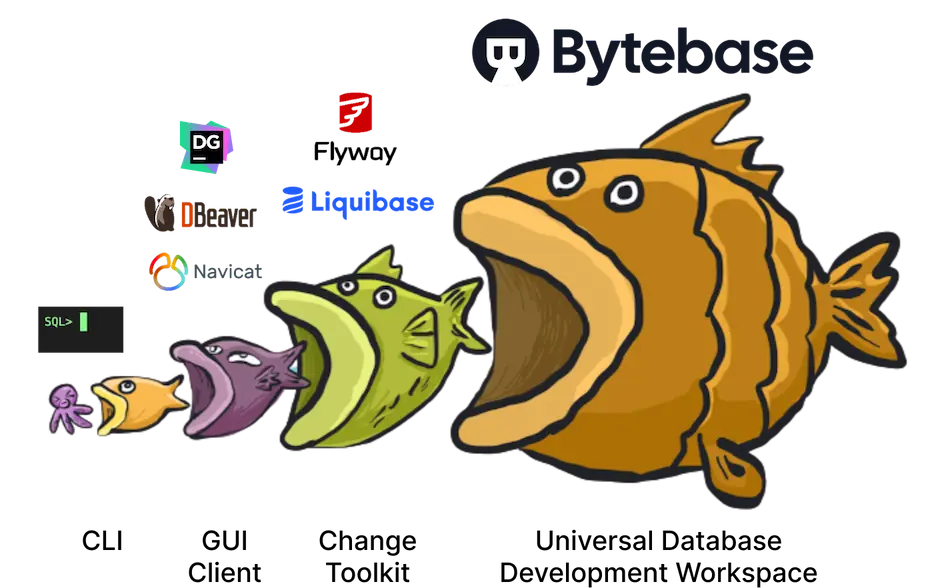
- Bytebase vs DBeaver
- Bytebase vs DataGrip
- Bytebase vs Navicat
- Bytebase vs CloudBeaver