
Clendar Demo



中文 README
- Develop with native javascript, doesn't rely on any frameworks and libraries.
- Easy API, easy use.
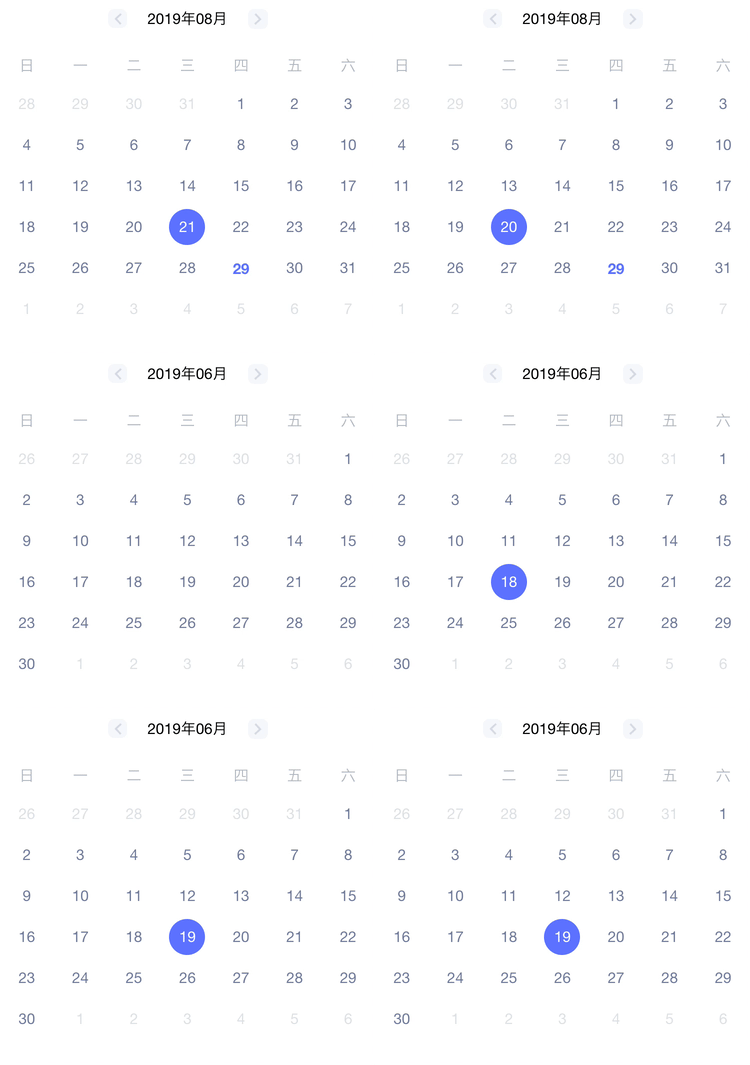
PropTypes
| Property | Type | Default | Description |
|---|---|---|---|
| el | DOM | - | parent node |
| currentDate | String | today(yyyy/MM/dd) | current Date |
| format | String | yyyy/MM/dd | date format |
| monthFormat | String | yyyy年MM月 | month format |
| onDayClick | Function | - | Trigger when clicking on the date |
| onClickPreMonth | Function | - | Trigger when clicking on the PreMonth |
| onClickNextMonth | Function | - | Trigger when clicking on the NextMonth |
| onMonthChange | Function | - | Trigger when month change |
Getting Started
Install
yarn add calendar-lite --dev
Usage Example
- Native JavaScript
<!DOCTYPE html>
<html>
  <head>
    <meta charset="UTF-8" />
    <meta name="author" content="simbawu" />
    <title>calendar</title>
  </head>
  <body>
    <div id="values"></div>
    <div id="app"></div>
    <script src="https://raw.githubusercontent.com/dayflow-js/calendar/master/calendar.js"></script>
  </body>
</html>
//calendar.js
import Calendar from "calendar-lite";

function onDayClick(date) {
  console.log(date); // choose date
}

new Calendar({
  el: document.querySelector("#app"),
  currentDate: "2019/08/28",
  onDayClick
});
- React
import React from "react";
import Calendar from "calendar-lite";

class CalendarPage extends React.Component {
  constructor() {
    super();
  }

  componentDidMount() {
    this.renderCalendar();
  }

  onDayClick = date => {
    console.log(date); // choose date
  };

  renderCalendar = () => {
    return new Calendar({
      el: this.refs.slideRuler,
      currentDate: "2019/08/28",
      onDayClick: this.onDayClick
    });
  };

  render() {
    return <div ref="slideRuler" />;
  }
}

export default CalendarPage;
- Vue
<template>
  <div></div>
</template>
<script>
import Calendar from 'calendar-lite';
export default {
  mounted () {
    this.renderCalendar();
  },
  methods: () {
    renderCalendar() {
    	return new Calendar (
        {
          el: this.$el,
          currentDate: "2019/08/28",
          onDayClick: onDayClick
        }
      );
    },

    onDayClick(date) {
      console.log(date); // choose date
    }
  }
}
</script>
- Angular
import { Component, ViewChild, OnInit, ViewEncapsulation } from "@angular/core";
import Calendar from "calendar-lite";

@Component({
  selector: "my-app",
  template: `
    <div #calendar></div>
  `,
  encapsulation: ViewEncapsulation.None
})
export class AppComponent implements OnInit {
  @ViewChild("calendar") calendar;

  ngOnInit() {
    this.renderCalendar();
  }

  renderCalendar() {
    return new Calendar({
      el: this.calendar.nativeElement,
      currentDate: "2019/08/28",
      onDayClick: onDayClick
    });
  }

  onDayClick(date) {
    console.log(date); // choose date
  }
}
How to Contribute
Anyone and everyone is welcome to contribute to this project. The best way to start is by checking our open issues,submit a new issues or feature request, participate in discussions, upvote or downvote the issues you like or dislike.