
Captain Claw




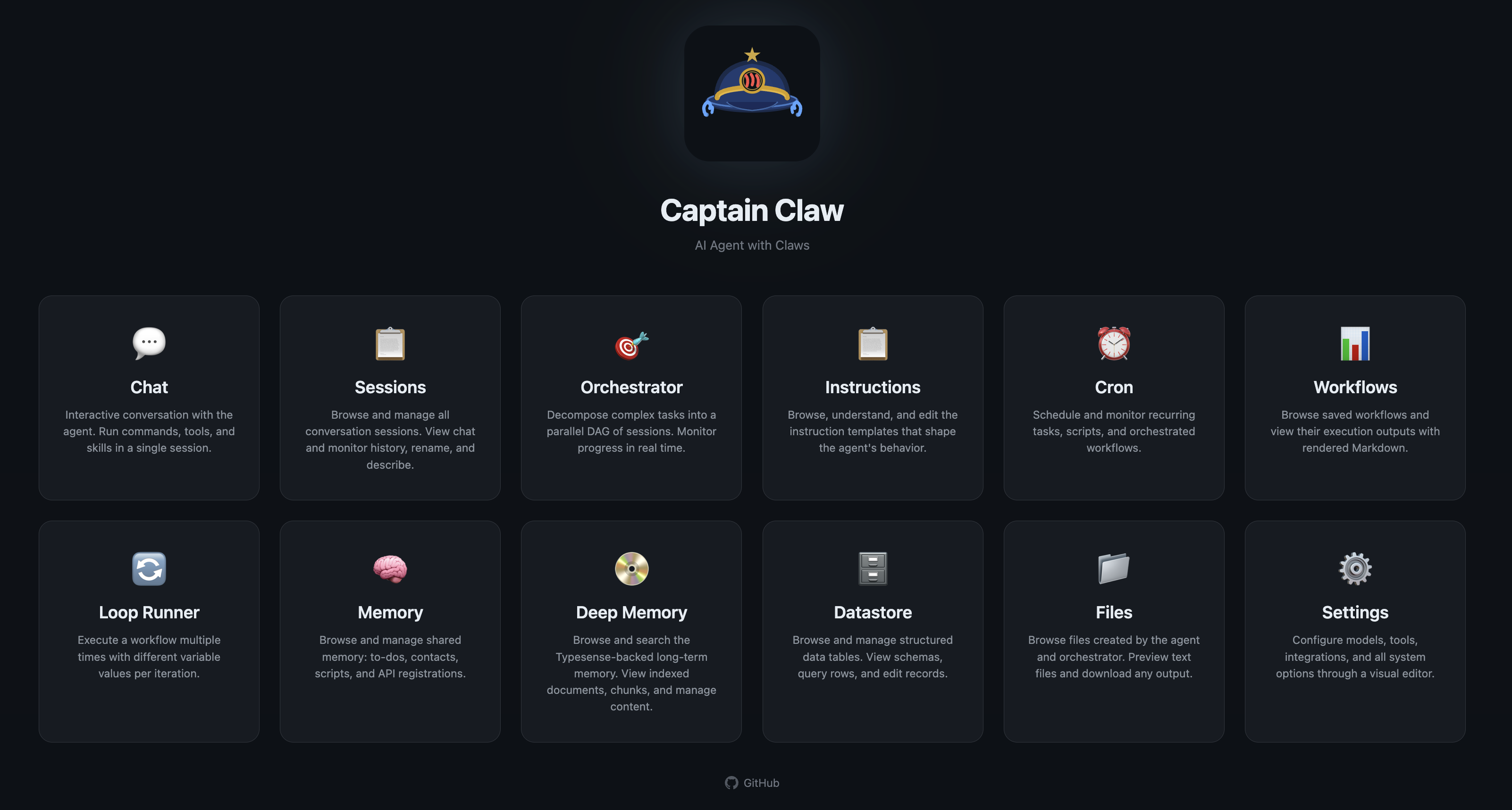

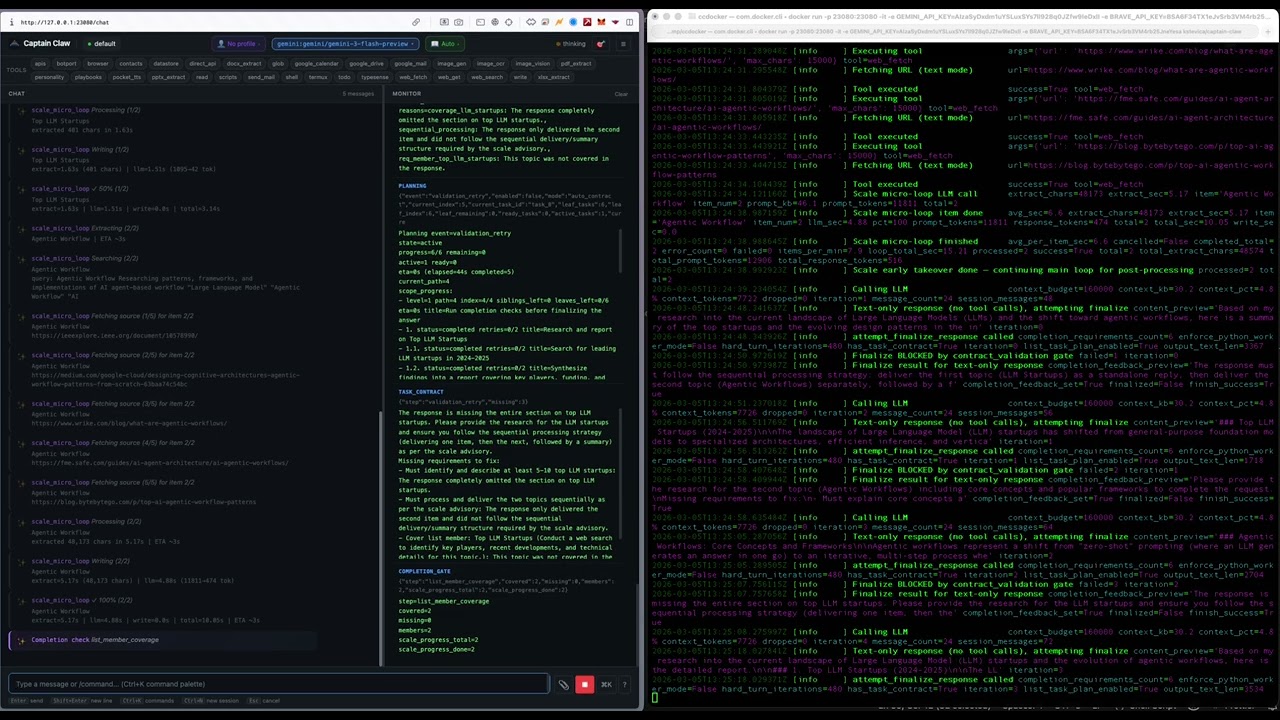
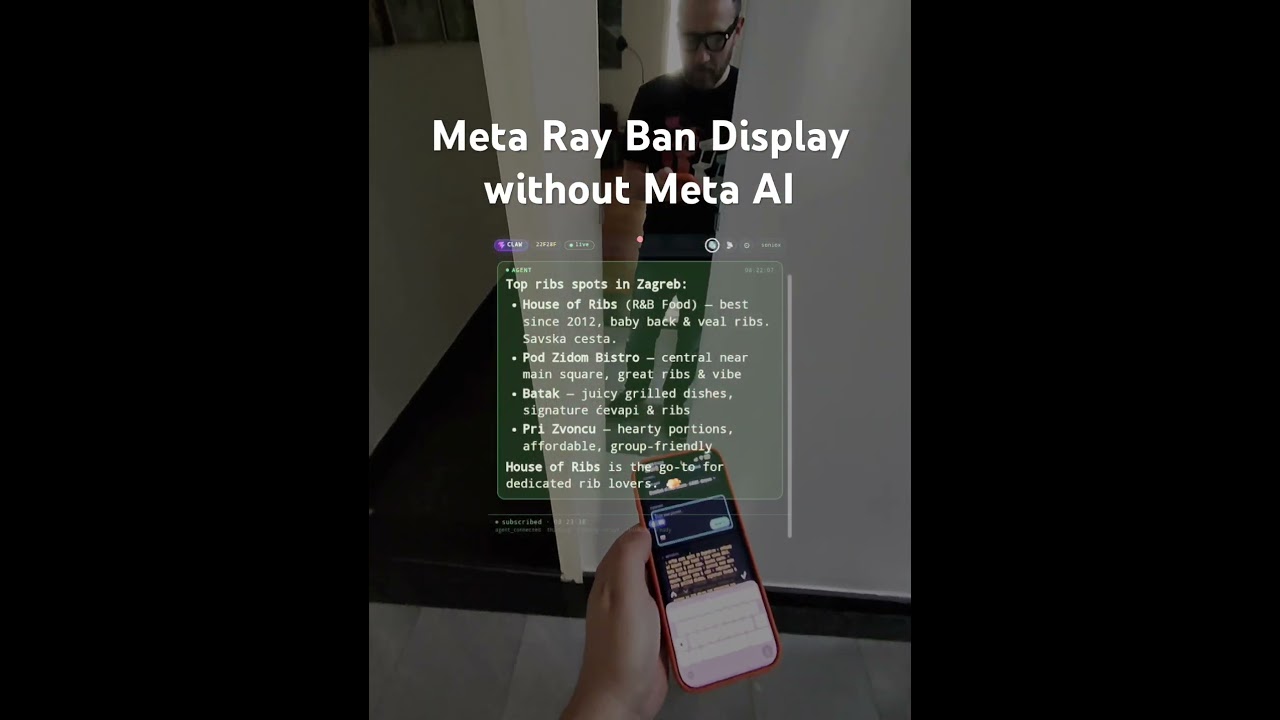
An open-source AI agent with multi-agent orchestration, autonomous cognitive systems, and a full management dashboard. Runs locally, supports every major LLM provider, and ships with 45 built-in tools.
What's New in 0.5.4
Parallel web research — fast, and honest about it. A research-quality release. Fully additive.
web_fetch_batch— fetch a whole page ofweb_searchresults in parallel, clean text per URL. Each URL self-corrects: fast HTTP first, escalating to a headless browser only when a page is thin/JS-rendered (one shared Chromium, isolated context per URL). Never drops content (falls back to the fast result), and self-installs the browser in the background on first need. Enabled by default, advertised in eco mode.- Honesty guards — if a model claims it searched/fetched the web but called no web tool that turn, it's forced to actually do it (
tool_choice=required). And "refresh from the web, don't use memory" now skips memory injection for that turn, so it can't answer from stale memory. - Friendly launchers —
flight-deck(=captain-claw-fd) andcaptain-claw-agent(=captain-claw-web), as pip entry points and standalone binaries.captain-clawis unchanged. - Flight Deck — activity-narration blurbs render markdown (tables/bold/code); the sidebar "Apps" section is removed.
See RELEASE_NOTES_0.5.4.md. Backward compatible with 0.5.3.
What's New in 0.5.3
Free agents — one OpenRouter key, a zero-cost fleet. A free-models + desktop-standalone release. Fully additive.
- Quick Free Agent (OpenRouter) — a button on the Spawn Agent page opens a guided modal: instructions to get a free OpenRouter key, a one-click fetch of the currently-free, tool-capable models, and a default picker. Every free model is added to the agent's allowed list. Free agents wear a "Freebie" badge; a Refresh free models action (when stopped) re-fetches the roster and rewrites all three config files so they stay current.
- Live model switching — agent cards now have an Active model dropdown that switches the running agent's model from its allowed list live, no restart.
- Desktop standalone, reworked — Flight Deck opens to a clean "create an agent" flow; the first supervisor spawns as a local process (reliable file writes, no Docker bind-mount failures); new agents deploy in eco mode; spawned agents get a correct
FD_URLfrom FD's real port. - Flight Deck polish — agent cards move Actions to a gear (⚙) with Chat/Open in the action row; the Director can show/hide agents (header reads "X of Y"); chat groups tool calls + narration into a collapsible Activity panel; the sidebar menu is reordered and trimmed.
- Fixes — process agents start reliably after an app restart (bundled-binary resolution in the packaged app); FD records its bound port so the auto-injected
FD_URLis always correct.
See RELEASE_NOTES_0.5.3.md. Backward compatible with 0.5.2.
What's New in 0.5.2
Present from your glasses — deck control + a real file editor. A Flight-Deck release. Fully additive.
- Present a deck from anywhere — ask an agent to build an HTML deck, then drive it live with no export. The big screen, glasses, a phone remote, and WhatsApp share one channel, so any tap moves every surface together. Cast a file with the ⧉ deck-view button; on WhatsApp send
next slide/previous slide/first slide/last slide/go to slide N(the reply shows→ Slide 3 / 20). Built for a hands-free live talk on Meta Ray-Ban glasses. - A real file editor in Flight Deck — the file list Edit button opens a syntax-highlighted editor (md/html/css/js/ts/json/python/bash/yaml + the Flow DSL) with line numbers, find (
⌘/Ctrl+F), cursor memory (reopens at the row you left), and⌘/Ctrl+Sto save. It also powers the Flow builder's code view. - Live narration — the between-step blurbs during a long task now stream live to the originating channel (web / WhatsApp / glasses), not just the final answer.
- Faster trivial turns — a one-line edit/lookup skips the contract→planner→gate pipeline (~10s saved); the
edittool gains batch edits + a closest-match hint. - Glasses polish — focus-walkable content cards and mode switcher;
/flowcontrol works from web chat.
See RELEASE_NOTES_0.5.2.md. Backward compatible with 0.5.1.
What's New in 0.5.1
Flows — data, loops & time. A focused follow-up that fills the gaps in the Flow language. Fully additive.
- Data —
set <name> = <expr>into{{vars.<name>}}, with a small value language (+ - * /, list literals, andsplit/join/len/upper/first/append/…). Lists are first-class. - Iterate —
foreach <var> in <list>runs a flow per item —gosub(sequential) orspawn(parallel map). - Loop —
while <cond> -> <target>, plus aretry: Nmodifier ongosub/spawn/join. - Time —
sleep 30s|5m|2h|1d(stop-interruptible) andwait until contains "approved"(parks the flow until an inbound message matches — great for approvals). - Scheduling — the Flight Deck Scheduler can now run a Flow (not just a prompt) on a timer — fire a self-contained briefing each morning.
- Smarter describe→flow — the AI compiler knows the full vocabulary, so plain-English descriptions can produce the new primitives.
New step types in the Builder, scheduler flow_id support, and a full FLOWS.md reference + five worked examples. See RELEASE_NOTES_0.5.1.md. Backward compatible with 0.5.0.
What's New in 0.5.0
Flows — applications, grown up. Flows become a full composition language with self-authoring programs. Past apps were places you open; Flows are intents you express — input on any channel, agents do the thinking, the result comes back. A deterministic spine with agent judgment at the leaves, and every flow is a legible, shareable artifact.
- Flows compose —
gosubcalls another flow as a subroutine, passes args (with k: v), and uses its result ({{calls.<id>.output}}).return [value]exits from anywhere. Flows are functions. - Flows run in parallel —
spawnlaunches a background worker and returns a future;joincollects it. Three lookups that took 9s in series finish in 3. - Flows handle failure —
errorhandler steps +on error -> <step>on any call, or branch on{{calls.<id>.status}}. - Control a running flow from any channel —
/flow status | pause | resume | stop(slash optional). Each concurrent run gets a short handle ([hs]); target one with/flow stop hsor all with/flow stop all. Same controls as buttons in the run log. - Agents author their own flows — the
synthesize_flowtool (and a Synthesize composer in the UI) turn a plain-language goal into a validated, call-only flow in a curated scratch space. It earns promotion by running well (⭐ candidate / ⚠️ quarantined), with dedup + TTL/GC. Promote the good ones. - Trust, built in — a synthesized flow can't call a permanent world-acting flow until promoted; permanent names win over scratch (no shadowing); provenance tracked.
New Flight Deck endpoints: /fd/flows/synthesize, /fd/flows/scratch, /fd/flows/scratch/maintain, /fd/flows/{id}/promote, /fd/flows/runs/{id}/pause|resume|stop. New agent tool: synthesize_flow. See RELEASE_NOTES_0.5.0.md (with four worked examples) and the full FLOWS.md reference. Backward compatible — existing flows behave identically; the flows DB migrates in place.
What's New in 0.4.33
Flows, grown up — code, conditions, conversations, and faces. The Flow engine becomes a real automation language.
- Write flows as code — a declarative DSL with a live syntax checker (precise
line Nerrors), round-tripping losslessly with the visual Builder. - AI compiler — describe a flow in plain English; a model (you pick which) writes the DSL, which is validated by the real parser, with one-shot auto-repair on errors.
inputstep — pause mid-flow, ask the user, resume on their reply (always naming the flow). Works on any channel — input/origin flows run in the background so the agent never deadlocks.- Richer branching —
and/or/not, parentheses,== != > < >= <= contains matches, and multi-caseif/elif/elseswitches, evaluated safely. - Stop a flow — a per-step "stop after this step" flag or a branch target of
stop. - OR triggers — combine rules with
and(all) oror(any), with a Builder Match: ALL / ANY toggle. - Faces, hands-free — a sticky
facemode over WhatsApp/glasses:face on(recognize → card, or describe the scene if no face),face enroll <name>…face off; natural phrasings accepted. - Learn it in-app — a 📖 Flow language docs button renders the full reference, and Load example drops in a guided, commented flow.
New Flight Deck endpoints: /fd/flows/dsl/compile, /fd/flows/dsl/decompile, /fd/flows/compile, /fd/flows/docs, and agent /api/chat/push. See RELEASE_NOTES_0.4.33.md and the full FLOWS.md reference. Backward compatible with 0.4.32.
What's New in 0.4.32
Flows — the Process Engine. Captain Claw now has a declarative automation engine that runs inside Flight Deck and dispatches steps to your agent pool. A Flow is a trigger plus an ordered list of steps; Flight Deck owns the deterministic plumbing (triggering, routing, sequencing, guardrails) while agents do the judgment work. Build them in a form-based UI with a live run log — no code.
- Five step types —
tool(deterministic single-tool RPC),agent(scoped consult with optional file attach),vision(new: raw image-describe with no agent loop/memory/tools/history),branch(conditional goto), andemit(channel send). - Rule-based triggers — match inbound messages (
has_image/has_video/has_audio/has_text,contains:…,from_waid:…,mime:…, or a bare word = substring) across WhatsApp, glasses, and web. No match → the normal agent turn. Inert until you enable a Flow. - Templating + variable chips —
{{trigger.*}},{{steps.<id>.output}}, and{{system.*}}(now/date/time/agent/channel), all click-to-insert in the builder. - Agent affinity —
origin,capability:vision,name:<agent>, orfd; cross-agent file steps upload to the target, verify delivery, and use the target-local path. - Image Flows can override the built-in WhatsApp image automation (selective by trigger), with fallback to the built-in.
- Reliability hardening — no-auto-resend gate on relays, self-delegation blocked, busy peers queue instead of reject, auth resolved by agent (401 fix), capability-aware vision hint, and rich-session memory contamination fixed on image turns.
Adds two agent endpoints (/api/tool, /api/vision, admin-locked). See RELEASE_NOTES_0.4.32.md. Backward compatible with 0.4.31.
📖 Full Flow language reference: FLOWS.md — triggers, step types, the {{…}} templating, branch conditions, the code DSL, and the AI compiler, with a cookbook and troubleshooting.
What's New in 0.4.31
Video Understanding. The fleet can now watch and describe videos. Attach a clip (Flight Deck/glasses) or send one over WhatsApp and Captain Claw samples frames, transcribes the audio, describes each frame, and synthesizes one coherent description.
video_visiontool — fixed-cadence frames (first ~1s in, then every 6s, ≤20), timestamped Soniox transcript, per-frame vision, and a combined description. Supportsstart/endsegments and anintervaloverride.- Deterministic & server-side — attaching a video auto-runs the analysis before the agent turn and feeds it in; the agent never writes its own extraction scripts (the
scripts/shelltools are blocked for video turns). - Text-only agents supported — frame description is delegated to a multimodal peer when the calling agent has no vision model.
- WhatsApp + glasses — inbound video handling and progressive "transcribing → transcript → analyzing frames" updates.
- Infra — 800 MB upload limit + video file types, and Flight Deck shares
SONIOX_API_KEY/ WhatsApp creds with agents.
Requires ffmpeg on the agent host. See RELEASE_NOTES_0.4.31.md. Backward compatible with 0.4.30.
What's New in 0.4.30
Intention Tags. The assistant now labels each intention with up to 5 short tags, and you can search/filter intentions by tag.
- Tags on intentions — normalized (lowercased, deduped, ≤5), stored with an automatic DB migration.
- Search by tag —
intentions(action="search", tags=[…], match="any"|"all"); exact matching (vc≠vcfund). - Flight Deck panel — tag chips per intention + a clickable tag-filter row.
See RELEASE_NOTES_0.4.30.md. Backward compatible with 0.4.29.
What's New in 0.4.29
Multi-Agent Vision & Reliable Hand-offs. Captain Claw 0.4.29 makes the fleet collaborate around images and hardens agent-to-agent delivery.
- Agent-to-agent file transfer — the
flight_decktool can send a file (file=<path>) withconsult/delegate; Flight Deck relays it to the peer (with the peer's auth) so "send this image to MiniMax and ask what's in it" actually delivers the file. - Images work end-to-end — multimodal Ollama models (minimax-m3, llava, qwen-vl) now see images inline via Ollama's
images[]array (resized to bound tokens);image_visionis always available and falls back to the chat model;readrefuses binaries with a clear "use image_vision"; manual composer upload of images is fixed; a blind agent can delegate vision to a multimodal peer. - Delivery integrity — a serialized inbound queue drains peer results one-at-a-time (no more duplicate "waiting" replies / races); delegate results are framed for clean relay; a false-action-claim gate catches an agent saying it delegated when it didn't; echoed
[INTERNAL CONTEXT]blocks are stripped from replies.
Backward compatible with 0.4.28. See RELEASE_NOTES_0.4.29.md for the full breakdown.
- WhatsApp bridge — two-way PA (
captain_claw/flight_deck/whatsapp_bridge.py): inbound text, voice notes (Soniox STT), location & contacts; outbound text, optional voice replies (Soniox TTS), and now document sending (whatsapp_send_filetool — send a saved file to the current chat or any number, with a robust MIME map for pptx/docx/xlsx/pdf/text). Allowlist-gated, with/c/muteslash commands. - Caption-routed inbound images — a photo is no longer force-fed to face recognition. Its caption routes it: "who is this?" → face recognition, "summarise this" → the agent's vision, "remember this is Alice" → face enrollment. A bare photo asks what to do. Face recognition stays entirely on Flight Deck.
- Intentions (
captain_claw/intentions.py,intentionstool, Flight Deck panel) — a control-plane layer between noticing (insights) and doing (cron). User intentions are notes-to-self resurfaced in context; agent intentions are proactive actions the agent announces (low-risk) or asks permission for (anything that sends/changes data). A channel-agnostic decision bus resolves them by WhatsApp reply or Flight Deck button; approving a repeatable one materialises a scheduler job; declining writes a negative-feedback insight so it won't re-propose. An opt-in Phase 3 generator proactively proposes intentions from your recent activity (cooldown + quiet-hours + per-day cap + proactivity dial). - Flight Deck scheduler (
captain_claw/flight_deck/fd_scheduler.py) — recurring/one-shot jobs that run an agent turn and push the result to WhatsApp / glasses / Telegram, with quiet-hours support. - Glasses dashboard & face recognition — multi-face recognition with enrollment, plus a Flight Deck file-preview dashboard.
- Fleet collaboration — the
flight_decktool (list / consult / delegate / spawn peers) is always offered so an agent can reliably reach other agents ("ask deepseek what's new"). - Reliable tool availability in Eco mode — Google (Gmail/Drive/Calendar), WhatsApp, intentions, and the fleet tool are now always offered, fixing cases where Eco mode silently hid them.
- Reliability — agents on thinking-mode models (e.g. DeepSeek thinking) no longer crash when a forced
tool_choiceis rejected; the call transparently retries without it.
Backward compatible — existing 0.4.27 setups keep working unchanged. The WhatsApp bridge, scheduler, and Intentions generator are all opt-in. See RELEASE_NOTES_0.4.28.md for the full breakdown and walkthroughs.
See RELEASE_NOTES.md for the full changelog.
What Makes Captain Claw Different
Flight Deck — Multi-Agent Command Center
A full management dashboard for running teams of AI agents. Spawn, monitor, configure, and coordinate agents from a single UI.
captain-claw-fd # http://0.0.0.0:25080
- Agent Forge — Describe a business goal in plain text. An LLM designs a specialized team with roles, tools, operating procedures, and a lead coordinator. Review, customize, and spawn the entire team in one click.
- Agent Council — Structured multi-agent deliberation. Run brainstorms, debates, reviews, or planning sessions with 2-N agents. Each agent self-scores suitability, chooses actions (answer, challenge, refine, broaden), and responds in moderated rounds. A moderator synthesizes conclusions; all agents vote. Export as markdown minutes.
- Fleet Communication — Agents discover peers automatically. Consult (synchronous ask) or delegate (asynchronous queue) tasks to specialist agents. Shared workspace and file transfer across the fleet.
- Director Panel — Unified overview of all agents. Broadcast messages fleet-wide. Per-agent token/cost analytics, trace timelines, datastore browser, file browser, config editor.
- Multi-user Auth — JWT authentication, admin dashboard, rate limiting, and quotas.
- MCP Connections — Add Model Context Protocol servers (HTTP or stdio) once and every entitled agent in the fleet picks up their tools — no per-agent config. Phase 2 adds stdio transport for
npx/uvx-shipped servers, per-agent allowlists, hot tool-list reload over SSE, and streaming tool calls.
Cognitive Architecture
Captain Claw has a five-layer memory system and autonomous cognitive processes that run without user intervention.
Memory Layers:
| Layer | What it stores | How it's used |
|---|---|---|
| Working Memory | Current conversation in the LLM context window | Immediate reasoning |
| Semantic Memory | Hybrid vector + BM25 full-text search over documents and sessions | Auto-injected when relevant to the current query |
| Deep Memory | Typesense-backed long-term archive, scales to millions of documents | Searched on demand for deep recall |
| Insights | Auto-extracted facts, contacts, decisions, and deadlines (SQLite + FTS5) | Cross-session knowledge injected into system prompt |
| Nervous System | Autonomous "intuitions" — patterns, hypotheses, and connections | Surfaces non-obvious findings the agent wouldn't otherwise notice |
Autonomous Processes:
- Dreaming — Background dream cycles cross-reference all memory layers to synthesize intuitions. Runs after every N messages and during idle hours. Intuitions have confidence scores that decay over time unless validated.
- Tension Tracking — Holds unresolved contradictions (like musical dissonance) rather than forcing premature resolution. Tensions persist until evidence resolves them.
- Maturation Pipeline — New intuitions sit through multiple dream cycles before being surfaced to the agent, reducing noise.
- Cognitive Tempo — Detects whether the user is in deep contemplative mode or rapid task execution, and adapts processing depth accordingly (adagio / moderato / allegro).
- Cognitive Modes — Seven tunable behavioral profiles (Ionian through Locrian, inspired by musical scales) that shift the agent between analytical, creative, cautious, and exploratory approaches.
- Self-Reflection — Periodic self-assessment that reviews conversations, memory, and completed tasks to generate improvement directives injected into the system prompt.
- Insights Extraction — Automatically identifies durable knowledge from conversations — deduplicates, categorizes, and stores for future context injection.
Visualization:
- Brain Graph — Interactive 3D force-directed graph of the entire cognitive topology. Insights, intuitions, tasks, contacts, and sessions rendered as typed nodes with provenance edges. Live WebSocket updates.
- Process of Thoughts — Full lineage tracking across all cognitive subsystems. Every message, insight, intuition, and task is connected via provenance IDs, forming a traversable thought graph.
Orchestrator / DAG Mode
Decompose complex tasks into a dependency graph and execute subtasks in parallel across separate agent sessions.
/orchestrate Research startups in 3 countries, analyze founders, create comparison spreadsheet
- LLM decomposes the prompt into a task DAG with dependencies
- Parallel execution with configurable worker count
- Shared workspace for inter-task data flow
- Structured output validation (JSON Schema with auto-retry)
- Real-time trace timeline (Gantt-style visualization)
- Headless CLI mode for cron/scripts:
captain-claw-orchestrate
BotPort — Agent-to-Agent Network
Connect multiple Captain Claw instances through a routing hub. Agents delegate tasks to specialists based on expertise tags, persona matching, or LLM-powered routing.
- BotPort Swarm — DAG-based multi-agent orchestration across networked instances. Approval gates, retry with fallback, checkpointing, inter-agent file transfer (up to 50 MB), cron scheduling, and a visual dashboard.
MCP Server (act as an MCP server)
Captain Claw runs as a Model Context Protocol server over stdio — Claude Desktop and other MCP clients can browse sessions, read conversation history, and send prompts to the full agent.
captain-claw-mcp # stdio, configure in claude_desktop_config.json
MCP Client (consume MCP servers via Flight Deck)
The other direction: agents in your fleet call into MCP servers. Add a server once in Flight Deck → Connections → MCP servers and every agent the allowlist permits gets the tools auto-registered on boot.
- HTTP transport — Streamable-HTTP MCP servers, with optional OAuth2
client_credentials, capturedMcp-Session-Id, and SSE-response parsing. - stdio transport —
command+args+envfor local MCP servers shipped vianpx/uvx(filesystem, sqlite, github, postgres, etc.). Children are spawned lazily, auto-respawned on death, and torn down with SIGTERM/SIGKILL on close. - Per-agent allowlists — Restrict each server to specific agent slugs. Disallowed agents get HTTP 404 (existence is opaque).
- Hot reload — Agents subscribe to
/fd/mcp/agent/events(SSE) and re-register proxy tools the moment you change a server — no restart needed. - Streaming calls —
POST /fd/mcp/<name>/call_streamemitsprogress/result/errorSSE frames for UIs that want live indicators while a long-running tool runs.
See USAGE.md → Flight Deck → Connections → MCP servers for the full endpoint reference and config schema.
Safety Guards
Three layers of protection that run before, during, and after agent operations:
- Input guards — Validate user intent before the LLM sees it
- Script guards — AST-level analysis of generated code before execution
- Output guards — Validate tool results for hallucinations and safety
Guards support two modes: stop_suspicious (block automatically) or ask_for_approval (prompt the user).
Multi-Model Support
Mix providers freely — each session independently selects its model.
| Provider | Models |
|---|---|
| OpenAI (API key) | GPT-5.4, GPT-5.4-mini, GPT-5.4-nano, o3, o4-mini, gpt-image-1.5 |
| OpenAI (Sign in with ChatGPT) | gpt-5, gpt-5-codex, gpt-5.1-codex, gpt-5.1-codex-mini, gpt-5.1-codex-max, gpt-5.2-codex, gpt-5.3-codex — billed against your ChatGPT plan, no API key |
| Anthropic | Claude Opus 4.6, Sonnet 4.6, Haiku 4.5 (with prompt caching) |
| Gemini 3.1 Pro/Flash, Gemini 2.5 Pro/Flash (API key or OAuth/Vertex) | |
| Ollama | Any local model |
| LiteRT (on-device) | .litertlm Gemma models running locally via an isolated subprocess worker |
| OpenRouter | 200+ models via meta-router |
Quick Start
pip install captain-claw
export OPENAI_API_KEY="sk-..."          # or ANTHROPIC_API_KEY, GEMINI_API_KEY, etc.
captain-claw-web                         # http://127.0.0.1:23080
flight-deck               # Flight Deck multi-agent dashboard  (alias of captain-claw-fd)
captain-claw-fd           # Flight Deck multi-agent dashboard
captain-claw-agent        # Agent web server                   (alias of captain-claw-web)
captain-claw-web          # Agent web server
captain-claw              # Interactive terminal
captain-claw --tui        # Terminal UI
captain-claw-mcp          # MCP server for Claude Desktop
botport                   # Agent-to-agent routing hub
flight-deck and captain-claw-agent are friendly aliases added in 0.5.3 — flight-deck launches the dashboard, captain-claw-agent runs a single agent's web server. (Editable installs: run pip install -e . once so the new entry points are generated.)
First run starts onboarding automatically. For Ollama, no key needed — set provider: ollama in config.yaml.
46 Built-in Tools
Shell, file I/O, web fetch/search, browser automation, PDF/DOCX/XLSX/PPTX extraction, image generation (DALL-E), OCR, vision, TTS, STT, email (SMTP/Mailgun/SendGrid), Google Workspace (Drive, Docs, Sheets, Slides, Gmail, Calendar), WhatsApp file delivery, intentions (proactive future actions), desktop automation, screen capture with voice commands, persistent cross-session memory (todos, contacts, scripts, APIs, playbooks), datastore (SQLite tables with protection rules), deep memory (Typesense), personality system, cron scheduling, BotPort fleet discovery, and Termux (Android).
See USAGE.md for the full reference.
Web UI
Chat, Computer (retro-themed research workspace with 14 themes), monitor pane, instruction editor, command palette, persona selector, datastore browser, deep memory dashboard, insights browser, nervous system browser, Brain Graph 3D visualization, reflections dashboard, personality editor, playbook editor, and LLM usage analytics.
Computer — A standalone research workspace at /computer with themed visual generation, exploration trees, folder browser (local + Google Drive), file attachments, PDF export, and public mode with BYOK (Bring Your Own Key).
Docker
docker pull kstevica/captain-claw:latest
docker run -d -p 23080:23080 \
  -v $(pwd)/config.yaml:/app/config.yaml:ro \
  -v $(pwd)/.env:/app/.env:ro \
  -v $(pwd)/docker-data/home-config:/root/.captain-claw \
  -v $(pwd)/docker-data/workspace:/data/workspace \
  kstevica/captain-claw:latest
See README_DETAILED.md for Docker Compose and persistent data setup.
Configuration
YAML-driven with environment variable overrides (CLAW_ prefix).
model:
  provider: gemini
  model: gemini-2.5-flash
  allowed:
    - id: claude-sonnet
      provider: anthropic
      model: claude-sonnet-4-20250514
    - id: gpt-4o
      provider: openai
      model: gpt-4o

web:
  enabled: true
  port: 23080
Load precedence: ./config.yaml > ~/.captain-claw/config.yaml > env vars > .env > defaults.
Full reference: USAGE.md (23 config sections).
Architecture
| Component | Path |
|---|---|
| Agent (14-mixin composition) | captain_claw/agent.py |
| LLM providers | captain_claw/llm/ |
| 44 tools + registry | captain_claw/tools/ |
| Flight Deck (FastAPI + React) | captain_claw/flight_deck/ |
| DAG orchestrator | captain_claw/session_orchestrator.py |
| Semantic memory (vector + BM25) | captain_claw/semantic_memory.py |
| Deep memory (Typesense) | captain_claw/deep_memory.py |
| Insights (fact extraction) | captain_claw/insights.py |
| Nervous system (dreaming) | captain_claw/nervous_system.py |
| Cognitive tempo | captain_claw/cognitive_tempo.py |
| MCP server | captain_claw/mcp_serve.py |
| BotPort client | captain_claw/botport_client.py |
| Web UI + REST API | captain_claw/web/ |
| Prompt templates (~100 files) | captain_claw/instructions/ |
| Config (Pydantic) | captain_claw/config.py |
Documentation
- USAGE.md — Complete reference for all commands, tools, config, and features
- README_DETAILED.md — Extended README with feature-by-feature breakdown
- FLOWS.md — The Flow language reference (triggers, every step type, templating, the value language, scheduling, a cookbook, and worked examples)
- .claude/skills/flow-builder/SKILL.md — A portable flow-builder skill for AI coding assistants (Claude Code, Codex, …): point your agent at it to author/edit/debug flows in the DSL correctly