
cftunnel



全协议内网穿透工具 — Cloud 模式免费穿透 HTTP/WS + Relay 模式自建中继 TCP/UDP 全协议。
双模式对比 · 安装 · 快速上手 · 中继服务端部署 · 命令参考 · 故障排查 · AI 助手集成 · 交流
关联项目:cftunnel-app 桌面客户端(下载) · ClawApp · OpenClaw 中文翻译
本地跑着服务想让外面访问?游戏服务器需要公网端口?SSH 远程连接没有公网 IP?
cftunnel 提供两种穿透模式,一个工具覆盖所有场景。
Cloud 模式(基于 Cloudflare,免费 HTTP/WS 穿透):
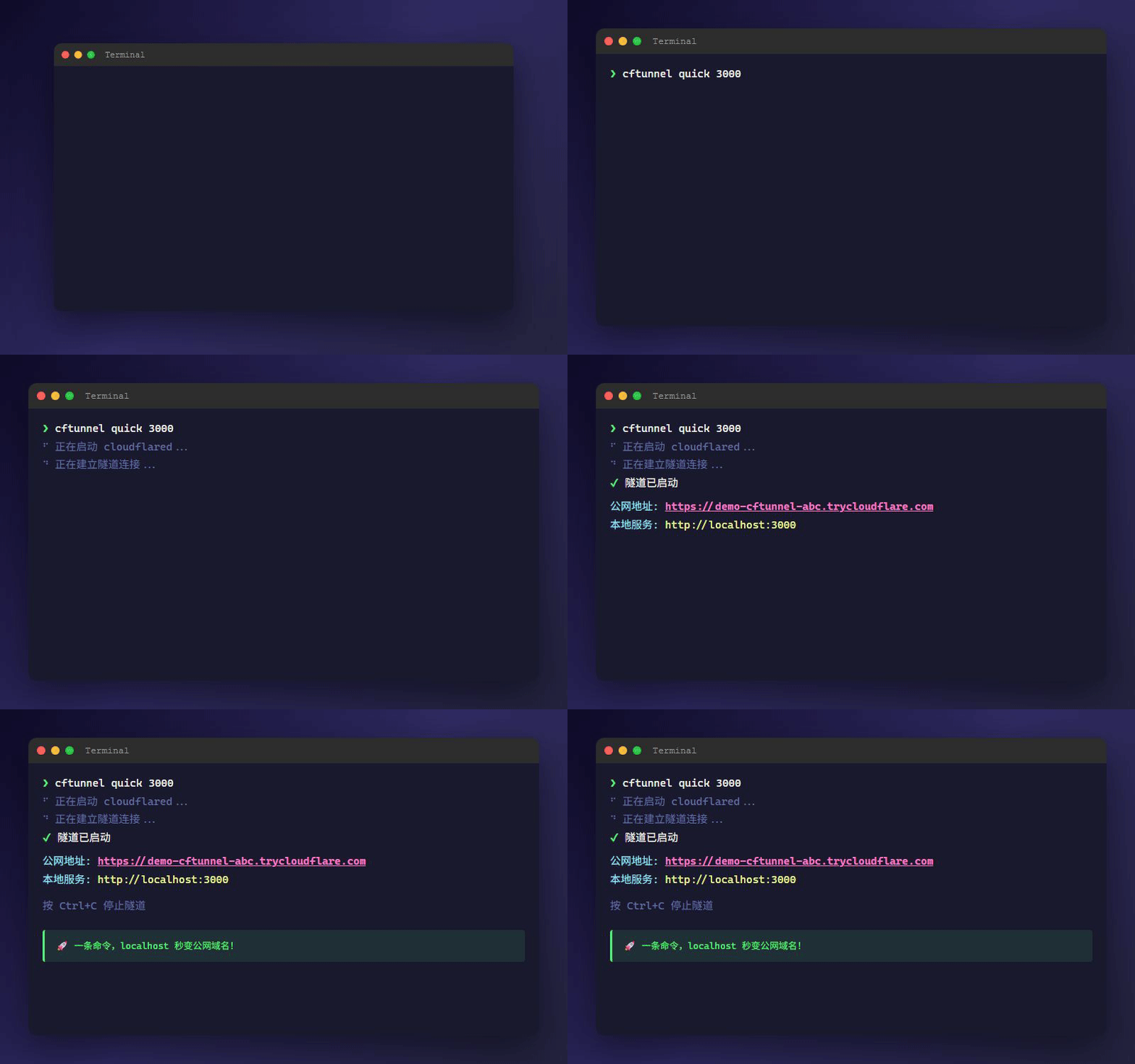
cftunnel quick 3000
# ✔ 隧道已启动: https://xxx-yyy-zzz.trycloudflare.com
Relay 模式(自建中继,TCP/UDP 全协议穿透):
cftunnel quick 25565 --relay
# ✔ 中继穿透: tcp://localhost:25565 → 远程端口 25565
双模式对比
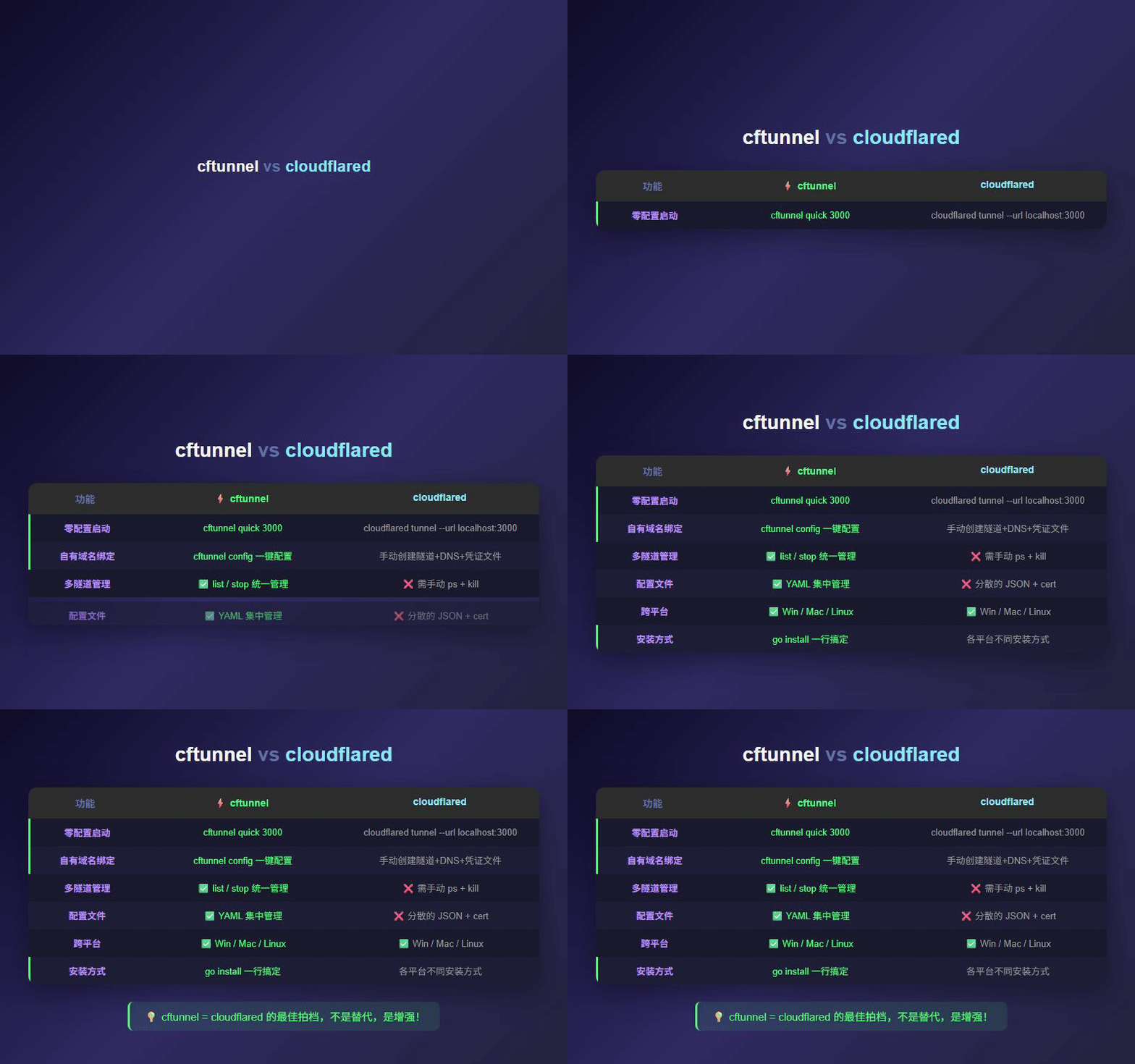
| 对比项 | Cloud 模式 | Relay 模式 |
|---|---|---|
| 引擎 | cloudflared (Cloudflare Tunnel) | frpc/frps (frp) |
| 协议 | HTTP / HTTPS / WebSocket | TCP / UDP / HTTP / 全协议 |
| 需要 | Cloudflare 账户(免费) | 自备公网服务器 |
| 域名 | 自动分配 *.trycloudflare.com 或自有域名 |
通过 IP + 端口访问 |
| 加密 | Cloudflare 全程加密 + 全球 CDN | 自行配置(frp 内置 token 鉴权) |
| 费用 | 免费 | 服务器费用(最低 $3/月) |
| 典型场景 | Web / API / Webhook / 前端预览 | 游戏服务器 / 数据库 / SSH / 远程桌面 |
| 快速启动 | cftunnel quick 3000 |
cftunnel quick 25565 --relay |
| 系统服务 | cftunnel install |
cftunnel relay install |
两种模式独立共存,互不干扰,可以同时使用。
特性
Cloud 模式(Cloudflare Tunnel):
- 免域名模式 —
cftunnel quick <端口>,零配置生成*.trycloudflare.com临时公网地址 - 访问保护 —
--auth user:pass一键启用密码保护,内置鉴权代理中间件 - 极简操作 —
init→create→add→up,4 步搞定自有域名穿透 - 自动 DNS — 添加路由时自动创建 CNAME 记录,删除时自动清理
Relay 模式(自建中继):
- 全协议穿透 — TCP / UDP / HTTP,游戏服务器、数据库、SSH、远程桌面
- 一键部署 — 服务端
curl | bash或 Docker Compose,客户端relay init即连 - 快速穿透 —
cftunnel quick <端口> --relay,无需预配置规则
通用:
- 跨平台 — macOS (Intel/Apple Silicon) + Linux (amd64/arm64) + Windows (amd64/arm64)
- 进程托管 — 自动下载引擎二进制,支持 macOS launchd / Linux systemd / Windows Service
- 自动更新 — 内置版本检查和一键自更新
- 便携模式 — 程序同级目录放
portable空文件,配置/日志/二进制就地存储 - 桌面客户端 — cftunnel-app 提供可视化 GUI
- AI 友好 — 内置 Claude Code / OpenClaw Skills,AI 助手可直接管理隧道
架构原理
cftunnel 提供两种穿透引擎,按场景选择:
Cloud 模式 — 流量经过 Cloudflare 全球 CDN,自带 HTTPS,无需公网 IP:
localhost:3000 → cftunnel → cloudflared → Cloudflare Edge → 公网用户
                 (管理层)    (隧道进程)     (全球 CDN)       (通过域名访问)
Relay 模式 — 流量经过你的公网服务器,支持全协议:
localhost:25565 → cftunnel → frpc → 你的公网服务器(frps) → 远程访问
                  (管理层)   (客户端)   (中继服务端)        (通过 IP:端口)
cftunnel 本身是管理层,负责配置管理、进程编排、二进制下载,不经手流量。
安装
一键安装(推荐)
macOS / Linux:
curl -fsSL https://raw.githubusercontent.com/qingchencloud/cftunnel/main/install.sh | bash
Windows(PowerShell):
irm https://raw.githubusercontent.com/qingchencloud/cftunnel/main/install.ps1 | iex
手动下载
从 Releases 下载对应平台的二进制文件。
从源码构建
git clone https://github.com/qingchencloud/cftunnel.git
cd cftunnel && make build
快速上手
方式一:免域名模式(零配置)
无需账户、Token、域名,装好就能用:
cftunnel quick 3000
# ✔ 隧道已启动: https://xxx-yyy-zzz.trycloudflare.com
需要密码保护?加上 --auth:
cftunnel quick 3000 --auth admin:secret123
适合临时分享和调试,Ctrl+C 退出后域名自动失效。
方式二:自有域名模式(Cloudflare)
前提:需要 Cloudflare 账户和至少一个已添加的域名。
- 创建 API 令牌(需要 3 条权限:Cloudflare Tunnel 编辑 + DNS 编辑 + 区域设置读取)
- 获取账户 ID(Cloudflare 首页 → 点击域名 → 右下角「API」区域)
cftunnel init --token <your-token> --account <account-id>
cftunnel create my-tunnel
cftunnel add myapp 3000 --domain app.example.com
cftunnel up
# 搞定!app.example.com → localhost:3000
方式三:中继模式(全协议穿透)
前提:需要一台公网服务器(任意云服务商的 VPS 即可)。
第 1 步:部署服务端(见下方 中继服务端部署)
第 2 步:客户端配置
# 使用服务端输出的连接命令
cftunnel relay init --server 1.2.3.4:7000 --token abc123

# 添加穿透规则
cftunnel relay add minecraft --local 25565 --remote 25565 --proto tcp
cftunnel relay add ssh --local 22 --remote 6022 --proto tcp

# 启动
cftunnel relay up

# 开机自启
cftunnel relay install
快速穿透(无需预配置规则):
cftunnel quick 25565 --relay              # TCP 穿透
cftunnel quick 9987 --relay --proto udp   # UDP 穿透
中继服务端部署
Relay 模式需要一台公网服务器运行 frps 服务端。提供三种部署方式:
方式 A:SSH 远程安装(推荐)
在本地一条命令搞定服务端安装 + 客户端配置:
cftunnel relay server setup --host 1.2.3.4 --user root --key ~/.ssh/id_ed25519
# ✔ SSH 连接成功
# ✔ frps 远程安装完成! 本地已自动配置
支持密码认证(--password 交互输入)和全交互模式(不传参数自动引导)。
方式 B:一键脚本
在公网服务器上执行:
curl -fsSL https://raw.githubusercontent.com/qingchencloud/cftunnel/main/install-relay.sh | bash
脚本自动完成:下载 frps → 生成随机 token → 注册 systemd → 输出客户端连接命令。
方式 C:Docker Compose
mkdir -p cftunnel-relay && cd cftunnel-relay
curl -fsSLO https://raw.githubusercontent.com/qingchencloud/cftunnel/main/docker/relay-server/docker-compose.yml
curl -fsSLO https://raw.githubusercontent.com/qingchencloud/cftunnel/main/docker/relay-server/frps.toml.example
cp frps.toml.example frps.toml
# 编辑 frps.toml,设置你的 auth.token
docker compose up -d
记得在服务器防火墙放行 7000 端口和穿透使用的端口。
命令参考
Cloud 模式
| 命令 | 说明 |
|---|---|
cftunnel quick <端口> |
免域名穿透,生成临时域名 |
cftunnel quick <端口> --auth user:pass |
免域名 + 密码保护 |
cftunnel init |
配置 Cloudflare 认证信息 |
cftunnel create <名称> |
创建 Tunnel |
cftunnel add <名称> <端口> --domain <域名> |
添加路由(自动创建 CNAME) |
cftunnel remove <名称> |
删除路由(自动清理 DNS) |
cftunnel list |
列出所有路由 |
cftunnel up / down |
启停 cloudflared |
cftunnel status |
查看隧道状态 |
cftunnel logs [-f] |
查看日志 |
cftunnel install / uninstall |
注册/卸载系统服务 |
cftunnel destroy [--force] |
删除隧道 + DNS + 配置 |
cftunnel reset [--force] |
完全重置 |
Relay 模式
| 命令 | 说明 |
|---|---|
cftunnel relay init --server <IP:端口> --token <密钥> |
配置中继服务器 |
cftunnel relay add <名称> --local <端口> --proto tcp |
添加 TCP 规则 |
cftunnel relay add <名称> --local <端口> --proto udp |
添加 UDP 规则 |
cftunnel relay remove <名称> |
删除规则 |
cftunnel relay list |
列出所有规则 |
cftunnel relay up / down |
启停 frpc |
cftunnel relay status |
查看连接状态 |
cftunnel relay check [规则名] |
检测链路连通性和延迟 |
cftunnel relay logs [-f] |
查看日志 |
cftunnel relay install / uninstall |
注册/卸载系统服务 |
cftunnel relay server install |
安装 frps 服务端(仅 Linux) |
cftunnel relay server setup |
SSH 远程安装 frps 服务端 |
cftunnel quick <端口> --relay |
通过中继快速穿透 |
cftunnel quick <端口> --relay --proto udp |
UDP 快速穿透 |
版本管理
| 命令 | 说明 |
|---|---|
cftunnel version [--check] |
显示版本 / 检查更新 |
cftunnel update |
自动更新到最新版 |
配置文件
配置存储在 ~/.cftunnel/config.yml:
version: 1

# Cloud 模式配置
auth:
  api_token: "your-token"
  account_id: "your-account-id"
tunnel:
  id: "tunnel-uuid"
  name: "my-tunnel"
  token: "tunnel-run-token"
routes:
  - name: myapp
    hostname: app.example.com
    service: http://localhost:3000

# Relay 模式配置(与 Cloud 模式独立共存)
relay:
  server: "1.2.3.4:7000"
  token: "your-relay-token"
  rules:
    - name: minecraft
      proto: tcp
      local_port: 25565
      remote_port: 25565
    - name: game-voice
      proto: udp
      local_port: 9987
      remote_port: 9987
故障排查
QUIC 连接超时
现象: failed to dial to edge with quic: timeout
解决: cftunnel v0.6.1+ 已默认使用 HTTP/2(TCP)。重装服务即可:cftunnel uninstall && cftunnel install
DNS 被 fake-ip 劫持
现象: cloudflared 连接到 198.18.0.x
解决: 将 cloudflared 进程加入代理软件 TUN 绕行列表,或将 *.argotunnel.com 加入 fake-ip-filter。
Cloudflare 1033 错误
现象: DNS CNAME 指向旧 Tunnel ID
解决: cftunnel remove <名称> 再 cftunnel add 重建路由。
Cloudflare 530 错误
现象: cloudflared 未连接到 Edge
解决: cftunnel logs -f 查看实时日志,根据具体错误参考上述方案。
Relay 模式连接失败
现象: relay up 后 relay status 显示未连接
排查步骤:
- 一键检测链路:
cftunnel relay check(检测服务器、本地服务、远程端口连通性) - 确认服务器 frps 在运行:
ssh 服务器 "systemctl status frps" - 确认防火墙放行 7000 端口
- 确认 token 一致:
cftunnel relay status查看服务器地址和 token - 查看日志:
cftunnel relay logs -f
AI 助手集成
cftunnel 内置 AI 助手 Skills,让 Claude Code、OpenClaw 等 AI 编码助手可以直接管理隧道。
Claude Code
项目克隆到本地后,Claude Code 自动加载 Skills,你可以直接说:
帮我用 cftunnel quick 把本地 3000 端口临时分享出去
帮我用 cftunnel relay 把本地 25565 端口穿透出去
开发
make build              # 本地构建
git tag v0.x.0 && git push --tags  # 推送 tag 自动触发 GitHub Actions 发版
交流
- 官网: cftunnel.qt.cool
- QQ 群: OpenClaw 交流群
- Issues: GitHub Issues
License
MIT
由 武汉晴辰天下网络科技有限公司 开源维护