

Your chat history, finally yours.
English | 简体中文
Official Website · Docs · Quick Start · Roadmap · Releases
ChatLab is an open-source desktop app for understanding your social conversations. It combines a flexible SQL engine with AI agents so you can explore patterns, ask better questions, and extract insights from chat data, all on your own machine.
Currently supported: WhatsApp, LINE, WeChat, QQ, Discord, Instagram, and Telegram. Coming next: iMessage, Messenger, and KakaoTalk.
New install? Start here: Getting started
Core Features
- 🚀 Built for large histories: Stream parsing and multi-worker processing keep imports and analysis responsive, even at million-message scale.
- 🔒 Private by default: Your chat data and settings stay local. No mandatory cloud upload of raw conversations.
- 🤖 AI that can actually operate on data: Agent + Function Calling workflows (24+ tools) can search, summarize, and analyze chat records with context.
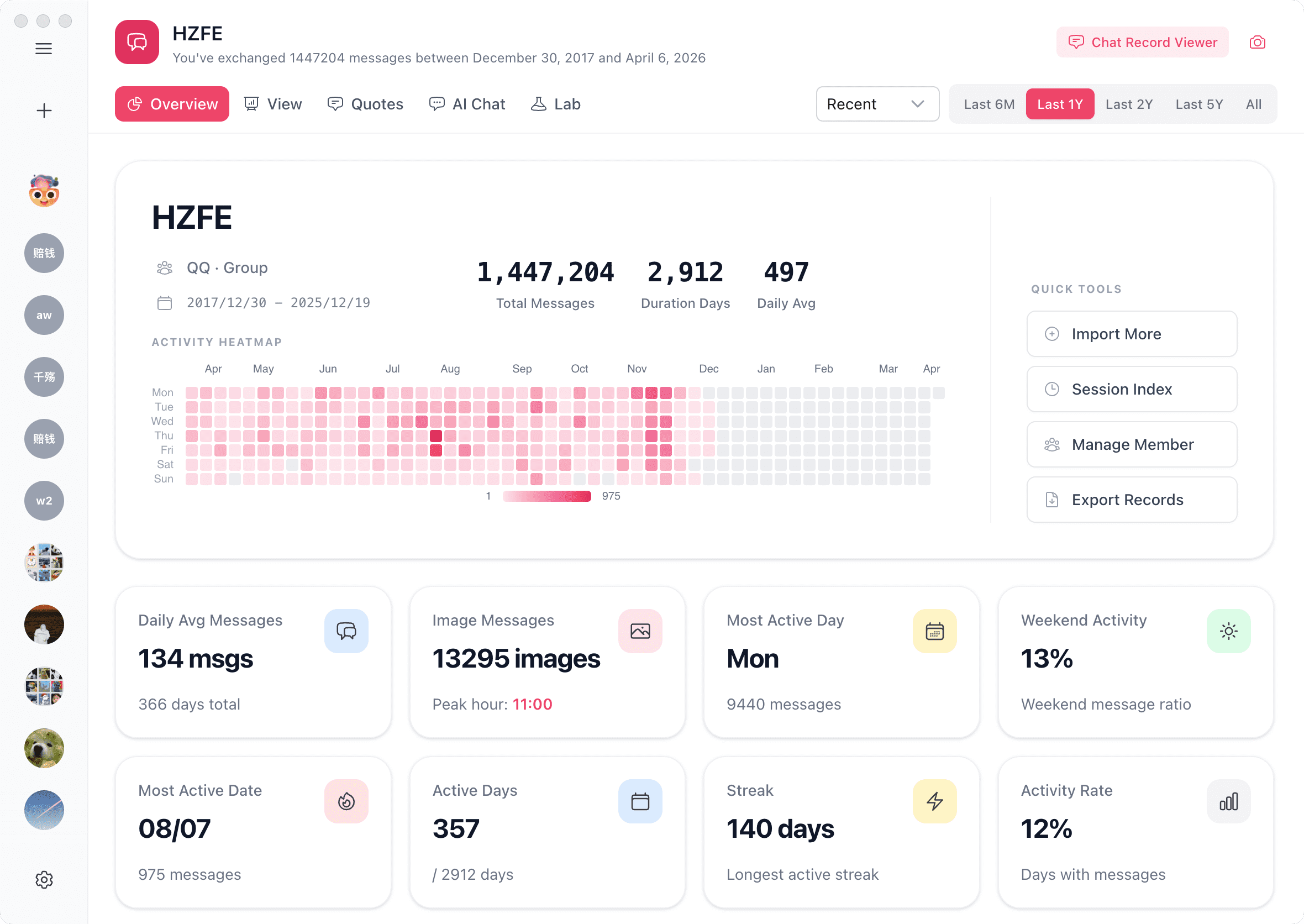
- 📊 Insight-rich visual views: See trends, time patterns, interaction frequency, rankings, and more in one place.
- 🧩 Cross-platform normalization: Different export formats are mapped into a unified model so you can analyze them consistently.
Installation
Desktop App
Download the installer for your OS from the official website or GitHub Releases, then double-click to install.
CLI
Requires Node.js ≥ 20.
npm i chatlab-cli -g
Start ChatLab:
chatlab start            # Start API + Web UI, auto-open in browser
chatlab start --no-open  # Start API + Web UI, skip auto-open
chatlab start --headless # API only, no Web UI (for scripts / AI Agents)
Common options: --port <port> (default 3110), --host <address>, --token <token>.
To run as a persistent background service (auto-start on login + auto-restart on crash):
chatlab start --daemon   # Install as system service (macOS / Linux)
chatlab status           # Check service status
chatlab stop             # Stop and uninstall service
For a full walkthrough, see the Quick Start guide.
Usage Guides
Preview
For more previews, please visit the official website: chatlab.fun
Architecture Overview
ChatLab is a pnpm monorepo built on Electron + Vue 3 + Nuxt UI + Tailwind CSS. Core business logic lives in shared packages (@openchatlab/core, @openchatlab/node-runtime, @openchatlab/tools), consumed by both the desktop app and the CLI service — so they stay in sync.
Data flows in five stages: format detection → stream parsing → local persistence → SQL + AI query → visualization.
For a deep dive, see the architecture documentation.
Architecture Principles
- Local-first by default: Raw chat data, indexes, and settings remain on-device unless you explicitly choose otherwise.
- Streaming over buffering: Stream-first parsing and incremental processing keep large imports stable and memory-efficient.
- Composable intelligence: AI features are assembled through Agent + Tool Calling, not hard-coded into one model path.
- Schema-first evolution: Import, query, analysis, and visualization share a consistent data model that scales with new features.
Local Development
For complete contributor instructions, see the Development Guide.
Requirements
- Node.js >= 24 < 25
- pnpm >= 9 < 10
Setup
# Install dependencies
pnpm install

# Run desktop app in dev mode
pnpm dev

# Run CLI in dev mode (apps/cli)
cd apps/cli && pnpm dev
If Electron encounters exceptions during startup, you can try using electron-fix:
npm install electron-fix -g
electron-fix start
Privacy Policy & User Agreement
Before using this software, please read the Privacy Policy & User Agreement.
Community
Please follow these principles before submitting a Pull Request:
- Obvious bug fixes can be submitted directly.
- For new features, please submit an Issue for discussion first; PRs submitted without prior discussion will be closed.
- Keep one PR focused on one task; if changes are extensive, consider splitting them into multiple independent PRs.
- For local setup, repository structure, checks, and AI collaboration notes, see the Development Guide.
Thanks to all contributors:
License
AGPL-3.0 License