

ClipNova
Open-source clipboard manager for Windows that turns clipboard history into notes, documents, and presentations.
Built with Tauri 2 + React + Rust.
Features • Screenshots • Install • Build • Roadmap • Contributing • Tech Stack • License




[!NOTE] ClipNova is under active development. Features are being polished and new ones are added regularly. The public repository contains the desktop app, browser extension, and Local AI sidecar source. Private packaging/bootstrapper tooling stays outside the public repo; finished installers are published as release assets.
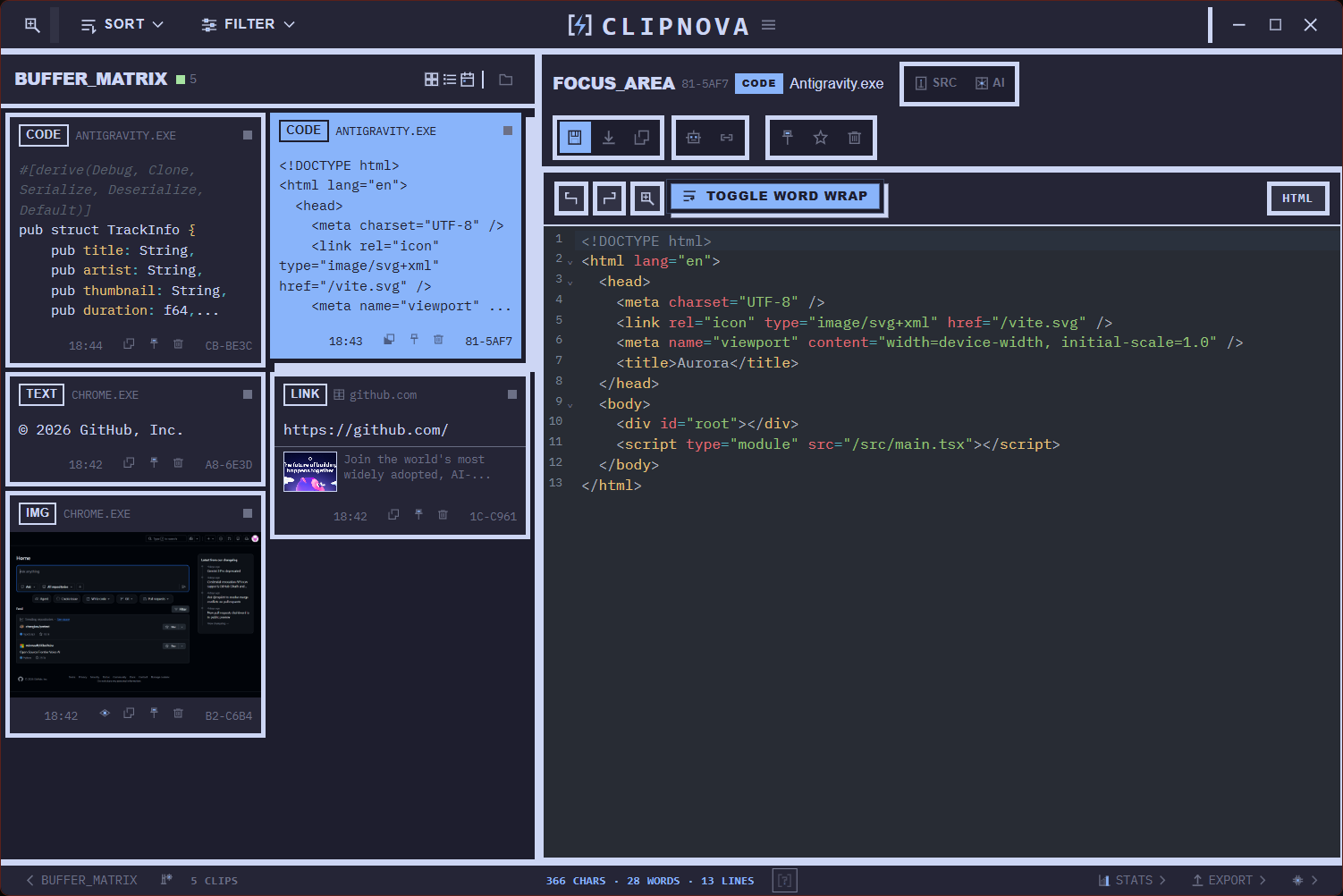
Buffer Matrix + Focus Area workflow for reviewing, searching, editing, and reusing clipboard history.
Turn clips directly into notes, reports, and presentation layouts instead of rebuilding everything by hand.
Search can also find text inside screenshots and images through offline OCR indexing.
At a Glance
| Area | What you get |
|---|---|
| Clipboard | Automatic history for text, code, links, images, and file paths. |
| Core workflow | Send clips from Buffer Matrix straight into Notes and Compose instead of copy-pasting and rebuilding content manually. |
| Quick access | QuickPaste overlay for pasting recent clips without leaving the current app. |
| Search | Exact, semantic, AI-assisted, and offline OCR search across clipboard history, including text found inside images. |
| Writing | Notes with rich formatting, code blocks, images, spellcheck, version history, and direct clip insertion. |
| Layouts | Compose workspace for building documents, handouts, and presentations directly from clips via drag-and-drop. |
| Security | Vault, PIN flows, sensitive clip handling, and optional Win+V replacement. |
| Customization | 36 built-in themes, 8 languages, and configurable hotkeys. |
| AI | Cloud providers plus a local sidecar-based foundation for privacy-first workflows. |
Live Workflow
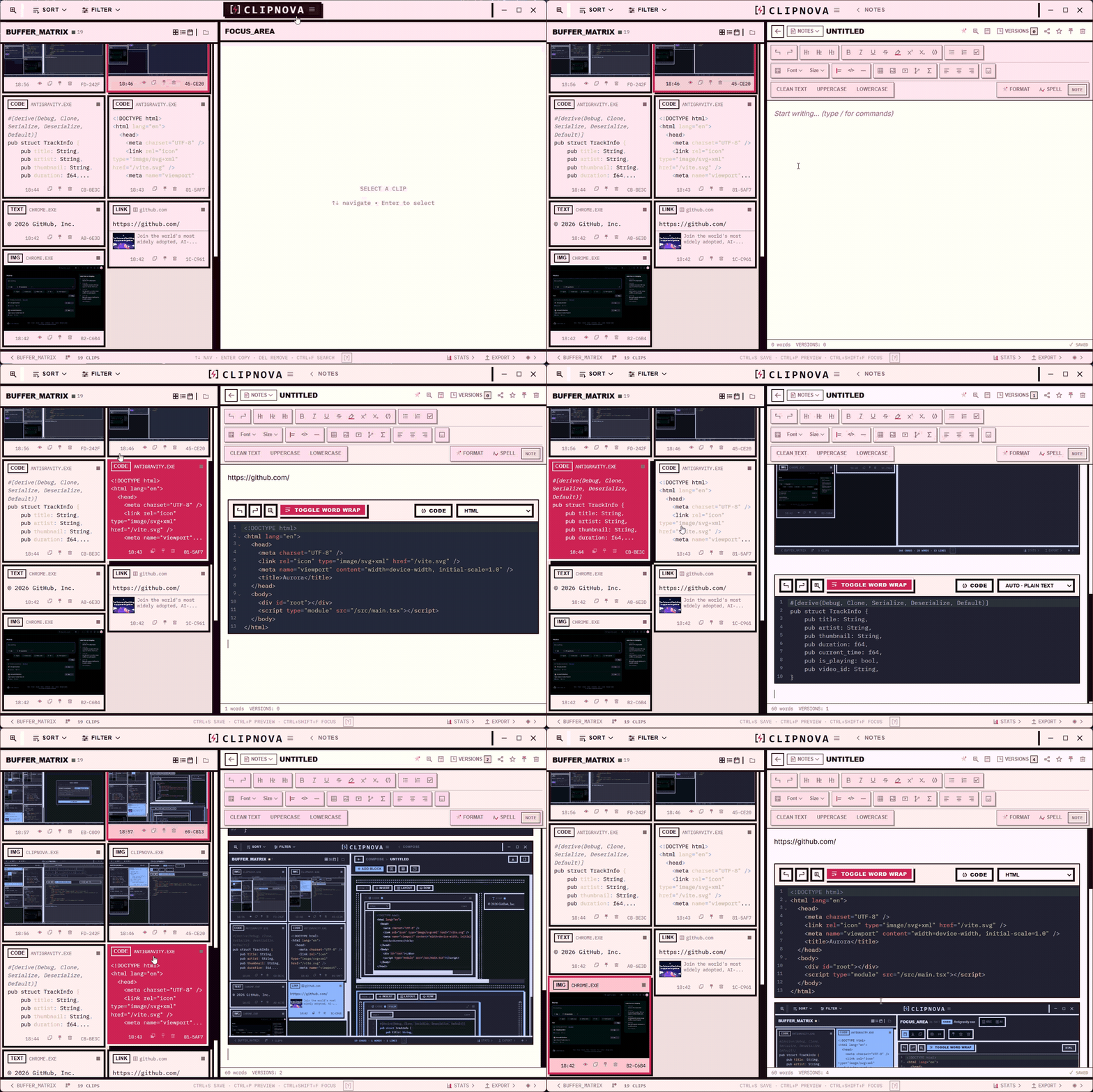
One click from Buffer Matrix into an open note.
This same “clipboard history becomes working content” idea also powers Compose documents and presentations.
Features
Workspaces & tools (click to expand)
Notes
Full TipTap WYSIWYG editor with formatting, images, spellcheck, version history, and markdown support. Create notes directly from selected clips, insert clips into an open note from Buffer Matrix, and generate plain, structured, summary, or report-style drafts.
Compose
Block-based document builder for reports, notes, and presentations. Drag clips from clipboard history into a canvas, rearrange rows and blocks, preview the result, and export to Markdown, HTML, TXT, handouts, or PowerPoint. AI transforms include summarize, rewrite, structure, explain, and report-style generation.
Collections
Group clips into named collections for quick access.
Vault
Encrypted password manager. Detects password-like content in clipboard and offers to save it. Master password, PIN lock, auto-expire for sensitive clips.
Quick Tools
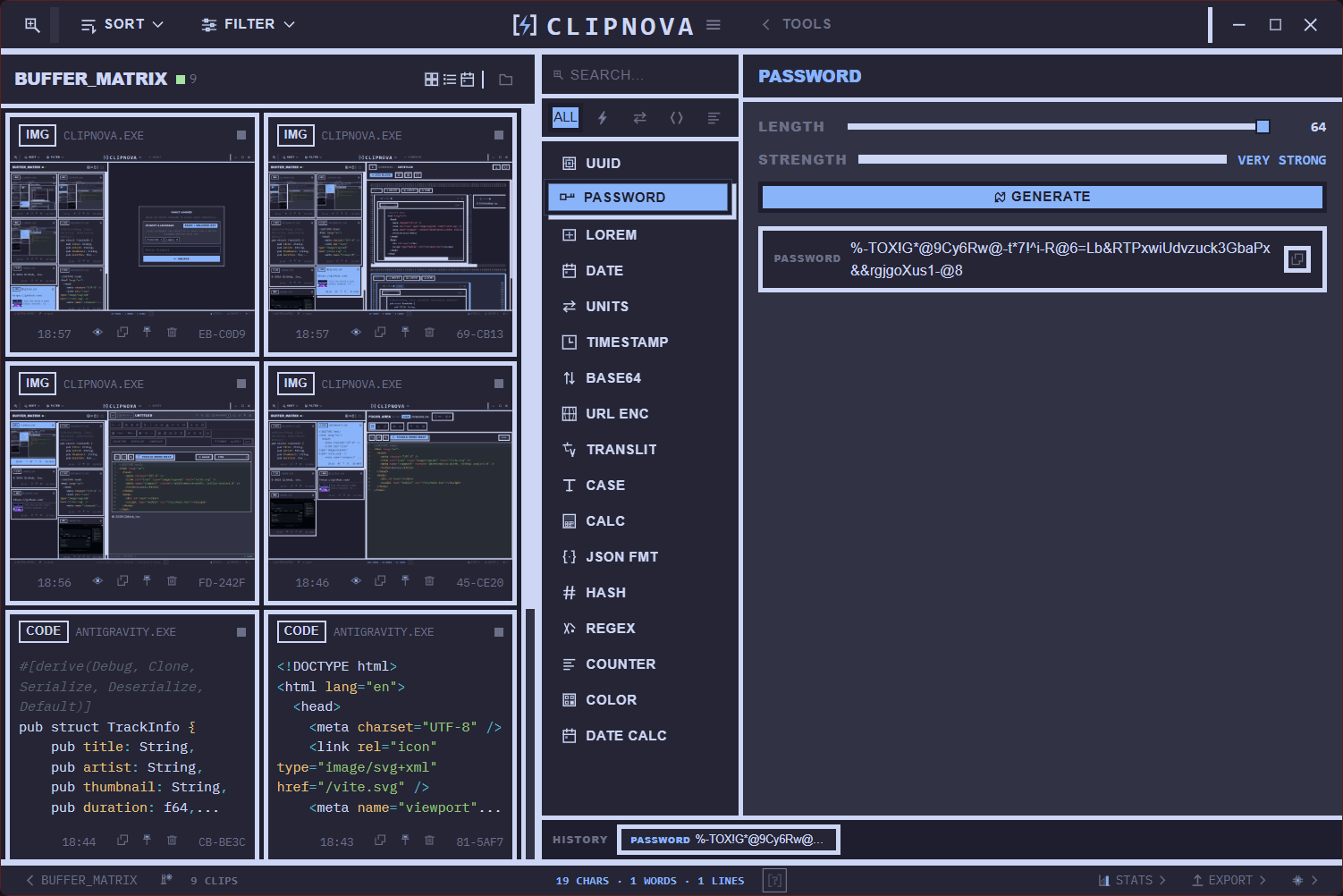
17 built-in utilities: UUID generator, password generator, calculator, date tools, Lorem Ipsum, color picker, Base64, hash, timestamp converter, counter, case converter, URL encoder, unit converter, date calculator, transliteration, JSON formatter, regex tester.
File Browser
Browse local files without leaving the app. Preview text files, copy paths, see which clips came from a file.
Stats & Analytics
Weekly stats, daily activity heatmap, content type breakdown, insights.
AI integration (click to expand)
Cloud AI
Supports OpenAI, Google Gemini, Anthropic Claude, and Ollama (local). Auto-categorization, auto-summary, smart search, AI transforms, and OCR for images with searchable text indexing.
Local AI (Foundation)
Privacy-first local inference via bundled sidecar worker (llama.cpp).
Model catalog, runtime catalog, background queue, hardware-aware profiles, benchmark system.
No data leaves your device.
Hybrid mode
Route tasks to local or cloud AI based on sensitivity policy. Sensitive data can be forced to stay local.
Customization (click to expand)
36 themes
From dark classics to creative skins — see the theme gallery below.
8 languages
English, Русский, Українська, Deutsch, Español, Français, Polski, 中文.
Configurable hotkeys
Remap any global shortcut. Record, detect conflicts, enable/disable individually.
Win+V replacement
Optionally intercept the native Win+V shortcut and open ClipNova instead.
Browser extension (click to expand)
Companion browser extension for Chrome, Edge, and Firefox for:
- Saving browser selections to ClipNova
- Form memory (auto-fill saved form data)
- Link previews
- Theme sync with the desktop app
Source code included in the extension/ directory.
Screenshots
Quick tour of the main surfaces:
| Main Workspace | Notes |
|---|---|
|
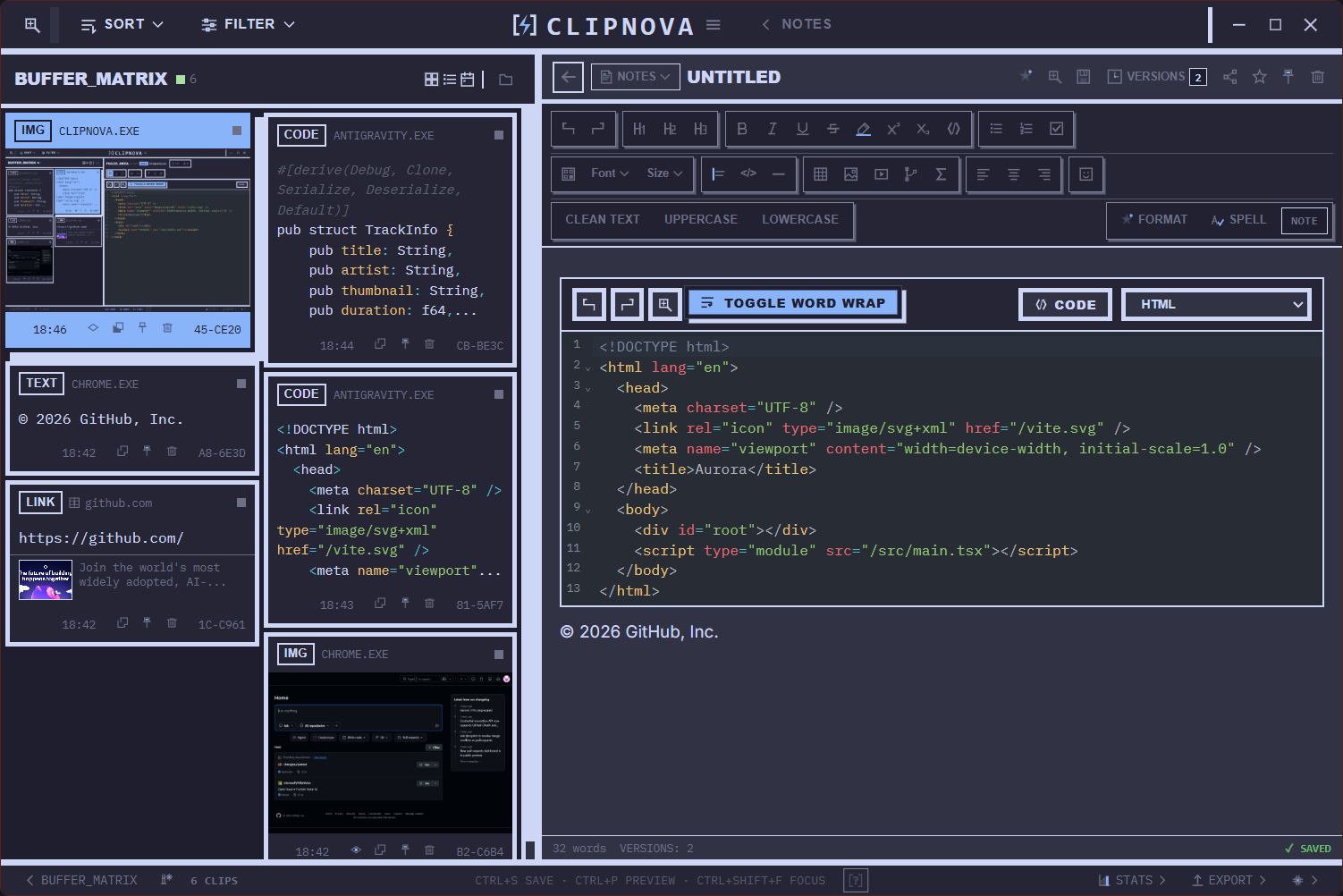 |
| Buffer Matrix + Focus Area for fast review, preview, and editing of clips. | Rich note editing with formatting, code blocks, and mixed content. |
| Compose | QuickPaste |
|---|---|
 |
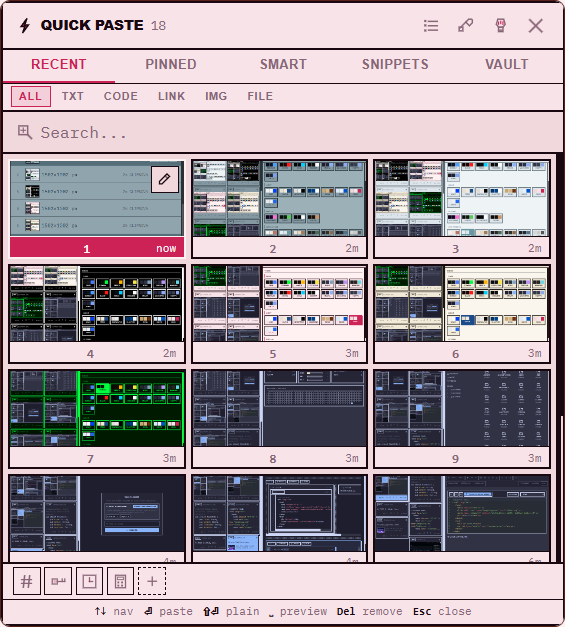 |
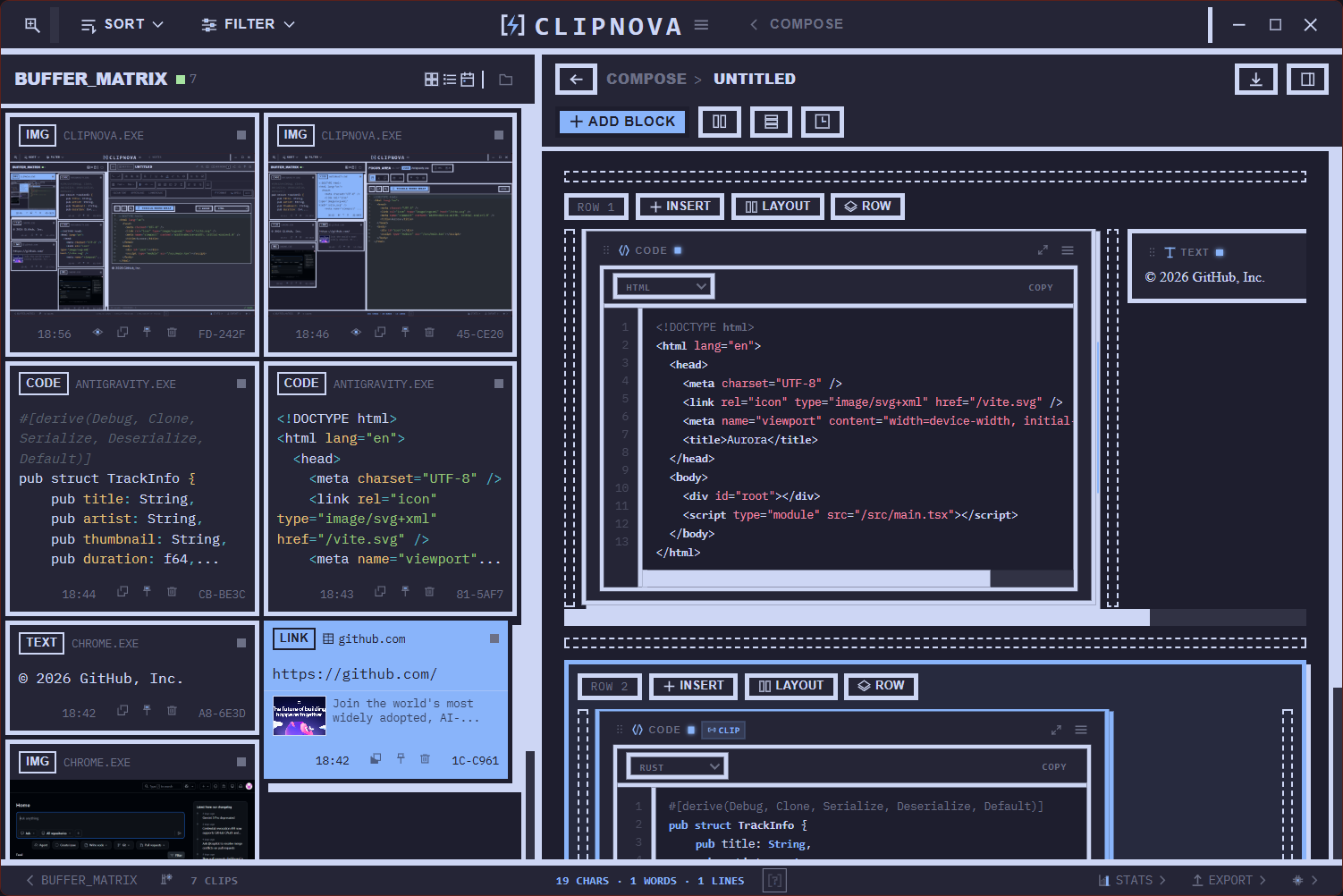
| Block-based document and presentation builder with drag-and-drop composition. | Fast overlay for browsing and pasting recent clips without leaving the current app. |
| Tools | Themes |
|---|---|
 |
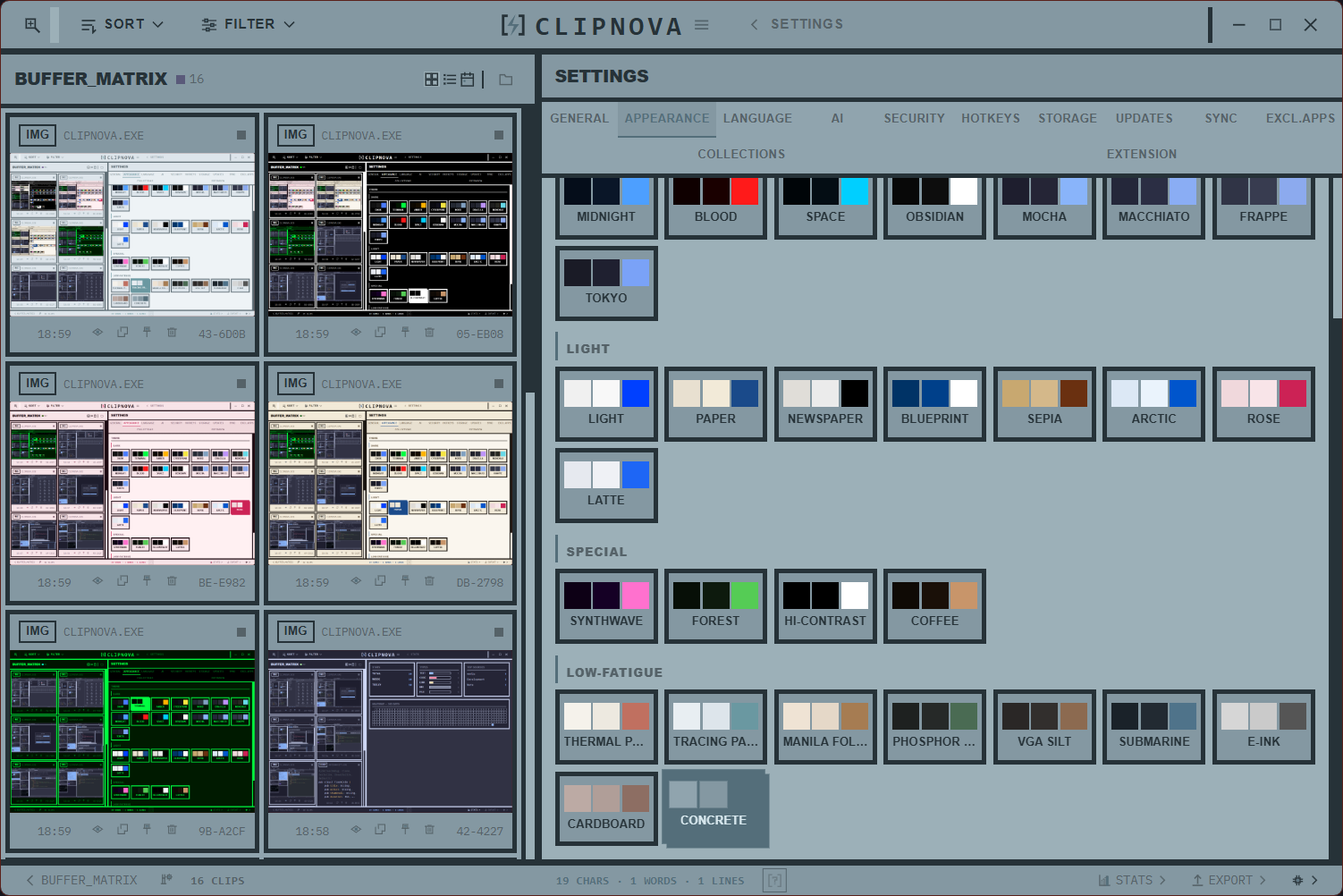 |
| Built-in utilities such as password generation, converters, formatting, and helpers. | Theme browser with multiple visual styles, including light, dark, and low-fatigue options. |
More screenshots will be added over time as the public release materials are polished.
Themes
ClipNova ships with 36 built-in themes — dark, light, low-fatigue, and creative.
Theme list (click to expand)
| Dark | Light | Special | Low-Fatigue |
|---|---|---|---|
| Dark Default | Light Default | Cyberpunk | E-Ink |
| Dracula | Paper | Synthwave | Newspaper |
| Monokai | Sepia | Blood Red | Cardboard |
| Nord | Catppuccin Latte | Terminal Green | Manila Folder |
| Tokyo Night | Terminal Amber | Thermal Paper | |
| Deep Space | Phosphor Fade | Tracing Paper | |
| Obsidian | VGA Silt | Concrete | |
| Midnight Blue | Blueprint | ||
| Catppuccin Mocha | |||
| Catppuccin Macchiato | |||
| Catppuccin Frappé | |||
| Coffee | |||
| Forest | |||
| Rose Quartz | |||
| Arctic | |||
| Submarine | |||
| High Contrast |
Install
Windows installers are published on the GitHub Releases page:
- Latest Releases
- Expected asset names:
Clipnova-Installer-...exeand, when applicable,Clipnova-Updater-...exe
If the Releases page is empty, the first public installer has not been published yet. In that case, use the source build steps below.
Build from source
Prerequisites
- Node.js 18+
- Rust (stable)
- Tauri 2 prerequisites (WebView2, Visual Studio Build Tools)
Desktop app
git clone https://github.com/silenthillzeroq-code/clipnova.git
cd clipnova
npm install
npm run tauri dev
Production build
npm run tauri build
Local AI sidecar
The Local AI worker source is included in the repo at src-tauri/sidecar/clipnova-ai-worker.
The compiled worker binary is intentionally not versioned in Git.
For local AI in packaged builds, build the worker and sync it into src-tauri/binaries before running the production build:
cargo build --release --manifest-path src-tauri/sidecar/clipnova-ai-worker/Cargo.toml
New-Item -ItemType Directory -Force -Path src-tauri/binaries | Out-Null
Copy-Item `
  src-tauri/sidecar/clipnova-ai-worker/target/release/clipnova-ai-worker.exe `
  src-tauri/binaries/clipnova-ai-worker-x86_64-pc-windows-msvc.exe `
  -Force
npm run tauri build
For normal UI development, npm run tauri dev is enough.
For Local AI development, build the sidecar once so the app can discover it from the sidecar target directory.
Roadmap
The short-term focus is not on chasing a huge feature list.
Right now the priority is:
- collecting feedback from real users
- polishing stability, performance, and everyday workflows
- improving the rough edges in larger areas like Compose, Notes, QuickPaste, and search
New features will be added when they solve a real user need, not just to make the roadmap longer.
Tech Stack
| Layer | Technology |
|---|---|
| Framework | Tauri 2 |
| Frontend | React 19, TypeScript, Vite 7 |
| Backend | Rust |
| Database | SQLite (via rusqlite) |
| Editor | TipTap (Notes), CodeMirror (code) |
| AI | OpenAI / Gemini / Anthropic / Ollama + local llama.cpp sidecar |
| Styling | Vanilla CSS with CSS custom properties, 36 theme files |
| i18n | i18next (8 languages) |
| Icons | Lucide React |
Public Repo Scope
This public repository includes:
- desktop application source
- browser extension source
- Local AI sidecar source
- themes, dictionaries, and assets needed to build the app
This public repository does not include:
- private installer/bootstrapper project sources
- private packaging scripts
- local databases, logs, screenshots-in-progress, or personal workspace files
Contributing
Pull requests are welcome.
For major changes, please open an issue first so the direction can be discussed before a larger implementation starts.
See CONTRIBUTING.md for the workflow, expectations, and local setup notes.
Project Structure
clipnova/
├── src/                    # React frontend
│   ├── components/         # UI components
│   ├── styles/themes/      # 36 theme CSS files
│   ├── i18n/locales/       # 8 language files
│   ├── store/              # Zustand state management
│   └── lib/                # Utilities, types, helpers
├── src-tauri/              # Rust backend
│   ├── src/                # Tauri commands, clipboard monitor, AI, vault, etc.
│   ├── sidecar/            # Local AI worker (llama.cpp bridge)
│   └── crates/             # Internal Rust crates
├── extension/              # Browser extension sources
└── public/                 # Static assets, dictionaries
License
ClipNova is licensed under the GNU General Public License v3.0.
Third-party dependency licenses are listed in THIRD_PARTY_LICENSES.md.
