





A standalone port of GoatCounter to run entirely on Cloudflare's edge infrastructure.
CloudCounter brings GoatCounter's privacy-focused analytics to Cloudflare Pages + D1, requiring no external servers or databases. Deploy once and track pageviews across your sites with a single JavaScript snippet.
Features
- Pageview tracking with session deduplication
- Top pages, referrers, browsers, operating systems, locations
- Screen size breakdown
- Event tracking support
- Privacy-first: no cookies, session hash only
- Server-rendered dashboard
- Data retention policies
Screenshots
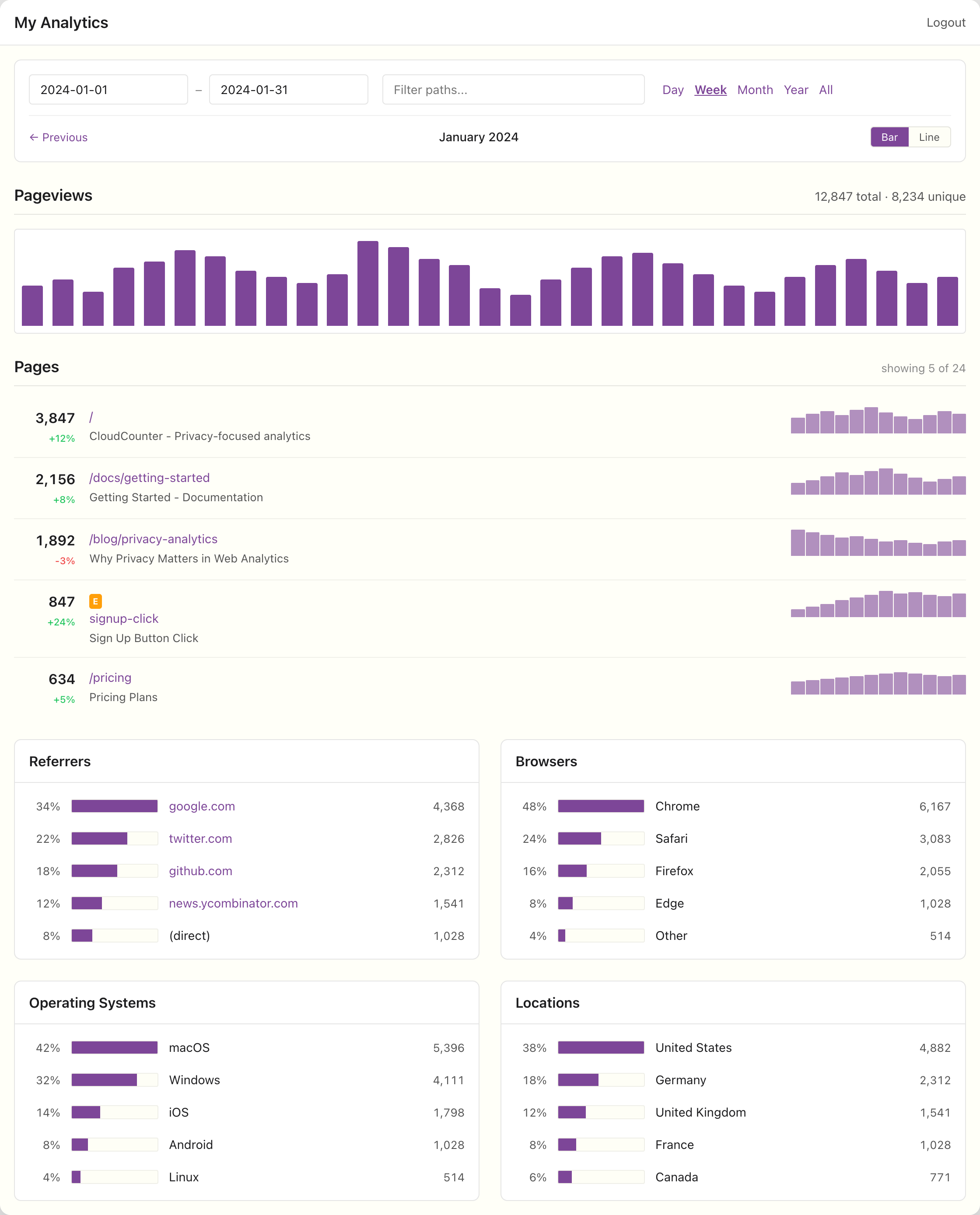
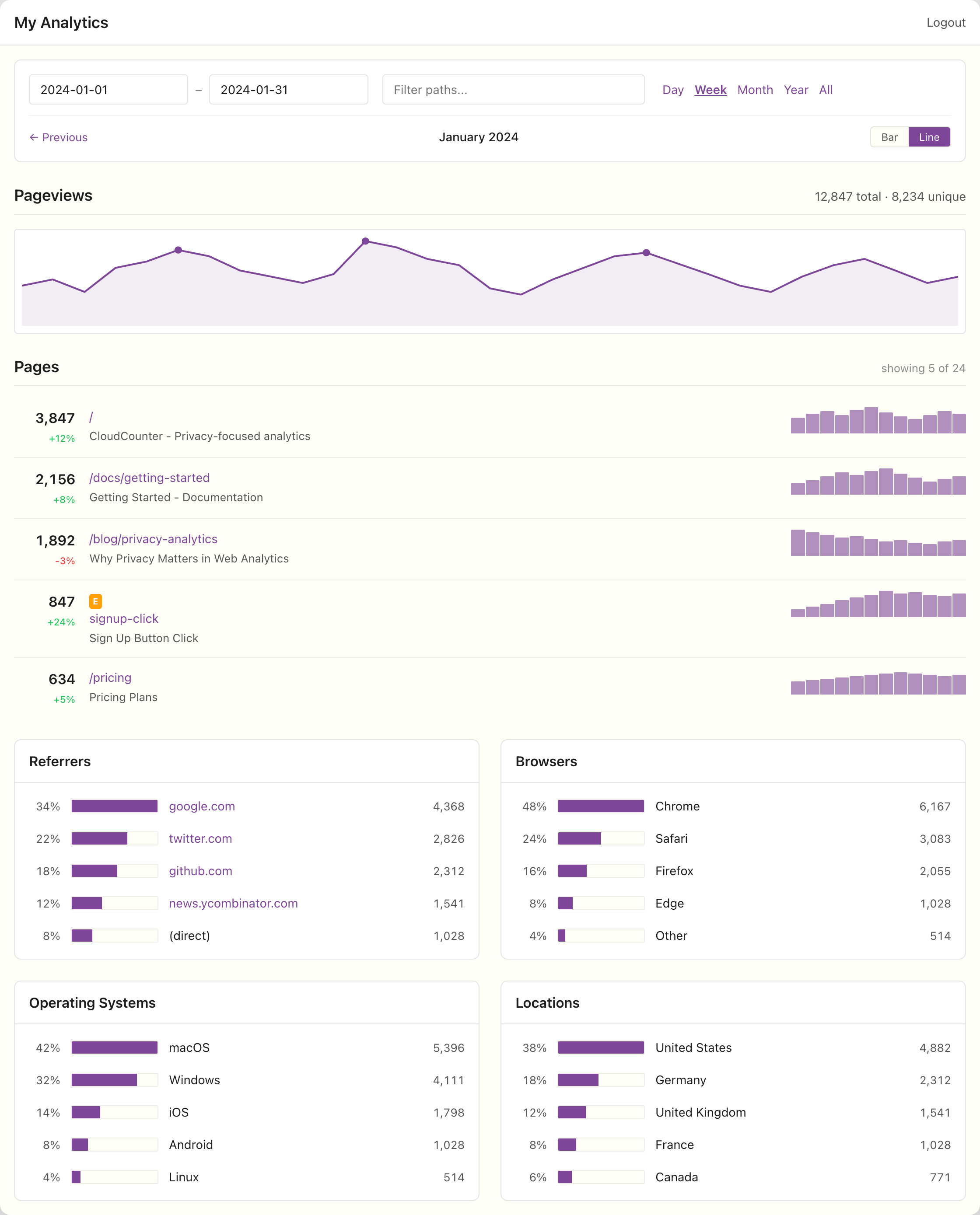
Additional screenshots available in the media folder.
Prerequisites
- Node.js 18+
- Wrangler CLI
- Cloudflare account with Pages and D1 access
Quick Start
1. Clone and install
git clone https://github.com/philippdubach/cloudcounter.git
cd cloudcounter
npm install
2. Create Cloudflare resources
# Create D1 database
wrangler d1 create cloudcounter

# Create KV namespace for sessions
wrangler kv namespace create SESSIONS
3. Update wrangler.toml
Edit wrangler.toml and add your database_id and KV namespace id:
[[d1_databases]]
binding = "DB"
database_name = "cloudcounter"
database_id = "YOUR_DATABASE_ID_HERE"

[[kv_namespaces]]
binding = "SESSIONS"
id = "YOUR_KV_NAMESPACE_ID_HERE"
4. Initialize database
wrangler d1 execute cloudcounter --file=./migrations/0001_init.sql
5. Set dashboard password
wrangler secret put DASHBOARD_PASSWORD
6. Deploy
wrangler pages deploy public
7. Add tracking script to your site
<script async src="https://your-analytics.pages.dev/count.js"></script>
Local Development
# Start local dev server
npm run dev

# Apply migrations to local D1
npm run db:migrate:local
Configuration
Environment Variables
| Variable | Description | Default |
|---|---|---|
SITE_NAME |
Dashboard title | "My Analytics" |
DATA_RETENTION_DAYS |
Days to keep data (0 = unlimited) | "0" |
Secrets
| Secret | Description |
|---|---|
DASHBOARD_PASSWORD |
Password for dashboard access |
Tracking Script
Basic usage
The script auto-tracks pageviews on load:
<script async src="https://your-analytics.pages.dev/count.js"></script>
Manual tracking
// Custom pageview
cloudcounter.count({ path: '/custom-path', title: 'Custom Title' });

// Event tracking
cloudcounter.count({ path: 'button-click', title: 'Sign Up Button', event: true });
Click tracking
Add data-cloudcounter-click attribute to elements:
<button data-cloudcounter-click="signup-btn">Sign Up</button>
Disable tracking
cloudcounter.skip();   // Disable for this session
cloudcounter.enable(); // Re-enable
API
Track pageview
GET/POST /api/count?p=/path&t=Title&r=referrer
| Parameter | Description | Required |
|---|---|---|
p |
Page path | Yes |
t |
Page title | No |
r |
Referrer URL | No |
e |
Event flag (1 or true) | No |
s |
Screen width | No |
Returns: 1x1 transparent GIF
Architecture
cloudcounter/
├── functions/           # Cloudflare Pages Functions
│   ├── _middleware.ts   # Auth guard
│   ├── _worker.ts       # Cron handler
│   ├── api/count.ts     # Hit tracking endpoint
│   ├── index.ts         # Dashboard
│   ├── login.ts         # Login page
│   └── logout.ts        # Logout
├── src/
│   ├── lib/             # Core utilities
│   └── stats/           # Query functions
├── public/
│   ├── count.js         # Tracking script
│   ├── dashboard.js     # Dashboard charts
│   └── dashboard.css    # Dashboard styles
└── migrations/          # D1 schema
Database Schema
| Table | Description |
|---|---|
paths |
Normalized page paths |
refs |
Referrer URLs |
browsers |
Browser names |
systems |
Operating systems |
hits |
Raw pageview data |
hit_counts |
Hourly aggregates |
hit_stats |
Daily aggregates |
browser_stats |
Browser breakdown |
system_stats |
OS breakdown |
location_stats |
Country breakdown |
size_stats |
Screen size breakdown |
Cron Jobs
Daily at 3 AM UTC:
- Apply data retention policy
- Vacuum unused referrers
- Clean orphaned dimension records
Credits
This project is a port of GoatCounter by Martin Tournoij.
License
Licensed under the EUPL.