
Commonplace


A local-first macOS activity tracker with AI-powered classification, a daily commonplace book, and an MCP server for Claude.
Everything stays on your machine. No cloud, no telemetry, no accounts.
What it does
- Captures the frontmost app, window title, and browser URL every 5 seconds. Takes a screenshot every 30 seconds.
- Classifies activity into categories (Development, Meetings, Communication, …) using a local Ollama model.
- Remembers the people you talked to, the documents you opened, the tickets you touched, the links you read — surfaced as a daily commonplace book.
- Talks to Claude via an MCP server, so you can ask "what did I read about X last week?" or "who did I last meet with from Acme?" and get answers grounded in your actual activity.
Screenshots
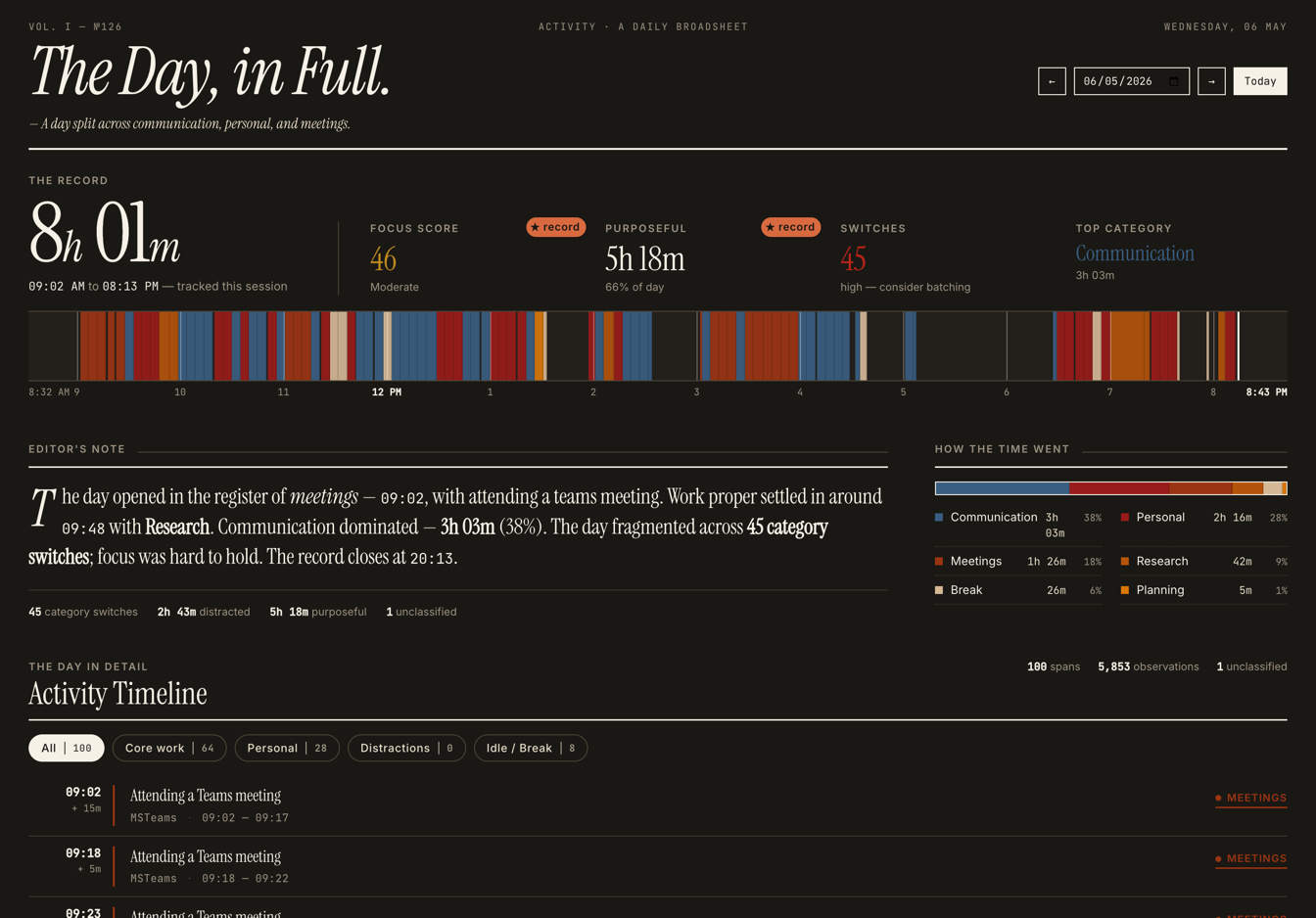
Dashboard — today's timeline, hourly bars, focus score, category breakdown.
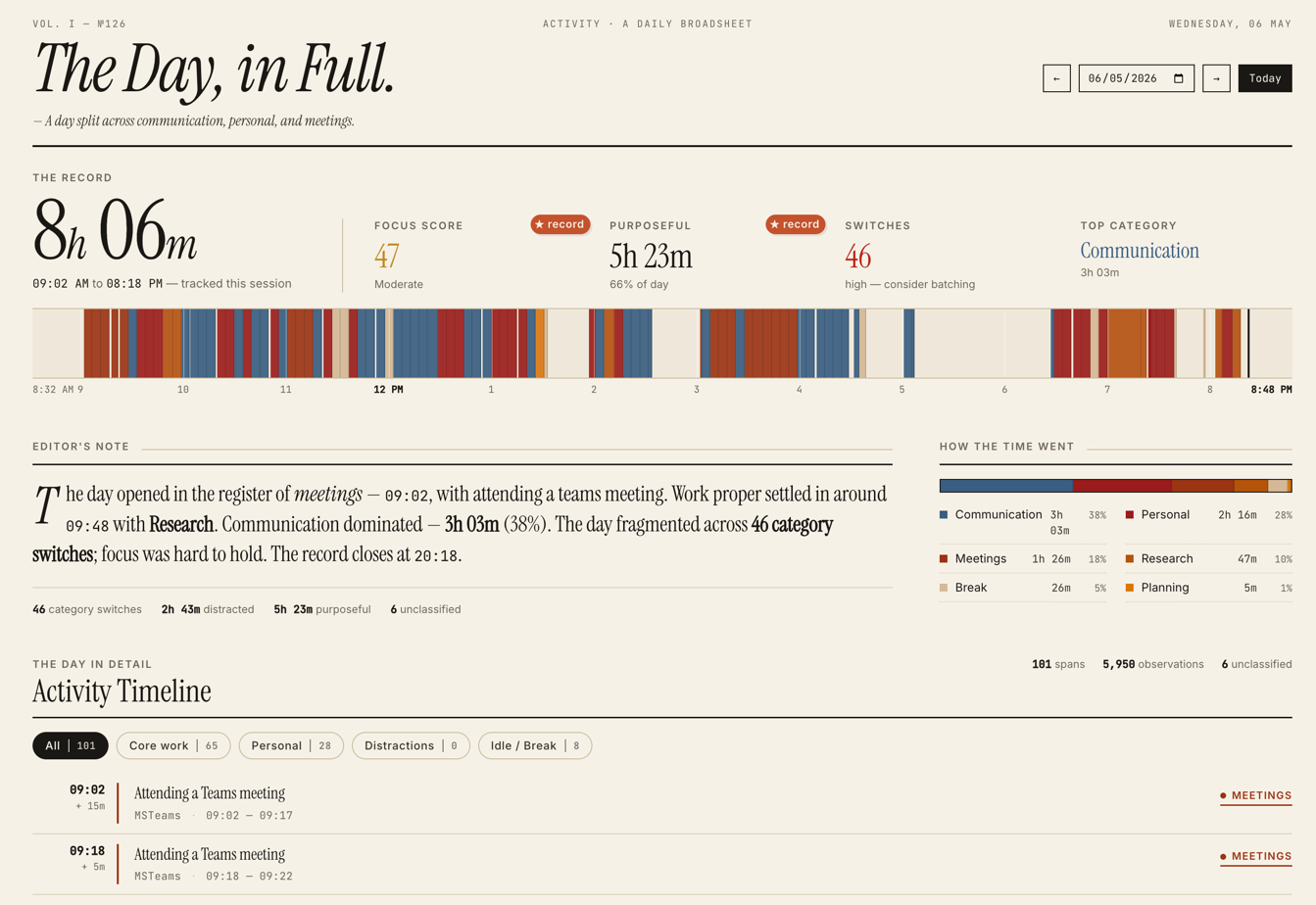
Dark mode
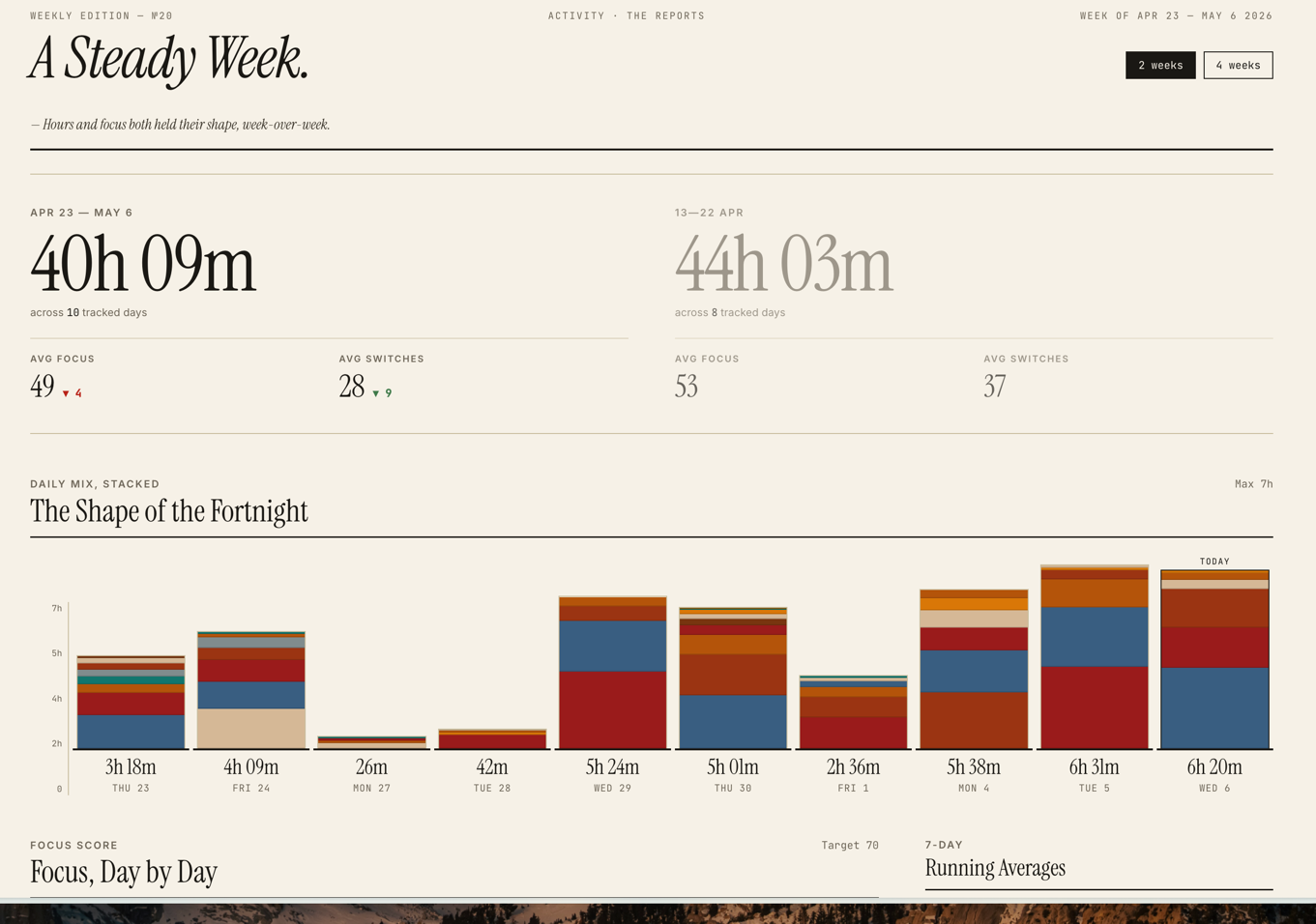
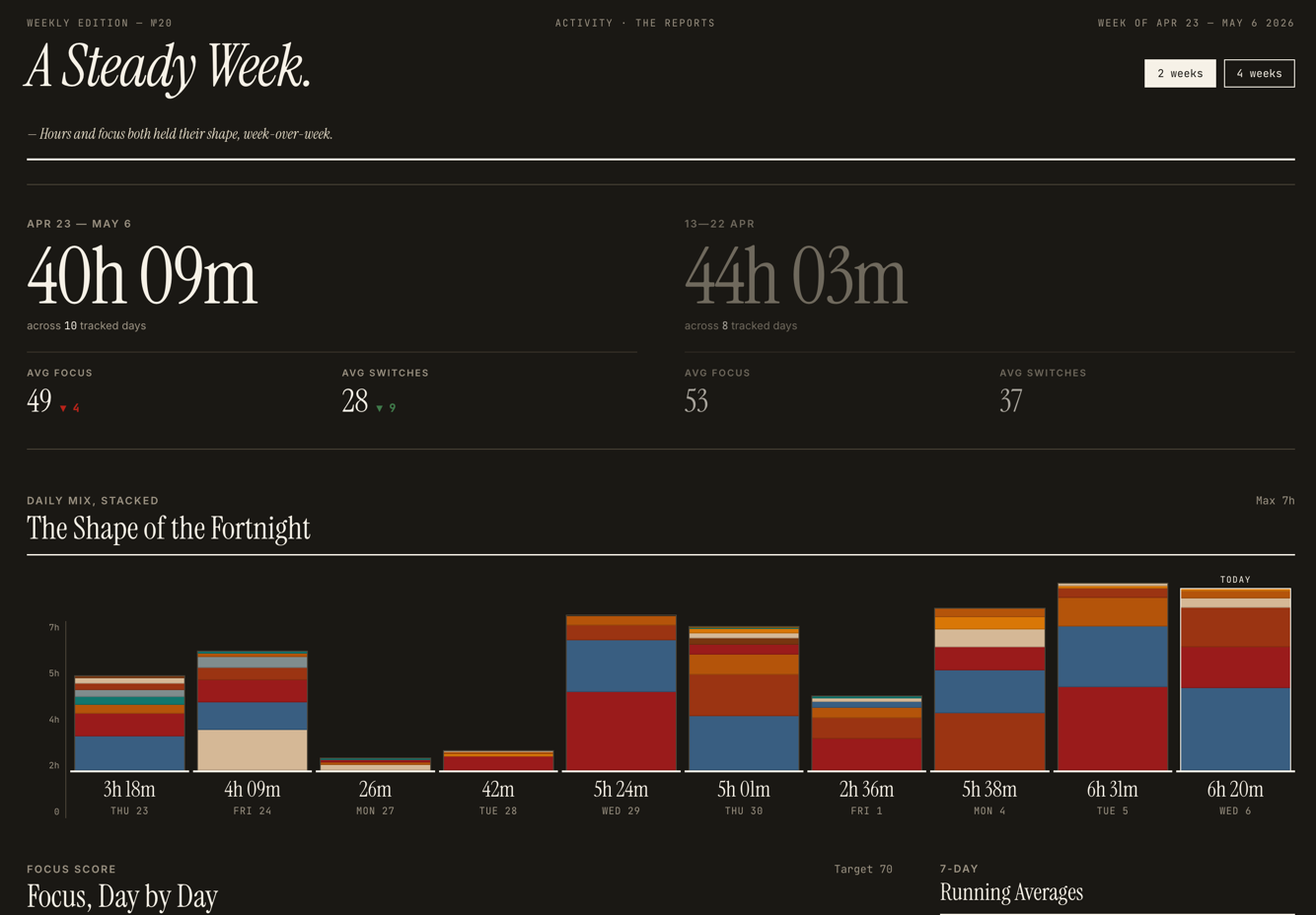
Reports — week-on-week trends and category comparison.
Dark mode
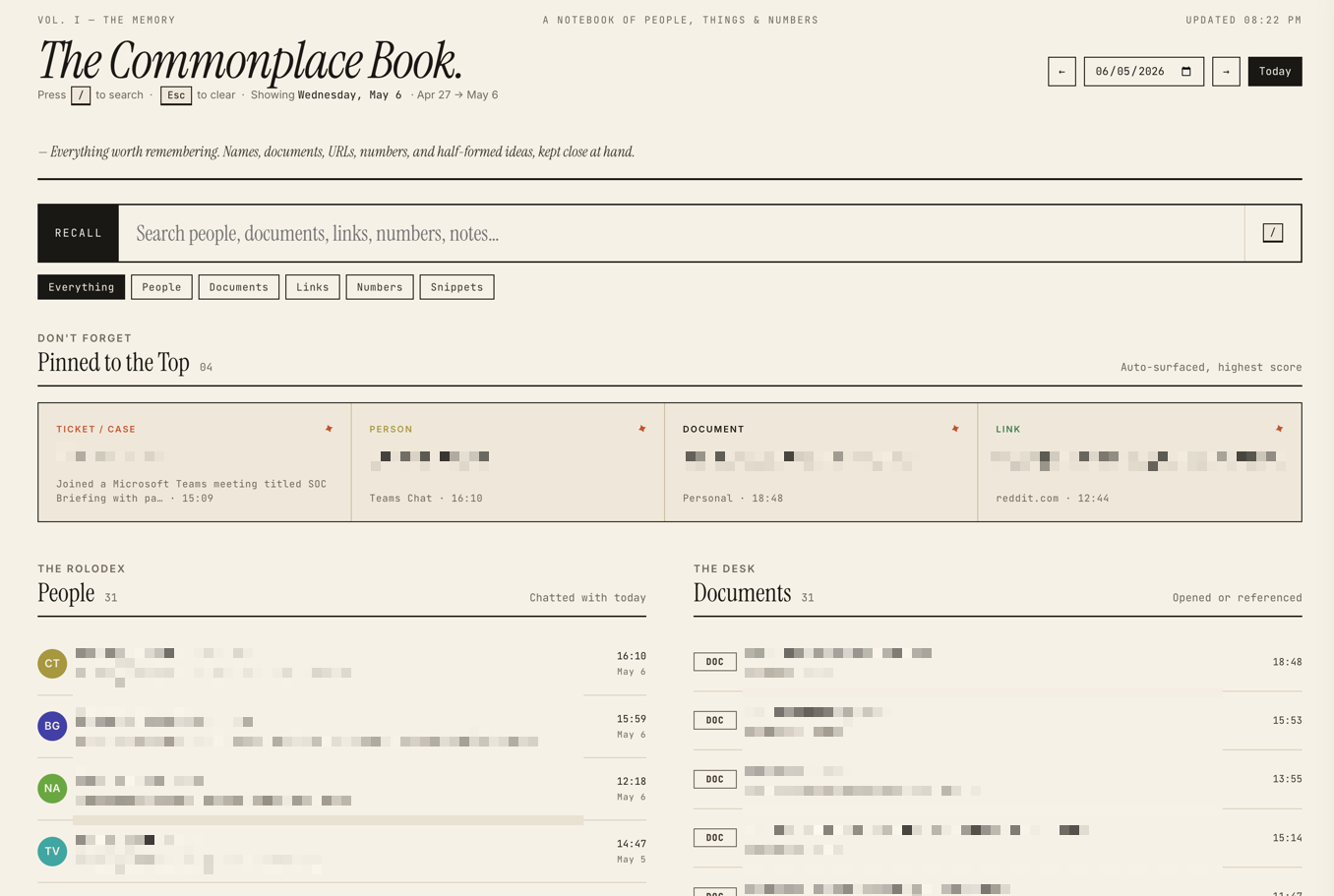
Commonplace Book — your daily memory: people, documents, links, tickets, snippets — searchable, with a click-to-zoom panel for each person.
Requirements
- macOS (the capture daemon uses AppleScript and
screencapture) - Python 3.10+
- Ollama running locally with a model pulled (default:
qwen3:8b)
Install
git clone https://github.com/bharatrameshwar/commonplace.git
cd commonplace

# Create venv and install
python3 -m venv .venv
.venv/bin/pip install -e .

# Configure
cp config.example.yaml config.yaml
$EDITOR config.yaml   # set user_profile.name, role, self_aliases

# Pull the AI model (or edit config.yaml to use a different one)
ollama pull qwen3:8b

# Install launchd agents (capture, dashboard, classifier, cleanup)
./scripts/install.sh

# Open the dashboard
open http://127.0.0.1:8420
To stop everything:
./scripts/install.sh --uninstall
Configuration
config.yaml is read at startup. The most important section is user_profile:
user_profile:
  name: "Jane Doe"
  self_aliases:
    - "jane doe"
    - "doe, jane"
  role: "Software engineer"
  organization: "Acme Corp"     # optional, used in classifier prompt
  person_stopwords:             # words that look like names but aren't
    - "Acme"
    - "Project Phoenix"
Filling these in keeps:
- Your own name out of the people-detector and the daily commonplace book.
- AI classifications grounded in your actual role.
- Internal product/project names from being mistaken for people.
AI (Ollama)
Commonplace runs all AI locally through Ollama. Nothing is sent to any external API — your activity stays on your machine.
The default model is qwen3:8b — a balanced choice that fits comfortably on a 16GB Mac and handles classification, memory extraction, and weekly per-person summaries well. Pull it once with ollama pull qwen3:8b.
Configure under ai: in config.yaml:
ai:
  ollama_url: "http://localhost:11434"
  model: "qwen3:8b"
Or override per-process with environment variables — OLLAMA_URL, OLLAMA_MODEL.
Where AI is used
- Classifier (
local_classifier.py, runs every 5 min) — categorises each span into Development / Meetings / Communication / etc., and writes a one-line description. - Memory enrichment (same daemon, second pass) — extracts tickets, people, documents, links, snippets from each classified span; this populates the Commonplace Book.
- Weekly per-person summaries (
tracker/people_summary.py, nightly viacleanup.py) — for each person you interacted with in the last 7 days, generates 2-3 sentences summarising what you discussed. - Daily digest (dashboard
/api/digest) — a 3-5 sentence narrative summary of your day on demand.
The capture daemon, dashboard rendering, search, and people-extraction don't use AI — they're plain Python and SQL.
Trying other models
Anything Ollama can serve will work — adjust model: in config.yaml and pull it. Some that have been tested:
| Model | Size | Notes |
|---|---|---|
qwen3:8b |
~5GB | Default. Good balance of quality and speed. |
qwen3:4b |
~3GB | Faster on smaller machines; classifications are slightly noisier. |
Larger models (14B+) work but are usually slower than the value warrants for this kind of structured-output task. Models without strong instruction-following or JSON-mode support tend to produce malformed outputs that get silently discarded.
If Ollama isn't running
The classifier daemon logs Ollama not running or model not available. Skipping. and tries again next interval — capture continues unaffected. Classified categories and memory items just won't appear until Ollama comes back up.
What runs where
| Component | Path | Purpose |
|---|---|---|
| Capture daemon | daemon.py |
Polls active app every 5s; takes screenshots every 30s |
| Classifier | local_classifier.py |
Runs every 5 minutes; categorises spans + extracts memory items via Ollama |
| Dashboard | dashboard.py |
Flask server on 127.0.0.1:8420 |
| Cleanup | cleanup.py |
Daily at 3am; prunes old screenshots/observations; refreshes per-person weekly summaries |
| MCP server | mcp_server.py |
Tools for Claude/Claude Code to search your activity |
Data lives in ~/.local/share/commonplace/.
Pages
/— today's dashboard (timeline, hourly bars, focus score)/reports— weekly trends and category comparison/search— the Commonplace Book: today's people, documents, links, tickets, snippets — searchable, with a click-to-zoom panel for each person showing their weekly summary
MCP server
Add to your Claude Desktop or Claude Code config:
{
  "mcpServers": {
    "commonplace": {
      "command": "/path/to/commonplace/.venv/bin/python",
      "args": ["/path/to/commonplace/mcp_server.py"]
    }
  }
}
Then ask Claude things like "what was I working on yesterday afternoon?" or "summarise my last week of meetings with Lochner."
Architecture notes
SQLite for storage (FTS5 for search). Plain Flask for the dashboard. PyYAML for config. No JS framework — the templates are server-rendered HTML with vanilla JS sprinkles.
Capture is macOS-specific. A port to Windows or Linux would need to swap three concrete layers:
- Active window + browser URL — currently AppleScript via
osascript, called fromdaemon.pyandtracker/browser.py. Replace with the OS-native equivalent (Win32GetForegroundWindow+ UIA on Windows; X11/Wayland tooling on Linux). - Screenshots — currently
screencaptureshelled out fromtracker/screenshot.py. Replace withmss,PIL.ImageGrab, or platform APIs. - Scheduling — currently
launchdplists inscripts/launchd/. Replace with Task Scheduler, systemd user units, or cron.
Everything else (the SQLite schema, dashboard, classifier, MCP server, people extraction, config loader) is platform-agnostic Python and ports cleanly.
Contributing
PR-only workflow. Main is locked. See CONTRIBUTING.md.
License
MIT — see LICENSE.