
ConnectX








A cross-platform Minecraft P2P online multi-player library in C#, developed using high-performance sockets for excellent forwarding performance, with P2P powered by the Zerotier SDK.
Proudly powered by another of our open-source projects: Hive.Framework
Architecture
Status
| Function | Status |
|---|---|
Server: Log Room Ops Info to local DB |
:white_check_mark: |
Server: Client/Room management |
:white_check_mark: |
Server: Relay Server management |
:white_check_mark: |
Relay: Relay Server impl based on Hive |
:white_check_mark: |
Relay: Ultra low latency relay impl |
:white_check_mark: |
Client: ZT based P2P connection |
:white_check_mark: |
Client: ZT based Relay connection |
:white_check_mark: |
Client: ConnectX based Relay connection |
:white_check_mark: |
| Dual Stack Socket Support | :white_check_mark: |
Quick Start!
We are using the MSDI(Microsoft.Extensions.DependencyInjection) as our DI container. The best practice is to use .NET Generic Host for you program.
First, add the following method for the Server Config. ConnectXServerIp will be the Backend address for the ConnectX.Server.
private static IClientSettingProvider GetConnectXSettings()
{
    var serverIp = IPAddress.None;

    try
    {
        var ips = Dns.GetHostAddresses(ConnectXServerIp);
        var ipv4Addresses = ips
            .Where(ip => ip.AddressFamily == AddressFamily.InterNetwork)
            .Where(ip => !ip.IsLocalIpAddress())
            .ToArray();

        if (ipv4Addresses.Length > 0)
            serverIp = ipv4Addresses[0];
    }
    catch (Exception ex)
    {
        Log.Logger.Error(ex, "Failed to resolve ConnectX server IP.");
    }

    return new DefaultClientSettingProvider
    {
        ServerAddress = serverIp,
        ServerPort = ConnectXServerPort,
        JoinP2PNetwork = true
    };
}
Then, just add one more line to complete the setup!
private static void ConfigureServices(IServiceCollection services)
{
    // ...
+   services.UseConnectX(GetConnectXSettings);
    // ...
}
How to use?
Inject IServerLinkHolder and Client into the VM where you want to manage the room instances.
Connect to the server
await _serverLinkHolder.ConnectAsync(CancellationToken.None);
Perform room actions
[!IMPORTANT]
Please make sure that before you perform any room operations, you need to make sure you already connected to the ConnectX server!await TaskHelper.WaitUntilAsync(() => _serverLinkHolder is { IsConnected: true, IsSignedIn: true });
var message = new CreateGroup
{
    UserId = _serverLinkHolder.UserId,
    RoomName = createRoomRecord.RoomName,
    RoomDescription = createRoomRecord.RoomDescription,
    RoomPassword = createRoomRecord.RoomPassword,
    IsPrivate = createRoomRecord.IsPrivateRoom,
    MaxUserCount = 3
};

var (groupInfo, status, err) = await _multiPlayerClient.CreateGroupAsync(message, CancellationToken.None);

if (groupInfo == null || status != GroupCreationStatus.Succeeded || !string.IsNullOrEmpty(err))
{
    // Error process
    return;
}

_multiPlayerClient.OnGroupStateChanged += MultiPlayerClientOnGroupStateChanged;

// Other actions
License
MIT. This means that you can modify or use our code for any purpose, however, copyright notice and permission notice shall be included in all copies or substantial portions of your software.
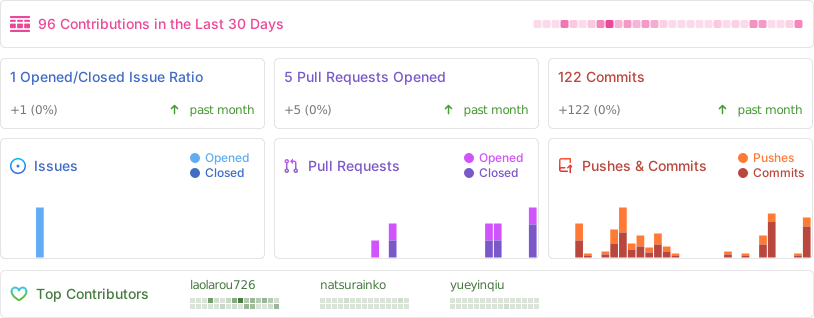
Stats
Disclaimer
ConnectX is not affiliated with Mojang or any part of its software.
License Notice
This project, ConnectX, is licensed under the MIT License.
ConnectX uses ZeroTier, which is licensed under the Apache License 2.0 as of 2025-01-01, following its license change from BSL 1.1. You can find more about ZeroTier's licensing at https://github.com/zerotier/ZeroTierOne.
Hall of Shame
Here, we'll list all programs using our code without obeying the MIT License.