
cutelog – GUI for logging

This is a graphical log viewer for Python's logging module. It can be targeted with a SocketHandler with no additional setup (see Usage).
It can also be used from other languages or logging libraries with little effort (see the Wiki). For example, a Go library gocutelog shows how to enable regular Go logging libraries to connect to cutelog.
Features
- Allows any number of simultaneous connections
- Customizable look of log levels and columns, with presets for each
- Filtering based on level and namespace, as well as filtering by searching
- Search through all records or only through filtered ones
- Display extra fields under the message with Extra mode
- View exception tracebacks or messages in a separate window
- Dark theme (with its own set of colors for levels)
- Pop tabs out of the window, merge records of multiple tabs into one
- Save/load records to/from a file in JSON format
Screenshots
| Light theme | Dark theme |
|---|---|
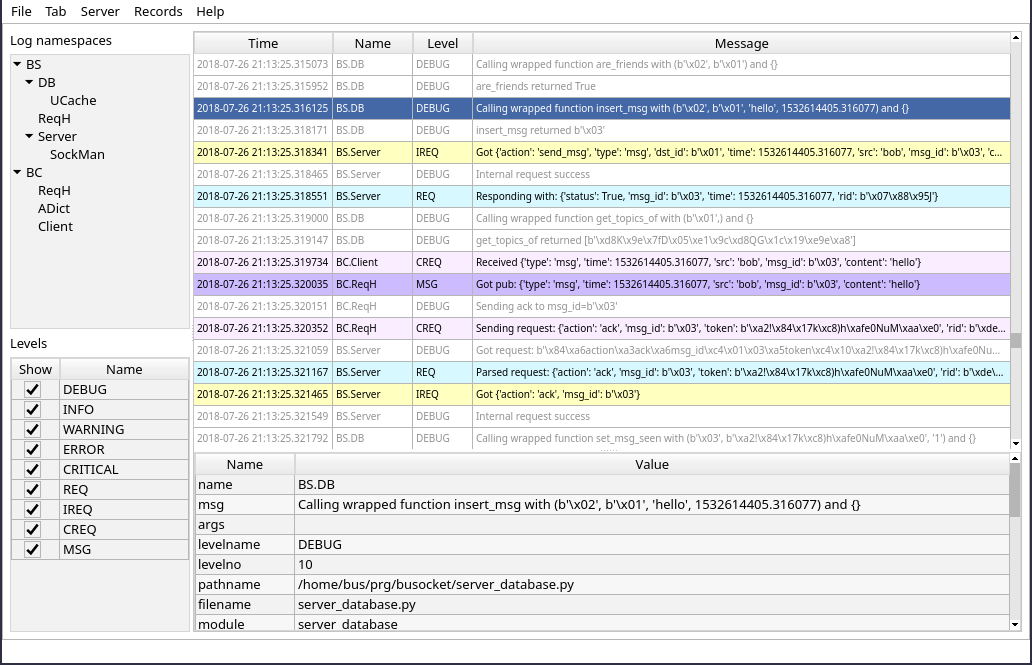 |
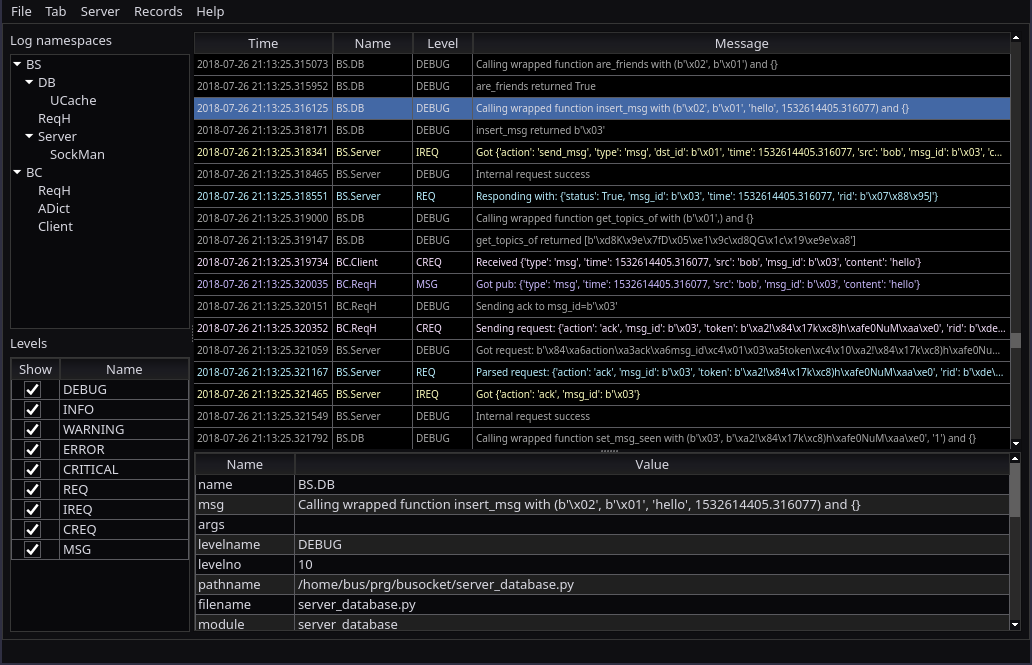 |
Installation
If you're using Linux, install PyQt5 (or PySide2) from your package manager before installing cutelog (package name is probably python3-pyqt5 or python-pyqt5). Or just run pip install pyqt5 to install it from pip, which is sub-optimal.
$ pip install cutelog
Or install the latest development version from the source (requires PyQt5 to build resources):
$ pip install git+https://github.com/busimus/cutelog.git
Requirements
- Python 3.5 (or newer)
- PyQt5 (preferably 5.6 or newer) or PySide2
- QtPy
Usage
- Start
cutelog - Put the following into your code:
import logging
from logging.handlers import SocketHandler

log = logging.getLogger('Root logger')
log.setLevel(1)  # to send all records to cutelog
socket_handler = SocketHandler('127.0.0.1', 19996)  # default listening address
log.addHandler(socket_handler)
log.info('Hello world!')
Afterwards it's recommended to designate different loggers for different parts of your program with log_2 = log.getChild("Child logger").
This will create "log namespaces" which allow you to filter out messages from various subsystems of your program.
Attributions
Free software used:
- Qt via either:
- PyQt5 - GPLv3 License, Copyright (c) 2019 Riverbank Computing Limited [email protected]
- PySide2 - LGPLv3 License, Copyright (C) 2015 The Qt Company Ltd (http://www.qt.io/licensing/)
- QtPy - MIT License, Copyright (c) 2011- QtPy contributors and others
- jsonstream - MIT License, Copyright (c) 2020 Dunes
- ion-icons - MIT License, Copyright (c) 2015-present Ionic (http://ionic.io/)
And thanks to logview by Vinay Sajip for UI inspiration.
Copyright and license
This program is released under the MIT License (see LICENSE file).
Copyright © 2023 bus and contributors.