
Data Pipelines with Airflow
Contents
- Prerequisites
- Data Source
- Starting Airflow
- Project Instruction
- Airflow S3 Connection to MinIO
- Running Tests
- References
Data Source
Starting Airflow
Before we run Airflow, let's create these folders below first. Please note that if you're using Windows, you can skip this step.
mkdir -p mnt/dags mnt/logs mnt/plugins mnt/tests
On Linux, please make sure to configure the Airflow user for the Docker compose:
echo -e "AIRFLOW_UID=$(id -u)" > .env
With LocalExecutor
docker compose build
docker compose up
With CeleryExecutor
docker compose -f docker-compose-celery.yml build
docker compose -f docker-compose-celery.yml up
With SequentialExecutor (NOT recommended for production use)
docker compose -f docker-compose-sequential.yml build
docker compose -f docker-compose-sequential.yml up
To clean up the project, press Ctrl+C then run:
docker compose down
Airflow Connection to MinIO
Since MinIO offers S3 compatible object storage, we can set the connection type to "Amazon Web Services". However, we'll need to set an extra option, so that Airflow connects to MinIO instead of S3.
- Connection Name:
minioor any name you like - Connection Type: Amazon Web Services
- AWS Access Key ID:
<replace_here_with_your_minio_access_key> - AWS Secret Access Key:
<replace_here_with_your_minio_secret_key> - Extra: a JSON object with the following properties:
{
  "host": "http://minio:9000"
}
See the example below:
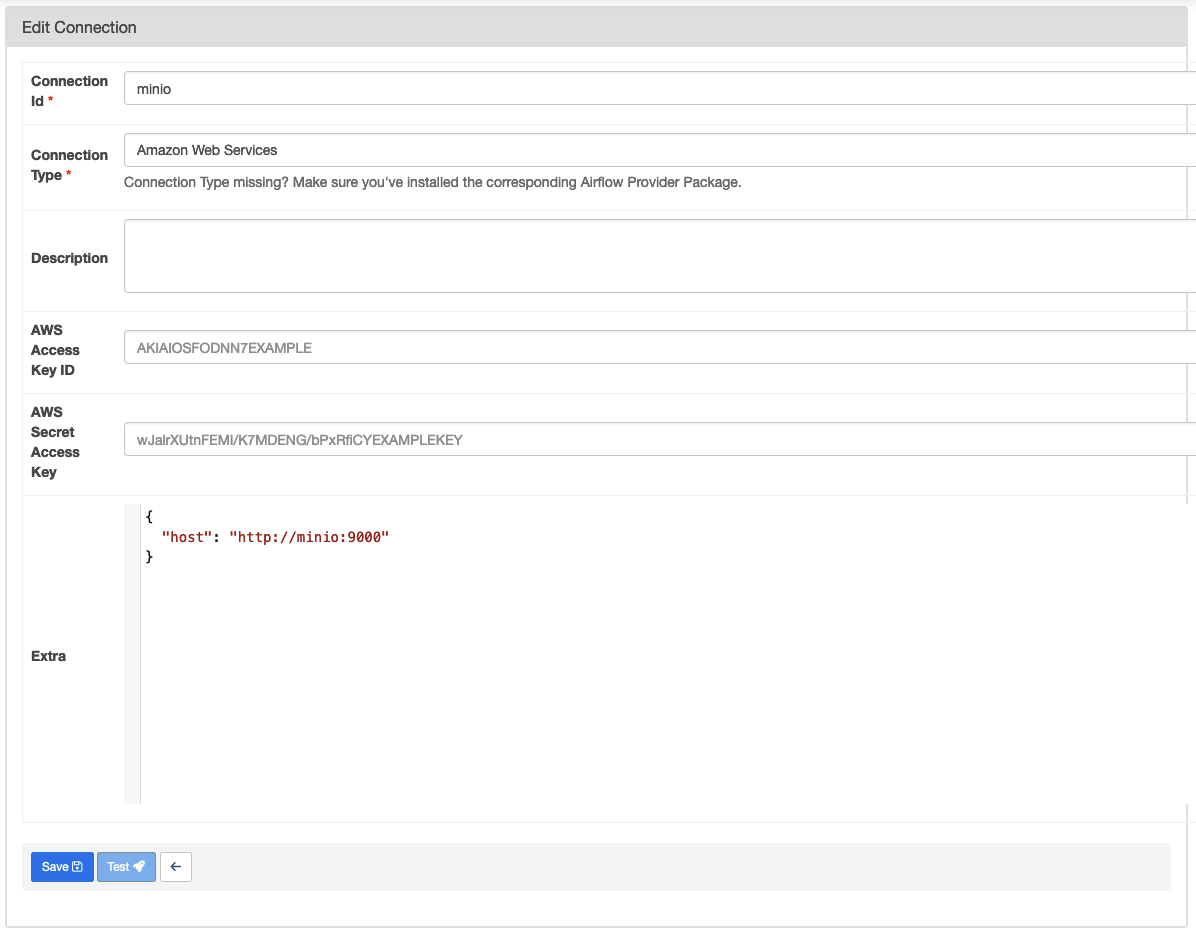
Note: If you were using AWS S3 already, you don't need to specify the host in the extra.
Running Tests
First we need to install pytest:
pip install pytest
Run tests:
export PYTHONPATH=/opt/airflow/plugins
pytest