
dayGLANCE
Your day, at a glance. A privacy-first day planner with visual time-blocking, deep integrations, and zero lock-in. Use it free at dayglance.app or self-host it on your own server. Your data stays on your device, and nothing is ever sent to a server unless you choose to sync it yourself.
Part of the GLANCE family: focused, standalone apps connected through a shared intent protocol. See also dayGLANCE (today), lastGLANCE (recent upkeep), and lifeGLANCE (your whole timeline).



Live App · Documentation · Releases
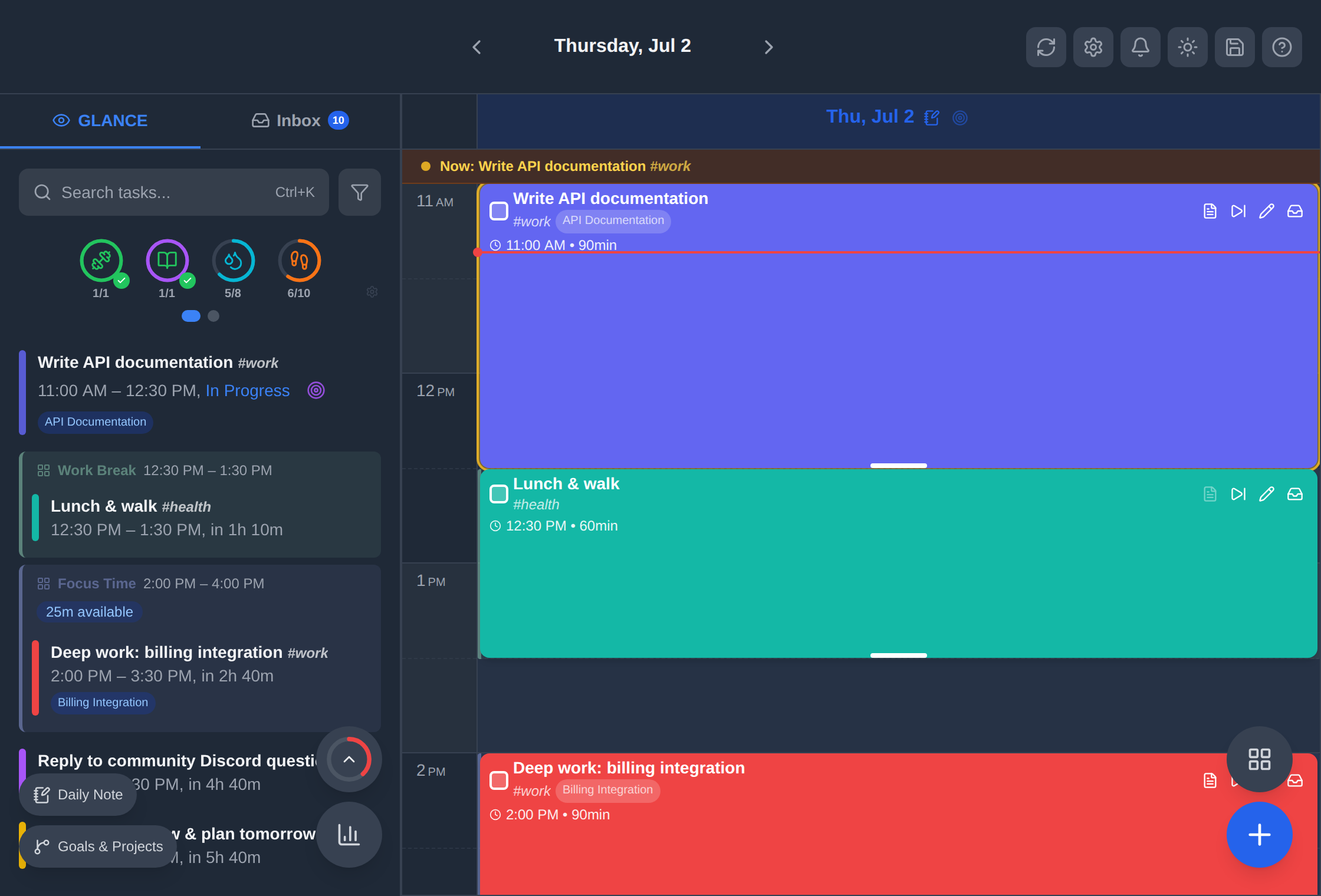
https://github.com/user-attachments/assets/198d77d0-fc60-42b9-a3d4-a160915c197b
Why dayGLANCE?
Most day planners make you choose: polished but cloud-dependent, or self-hosted but clunky. dayGLANCE doesn't ask you to compromise.
- No account required. Open dayglance.app and start planning, and your data lives in your browser.
- Self-host in one command. Drop a
docker-compose.yml, rundocker compose up -d, and you own everything. - Sync your way. Bring your own Nextcloud, WebDAV server, or Obsidian vault. No proprietary cloud required.
- Add what you need. Optional add-ons (AI, health data, Stream Deck, TRMNL display) stay off by default. You opt in.
Quick Start
Try it now
Go to dayglance.app, with no sign-up, no install.
Self-host with Docker
services:
  dayglance:
    image: ghcr.io/krelltunez/dayglance:latest
    container_name: dayglance
    restart: unless-stopped
    ports:
      - "6767:80"
docker compose up -d
Available at http://localhost:6767. For HTTPS with Caddy:
dayglance.yourdomain.com {
    reverse_proxy localhost:6767
}
Build from Source
git clone https://github.com/krelltunez/dayglance.git
cd dayglance
npm install
npm run dev
Open http://localhost:5173. For production: npm run build.
→ See the full deployment guide for reverse proxy setup and update instructions.
Android App
A native Android app is available on Google Play and as a direct APK download. The Android app distributed through the Google Play Store is a commercial binary that support continued development.
Get it on Obtainium →
Just point Obtainium to krelltunez/dayGLANCE!
The Android app ships the full web app in a WebView with native enhancements that aren't possible in a browser:
| Feature | Details |
|---|---|
| 🏠 Home screen widget | Live view of your current time block and upcoming tasks |
| 📅 Android Calendar | Read-only access to your device calendar; events appear on the timeline |
| ❤️ Health Connect | Pull step counts and activity data from Google Health Connect |
| 🔗 Obsidian deep links | Tap [[wikilinks]] to open notes directly in the Obsidian Android app |
| 🔔 Background notifications | Task and event reminders fire reliably even when the app is closed |
| ⏱️ Immersive Focus Mode | Full-screen timer with automatic Do Not Disturb and portrait lock |
| 🎨 Theme-aware status bar | Status bar icons match the app's light/dark theme |
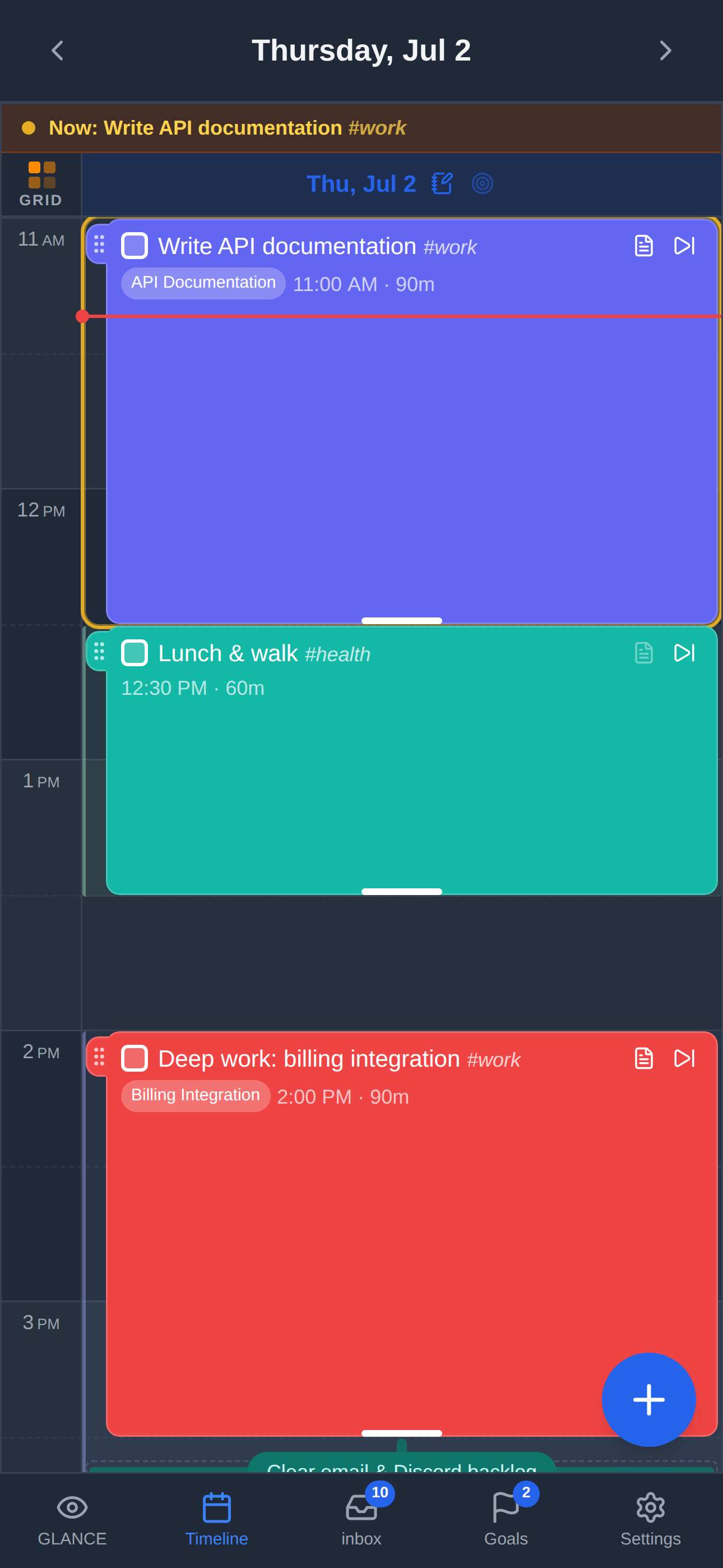
| Home Screen Widget | App Timeline |
|---|---|
 |
 |
Core Features
The Glance Panel
The heart of dayGLANCE. A real-time snapshot of your day without scrolling through a calendar: color-coded tasks, a live "now" marker showing remaining free time, overdue items, and your daily routines.
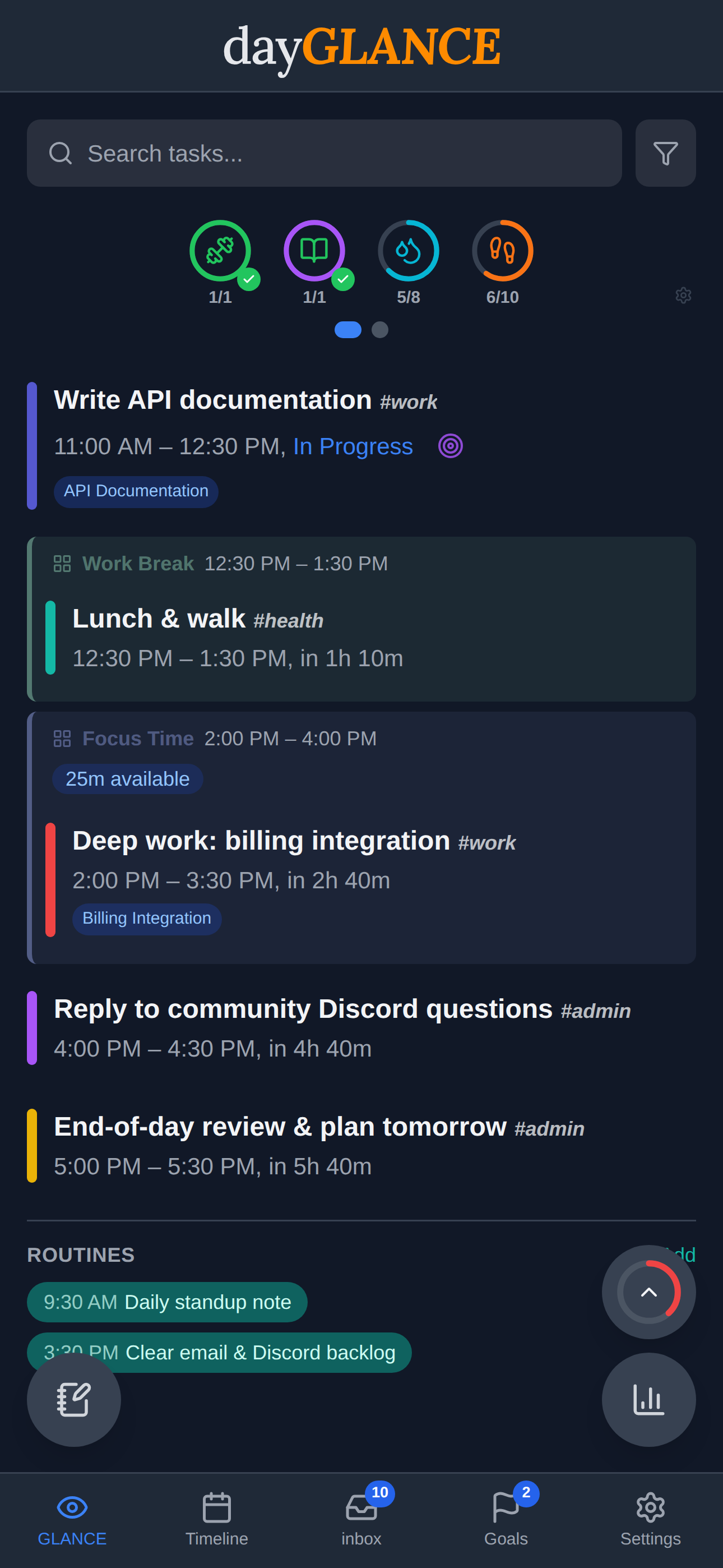
GLANCEahead
When your day is winding down (either once today's agenda is clear or after 7pm), the Glance panel shifts its focus to tomorrow. GLANCEahead shows the day label, first start time, task and event counts, any deadlines (highlighted in orange), and total committed hours. If tomorrow is empty, it says so. Available across all layouts: mobile, tablet, and desktop.
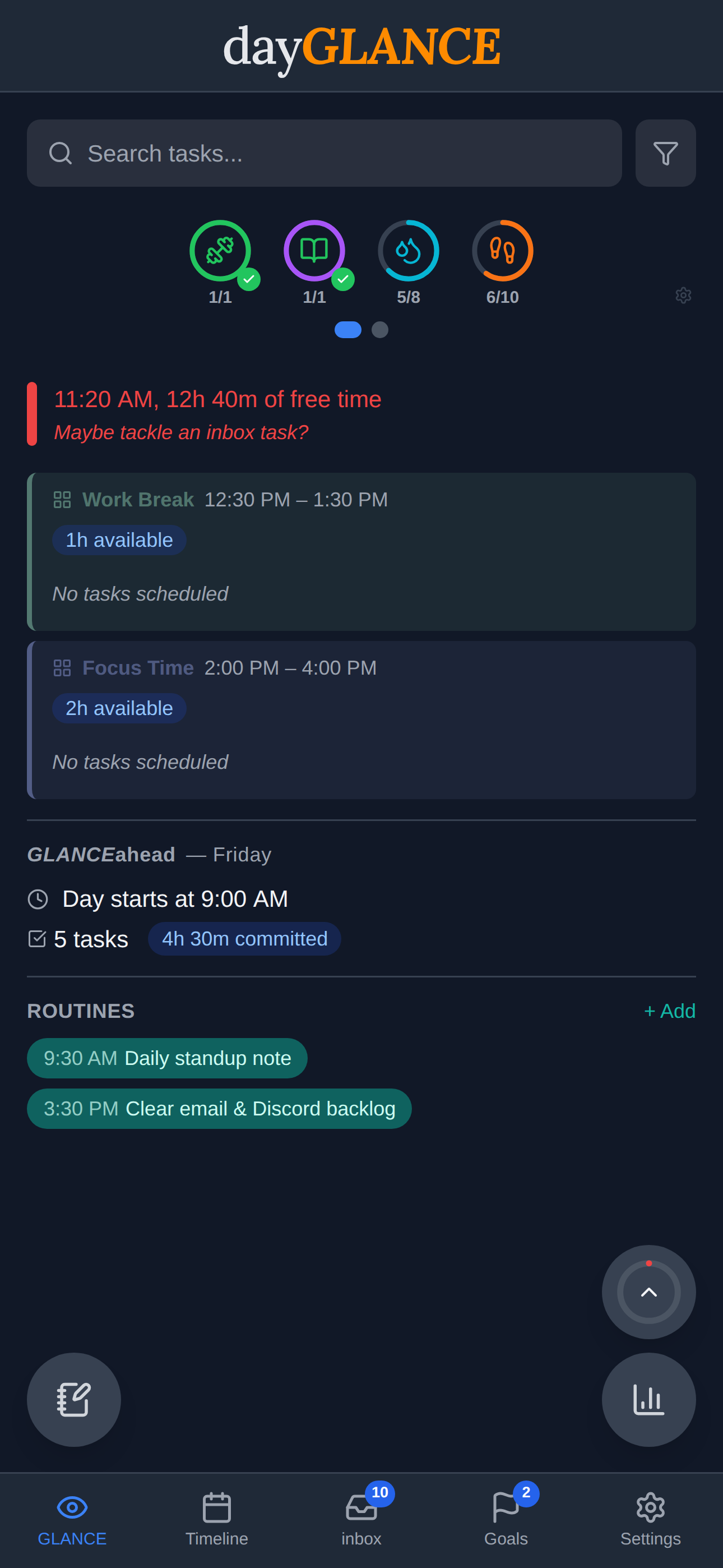
Visual Time-Blocking
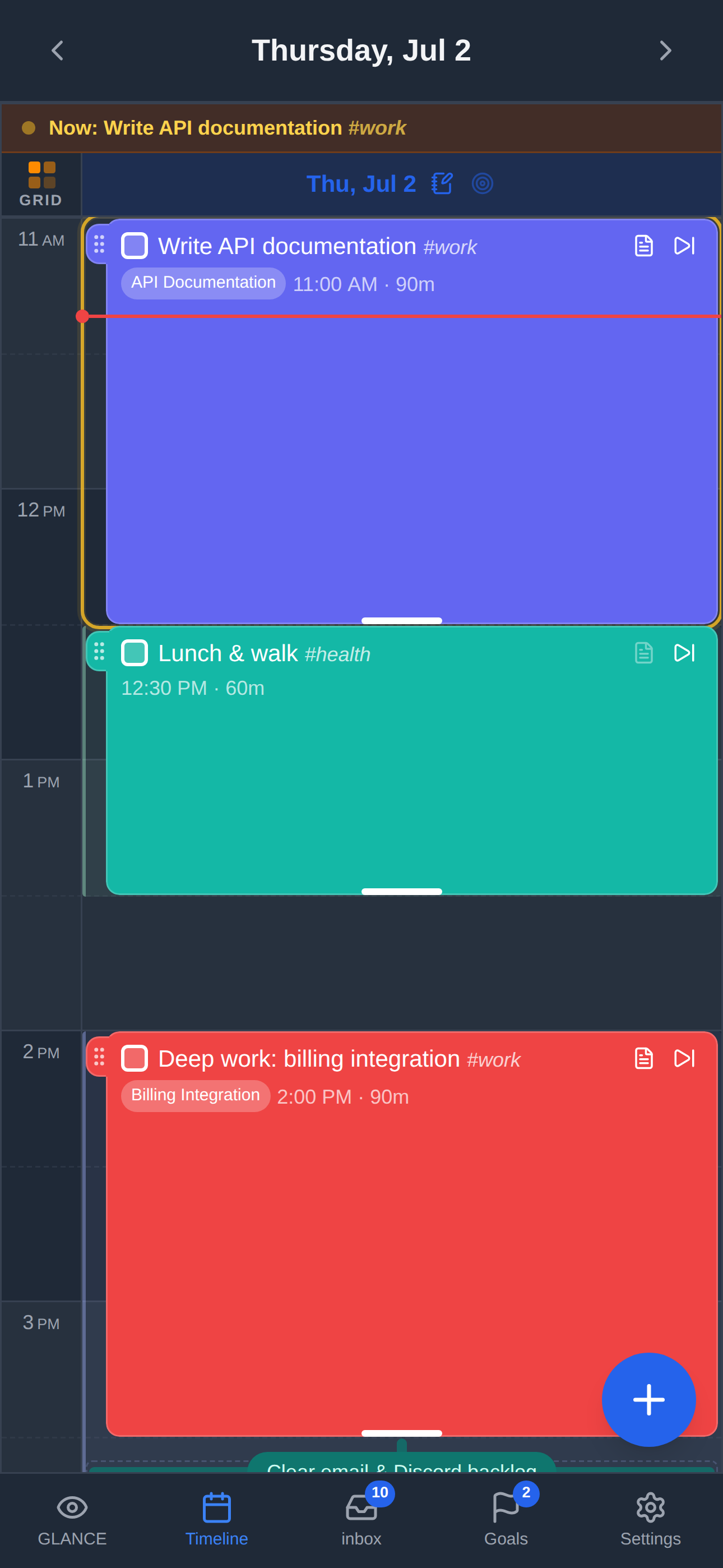
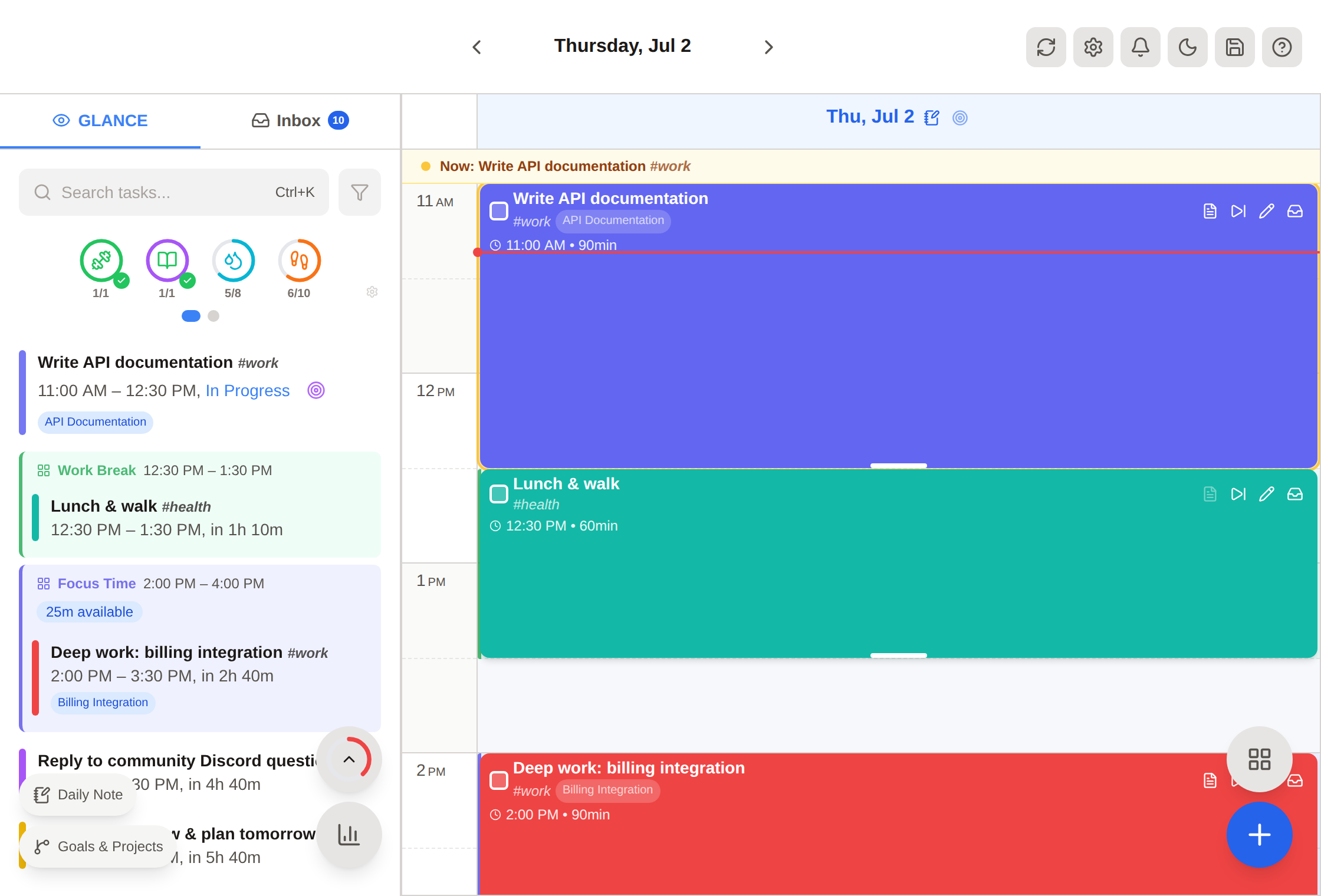
Drag tasks onto a 24-hour timeline, resize by dragging edges, and filter by #tags. Supports 1, 2, or 3-day views depending on screen size.
Smart Inbox
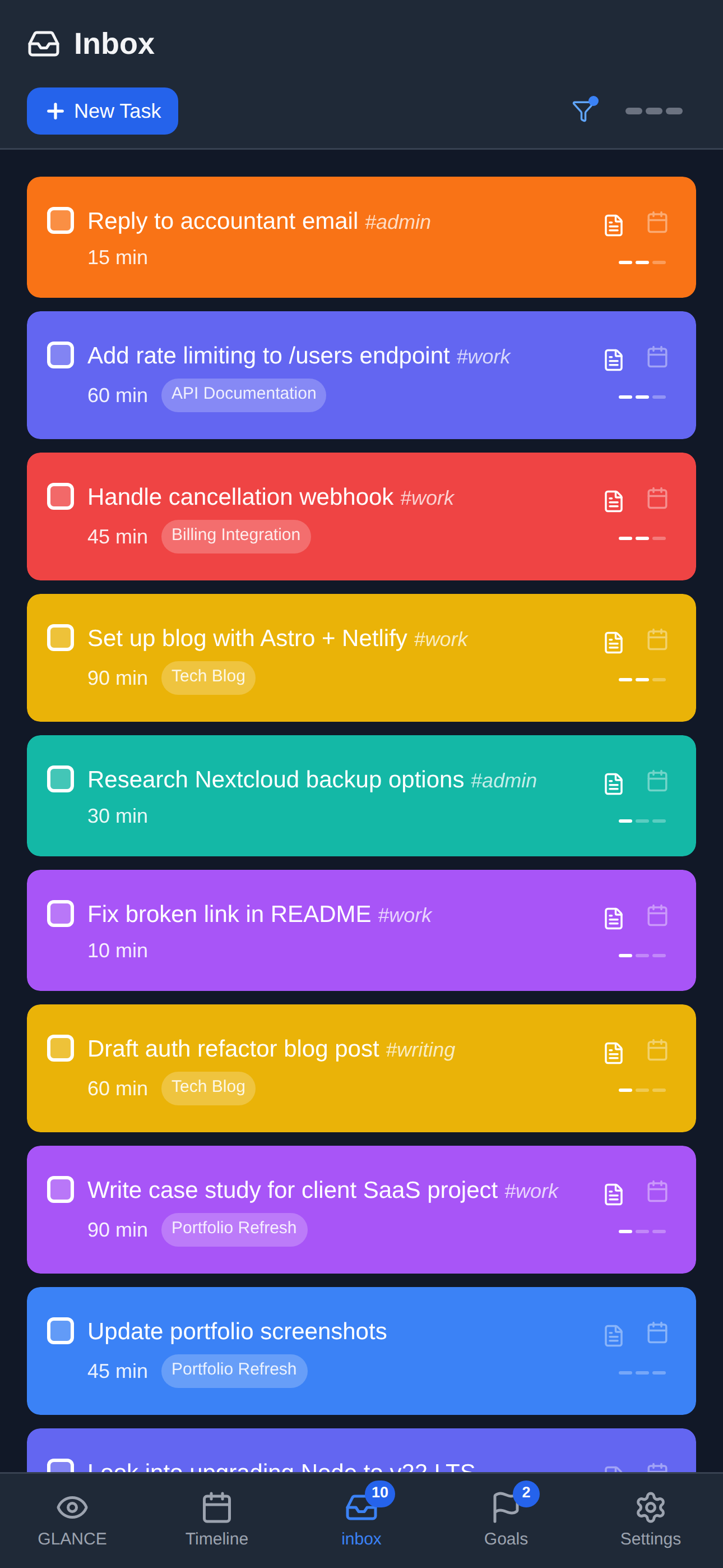
Capture tasks without scheduling them. Three priority levels, tag filtering, and drag-to-timeline when you're ready to commit.
Focus Mode
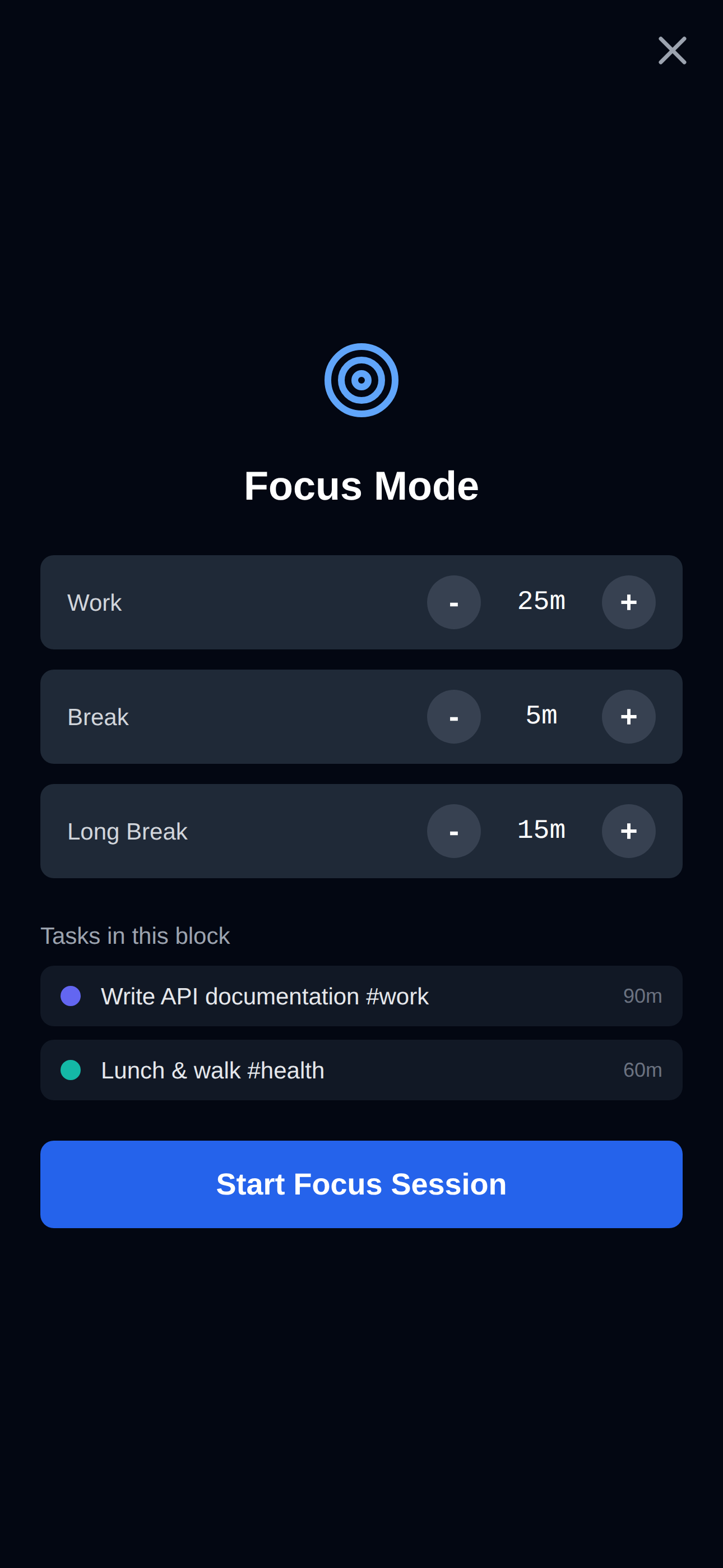
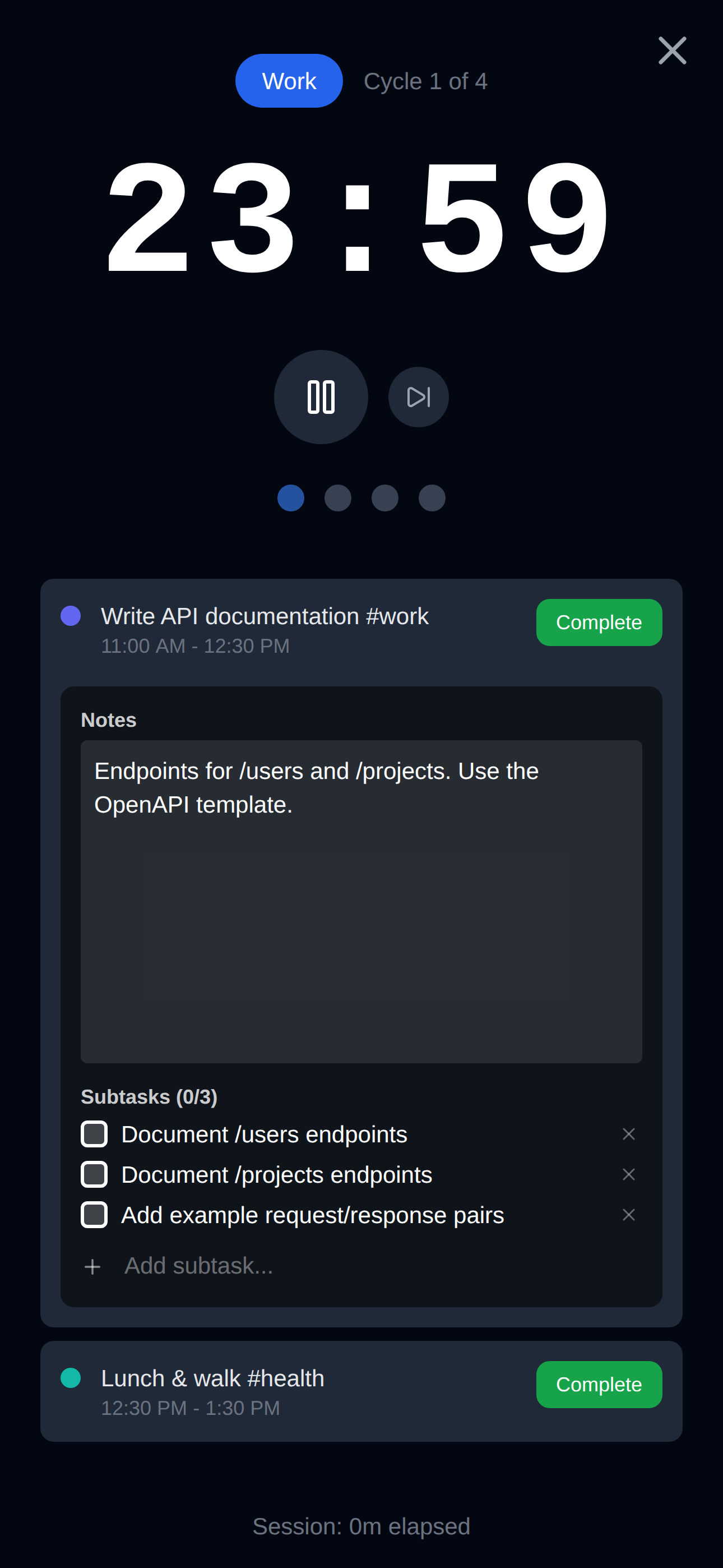
A Pomodoro-style timer with customizable work, short break, and long break durations. Attach a timer session to a specific task and mark it complete when done. On mobile, goes fully immersive with Do Not Disturb and portrait lock.
| Setup | Active Session |
|---|---|
 |
 |
Spotlight Search
Ctrl+K / Cmd+K searches across all tasks (scheduled, inbox, recurring, and deleted) with highlighted matches.
Notifications & Reminders
Configurable reminders for tasks and calendar events: 5, 10, or 15 minutes before, at start, or at end. In-app toasts and native browser (or Android background) notifications.
Tags & Filtering
Add #tags to any task. Filter the timeline and inbox by one or more tags, with autocomplete as you type.
Recycle Bin & Undo/Redo
Deleted tasks go to a recycle bin. Full undo/redo stack (Ctrl/Cmd+Z / Ctrl/Cmd+Shift+Z or Ctrl/Cmd+Y) for all actions.
Light & Dark Mode
Light and dark themes across every component, including custom scrollbars and mobile status bar.
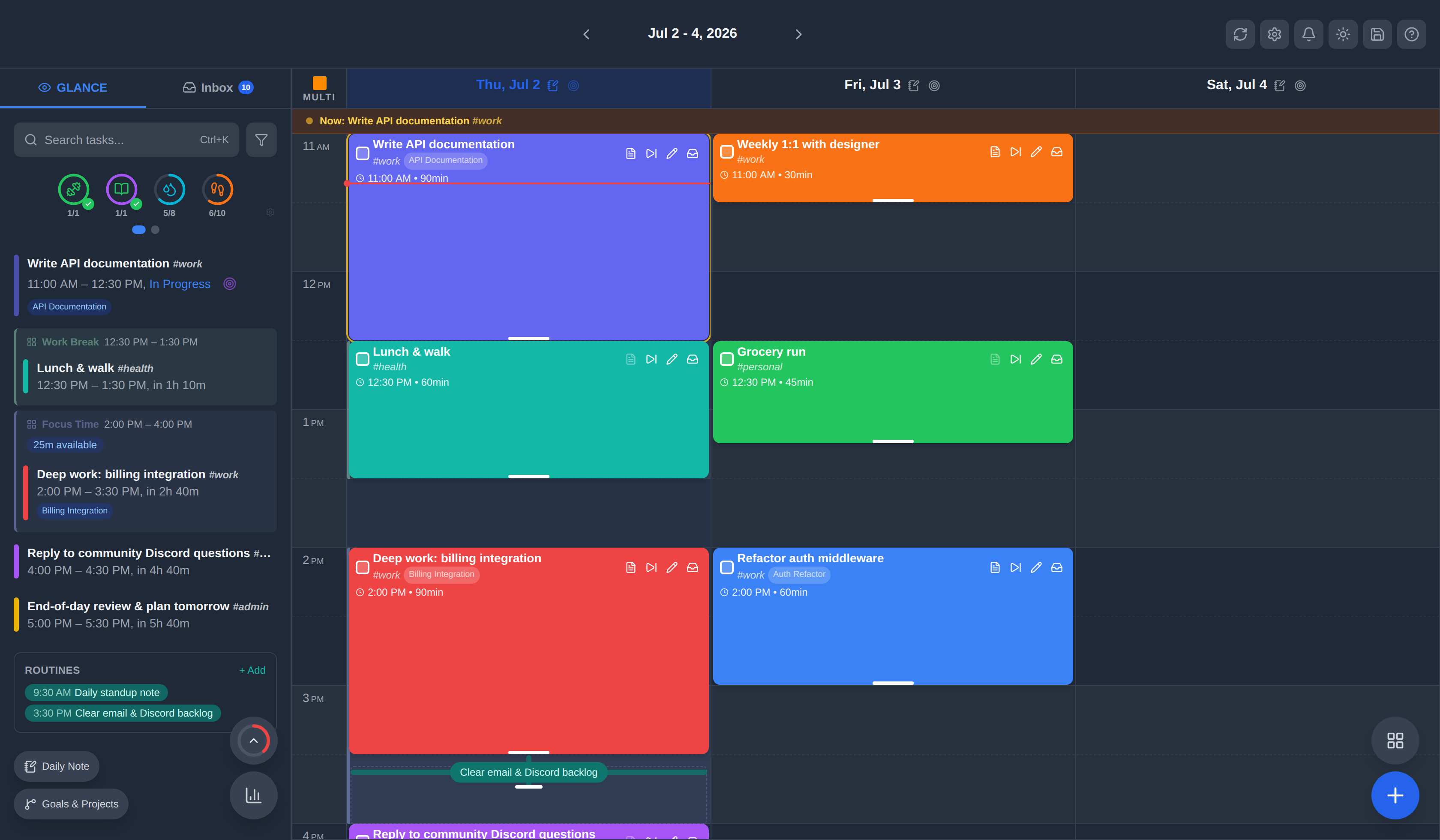
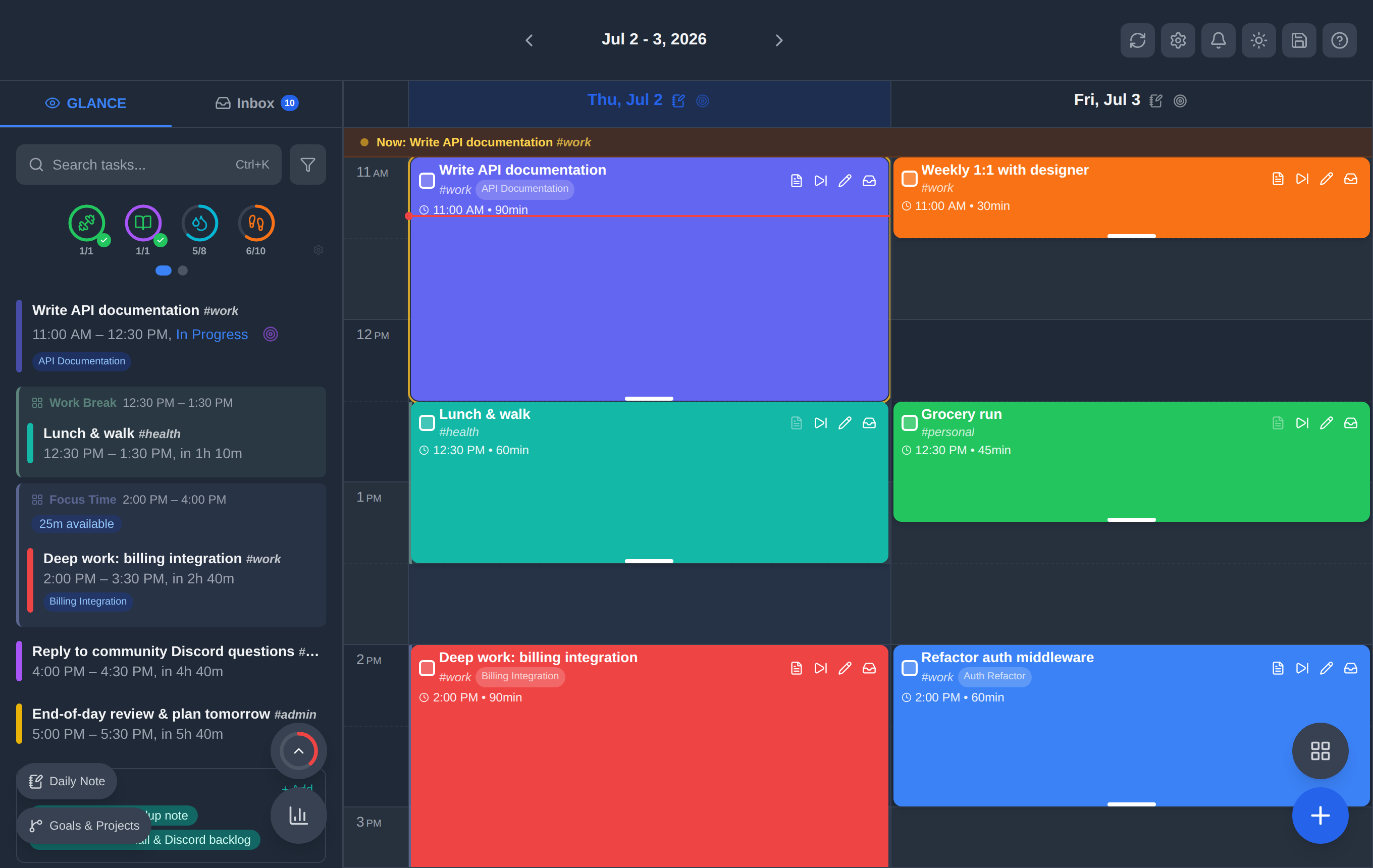
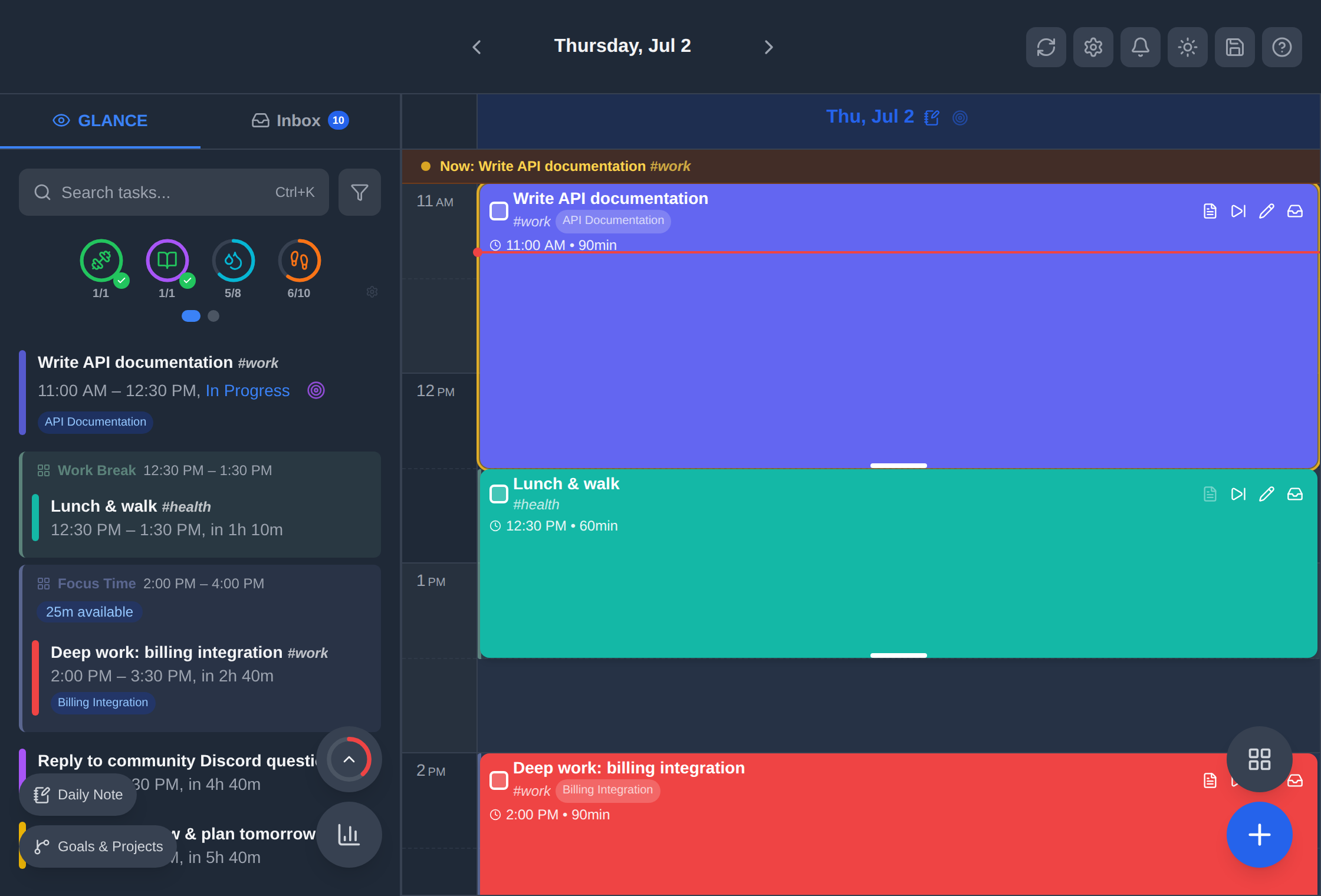
Responsive Layout
dayGLANCE adapts per device:
| 3-Column (Wide Desktop) | 2-Column (Medium) | 1-Column (Narrow) |
|---|---|---|
 |
 |
 |
- Desktop: Multi-day timeline, sidebar with inbox and stats, mouse drag-and-drop, task resizing
- Tablet: Tabbed side panel (Glance | Inbox), floating action buttons, touch-optimized spacing
- Phone: Tab-based navigation, swipe gestures to schedule tasks, long-press drag, bottom sheet modals
Progressive Web App
Install on any device for a native-like experience. Core planning features work fully offline after the first load; integrations (weather, calendar sync, cloud sync, AI) require an active connection. Auto-updates when a new version is deployed.
Weather & Daily Content
Current weather and a 5-day forecast in the header (by zip code). A rotating panel shows dad jokes, fun facts, quotes, and "this day in history."
Routines & Habits
Routines
Build reusable daily task templates for each day of the week. Drag a routine onto the timeline in one gesture to populate your day instantly, with no re-entering recurring tasks.

Recurring Tasks
Set tasks to repeat daily, weekly on specific days, monthly, or on custom intervals. Edit a single occurrence or the entire series.
Habit Tracking
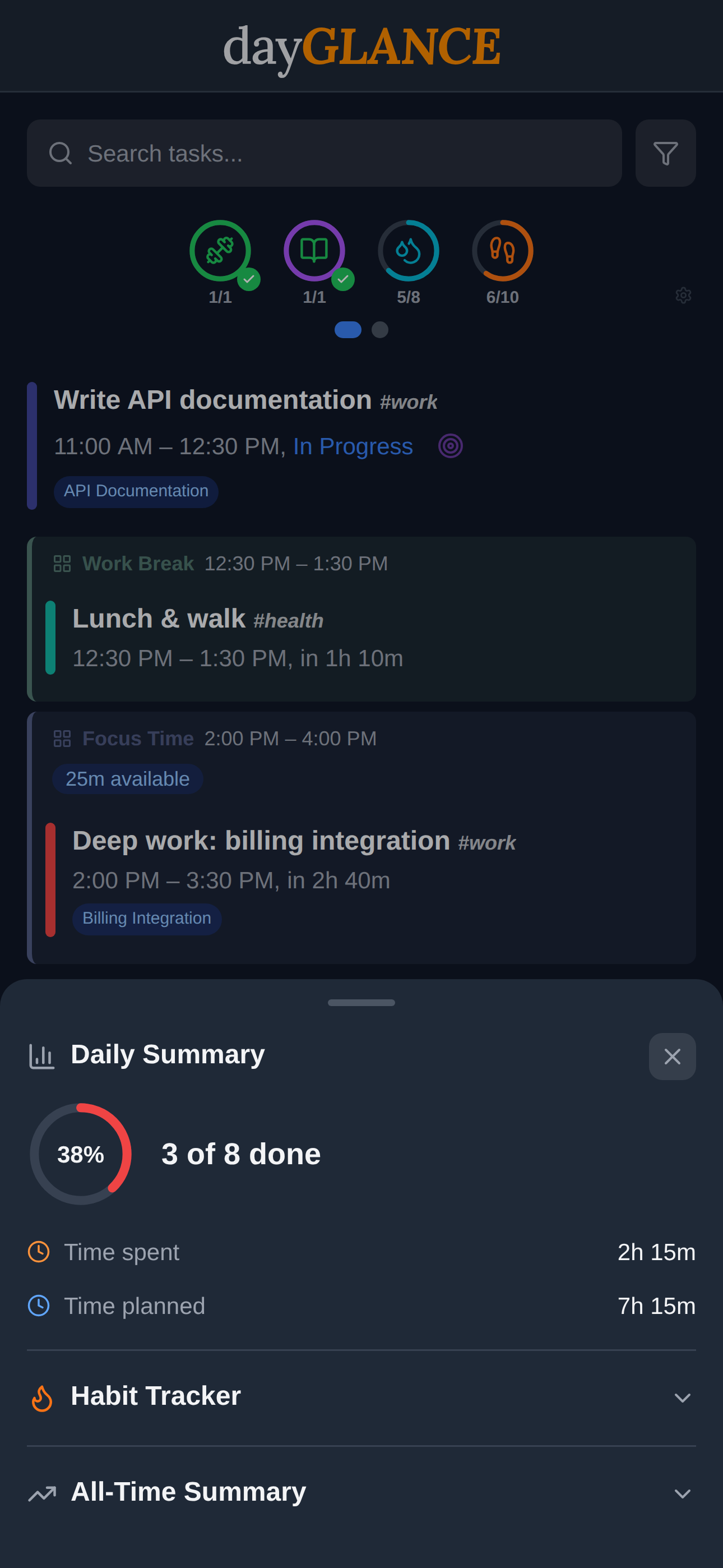
Track streaks and daily habit completion alongside your schedule. The agenda view shows habit rings for the current day, and tapping habit rings on past days gives you a popup breakdown of that day.
Weekly Review
A guided end-of-week flow: weekly stats, reflection prompts, and planning ahead. Set a configurable reminder so you never skip it.
Daily Summary & Statistics
Tasks completed, completion rate, time planned vs. spent, focus time logged, and lifetime trends with averages and streaks.
Goals & Projects
Organize long-horizon work into a three-tier hierarchy: Goals → Projects → Tasks.
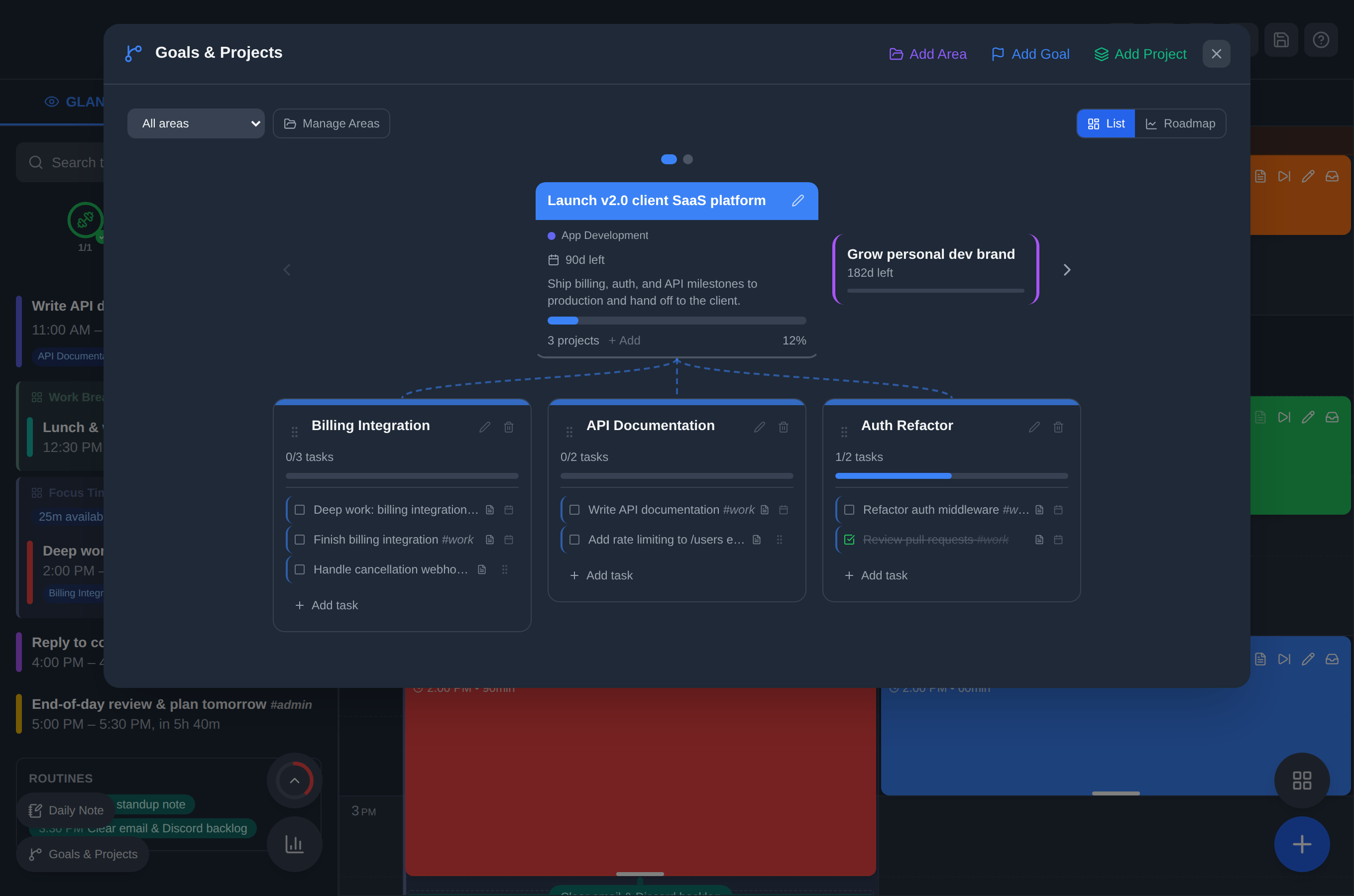
Goals are high-level objectives with an optional target date and color label. Each goal displays a progress bar and hosts a flowchart of its child projects, connected by visual lines. A one-click completion button appears once all child projects are done.
Projects sit beneath a goal (or standalone) and group related tasks. Each project card shows task count, a duration-weighted progress bar, and an inline quick-add form. Tasks can be checked off, reordered by drag, or promoted to the full task editor.
Standalone Projects are available for work that doesn't belong to a broader goal; they appear in a separate section below the goal carousel.
Project Focus: when a project has tasks scheduled for today, a Focus button appears on its card. Activating it filters the timeline down to just that project's tasks for a distraction-free work session.
Progress is duration-weighted: a 2-hour task moves the needle more than a 15-minute one. Goals without target dates never show as overdue; goals and projects past their target date surface an amber warning. Projects inactive for 7+ days with incomplete tasks are flagged as Stalled.
Archived goals and projects collapse into a disclosure section at the bottom and are excluded from all progress calculations.
Setup: Disabled by default; enable in Settings → Goals & Projects. Data syncs alongside tasks via WebDAV/Nextcloud.
Integrations
Nextcloud & WebDAV Sync
Sync your entire planner across devices via WebDAV. Compatible with Nextcloud, Hetzner Storage Box, Synology, Seafile, Radicale, and any generic WebDAV server.
The sync engine resolves conflicts at the task level using timestamps, not last-write-wins, so simultaneous edits from two devices merge cleanly.
Setup: Settings → Cloud Sync → choose Nextcloud or Generic WebDAV → enter URL and credentials. Syncs automatically every 15 minutes or on demand.
End-to-end encryption is available as an opt-in. When enabled, all sync data is encrypted with AES-256-GCM before leaving your device, and your passphrase never leaves your device and the server never sees plaintext. On Android, the derived key is stored in the hardware-backed Android Keystore. Enable in Settings → Cloud Sync → Enable end-to-end encryption.
CalDAV / iCal Calendar Import
Import events from any iCal-compatible source: Google Calendar, Nextcloud Calendar, Apple Calendar, Fastmail, Proton Calendar, etc. Events appear color-coded on your timeline and refresh every 15 minutes.
Setup: Settings → Calendar Sync → paste your calendar URL.
Stream Deck Plugin
The plugin extends dayGLANCE to your Stream Deck, connecting locally to the desktop app over WebSocket and staying in two-way sync, so anything you do on the Stream Deck reflects in the app and vice versa. Requires the desktop app to be installed on the same system as the Stream Deck software.
Setup: See Elgato Marketplace for more details.
TRMNL
Display your current time block and upcoming tasks on your TRMNL e-ink display. dayGLANCE provides a TRMNL-compatible plugin endpoint so your display always reflects what's next.
Setup: See the TRMNL integration guide in the documentation.
Obsidian
Sync tasks and daily notes directly with your Obsidian vault, with no plugin required. dayGLANCE reads and writes your vault's markdown files directly via the browser's File System Access API (desktop) or Android's native file bridge.
- Tasks with
[[wikilinks]]are recognized and displayed across all platforms - On desktop, tap the link icon to expand the linked note inline on the timeline
- On Android, tap the link icon to open the note directly in the Obsidian app
- Supports all Obsidian task formats, duration ranges (
HH:MM-HH:MM), moves, rescheduling, and title edits - Daily notes sync bidirectionally
Setup: Settings → Obsidian → select your vault folder. Available on desktop browsers (Chrome, Edge, Brave) and the Android app.

Optional Add-Ons
These features are off by default. Enable what you want; nothing runs in the background until you opt in.
AI Assistant (BYO API Key)
Bring your own OpenAI-compatible API key (OpenAI, Ollama, OpenRouter, etc.). No key is ever stored on our servers.
Once enabled in Settings → AI:
| Feature | What it does |
|---|---|
| 🎙️ Voice assistant | Create or edit tasks via natural language |
| 💡 Frame nudge | Suggests a specific task when a time block is active |
| ⏱️ Duration & tag estimates | Pre-fills likely duration and tags on task creation |
| ✅ Subtask generation | Generates a subtask list from any task's notes panel |
| 🔄 End-of-day rescheduling | Reviews incomplete tasks and suggests times to move them |
| 🌙 Evening reflection | Guided end-of-day prompt to capture wins and plan tomorrow |
Health Connect (Android)
Pull step counts and activity data from Google Health Connect into your daily summary. Visualize your movement alongside your schedule.
Setup: On first use, dayGLANCE will prompt you to grant Health Connect permissions via Android's standard permissions dialog. To manage or revoke permissions later, go to the Android Health Connect app → App permissions → dayGLANCE.
Auto-Backup
Automatic local and remote backups with configurable frequency (hourly, daily, weekly) and retention policies. Remote backups go to your WebDAV server and are encrypted if end-to-end encryption is enabled. Restore from any backup with one click.
Daily Notes
Attach freeform notes to any day for journaling, reflections, or quick references. Notes sync across devices via WebDAV alongside your tasks, and bidirectionally with Obsidian daily notes.
Keyboard Shortcuts
| Shortcut | Action |
|---|---|
Ctrl/Cmd + K |
Spotlight search |
N |
New scheduled task |
I |
New inbox task |
G |
Open Goals & Projects |
R |
Open routines dashboard |
F |
Focus mode |
T |
Jump to today |
M |
Toggle month view |
D |
Toggle dark mode |
/ |
Toggle tag filter |
Ctrl/Cmd + Z |
Undo |
Ctrl/Cmd + Shift + Z / Ctrl/Cmd + Y |
Redo |
Escape |
Close modal / dropdown |
? |
Show full shortcut list |
Tech Stack
| Layer | Technology |
|---|---|
| UI Framework | React 18 |
| Build Tool | Vite 5 |
| Styling | Tailwind CSS 3 |
| Icons | Lucide React |
| PWA | vite-plugin-pwa + Workbox |
| Testing | Vitest |
| Containerization | Docker + Nginx |
Roadmap
- Multiple calendar feeds: support for more than one iCal/CalDAV source simultaneously
- Server-side storage: optional self-hosted database backend (SQLite or Postgres)
- iOS app: native iOS wrapper with widget and Obsidian deep-link support
Have a feature request? Open an issue →
Contributing
dayGLANCE is MIT-licensed and actively maintained. Contributions are welcome, from bug fixes to new integrations.
See CONTRIBUTING.md for how to run the app locally, run tests, and submit a pull request. For a deeper understanding of how the codebase is structured, see ARCHITECTURE.md.
Please open an issue before starting large changes so we can discuss approach. For small fixes, PRs are welcome directly.
License
MIT: free to use, self-host, modify, and distribute.
Support
If dayGLANCE has been useful to you, consider supporting its development:

