
Home
Softono
deckerst/aves

deckerst/aves

Open source BSD-3-Clause Dart
4.8K
Stars
183
Forks
165
Issues
34
Watchers
6 days
Last Commit

About deckerst/aves

<div align="center"> <img src="https://raw.githubusercontent.com/deckerst/aves/develop/aves_logo.svg" alt='Aves logo' width="200" /> ## Aves ![Version badge][Version badge] ![Build badge][Build badge] Aves is a gallery and metadata explorer app. It is built for Android, with Flutter. [<img src="https://play.google.com/intl/en_us/badges/static/images/badges/en_badge_web_generic.png" alt='Get it on Google Play' height="80">](https://play.google.com/store/apps/details?id=deckers.thibault.aves&pcampaignid=pcampaignidMKT-Other-global-all-co-prtnr-py-PartBadge-Mar2515-1) [<img src="https://gitlab.com/IzzyOnDroid/repo/-/raw/master/assets/IzzyOnDroid.png" alt='Get it on IzzyOnDroid' height="80">](https://apt.izzysoft.de/fdroid/index/apk/deckers.thibault.aves) [<img src="https://raw.githubusercontent.com/deckerst/common/main/assets/obtainium-badge-english.png" alt='Get it on Obtainium' height="80">](https://apps.obtainium.imranr.dev/redirect.html?r=obtainium://add/https://githu ...

Platforms

Web Self-hosted iOS Android

Languages

Dart

Links

Aves logo

Aves

Version badge Build badge

Aves is a gallery and metadata explorer app. It is built for Android, with Flutter.

<img src="https://play.google.com/intl/en_us/badges/static/images/badges/en_badge_web_generic.png" alt='Get it on Google Play' height="80"> <img src="https://gitlab.com/IzzyOnDroid/repo/-/raw/master/assets/IzzyOnDroid.png" alt='Get it on IzzyOnDroid' height="80"> <img src="https://raw.githubusercontent.com/deckerst/common/main/assets/obtainium-badge-english.png" alt='Get it on Obtainium' height="80"> <img src="https://fdroid.gitlab.io/artwork/badge/get-it-on.png" alt='Get it on F-Droid' height="80"> <img src="https://raw.githubusercontent.com/deckerst/common/main/assets/get-it-on-github.png" alt='Get it on GitHub' height="80">

Compare versions

Features

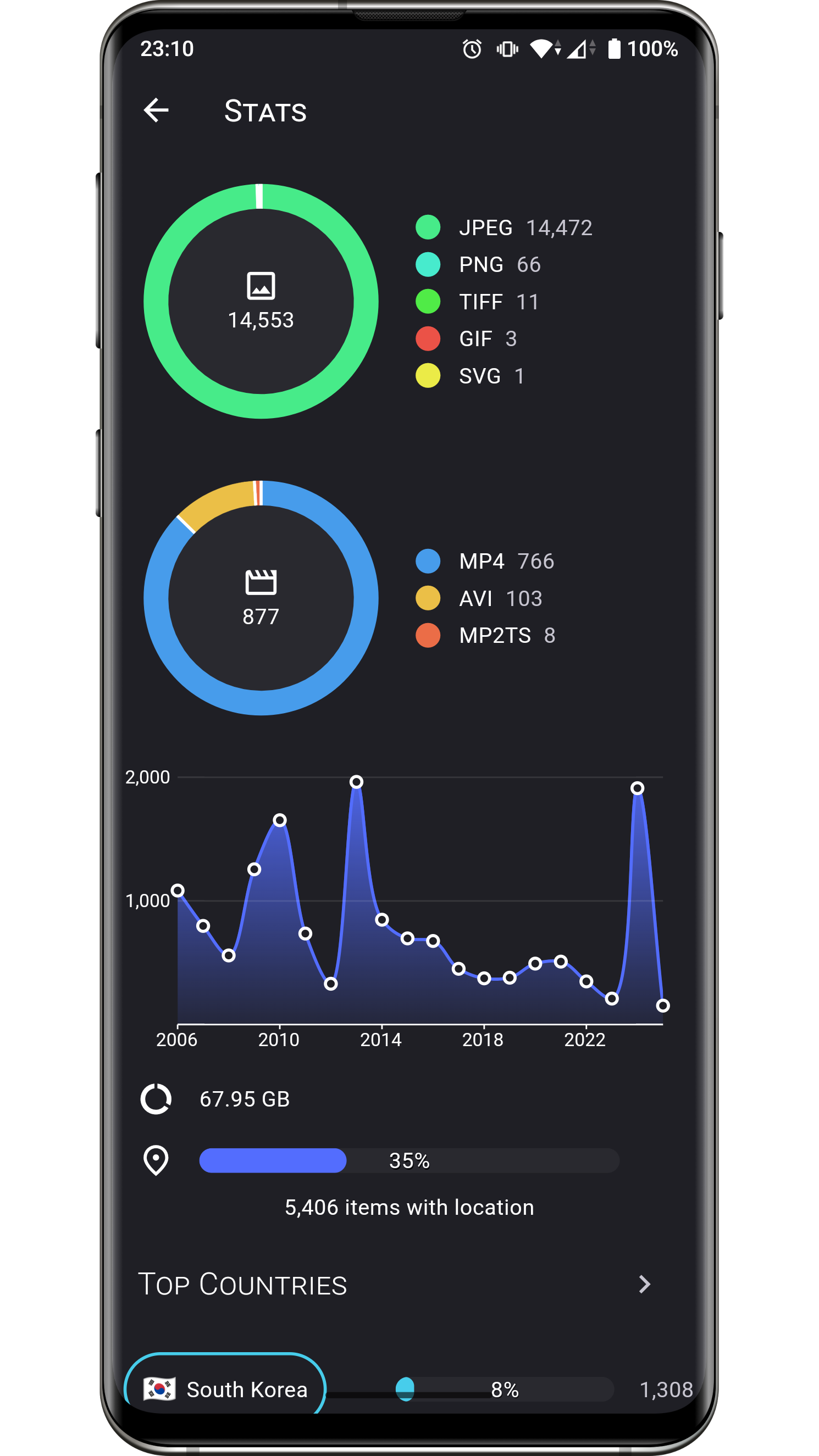
Aves can handle all sorts of images and videos, including your typical JPEGs and MP4s, but also more exotic things like multi-page TIFFs, SVGs, old AVIs and more!

It scans your media collection to identify motion photos, panoramas (aka photo spheres), 360° videos, as well as GeoTIFF files.

Navigation and search is an important part of Aves. The goal is for users to easily flow from albums to photos to tags to maps, etc.

Aves integrates with Android (including Android TV) with features such as widgets, app shortcuts, screen saver and global search handling. It also works as a media viewer and picker.

Screenshots
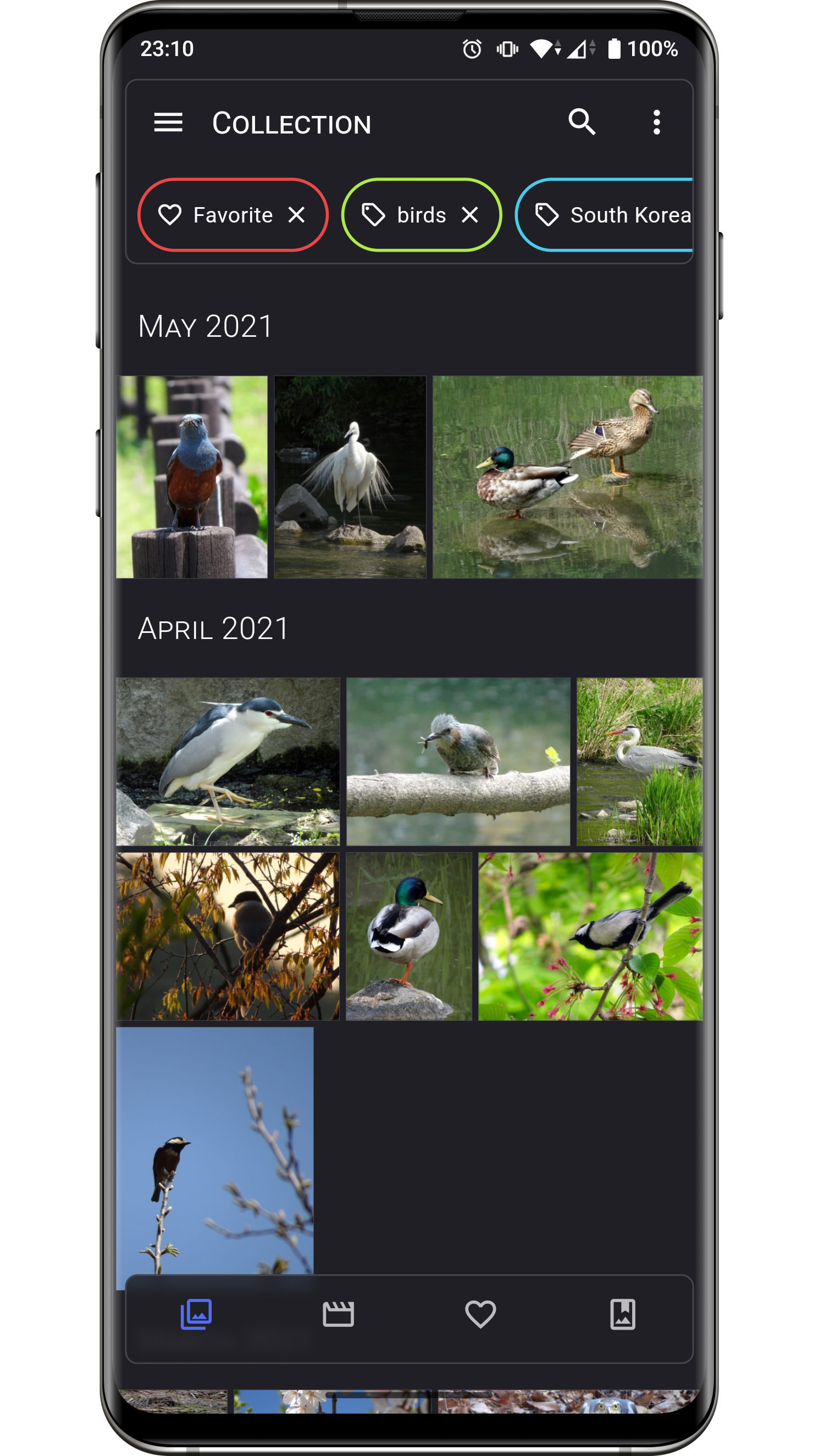
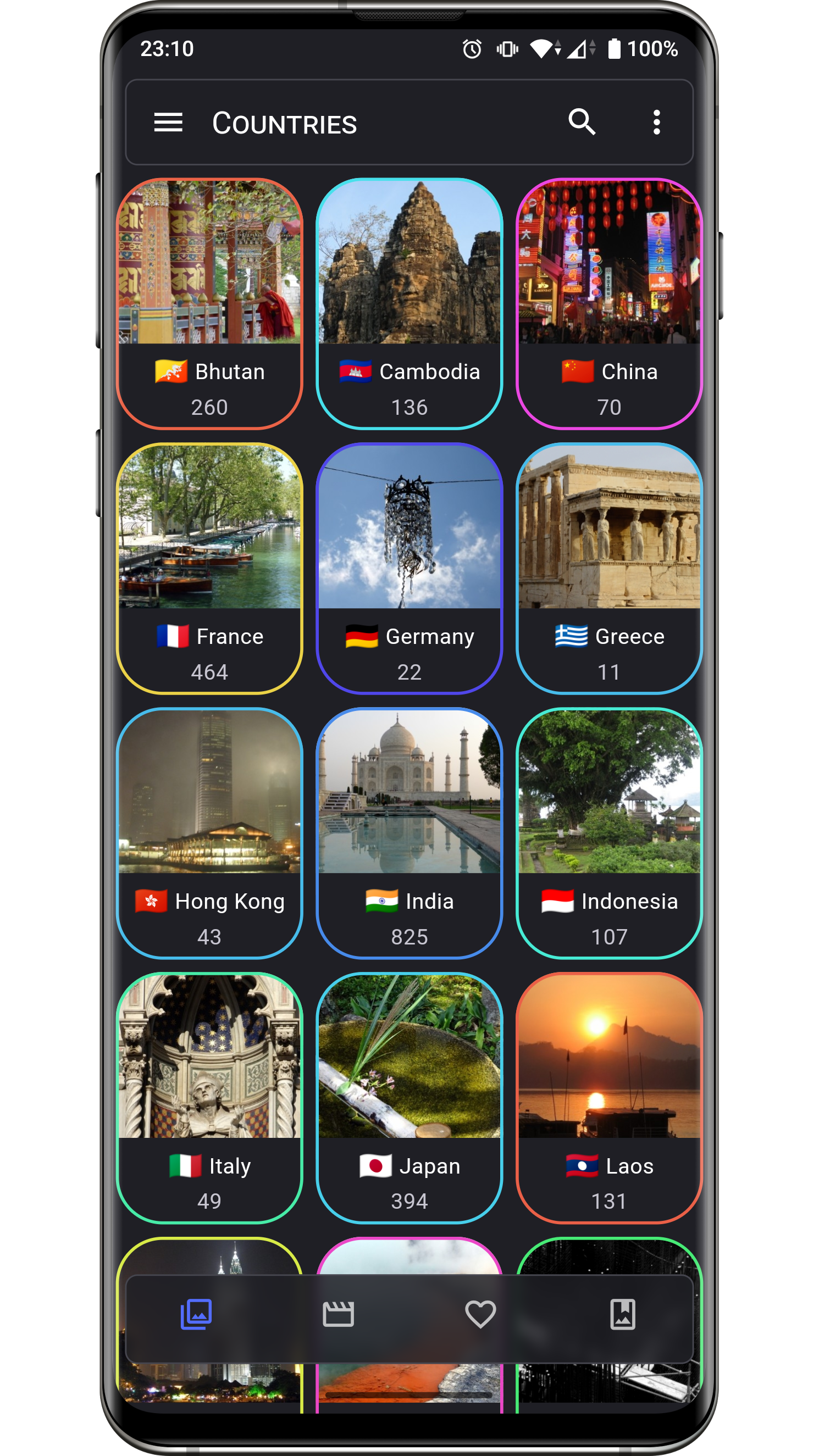
<img src="https://raw.githubusercontent.com/deckerst/aves_extra/main/screenshots/readme/en/1.png" alt='Collection screenshot' width="130" /> <img src="https://raw.githubusercontent.com/deckerst/aves_extra/main/screenshots/readme/en/2.png" alt='Image screenshot' width="130" /> <img src="https://raw.githubusercontent.com/deckerst/aves_extra/main/screenshots/readme/en/5.png" alt='Stats screenshot' width="130" /> <img src="https://raw.githubusercontent.com/deckerst/aves_extra/main/screenshots/readme/en/3.png" alt='Info (basic) screenshot' width="130" /> <img src="https://raw.githubusercontent.com/deckerst/aves_extra/main/screenshots/readme/en/4.png" alt='Info (metadata) screenshot' width="130" /> <img src="https://raw.githubusercontent.com/deckerst/aves_extra/main/screenshots/readme/en/6.png" alt='Countries screenshot' width="130" />

Changelog

The list of changes for past and future releases is available here.

Permissions

Aves requires a few permissions to do its job:

  • read contents of shared storage: the app only accesses media files, and modifying them requires explicit access grants from the user,
  • read locations from media collection: necessary to display the media coordinates, and to group them by country (via reverse geocoding),
  • have network access: necessary for the map view, and most likely for precise reverse geocoding too,
  • view network connections: checking for connection states allows Aves to gracefully degrade features that depend on internet.

Contributing

Issues

Bug reports and feature requests are welcome, but read the guidelines first. If you have questions, check out the discussions.

Code

At this stage this project does not accept PRs.

Translations

Translations are powered by Weblate and the effort of wonderfully generous volunteers.
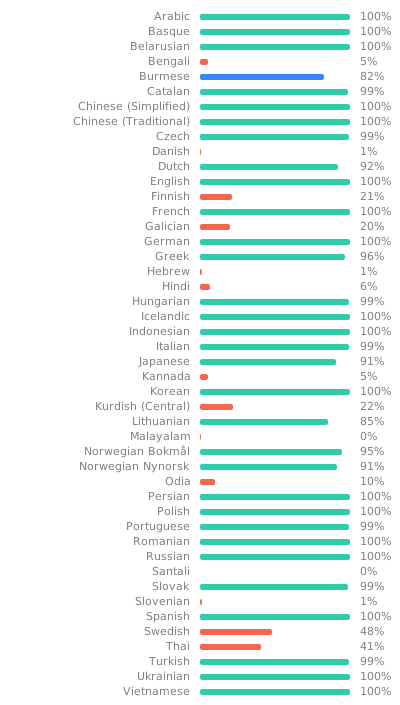
Translation status

If you want to translate this app in your language and share the result, there is a guide.

Donations

Some users have expressed the wish to financially support the project. Thanks! ❤️

<img src="https://raw.githubusercontent.com/deckerst/common/main/assets/paypal-badge-cropped.png" alt='Donate with PayPal' height="40"> <img src="https://liberapay.com/assets/widgets/donate.svg" alt='Donate using Liberapay' height="40">

Project Setup

Before running or building the app, update the dependencies for the desired flavor:

# scripts/apply_flavor_play.sh

To build the project, create a file named <app dir>/android/key.properties. It should contain a reference to a keystore for app signing, and other necessary credentials. See key_template.properties for the expected keys.

To run the app:

# ./flutterw run -t lib/main_play.dart --flavor play

To debug the app Kotlin code, if attaching the debugger from Android Studio fails:

  1. open android folder in Android Studio,
  2. Edit Configurations...,
  3. select configuration app,
  4. select tab Debugger
  5. select tab LLDB Post Attach Commands
  6. add:
    process handle SIGSEGV --pass true --stop false --notify true