
deduplicate
vpype plug-in to remove overlapping lines in SVG files.
Usage
Usage: vpype deduplicate [OPTIONS]

  Remove duplicate lines.

Options:
  -t, --tolerance LENGTH  Max distance between points to consider them equal
                          (default: 0.01mm)
  -p, --progress-bar      (flag) Display a progress bar
  -l, --layer LAYERS      Target layer(s) (defaul: 'all')
  -k, --keep-duplicates   (flag) Keep removed duplicates in a separate layer
  --help                  Show this message and exit.
Examples
Basic usage : vpype read file.svg deduplicate write output.svg
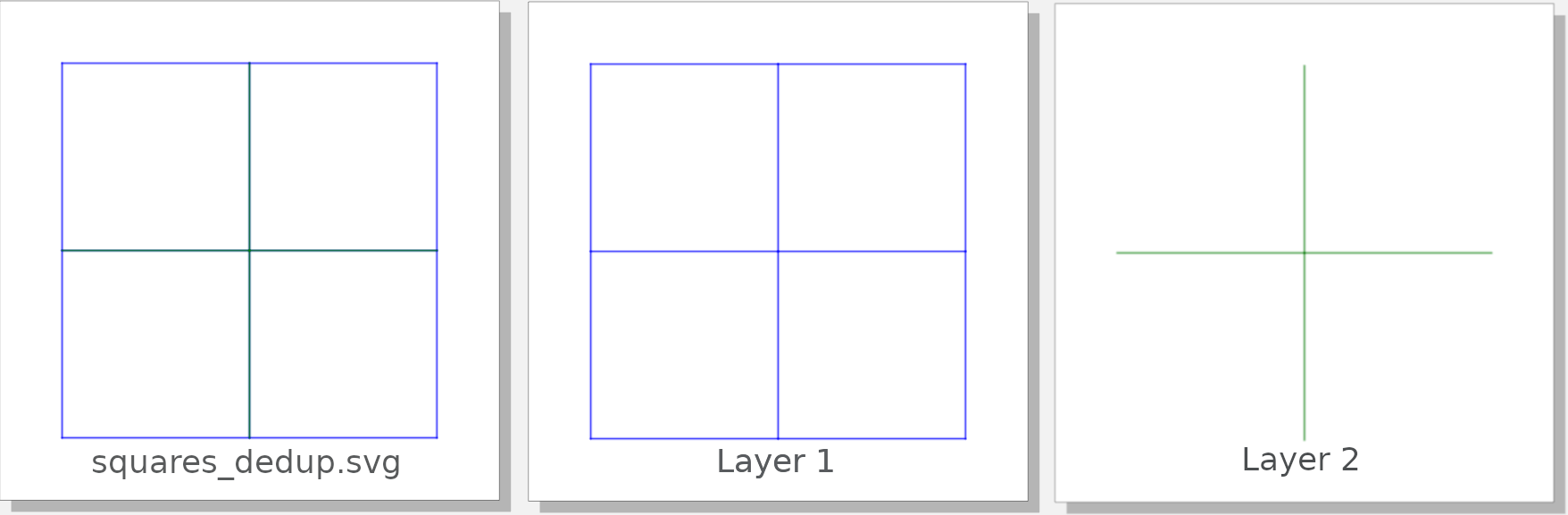
You can keep removed lines in a separate layer with -k flag:
vpype read squares.svg deduplicate -k write squares_dedup.svg
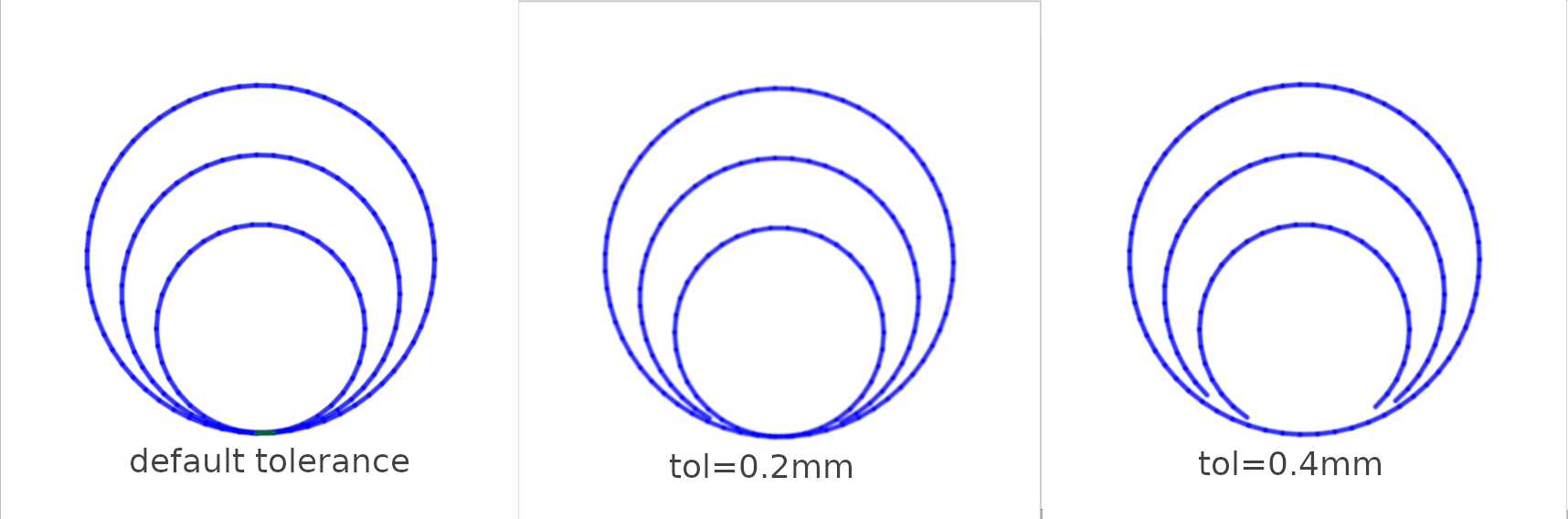
The -t option controls the tolerance, which is the maximum distance 2 points are considered equal.
Here is what vpype read tangent_circles.svg deduplicate -k -t 0.2mm show outputs with different tolerances:
Installation
See the installation instructions for information on how
to install vpype.
Existing vpype installation
If vpype was installed using pipx, use the following command:
$ pipx inject vpype deduplicate
If vpype was installed using pip in a virtual environment, activate the virtual environment and use the following command:
$ pip install deduplicate
Check that your install is successful:
$ vpype --help
Usage: vpype [OPTIONS] COMMAND1 [ARGS]... [COMMAND2 [ARGS]...]...

Options:
  -v, --verbose
  -I, --include PATH  Load commands from a command file.
  --help              Show this message and exit.

Commands:
[...]
  Plugins:
    deduplicate
[...]
Stand-alone installation
Use this method if you need to edit this project. First, clone the project:
$ git clone https://github.com/LoicGoulefert/deduplicate.git
$ cd deduplicate
Create a virtual environment:
$ python3 -m venv venv
$ source venv/bin/activate
$ pip install --upgrade pip
Install deduplicate and its dependencies (including vpype):
$ pip install -e .
Check that your install is successful:
$ vpype --help
Usage: vpype [OPTIONS] COMMAND1 [ARGS]... [COMMAND2 [ARGS]...]...

Options:
  -v, --verbose
  -I, --include PATH  Load commands from a command file.
  --help              Show this message and exit.

Commands:
[...]
  Plugins:
    deduplicate
[...]
License
See the LICENSE file for details.