
Build Deep Research AI Agent with Next.js, Vercel AI SDk and LLMs like Gemini, Deepseek & Gpt-4o
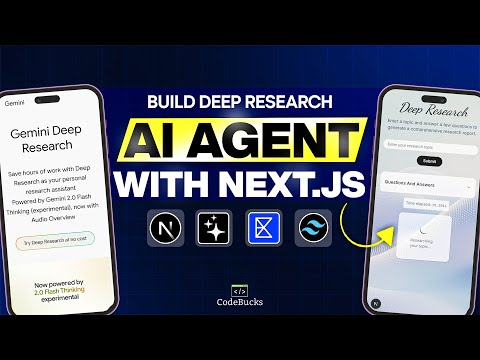
A powerful Deep Research AI agent like Gemini or ChatGPT. Using Next.js, Vercel AI SDK, and Exa Search API, An intelligent system that generates follow-up questions, crafts optimal search queries, and compiles comprehensive research reports.


If you want to learn how to create it please follow below tutorial👇:
➡ Tutorial Link 💚: Deep research ai agent
If you are looking for old tutorial version please checkout this branch:
Tutorial Version (Old)
🎯 For customised solutions or deployment please contact: https://tally.so/r/wdlj0N
⭐DO NOT FORGET TO STAR THIS REPO⭐

🚀 Key Features
- 🔧 Fully Customizable Research Flow
- 🔍 Adaptive Search Queries
- ⚙️ Seamless LLM Integration
- 💼 Modular Components
- 🌐 Next.js & Vercel AI SDK
- ♻️ Iterative Research Loop
🛠️ Tech Stack
- Framework: Next.js 16 (App Router, Turbopack)
- Styling: Tailwind CSS v4, Shadcn UI
- AI Integration: Vercel AI SDK v6
- LLMs: GPT-4o, Gemini, Deepseek via OpenRouter
- Web Search: Exa Search API
- UI Components: Shadcn
- Language: TypeScript
- Package Manager: Bun
🔄 What's New (Dependency Refresh)
This branch has been migrated from the original tutorial stack to the latest versions. The runtime behaviour is the same — only the toolchain moved forward.
- Next.js 15 → 16 (Turbopack production builds,
next lintremoved) - Vercel AI SDK 4 → 6 (
generateObjectreplaced withgenerateText+Output.object(),useChatnow usesDefaultChatTransport) - @ai-sdk/react 1 → 3, @openrouter/ai-sdk-provider 0.4 → 2
- Zod 3 → 4, lucide-react 0.x → 1, react-syntax-highlighter 15 → 16
- ESLint config migrated to the native flat config from
eslint-config-nextv16 - Package manager: switched from npm to Bun (
bun.lockreplacespackage-lock.json)
Want the original tutorial code? Check out commit
274eff7(the last version before the refresh) or browse any earlier commit on this branch.
⚡ Prerequisites
Before you begin, ensure you have:
- OpenRouter API key (or you can use grok or any other LLM providers)
- Exa search API key
🚀 Setup Instructions
1. Clone the Repository
git clone [repo-url]
cd Deep-Research-AI-Agent
2. Install Dependencies
This project uses Bun as the package manager.
bun install
3. Environment Variables
Create a .env.local file in the root directory. Check .env.example for required variables.
4. Start Development Server
bun run dev
Visit http://localhost:3000 to see your app.
🌟 Show Your Support
Give a ⭐️ if this project helped you!
If you have any question or want a custom build for your business, you can reach out to me via:
- E-mail : [email protected]
- Twitter: https://twitter.com/code_bucks
- Instagram: https://www.instagram.com/code.bucks/
MyChannel: https://www.youtube.com/codebucks My Website: https://devdreaming.com/