
desktainer-rootless


:computer: Remote desktop in a container (rootless version). This image is almost equivalent to dmotte/desktainer but it runs as a non-root user.
:package: This image is also on Docker Hub as
dmotte/desktainer-rootlessand runs on several architectures (e.g. amd64, arm64, ...). To see the full list of supported platforms, please refer to the.github/workflows/main.ymlfile. If you need an architecture that is currently unsupported, feel free to open an issue.
Simple usage
The simplest way to try this image is:
docker run -it --rm -p6901:6901 dmotte/desktainer-rootless
Note: since some GUI applications may have issues with Docker's default seccomp profile, you may need to use
--security-opt seccomp=unconfined
Then head over to http://localhost:6901/ to access the remote desktop.
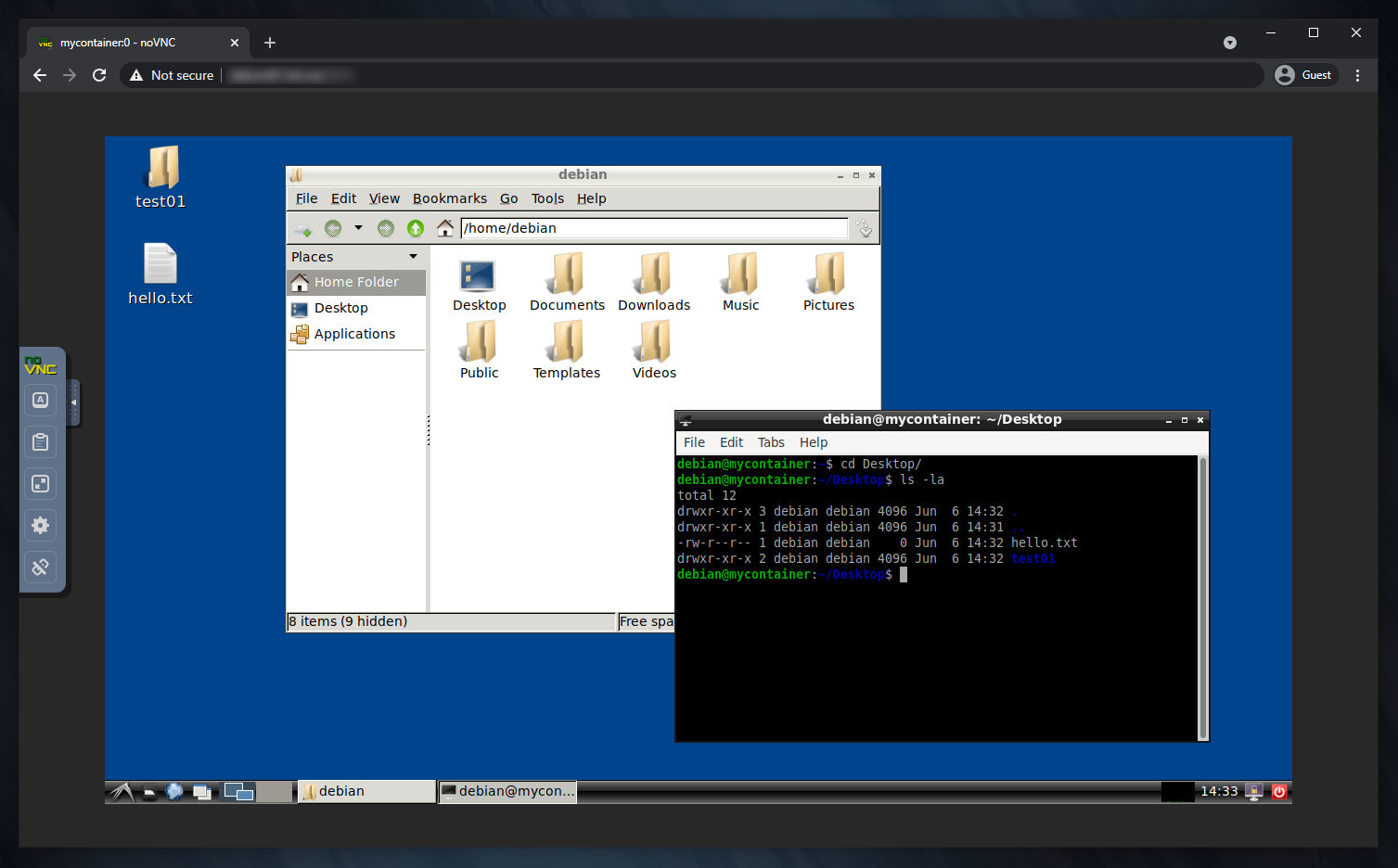
For a more complex example, refer to the docker-compose.yml file.
You can also extend this image to create your own custom unprivileged user, and then leverage the --user Docker option to run the container as such.
Note: even if the container is running as an unprivileged user, you can still use
docker exec -ituroot mycontainer bashto run commands as root inside it.
More info
For more info see the dmotte/desktainer project, which is very similar to this one.
The environment variables are the same, except MAINUSER_NAME and MAINUSER_PASS which have no effect. This behaviour is intended, since this runs as a non-root user.