

Distillery
Team Knowledge, Distilled
Capture, classify, connect, and surface team knowledge through conversational commands.
Documentation · Skills · Quick Start · Roadmap · Slides




What is Distillery?
Distillery is a team knowledge base accessed through Claude Code skills. It refines raw information from working sessions, meetings, bookmarks, and conversations into concentrated, searchable knowledge — stored as vector embeddings in DuckDB and retrieved through natural language. Runs locally over stdio or as a hosted HTTP service with GitHub OAuth for team access.
Distillery captures the highest-value transformation — from noise to signal — and makes it a tool the whole team can use.
Full documentation: norrietaylor.github.io/distillery
Skills
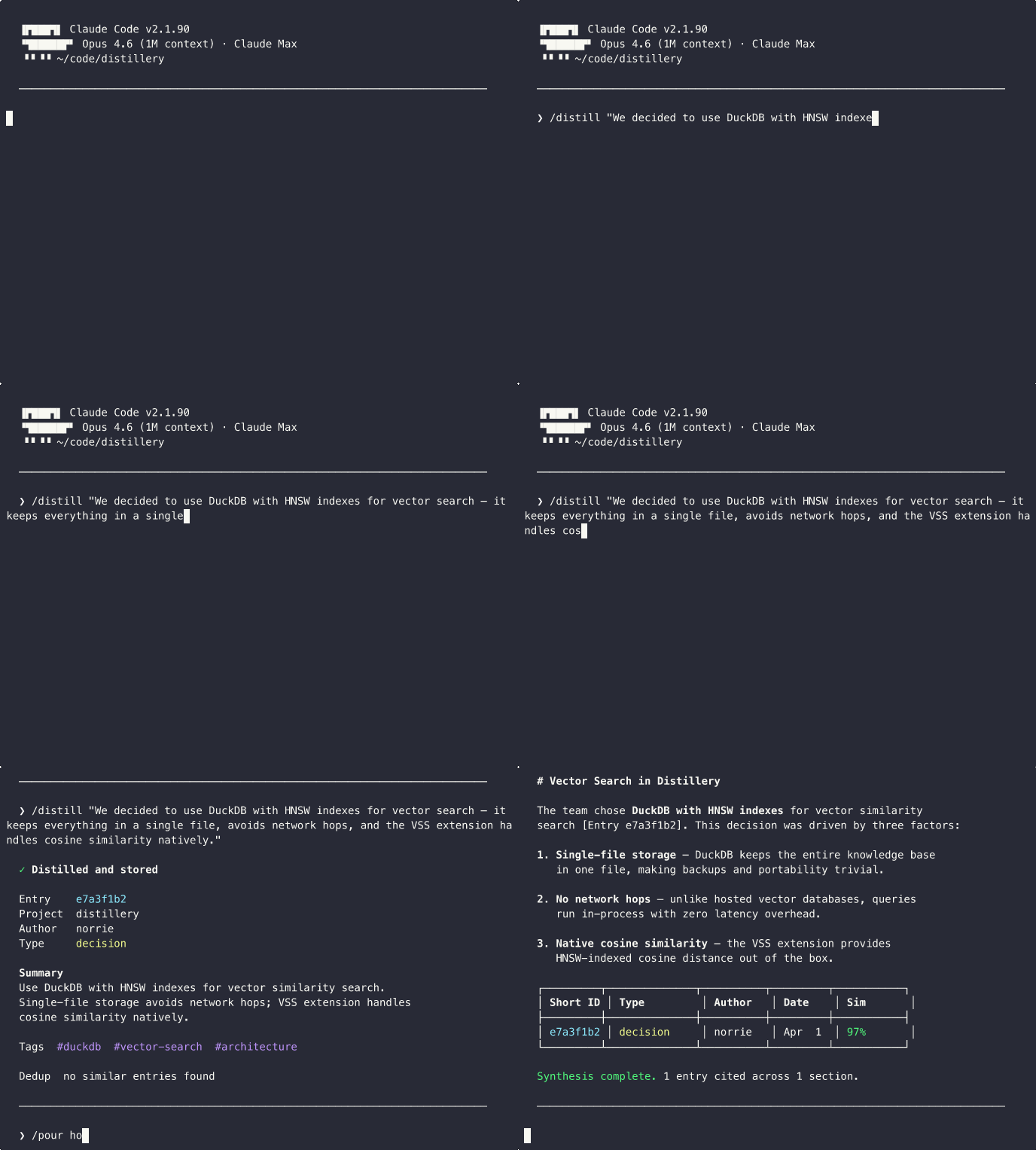
Distillery provides 14 Claude Code slash commands:
| Skill | Purpose | Example |
|---|---|---|
/distill |
Capture session knowledge with dedup detection | /distill "We decided to use DuckDB for local storage" |
/recall |
Semantic search with provenance | /recall distributed caching strategies |
/pour |
Multi-entry synthesis with citations | /pour how does our auth system work? |
/bookmark |
Store URLs with auto-generated summaries | /bookmark https://example.com/article #caching |
/minutes |
Meeting notes with append updates | /minutes --update standup-2026-03-22 |
/classify |
Classify entries and triage review queue | /classify --inbox |
/watch |
Manage monitored feed sources | /watch add github:duckdb/duckdb |
/radar |
Ambient feed digest with source suggestions | /radar --days 7 |
/tune |
Adjust feed relevance thresholds | /tune relevance 0.4 |
/digest |
Team activity summary from internal entries | /digest --days 7 --project myapp |
/gh-sync |
Sync GitHub issues/PRs into the knowledge base | /gh-sync owner/repo --issues |
/investigate |
Deep context builder with relationship traversal | /investigate distributed caching |
/briefing |
Team knowledge dashboard with metrics | /briefing --days 7 |
/setup |
Onboarding wizard for MCP connectivity and config | /setup |
Quick Start
Step 1: Install the Plugin
claude plugin marketplace add norrietaylor/distillery
claude plugin install distillery
This installs all 14 skills and configures the MCP server to run locally via uvx --from 'distillery-mcp[fastembed]>=0.6.0' distillery-mcp — a private, self-contained knowledge base on your machine, with on-device fastembed embeddings as the install-time default (no API key required). Requires Python 3.11+ and uv (install: curl -LsSf https://astral.sh/uv/install.sh | sh).
Step 2 (Optional): Use Jina or OpenAI Instead
The default fastembed provider runs offline with no API key. If you'd rather use a hosted embedding service, set DISTILLERY_EMBEDDING_PROVIDER and provide the matching API key:
# Jina (free tier at jina.ai)
export DISTILLERY_EMBEDDING_PROVIDER=jina
export JINA_API_KEY=jina_...

# Or OpenAI
export DISTILLERY_EMBEDDING_PROVIDER=openai
export OPENAI_API_KEY=sk-...
uvx inherits these from your shell environment. See distillery.yaml.example for the full provider configuration block (including Option C for fastembed model selection).
Restart Claude Code and run the onboarding wizard:
/setup
Try the Hosted Demo (Opt-In)
Want to evaluate without installing anything locally? Override the plugin default with the hosted demo at distillery-mcp.fly.dev:
claude mcp add distillery --scope user --transport http --url https://distillery-mcp.fly.dev/mcp
Demo Server:
distillery-mcp.fly.devis for evaluation only. Do not store sensitive or confidential data.
See the Local Setup Guide for full configuration options, or deploy your own instance for team use.
Development
uv pip install -e ".[dev]"
# or
pip install -e ".[dev]"
pytest                              # run tests
mypy --strict src/distillery/       # type check
ruff check src/ tests/              # lint
See Contributing for the full guide.
License
Apache 2.0 — see LICENSE for details.