


Docker container of dnsmasq, an open-source DNS server.
Usage 🐳
Via Docker Compose:
services:
  dnsmasq:
    image: dockurr/dnsmasq
    container_name: dnsmasq
    environment:
      DNS1: "1.0.0.1"
      DNS2: "1.1.1.1"
    ports:
      - 53:53/udp
      - 53:53/tcp
    cap_add:
      - NET_RAW
      - NET_ADMIN
    restart: always
Via Docker CLI:
docker run -it --rm --name dnsmasq -p 53:53/udp -p 53:53/tcp -e "DNS1=1.0.0.1" -e "DNS2=1.1.1.1" --cap-add=NET_ADMIN docker.io/dockurr/dnsmasq
Configuration ⚙️
You can set the DNS1 and DNS2 environment variables to change which upstream DNS
servers to use.
For example, you can set them to the public Cloudflare servers like this:
environment:
  DNS1: "1.0.0.1"
  DNS2: "1.1.1.1"
You can extend the default configuration with a volume that mounts a
directory containing *.conf configuration files:
volumes:
  - ./dnsmasq.d/:/etc/dnsmasq.d/
You can also override dnsmasq.conf completely with a volume that binds your custom configuration file:
volumes:
  - ./dnsmasq.conf:/etc/dnsmasq.conf
FAQ 💬
-
Port 53 is already in use?
If some process on the host is already binding to port 53, you may see an error similar
to the following:
Error response from daemon: driver failed programming external connectivity on
endpoint dnsmasq (...): Error starting userland proxy: listen tcp4 0.0.0.0:53: bind:
address already in use
You can inspect which process is binding to that port:
$ netstat -lnpt | grep -E ':53 +'
tcp    0    0 127.0.0.53:53    0.0.0.0:*    LISTEN    197/systemd-resolve
On hosts running systemd, such as in this example, you can workaround this by
specifying the IP addresses on which to bind port 53, for example:
ports:
  - "192.168.1.###:53:53/udp"
  - "192.168.1.###:53:53/tcp"
There are many other host-specific cases where some process and configuration binds
port 53. It may be an unused DNS daemon, such as bind that needs to be
uninstalled or disabled, or a number of other causes. So finding out which process is
binding the port is a good place to start debugging.
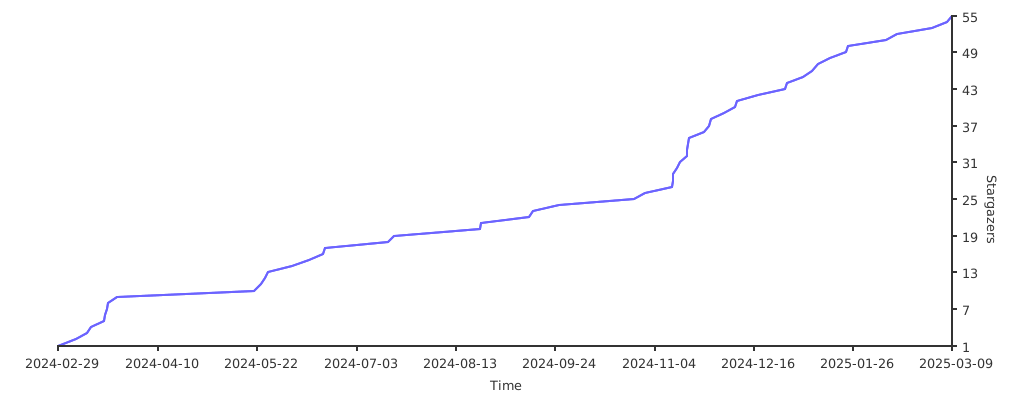
Stars 🌟