
Docker Image :: Ubuntu KDE Plasma Desktop with PyTorch, CUDA & VNC



Ideal for LLM & Deep Learning remote work.
Screenshot
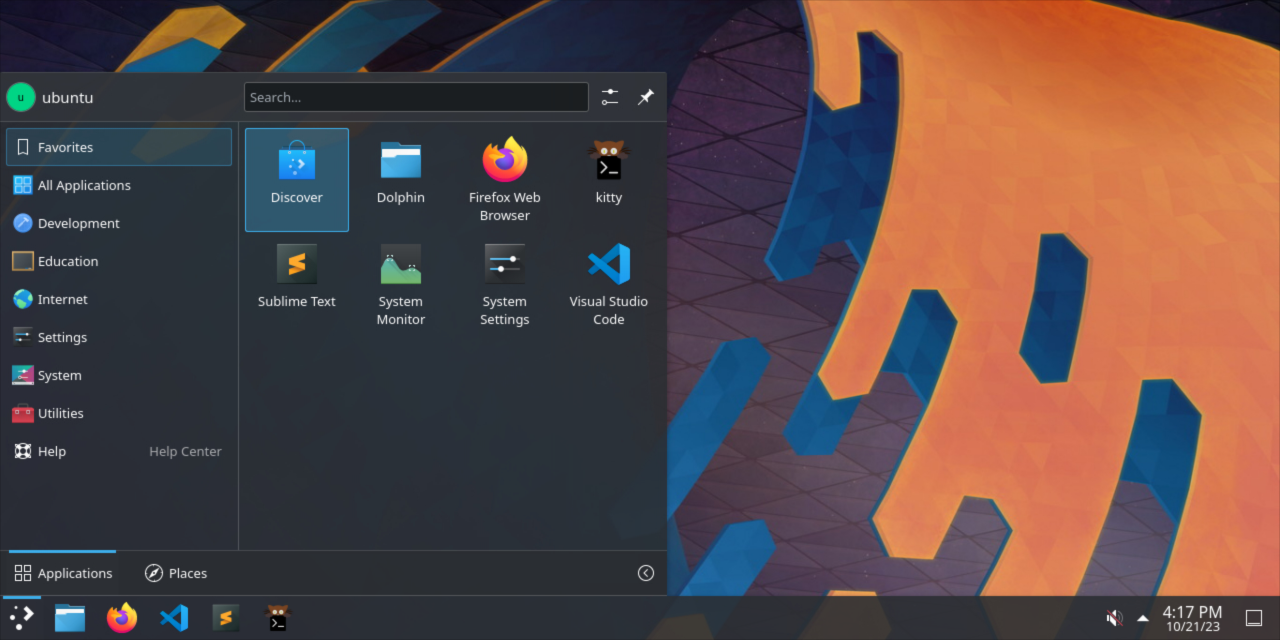
Content
Base
- PyTorch (base image including Ubuntu & CUDA)
- KDE Plasma Desktop
- VNC Server (port
5900)
Main Applications
- Firefox (ESR)
- Kitty (terminal)
- Sublime Text
- Visual Studio Code (must be run with
--no-sandboxflag)
Nice to Have
- Fira Code (monospace font)
- zsh (with oh-my-zsh)
Tags
Pytorch tag as per their official documentation:
- PyTorch 23.09-py3
latest
Environment Variables
VNC_PASSWORD: Password for VNC connection. Default:password.VNC_SCREEN_SIZE: Screen size. Default:1920x1080.
Usage
To connect to the container's desktop, you can use any VNC client.
[!NOTE]
You will have a wide list of errors during startup but you can ignore them. Enulating a full X server in Docker is not an easy task.
Your server will be ready once you see this line in the logs:
[...]
cuda-desktop-server  | Plasma Shell startup completed
[...]
Deployment
RunPod
[!NOTE]
You can create and attach a Storage Network Volume to your RunPod pod to automatically sync and persist your/home/ubuntudirectory between deployments.
Backup Volume in Deployment
When deploying your container, you can also attach a shared storage as a volume for backup.
Simply mount your desired backup directory to /volumes/home_ubuntu_backup in your Docker run command
or Docker composer file. It will be automatically retored (on subsequent boots) and then synced each minute.