

DOCSight
Product page • Get Started • Supported Hardware • Wiki • Data contract • Releases • Roadmap




Your ISP says everything is fine. DOCSight shows the timeline.
Track signal issues, slowdowns, packet loss, and modem events locally so bad evenings do not disappear into "looks fine from here".
Self-hosted • Local data • Demo • Reports • 17 modem families • MIT
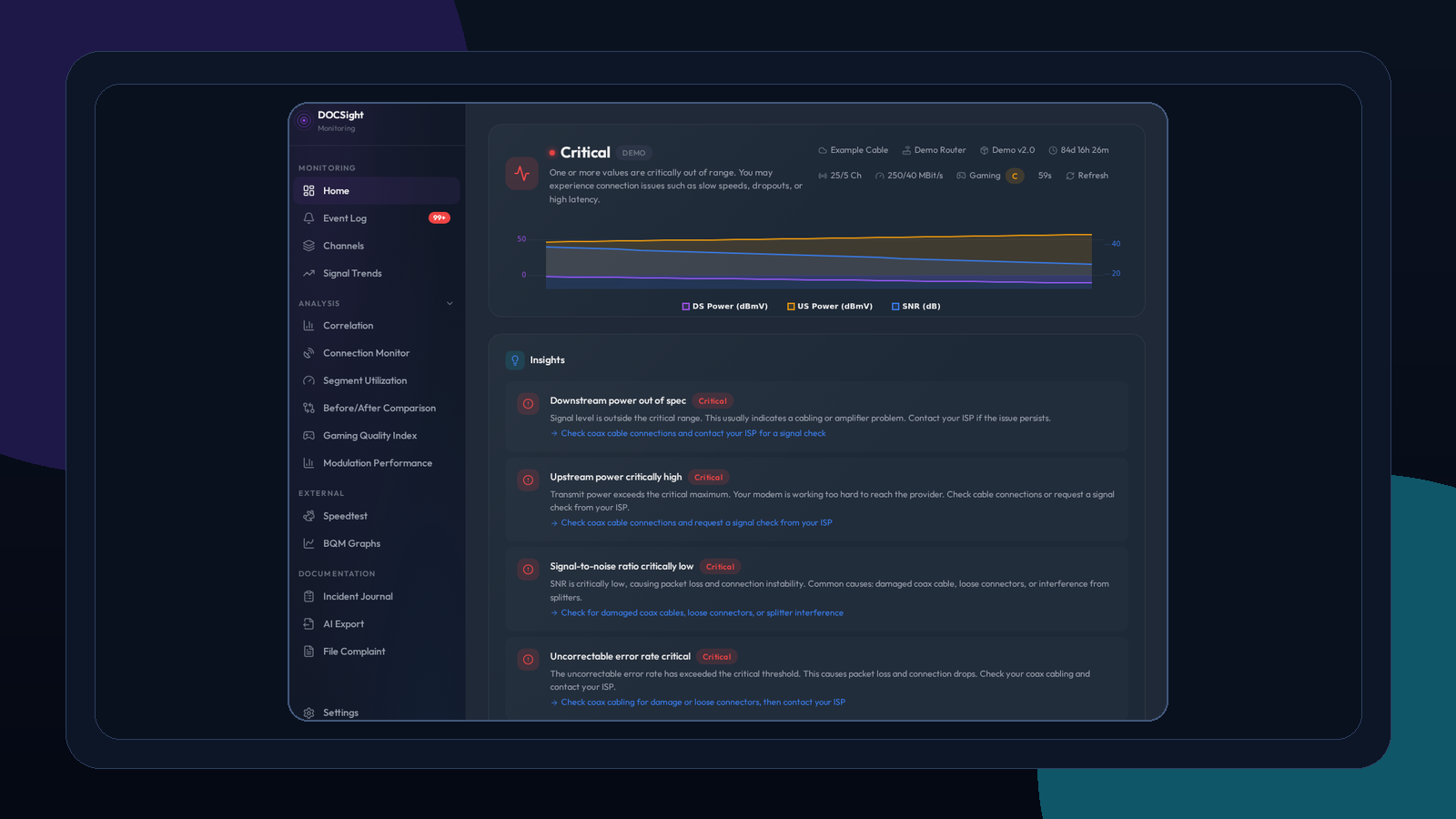
Synthetic demo data in the real product UI: signal health, speed, latency, and connection context in one dashboard.
Get Started
Start with the fastest path for your setup.
Option 1: Try the demo
No router required. Demo mode generates 9 months of realistic DOCSIS data so you can explore the workflow immediately.
docker run -d --name docsight-demo -p 8765:8765 -e DEMO_MODE=true ghcr.io/itsdnns/docsight:latest
Option 2: Connect your own modem or router
docker run -d --name docsight -p 8765:8765 -v docsight_data:/data ghcr.io/itsdnns/docsight:latest
Open http://localhost:8765, then choose Demo Mode, a supported DOCSIS modem, or Generic Router mode in the setup wizard.
Full installation guide | Example Compose Stacks
Why DOCSight exists
The line looks normal when support checks.
The bad evenings happen later. A speedtest screenshot shows the symptom, and a modem screenshot shows one moment. DOCSight keeps the timeline: signal history, speed tests, latency, modem events, incident notes, and report output in one local evidence trail.
DOCSight is for the support loop where you know something is wrong, but the problem disappears before anyone else looks.
Evidence journey
A few key views from the workflow:
| See what is happening now | Find the pattern |
|---|---|
 |
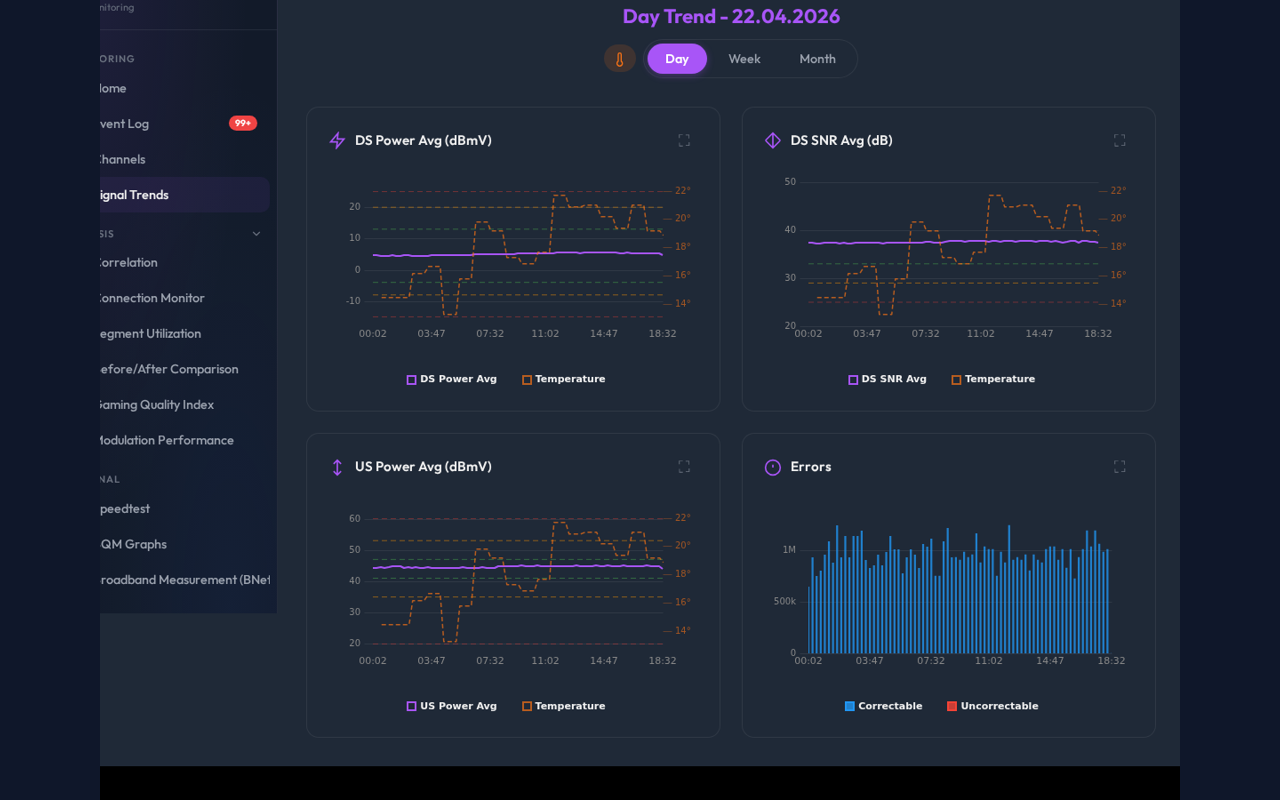 |
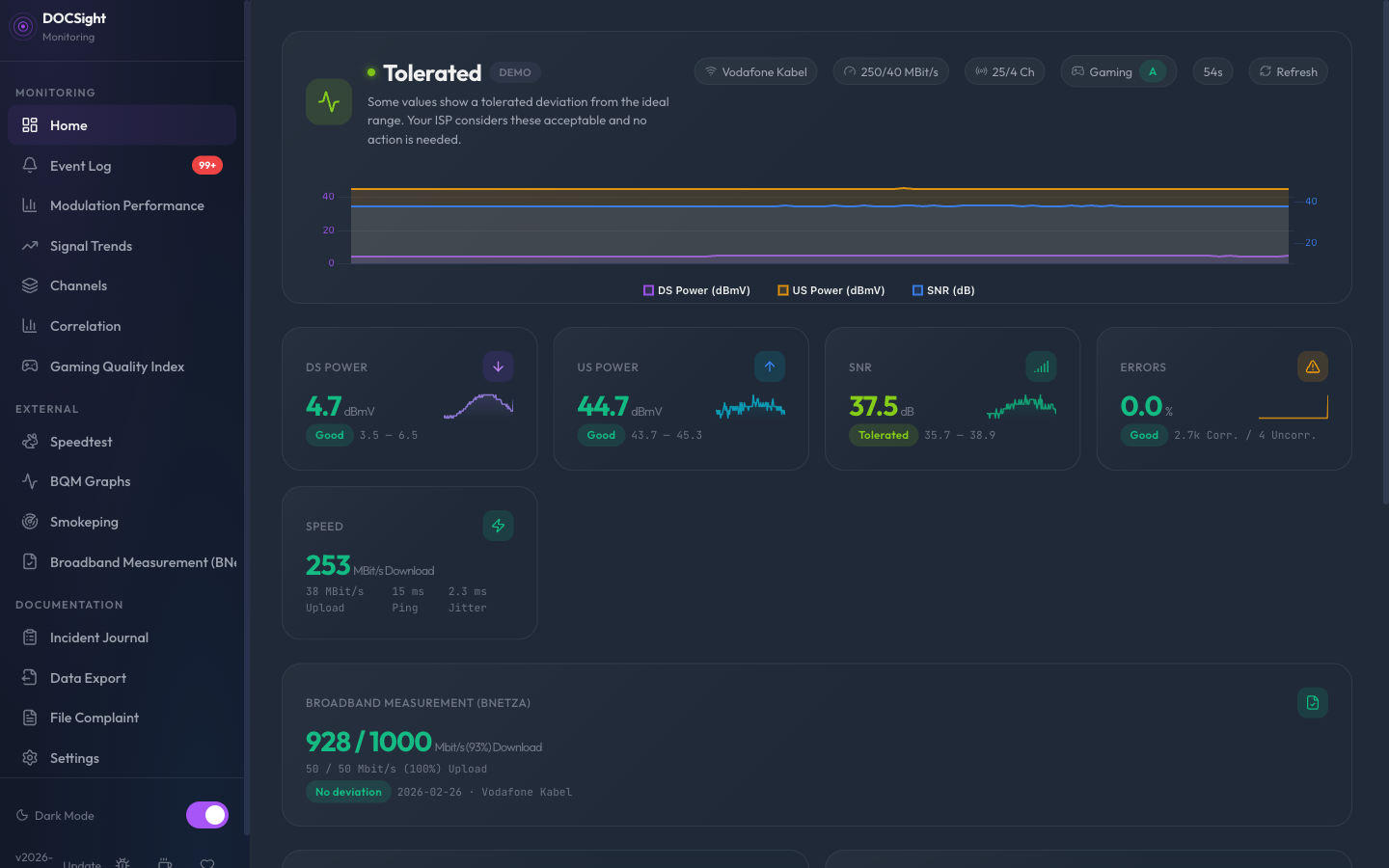
| Current signal health, speed, latency, and active issues sit in one view. | Bad evenings stop looking random when the history is visible. |
| Connect the signals | Bring something useful to support |
|---|---|
 |
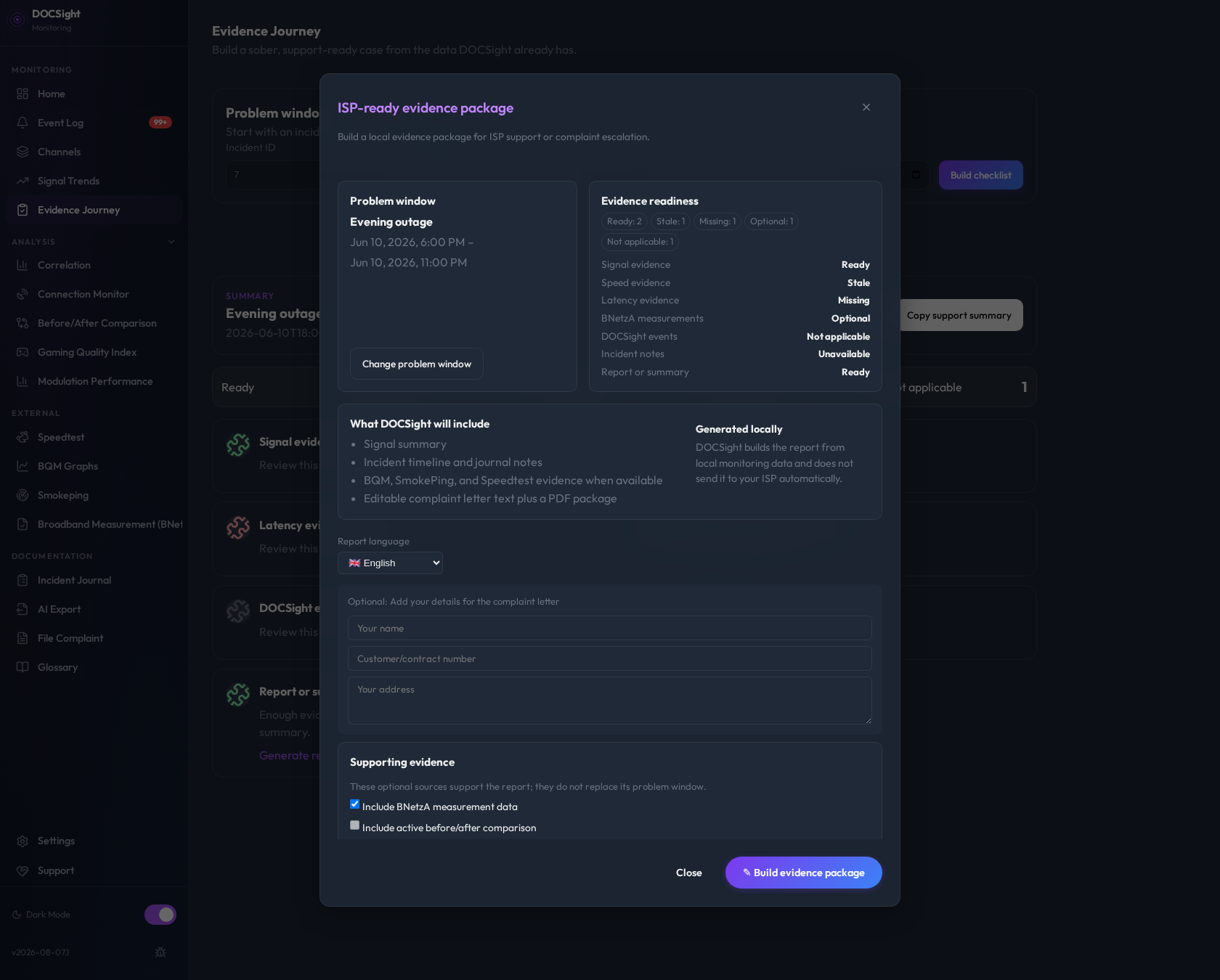 |
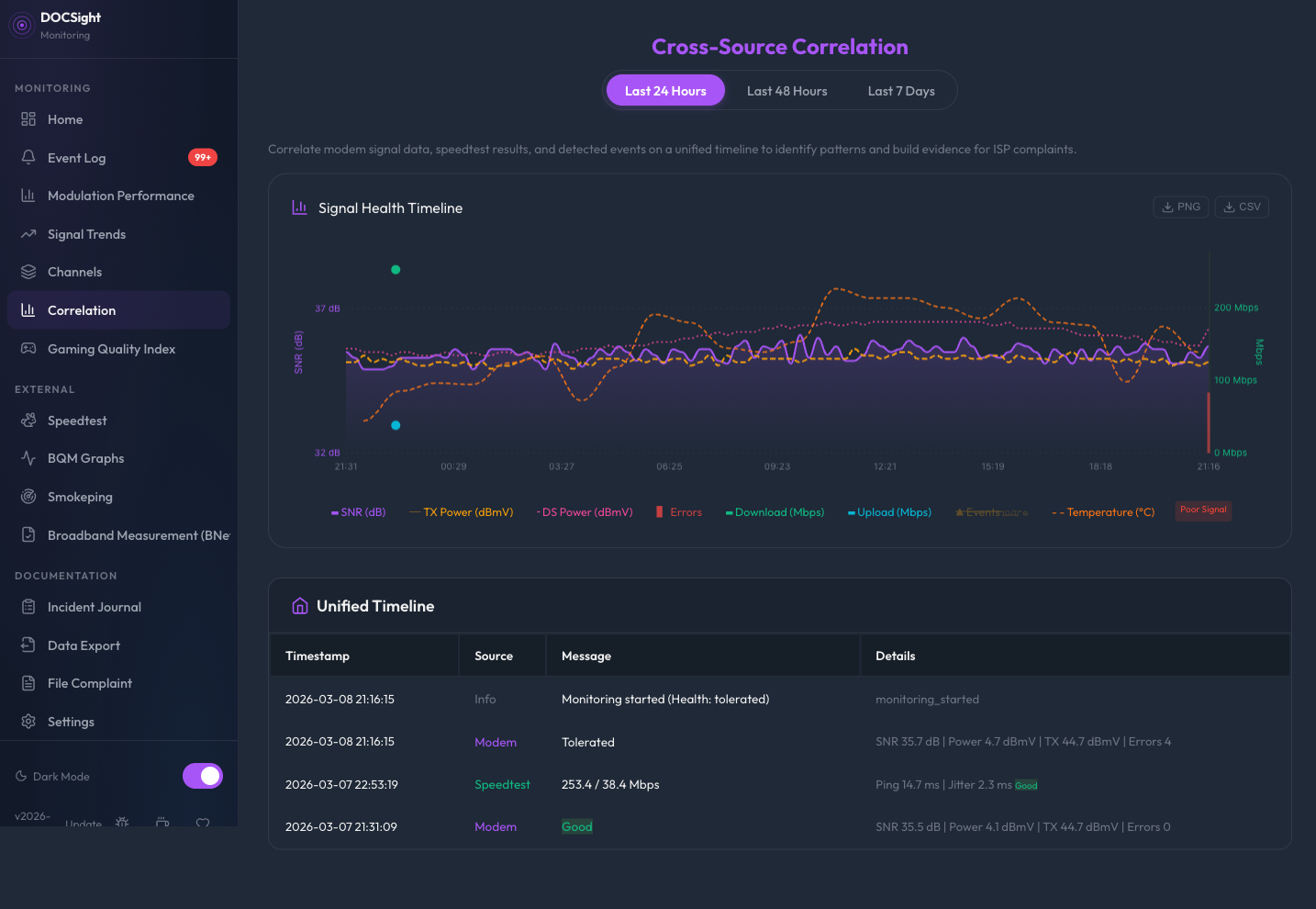
| Signal drops, packet loss, speed dips, modem events, and notes line up in one timeline. | Turn the timeline into a report, checklist, and support-ready evidence package. |
Public proof pack
Use the demo-safe proof pack to understand the output before connecting real hardware.
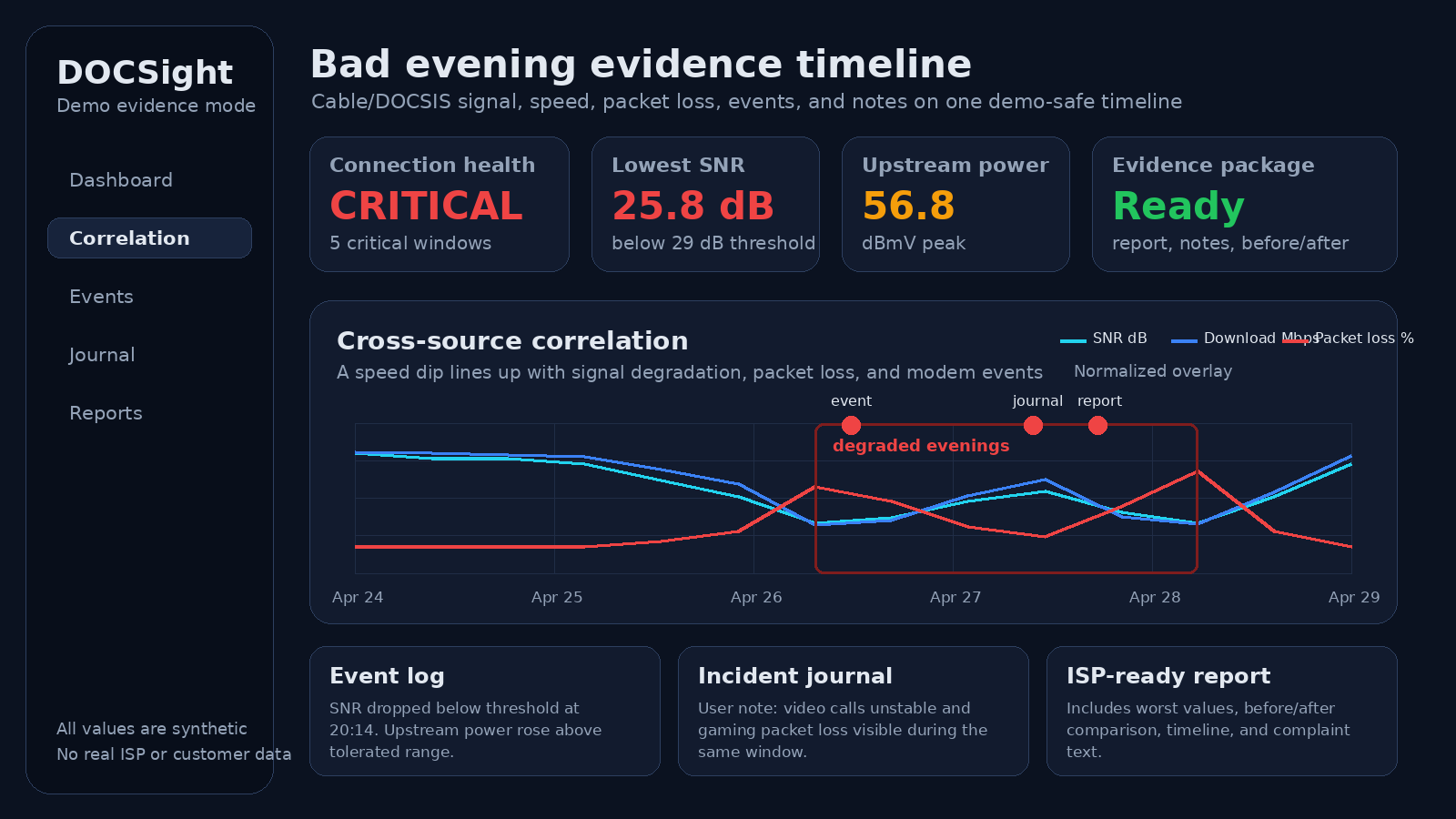
The screenshot and sample report use synthetic data only. They show a bad evening case without exposing a real ISP, customer, IP address, MAC address, serial number, or ticket.
What DOCSight connects
The value is not another chart. The value is putting the pieces of the cable problem in the same place.
- DOCSIS signal: power, SNR, channels, and modulation
- Speed tests: download, upload, ping, and jitter history
- Latency: packet loss, outages, and route checks
- Modem events: restarts, drops, and signal anomalies
- Alerts: severity-filtered notifications through direct webhooks, Discord, optional PWA Web Push, or an optional Apprise sidecar
- Incident notes: what you saw, when it happened, and what changed
- Before/after: compare technician visits or ISP changes
- Reports: PDF output and complaint-ready text
- Local storage: evidence stays on your own hardware
How DOCSight compares
DOCSight works well alongside existing monitoring tools. The difference is the evidence workflow.
| Tool type | Good at | Where DOCSight adds value |
|---|---|---|
| Uptime monitors like Uptime Kuma | Reachability, status pages, alerts | Cable signal history, modem events, incident notes, and report output |
| Speedtest history tools | Download and upload trend tracking | Showing whether speed dips line up with signal, latency, packet loss, or events |
| SmokePing and BQM | Latency and packet-loss visibility | Adding the local DOCSIS view and turning the timeline into an evidence package |
| Prometheus or Grafana scrapers | Custom metrics for existing monitoring stacks | A ready-made workflow for people who do not want to build dashboards before calling the ISP |
| Modem screenshots | One moment in time | A searchable timeline with before/after comparison and exports |
Short version: a speedtest shows the symptom. DOCSight helps build the case.
Fit and boundaries
DOCSight is not a generic uptime monitor and not just a speedtest dashboard. It is the missing evidence layer for cable problems: DOCSIS signal history, modem events, speed and latency data, incident notes, before/after comparisons, and ISP-ready exports in one local timeline.
DOCSight is a strong fit if:
- your cable internet drops, slows down, or becomes unstable at random times
- your ISP says the line looks normal when you call
- speedtest screenshots are not enough
- you want modem signal values, speed tests, latency, events, and notes in one place
- you want local data and exportable evidence instead of another cloud dashboard
It is probably not the right tool if:
- you only need a public status page
- you only need HTTP uptime alerts
- you do not have cable internet and do not care about local signal diagnostics
- you want a managed cloud service
- you need a promised legal or ISP outcome
Generic Router mode still works for fiber, DSL, satellite, and other routers, but DOCSight is strongest when it can see DOCSIS cable signal data.
Start in the way that fits you
- Want to see the product first? Start with the demo and explore 9 months of realistic DOCSIS data instantly.
- Want it running fast on your own hardware? Use Get Started and then follow the full installation guide.
- Want to confirm your hardware path first? Jump to Supported Hardware.
- Want to inspect the architecture before you trust it? Read ARCHITECTURE.md.
- Want versioned builds and release notes? Check GitHub Releases.
Connection Types and Use Cases
| ✅ You have cable internet (coax/DOCSIS) | DOCSight is built for this, with full signal monitoring |
| ✅ You have fiber, DSL, or satellite | Generic Router mode still gives you speed tracking, latency monitoring, incident logging, evidence reports, and modules |
| ✅ Your internet drops out or is slower than what you're paying for | DOCSight documents it over time |
| ✅ Your ISP says "everything is fine on our end" | DOCSight gives you the data to push back with confidence |
Your Data Stays With You
| 🏠 Runs 100% locally | Your monitoring stays on your own hardware |
| 🔒 No silent uploads | Signal history, incident timelines, reports, logs, credentials, tokens, and installation IDs are not uploaded automatically |
| 📖 Open source | All code is public and verifiable |
| 🔐 Credentials encrypted | Router login encrypted at rest (AES-128) |
For the detailed ownership and sharing boundary, see the Data contract. For supported versions, vulnerability reporting, and security boundaries, see the Security policy.
- Optional integrations are user-configured: Speedtest, BQM, Smokeping, Home Assistant, MQTT, Apprise, Web Push, webhooks, module registries, and similar integrations use the destinations or sources you configure. See the data contract for integration-specific boundaries.
- Exports and reports are generated locally and reviewed by you before sharing: PDF reports, complaint text, AI/LLM exports, CSV/JSON downloads, screenshots, and backups are local artifacts first.
Features
DOCSight is built around an evidence-first workflow, then extended with deeper analysis and integrations.
Core Evidence Workflow
| Feature | Why it matters |
|---|---|
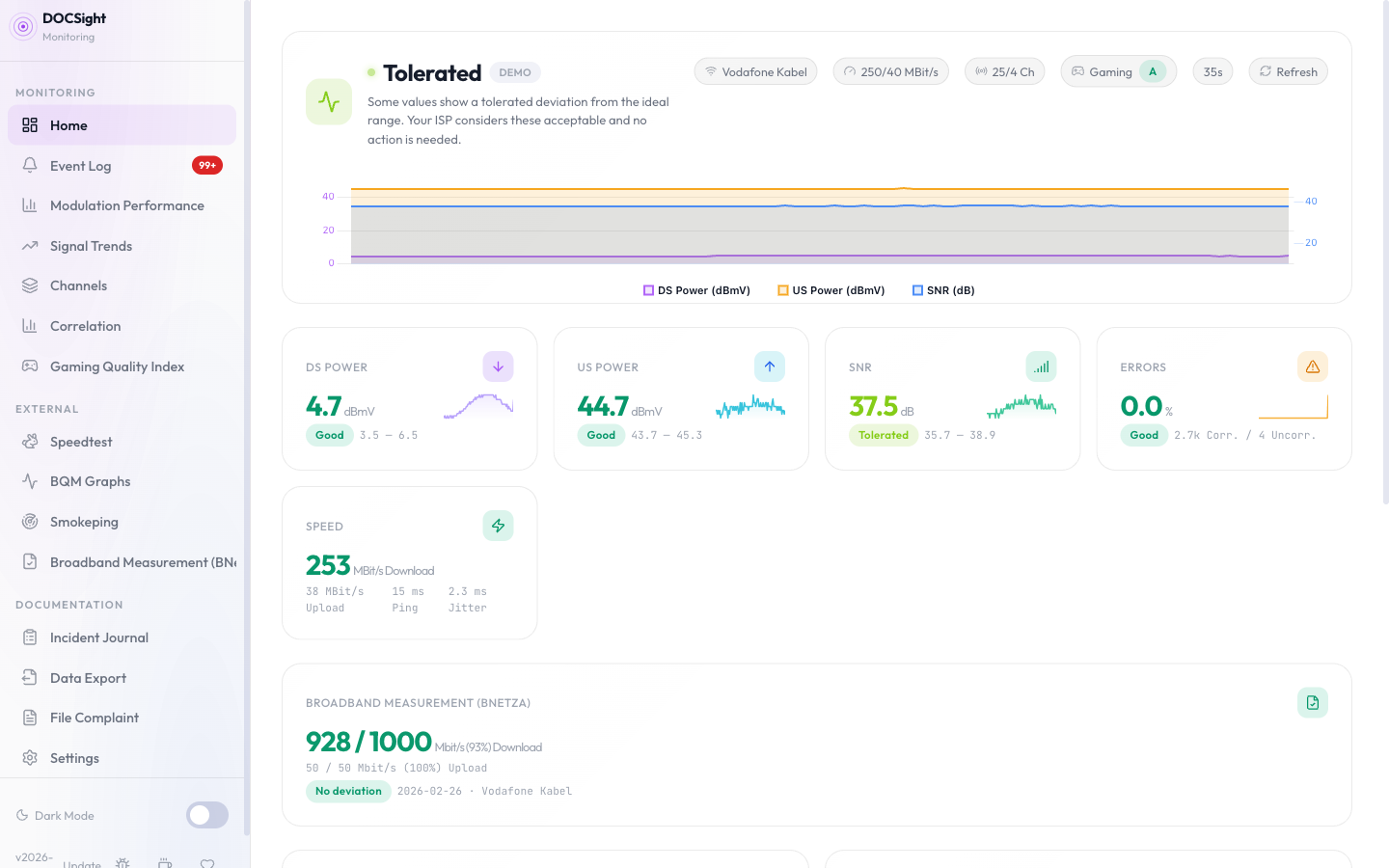
| Live Dashboard | See current signal health, active issues, and actionable diagnostics at a glance |
| Signal Trends | Turn intermittent instability into visible long-term patterns |
| Connection Monitor | Track latency, packet loss, outages, traceroute evidence, and raw ping logs continuously |
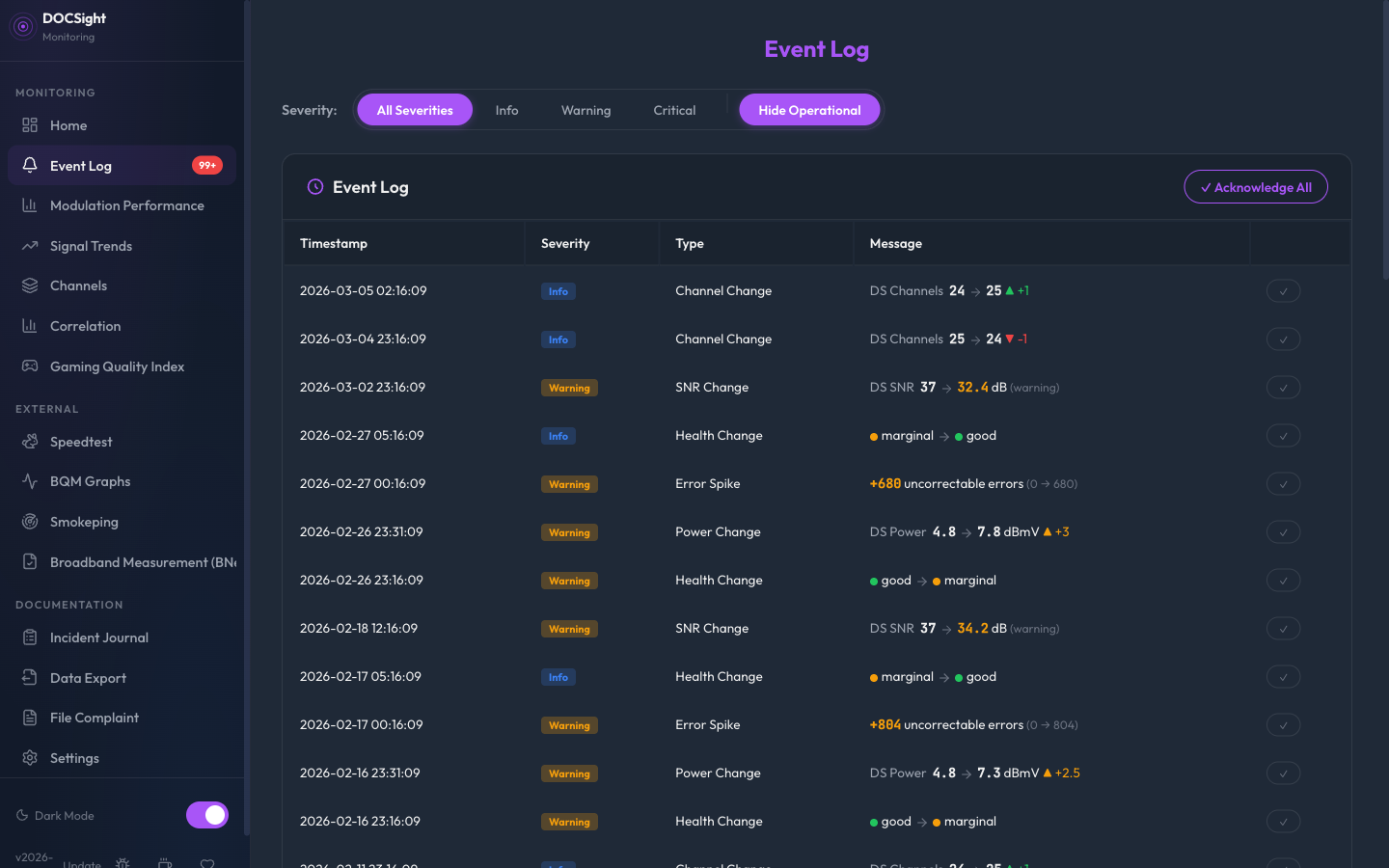
| Event Log | Automatically record anomalies like modulation drops and modem restarts |
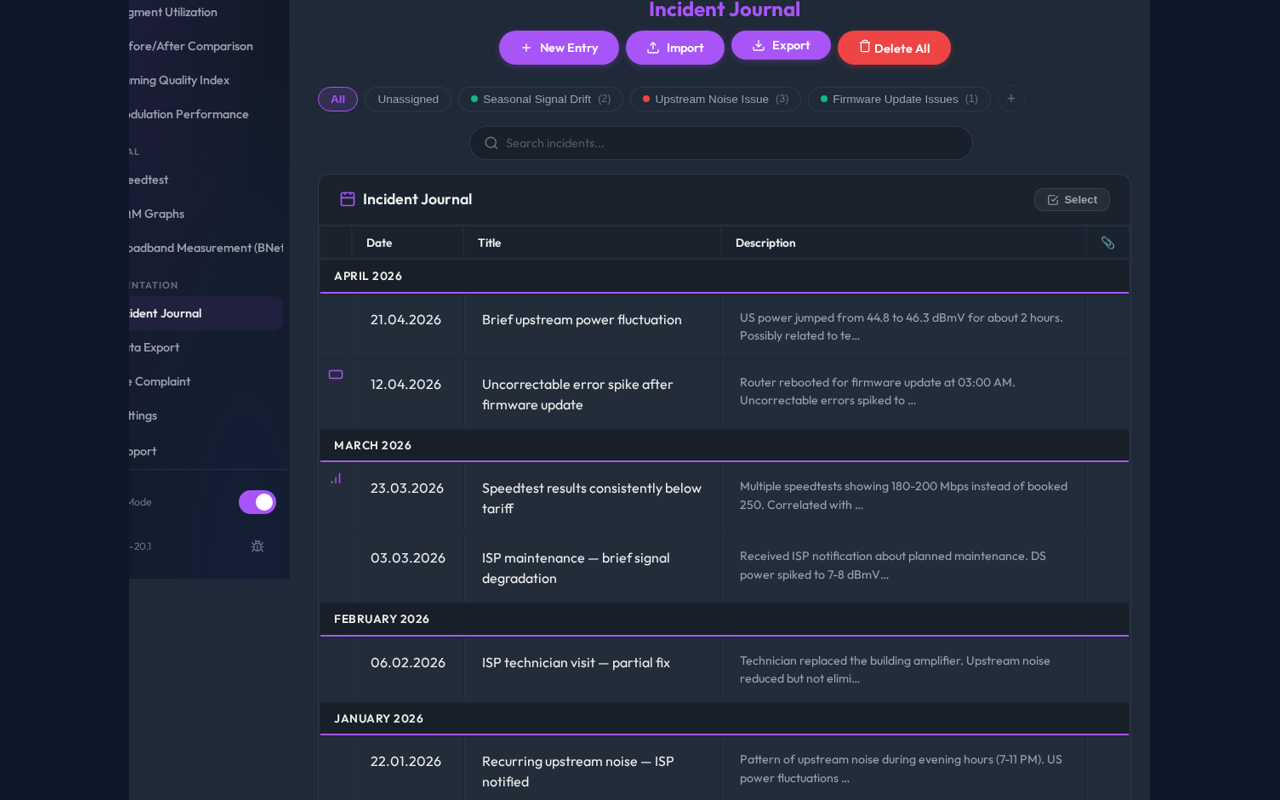
| Incident Journal | Add notes, attachments, reviewed imports, and incident groupings |
| Evidence Journey | Check an incident or time window for available, stale, missing, optional, and not-applicable evidence before exporting |
| Before/After Comparison | Show whether a technician visit or ISP change actually improved anything |
| Correlation Analysis | Combine signal, speed, and event history in one timeline |
| Complaint Generator | Build ISP-ready evidence packages with letter text, checklist, and PDF output |
Analysis, Integrations, and Power Features
| Category | Includes |
|---|---|
| Network analysis | Gaming Quality Index, Modulation Performance, Channel Timeline, Cable Segment Utilization |
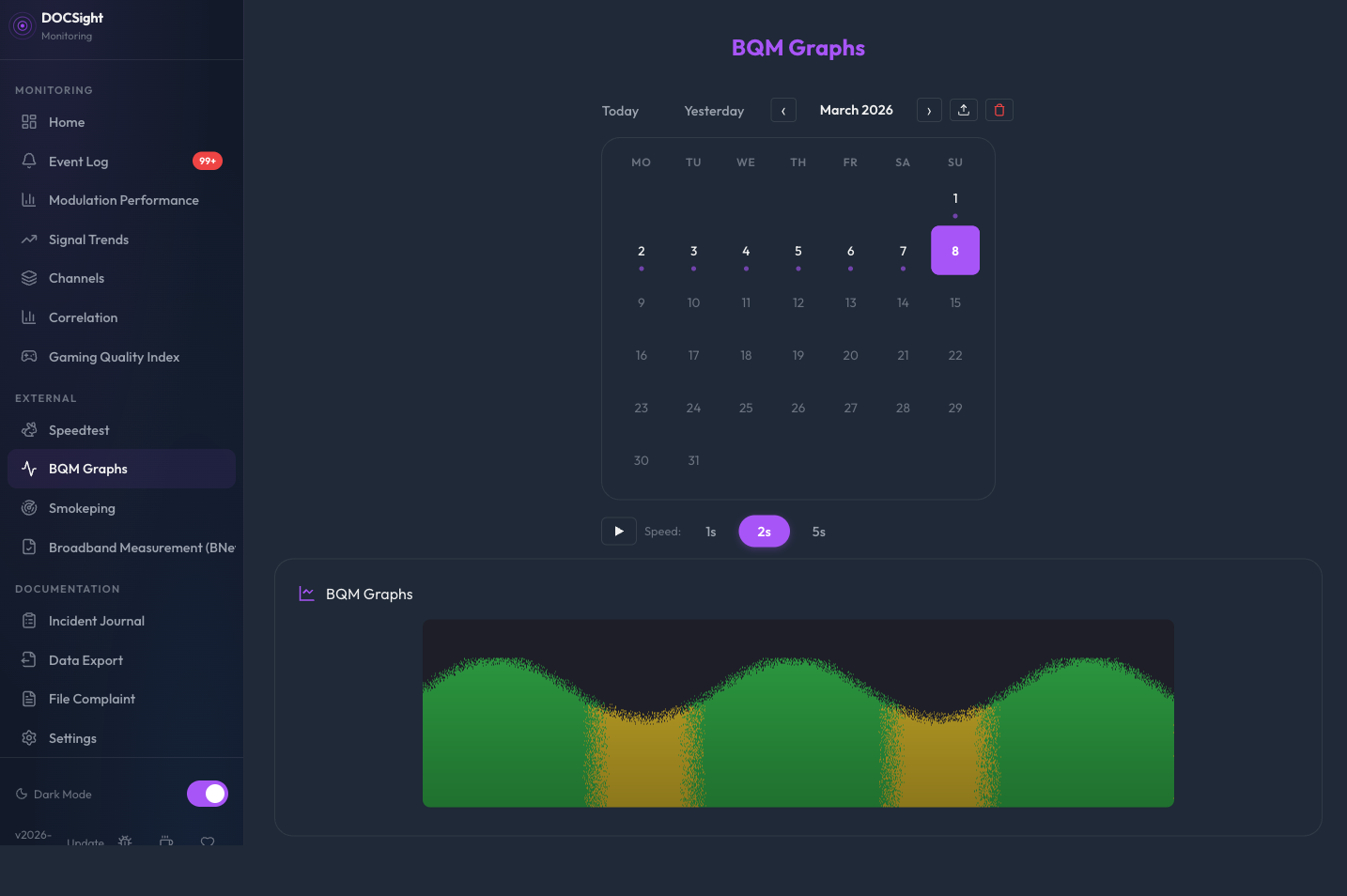
| External data sources | Guided setup for Speedtest Integration, BQM Integration, and Smokeping Integration, plus Smart Capture and BNetzA Measurements |
| Platform features | Home Assistant, Notifications, Backup & Restore, setup wizard, optional authentication, API tokens |
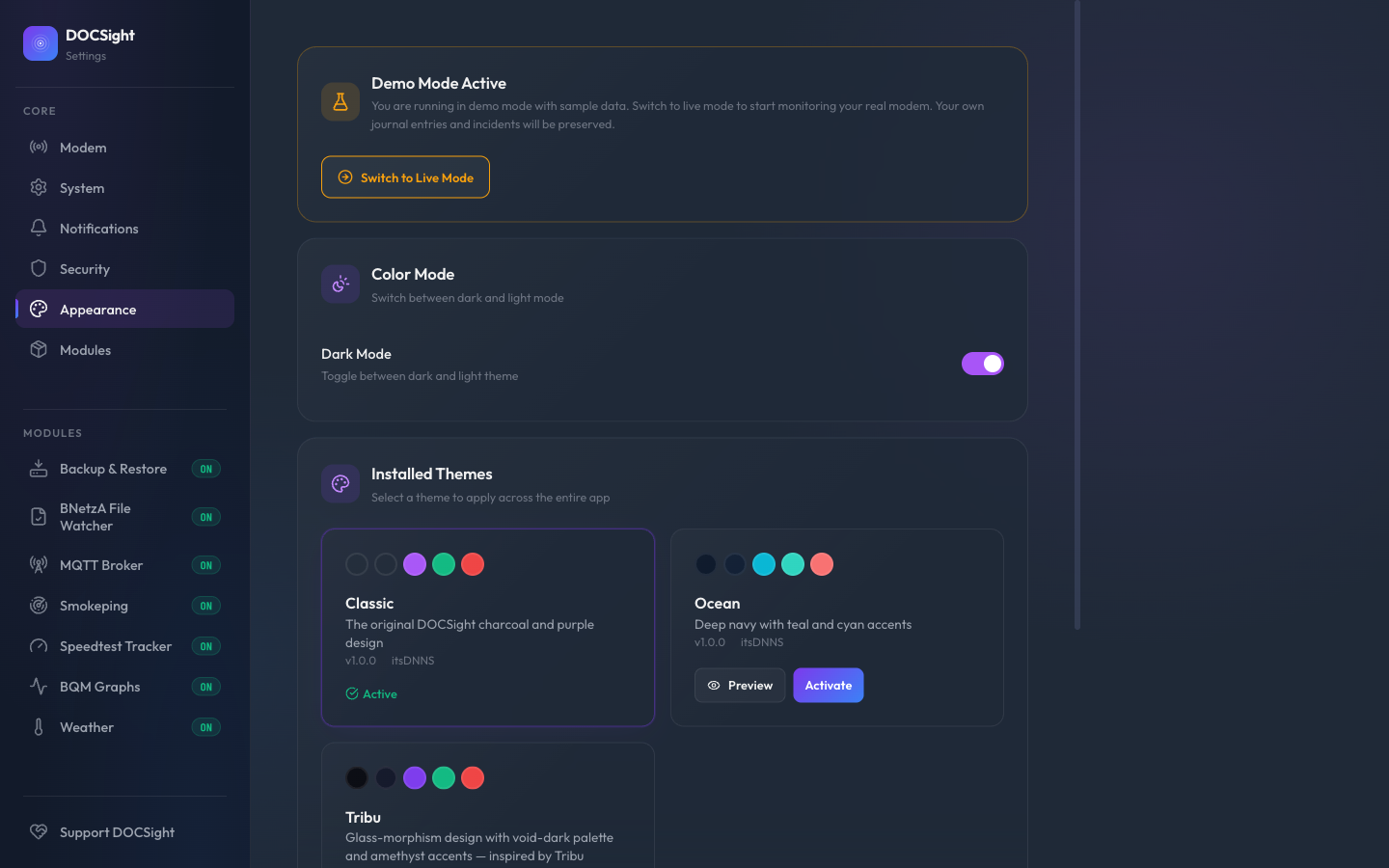
| Usability and extensibility | Demo Mode, Theme Engine, Community Modules, In-App Glossary, AI/LLM Export with local redaction controls |
Also includes a 24-language European language pack (BG/CS/DA/DE/EL/EN/ES/ET/FI/FR/GA/HR/HU/IT/LT/LV/NB/NL/PL/PT/RO/SK/SL/SV), light/dark mode, PWA/offline support, and a system font toggle.
Extended screenshot gallery
More views from the product:
| Dashboard | Signal Trends |
|---|---|
|
|
| Incident Journal | Complaint Workflow |
|---|---|
 |
|
See the extended screenshot gallery
| Dashboard (Light) | Health Assessment |
|---|---|
 |
 |
| Speedtest Tracker | Import (Excel/CSV) |
|---|---|
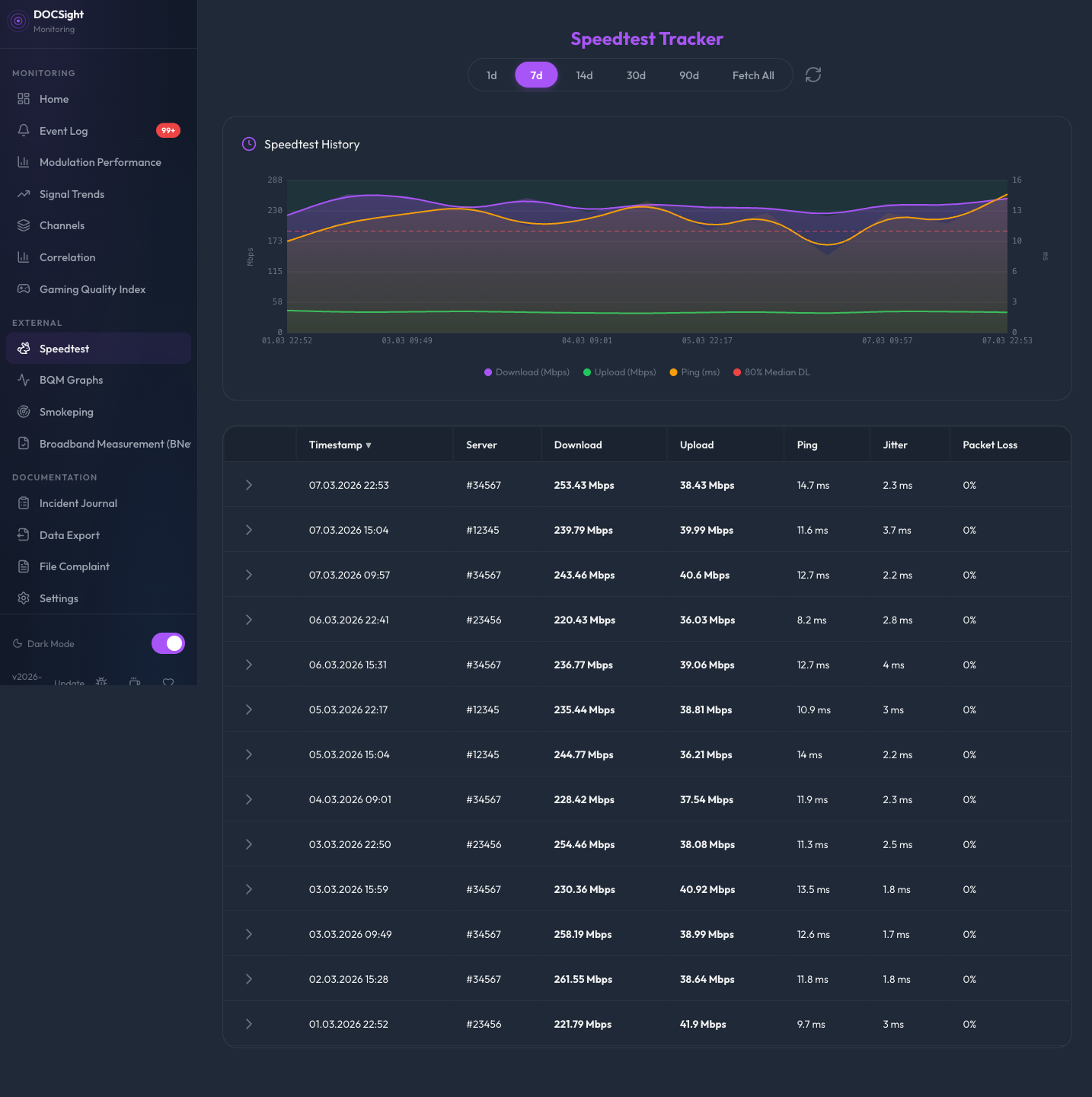 |
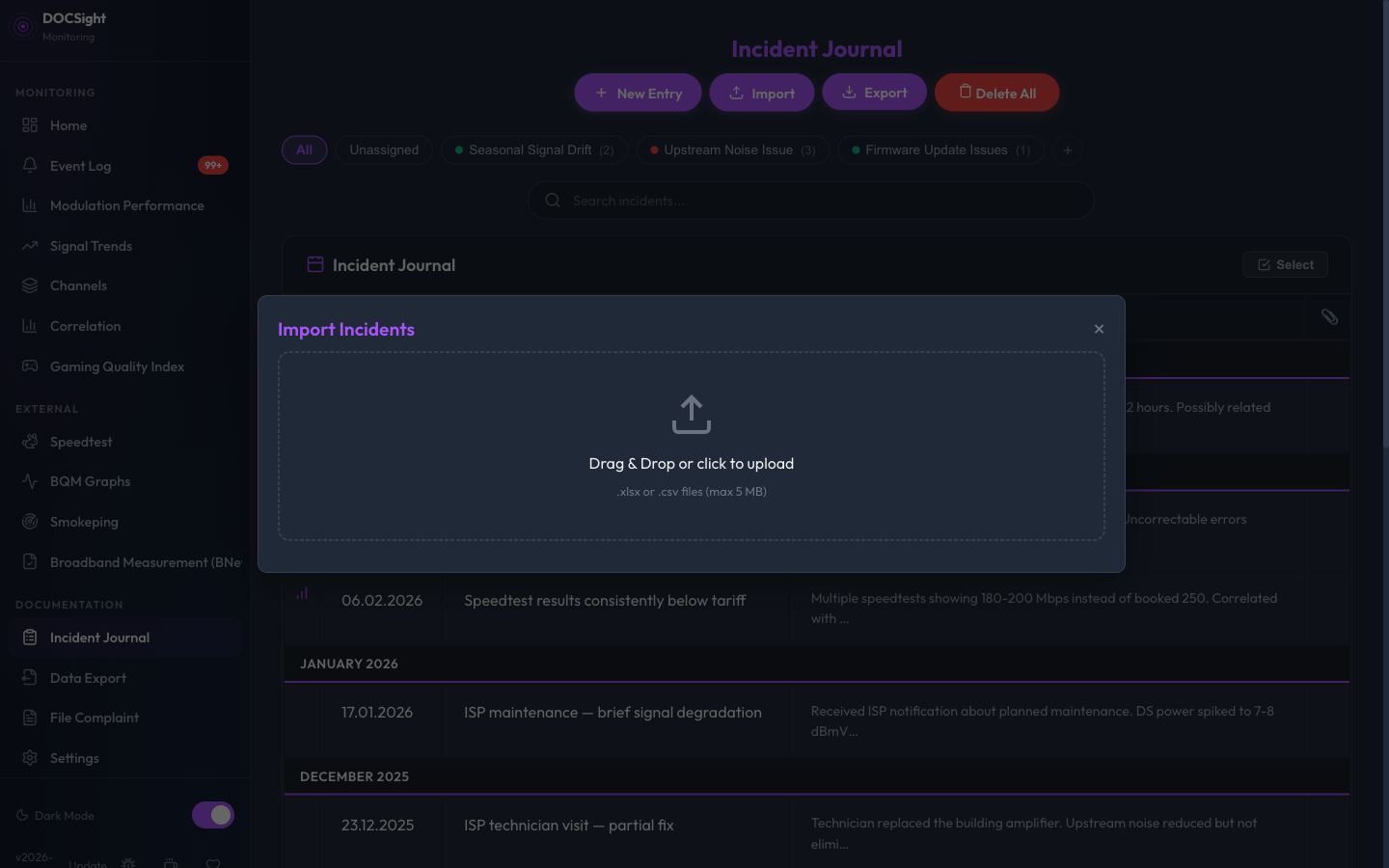 |
| Edit with Icon Picker | Channel Timeline |
|---|---|
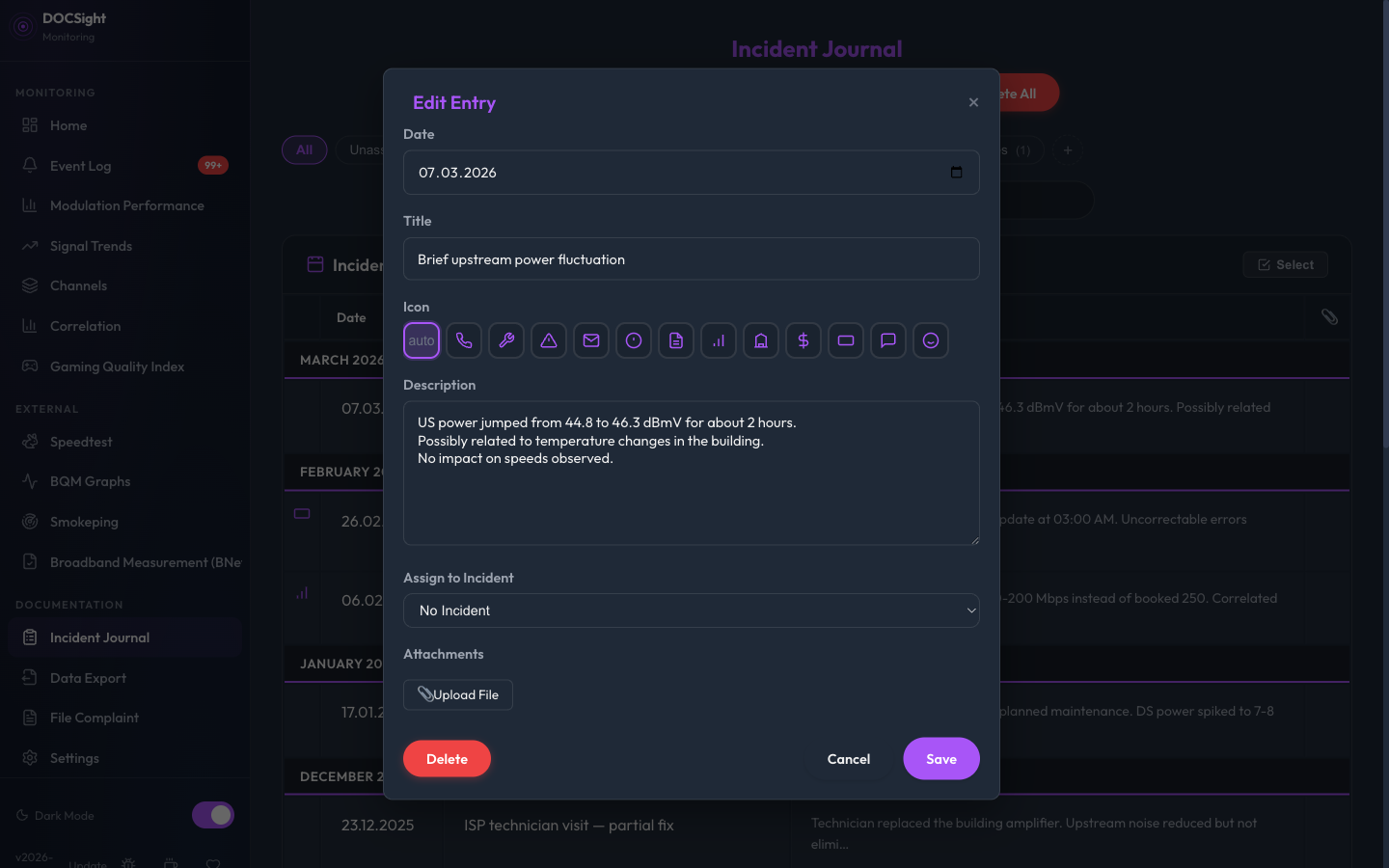 |
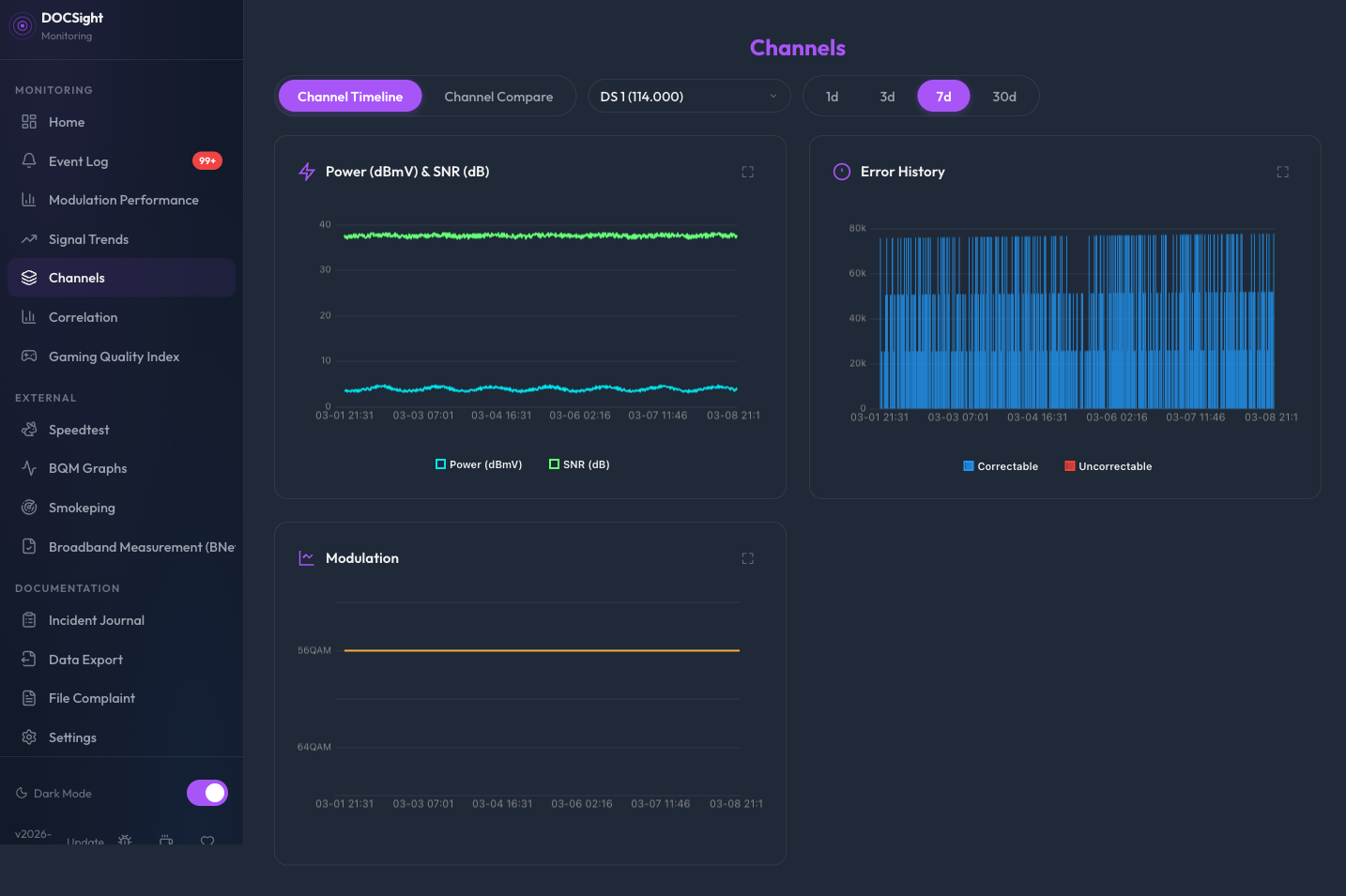 |
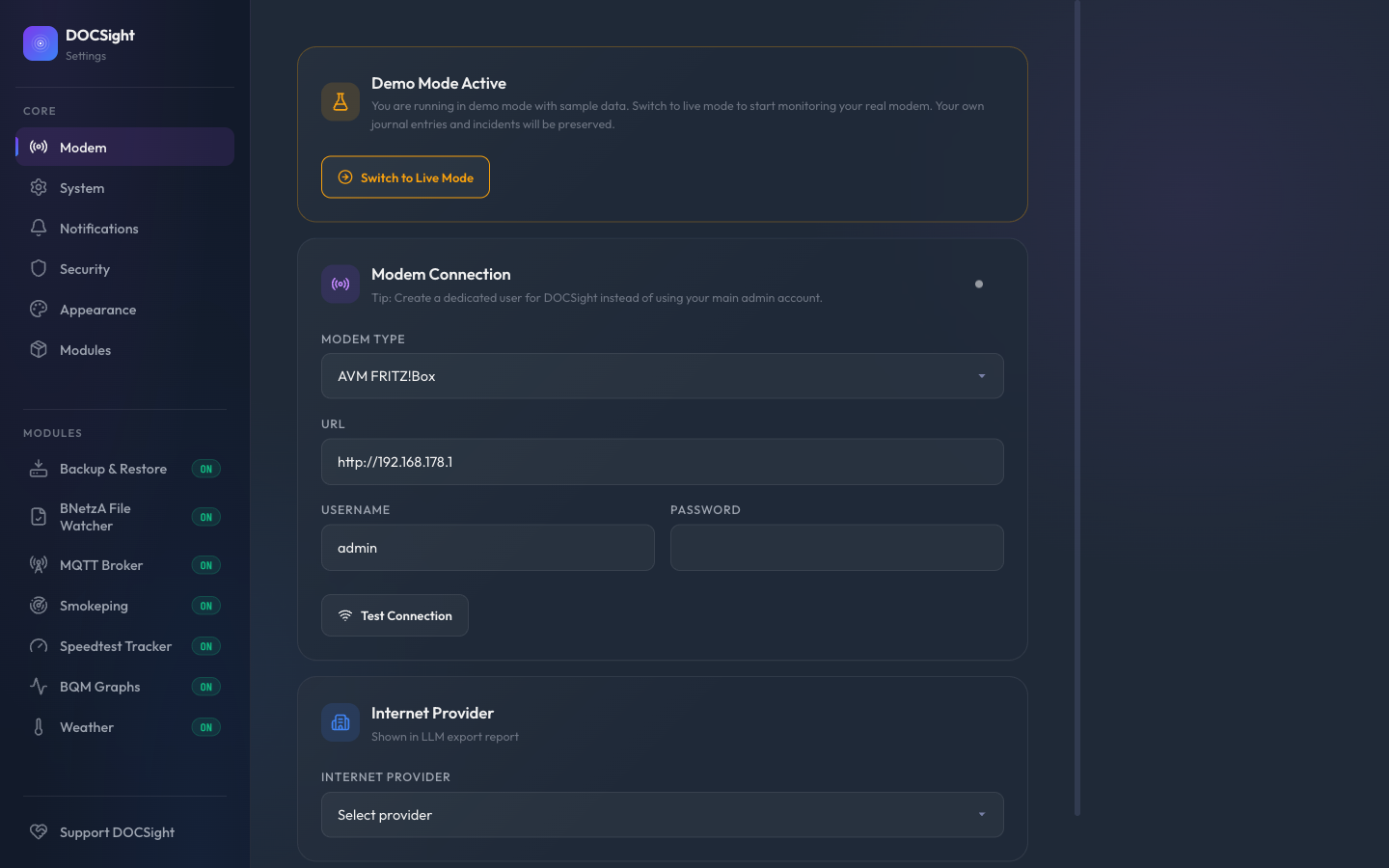
| Event Log | Settings |
|---|---|
 |
 |
| Theme Gallery | BQM Integration |
|---|---|
 |
 |
Supported Hardware
DOCSight supports 17 modem families out of the box and also offers Generic Router mode for fiber, DSL, and satellite connections.
Common setups
- CGA4233 / TG3442DE cable gateways: bridge mode compatible
- AVM FRITZ!Box Cable (6490, 6590, 6591, 6660, 6690)
- Sercomm Ultra Hub 7 class gateways
- CH7465 Connect Box family
- Sagemcom F@st 3896: JSON-RPC API
- Technicolor TC4400
- Arris SURFboard (S33, S34, SB8200): HNAP1 API
- Hitron CODA-56 and CODA-4680
- Netgear CM3000
- Generic Router mode: no DOCSIS signal pages, but still supports speed tracking, latency monitoring, incident logging, reports, and modules
See the full compatibility and setup docs in the wiki →
DOCSight works with DOCSIS cable providers worldwide. Community drivers and extensions live in docsight-modules, and you can also add your own modem support.
Currently focused on the German cable market for complaint templates, BNetzA measurements, and VFKD thresholds. The core monitoring stack is usable beyond Germany, and community contributions for other markets are welcome.
Architecture
DOCSight uses a modular collector-based architecture for reliable data gathering from multiple sources:
flowchart TD
    subgraph CR["Collector Registry"]
        MC["Modem Collector"]
        DC["Demo Collector"]
        SC["Speedtest Collector"]
        BC["BQM Collector"]
        SP["Smokeping Proxy"]
        BN["BNetzA Watcher"]
        BK["Backup Collector"]
    end

    MC --> BASE
    DC --> BASE
    SC --> BASE
    BC --> BASE
    SP --> BASE
    BN --> BASE
    BK --> BASE

    BASE["Base Collector (Fail Safe)<br/>Exponential backoff<br/>Auto reset after idle<br/>Health status monitoring"]
    BASE --> EVT["Event Detector<br/>Anomaly detection and alerting"]
    EVT --> STORE["SQLite Storage + MQTT<br/>Snapshots, trends, Home Assistant"]
    STORE --> UI["Web UI (Flask)<br/>Dashboard, charts, reports"]
Architecture layers:
Collectors: modem, demo, speedtest, BQM, Smokeping, BNetzA, and backup inputsBase Collector: shared fail-safe behavior like backoff, reset, and health handlingEvent Detector: turns raw state changes into anomaly and alert eventsStorage + MQTT: persists snapshots and exposes data to Home AssistantWeb UI: presents dashboards, trends, reports, and complaint workflows
See ARCHITECTURE.md for detailed technical documentation.
Requirements
- Docker (or any OCI-compatible container runtime), or see Running without Docker for a native Python setup
- A supported DOCSIS cable modem/router (see above), or any router via Generic Router mode
- MQTT broker (optional, for Home Assistant)
Community and Support
Use the right channel so questions, bug reports, modem requests, and real-world examples do not get mixed together.
| Need | Best place |
|---|---|
| Setup help and troubleshooting | GitHub Discussions: Q&A |
| Feature ideas and roadmap feedback | GitHub Discussions: Ideas |
| Share your setup, exports, or evidence workflow | GitHub Discussions: Show and tell |
| Confirmed bugs and regressions | Bug report issue form |
| Documentation gaps or stale screenshots | Documentation improvement form |
| New modem support requests | Modem support request form |
| Security vulnerabilities | Private security advisory |
For the full routing guide, see SUPPORT.md.
Contributing
See CONTRIBUTING.md. Please open an issue or start an Ideas discussion before working on new features.
Mobile viewport quality gate
DOCSight includes a focused Playwright gate for mobile regressions across the main blades and high-value modals. It uses an iPhone-sized 393x852 viewport and checks for horizontal overflow, off-screen controls, modal/footer overlap, console errors, and representative 44 px touch targets.
To run the same gate locally:
python -m pip install pytest-playwright==0.7.2 playwright==1.58.0
python -m playwright install chromium
TZ=UTC python -m pytest -q tests/e2e/test_mobile_quality_gate.py --tb=short
The test does not commit screenshot artifacts by default. Use the broader E2E suite when changing shared modal, navigation, chart, or journal behavior.
Roadmap
See the full roadmap in the wiki for long-term goals and modem support plans.
Changelog
See GitHub Releases.
Troubleshooting
For self-hosted setup checks, run the local doctor command from the same environment that runs DOCSight:
docker exec docsight python -m app.doctor
docker exec docsight python -m app.doctor --json > docsight-doctor.json
The command is passive by default. It checks runtime, config, storage, local secret-file state, database readability, and optional integration configuration without contacting the modem, DNS, MQTT, webhooks, Apprise, or other external services. Output is redacted by default for support threads.
Support
If DOCSight helped you prove an issue, understand your connection better, or save time with your ISP, consider supporting development:



DOCSight is actively maintained and tested against real hardware. Support helps fund development time, hardware access, documentation, testing, and long-term maintenance.
Brand Use
The code is MIT-licensed, but the DOCSight name, logo, and project branding are governed separately. Community forks and commercial services may say they are "based on DOCSight" or "compatible with DOCSight", but must not present themselves as the official project without permission.
See TRADEMARKS.md for the full brand and trademark policy.
Documentation
| Document | Scope |
|---|---|
| Wiki | User guides, feature docs, setup instructions |
| Proof pack | Demo-safe public screenshots, sample report, and claim-proof notes |
| Data contract | Local data ownership, generated artifacts, export boundaries, diagnostics, backups, and redaction expectations |
| Apprise notification sidecar | Optional alert fan-out through an Apprise API sidecar |
| PWA Web Push notifications | Optional browser/app push alerts through the installed PWA |
| Community proof templates | Public-safe templates for setup stories, modem reports, and ISP evidence outcomes |
| GitHub Releases | Versioned builds and release notes |
| SUPPORT.md | Support routing, community channels, and issue guidance |
| ARCHITECTURE.md | Technical architecture and extension guide |
| CONTRIBUTING.md | Development and contribution guidelines |
| TRADEMARKS.md | Brand, logo, and official-use policy |
License
DOCSight = DOCSIS + Insight (+ a quiet sigh from every cable internet user)