
DumbNote
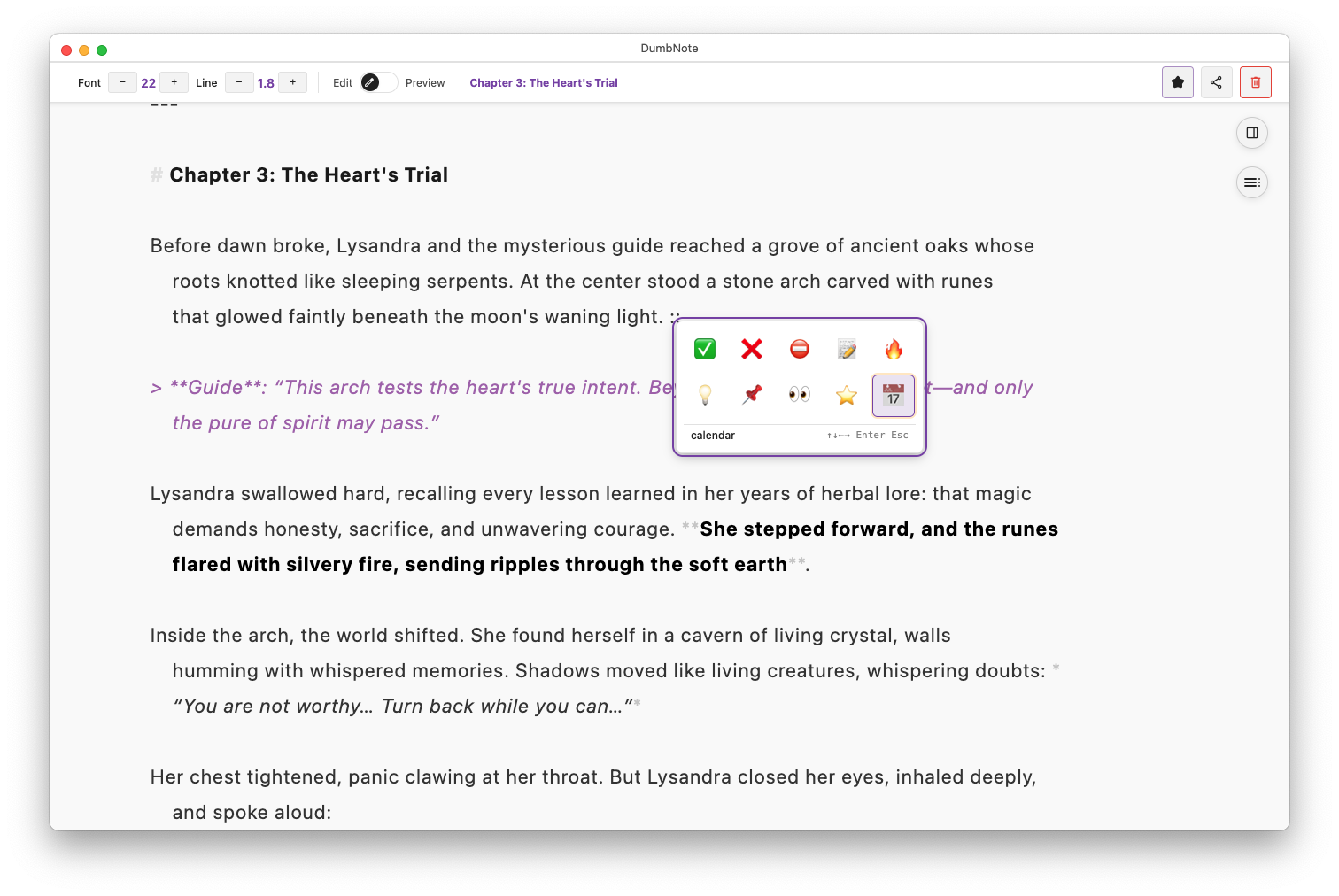
Lightning-fast markdown notes for surprise calls, quick meetings, and sudden ideas. Open, type, capture — before the moment passes.
Download
Download DumbNote for macOS, Windows, or Linux.
macOS users: If you see a security warning, right-click the .pkg file and select "Open", then click "Install".
Why DumbNote?
Your notes, your way
- Plain
.mdfiles on your computer - No vendor lock-in, no subscriptions
- Works offline, syncs when you want
- Compatible with any markdown editor
Built for speed
- Instant startup - no loading screens
- Lightning-fast search across all notes
- Smart shortcuts save keystrokes
- Multiple windows for parallel work
Professional features
- Monaco Editor (VS Code's editor)
- GitHub sync for backup
- PDF export with perfect formatting
- Publish to GitHub Gists instantly
Key Features
Writing
- Smart typing - Auto-continues lists and checkboxes
- Wiki links - Connect notes with
[[Note Name]] - Quick dates - Type
@todayfor timestamps - Emoji picker - Type
::for quick emoji - Typewriter mode - Keep cursor centered while writing
Organization
- Tags - Organize with YAML frontmatter
- Favorites - Quick access to important notes
- Hub View - See how notes connect
- Full-text search - Find anything instantly
Sharing
- GitHub Gist - Publish with one click
- PDF export - Professional documents
- GitHub sync - Automatic backup
- Bulk export - ZIP all notes
Getting Started
- Download and install DumbNote for your platform
- Create your first note with
Cmd/Ctrl+N - Start typing - it's just markdown
- Explore features in our User Guide
Learn More
📚 Complete User Guide - Master all features
⌨️ Keyboard Shortcuts - Work faster
🏷️ Organization Tips - Stay organized
☁️ GitHub Sync Setup - Never lose a note
Philosophy
DumbNote follows one principle: let you write.
- No account required
- No feature bloat
- No artificial limits
- No data harvesting
- Just fast, reliable notes
Your notes stay on your machine, in standard markdown format, forever accessible.
Repository: https://github.com/baibao577/dumbnote-page
Created by someone who just wanted to take notes without the hassle.