
Electron File Manager for Linux
A fast, keyboard-friendly file manager for Linux, built with Electron and native GIO bindings.
Screenshots
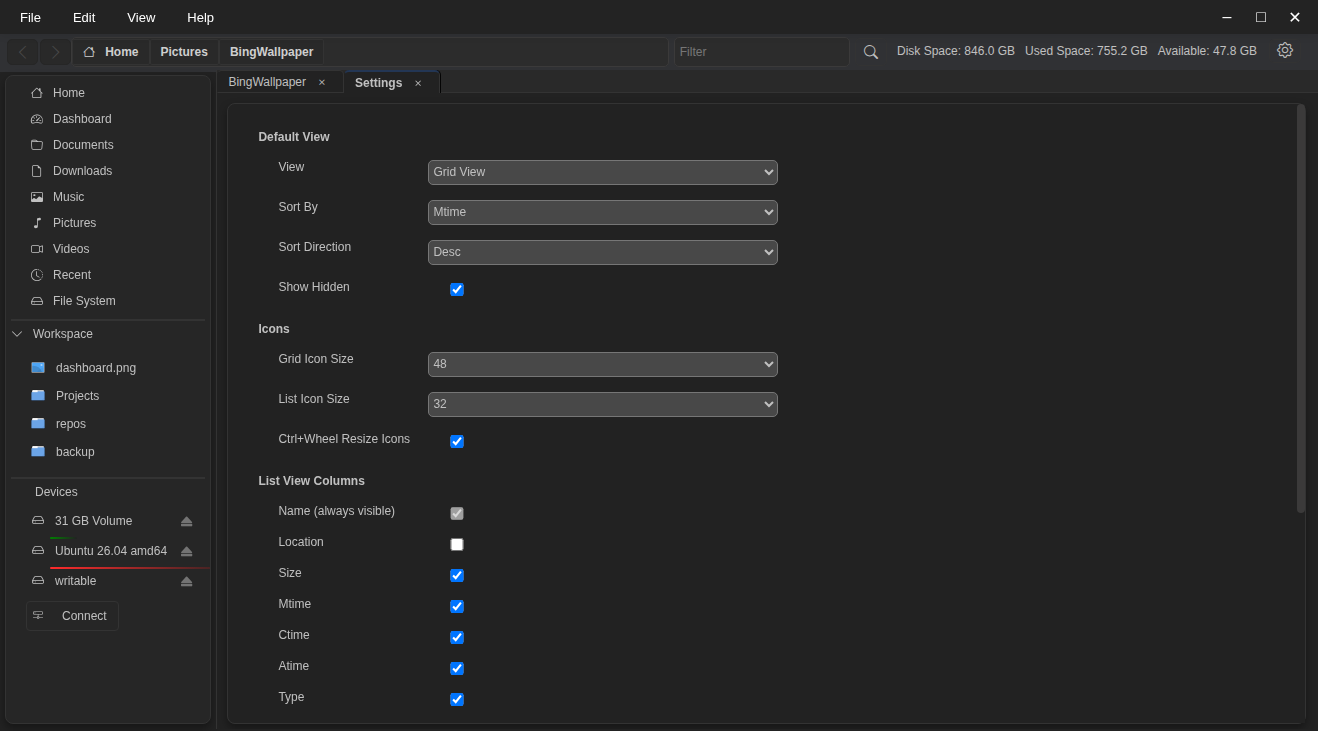
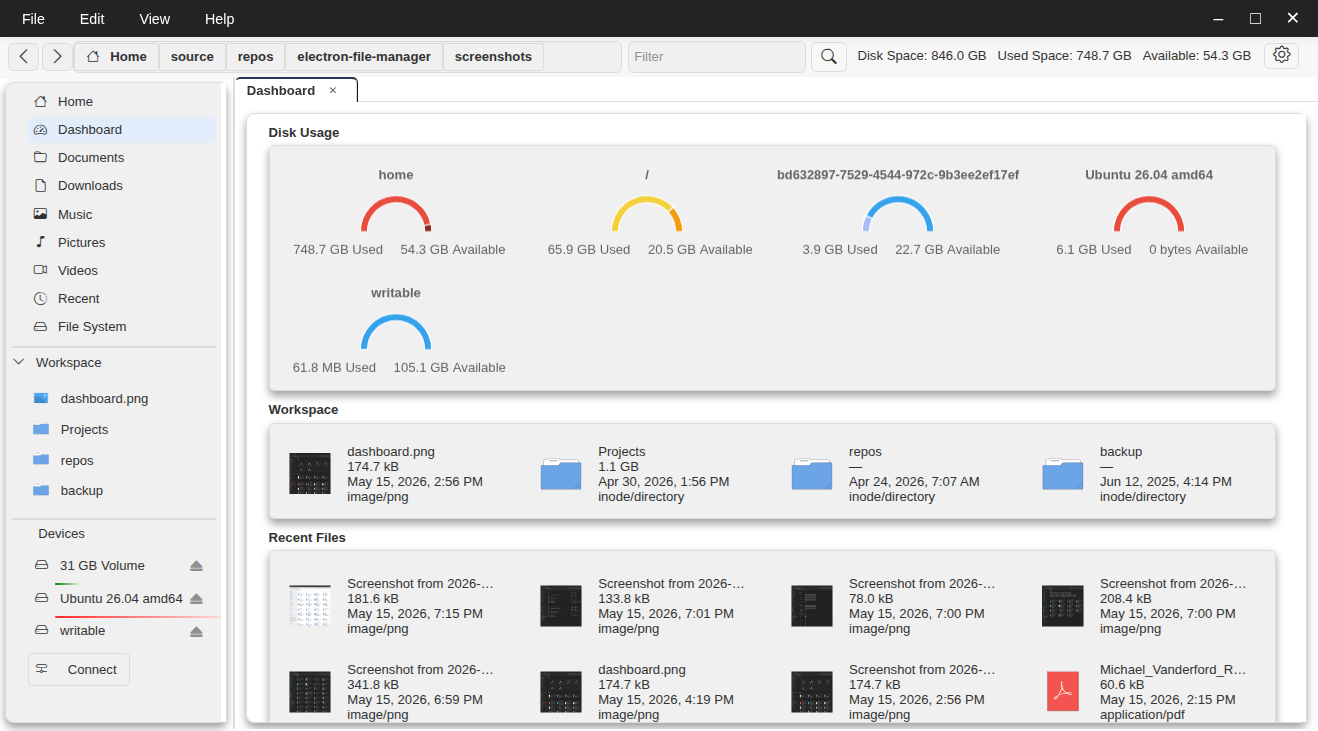
Features
Navigation
- Multi-tab browsing with persistent tab history and back / forward navigation
- Breadcrumb bar with inline location input and path autocomplete
- Sidebar with quick links to Home, Documents, Downloads, Music, Pictures, Videos, Recent Files, and File System root
- Recent files view
File Operations
- Copy, cut, paste files and folders
- Drag-and-drop to move or copy between locations (hold
Ctrlto copy) - Rename files and folders inline
- Create new folders
- Delete files and folders
- Overwrite conflict resolution — choose to replace or skip per file
Views & Sorting
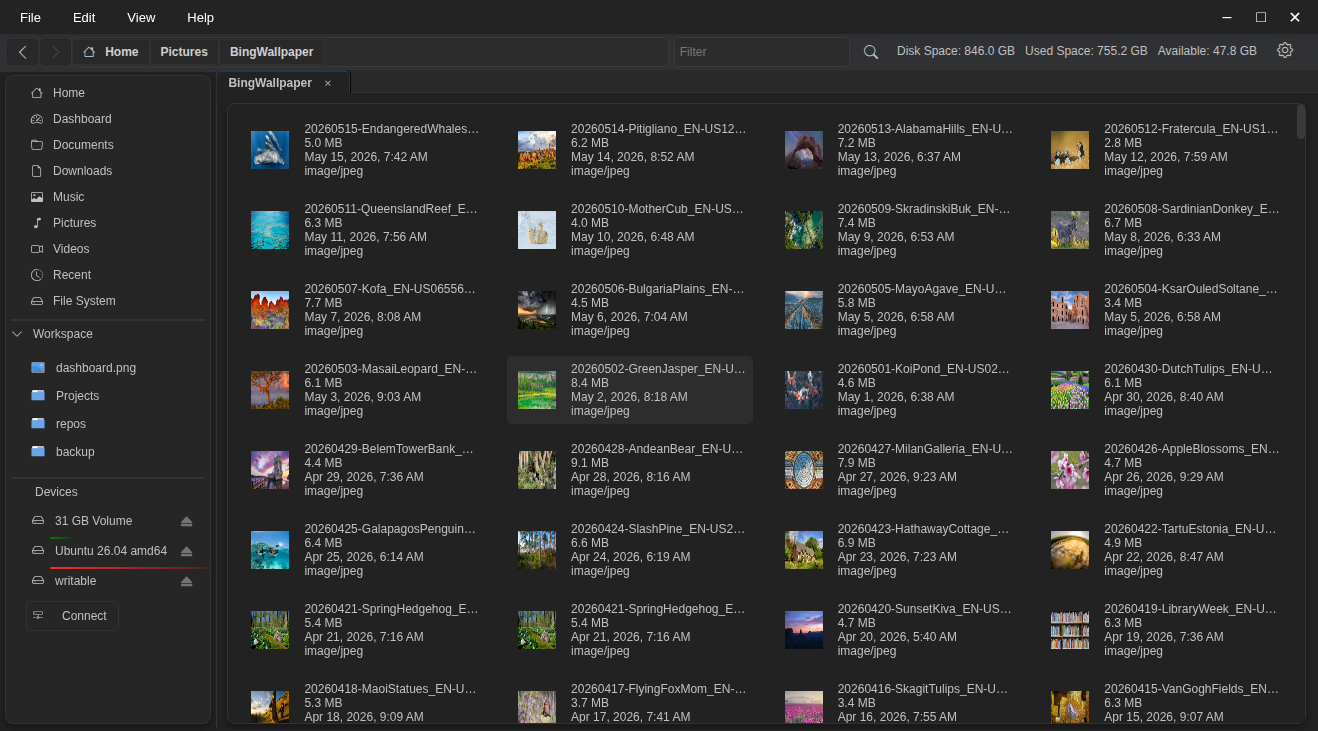
- List view and Grid view
- Configurable columns (name, size, modified, created, accessed, type, path, count)
- Resizable columns with persistent widths
- Sort by name, size, modified, created, or accessed — ascending or descending
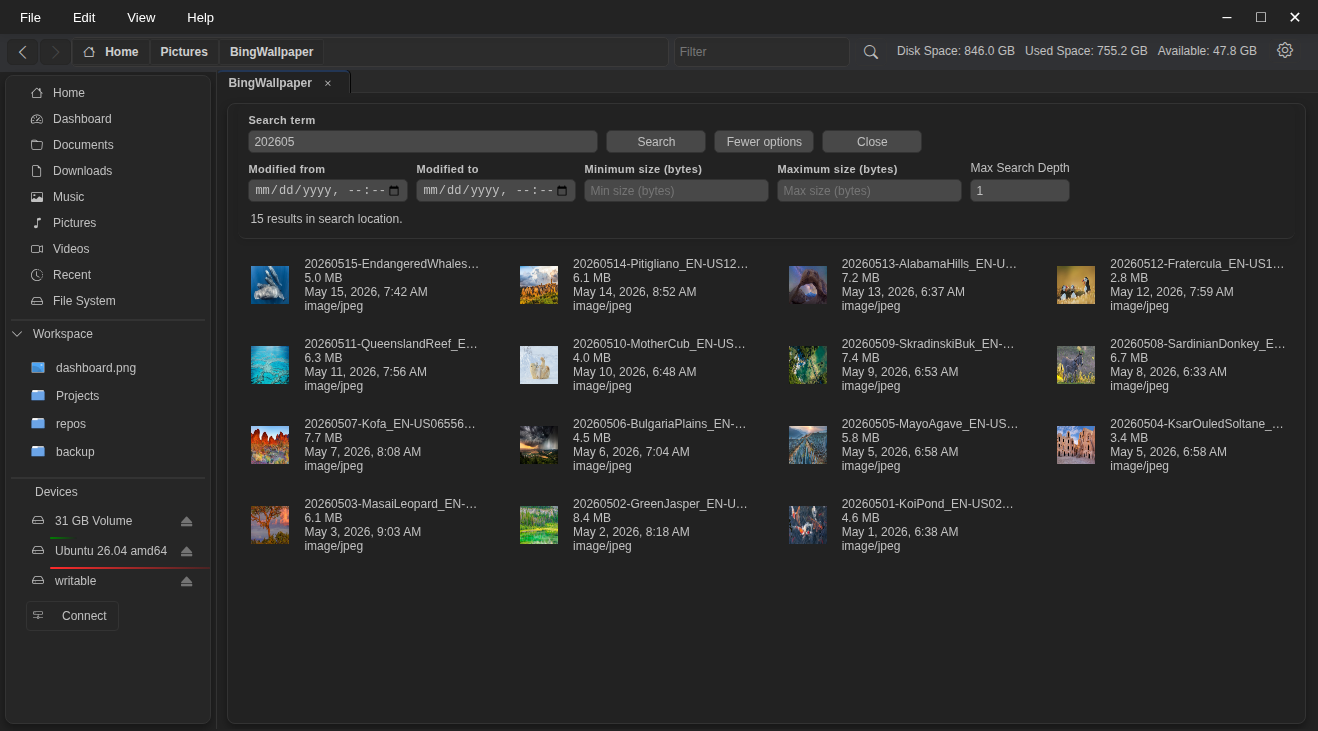
- Filter files by name in the current view
- Show / hide hidden files
Selection
- Click, Ctrl+click, and Shift+click selection
- Drag-select with a rubber-band rectangle
- Auto-scroll when dragging near the top or bottom edge of the view
- Select all (
Ctrl+A)
Compression & Archives
- Compress selected files to
tar.gz,tar.xz, orzip - Extract archives in place
- Progress indicator with cancel support
Network & Devices
- SSHFS and SSH connections (public key or password authentication)
- SMB / Windows Share connections
- Mount and unmount drives and removable media
- MTP mobile device support (phones, tablets)
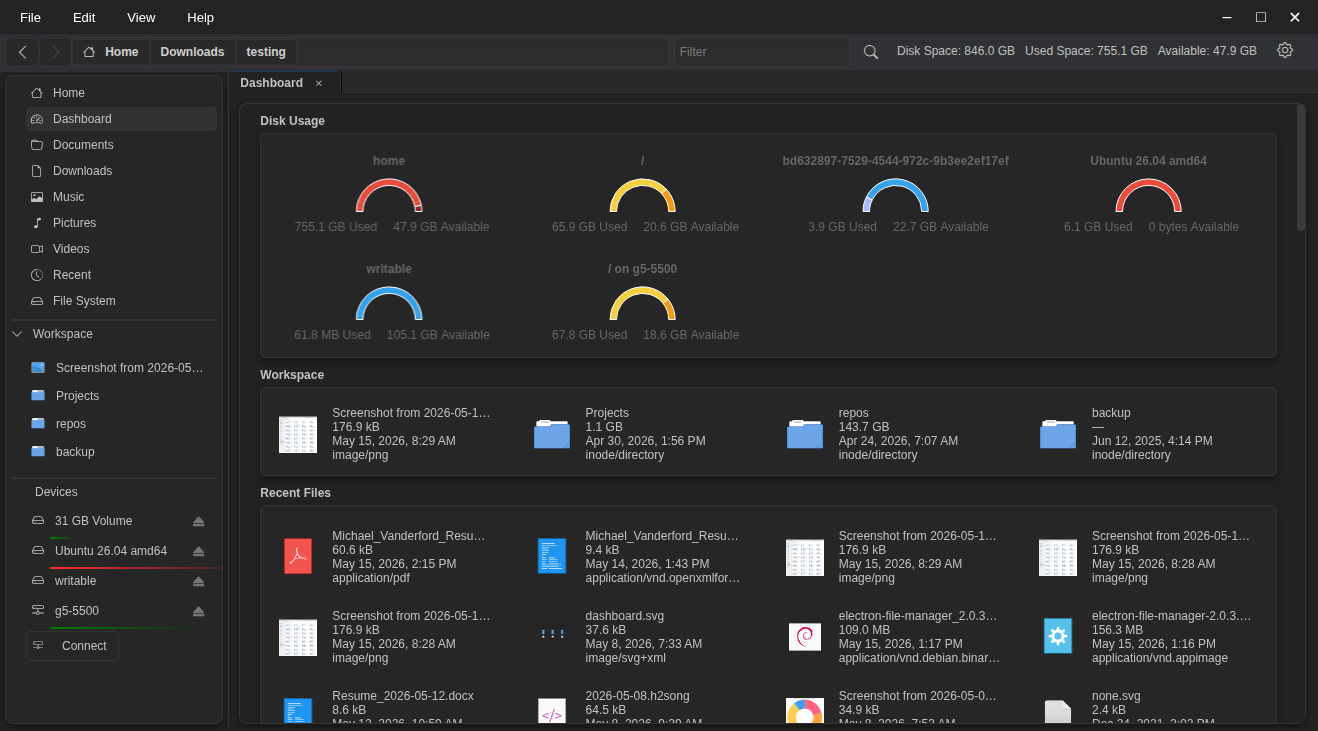
- Disk usage indicator per device in the sidebar
- Connect to Network button in the Devices panel
Workspace Bookmarks
- Pin folders to the Workspace sidebar for quick access
- Rename, remove, and reorder bookmarks
- Folder icons displayed per bookmark
File Properties
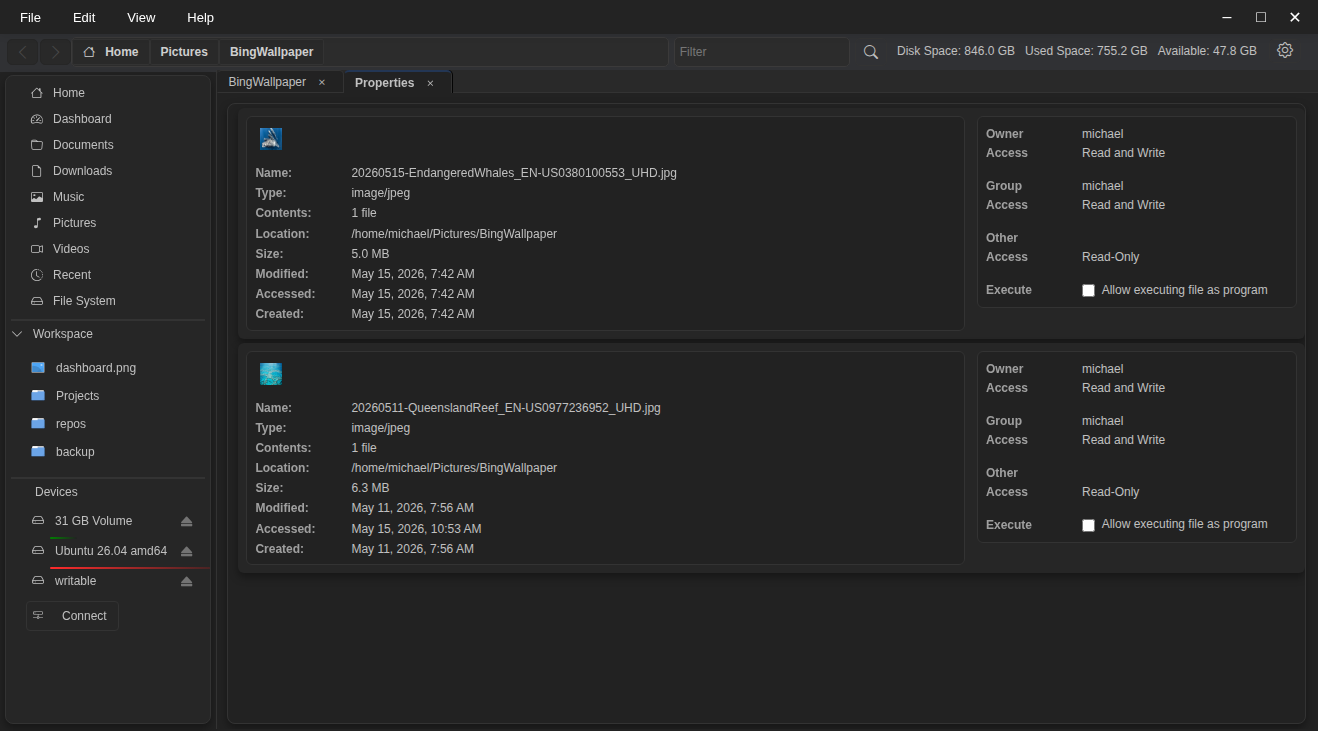
- Size, permissions, MIME type, timestamps, and more
- Folder size calculation in the background
Icons & Thumbnails
- System-resolved file and folder icons via native GIO
- Lazy-loaded icons for large directories
- Resizable icons (
Ctrl+Wheel)
Settings
- View preference (list / grid)
- Default sort order and direction
- Startup location
- Disk utility application
- Show / hide hidden files
- Icon sizes (grid and list independently)
Keyboard Shortcuts
| Action | Shortcut |
|---|---|
| New folder | Ctrl+Shift+N |
| Cut | Ctrl+X |
| Copy | Ctrl+C |
| Paste | Ctrl+V |
| Rename | F2 |
| Delete | Delete |
| Select all | Ctrl+A |
| Open in new tab | Ctrl+T |
| Navigate back | Alt+Left |
| Navigate forward | Alt+Right |
| Go to location | Ctrl+L |
Requirements
- Linux (x86-64)
- Node.js ≥ 18
sshfs(optional, for SSHFS network mounts)
Installation
git clone https://github.com/Michael-Vanderford/electron-file-manager.git
cd electron-file-manager
npm install
npm start
Build
Produces a .deb package for Debian / Ubuntu:
npm run build
Output is written to the dist/ directory.
Deb Install
sudo dpkg -i dist/electron-file-manager_2.0.2_amd64.deb
Tech Stack
| Component | Technology |
|---|---|
| Shell | Electron |
| Native FS / Icons | GIO (custom N-API addon) |
| Icons | Bootstrap Icons |
| Workers | Node.js Worker Threads |
| Tests | Jest |
Contributing
Contributions, issues, and pull requests are welcome. Please open an issue first to discuss significant changes.
License
Licensed under the GNU Lesser General Public License v2.1 or later (LGPL-2.1-or-later). See LICENSE for details.
Author
Michael Vanderford — [email protected] https://github.com/michael-vanderford/sfm