
 EnergyMe-Home

🛒 Want it ready to use? Pre-assembled and calibrated units. Just install and monitor!
Available on our website and on Tindie



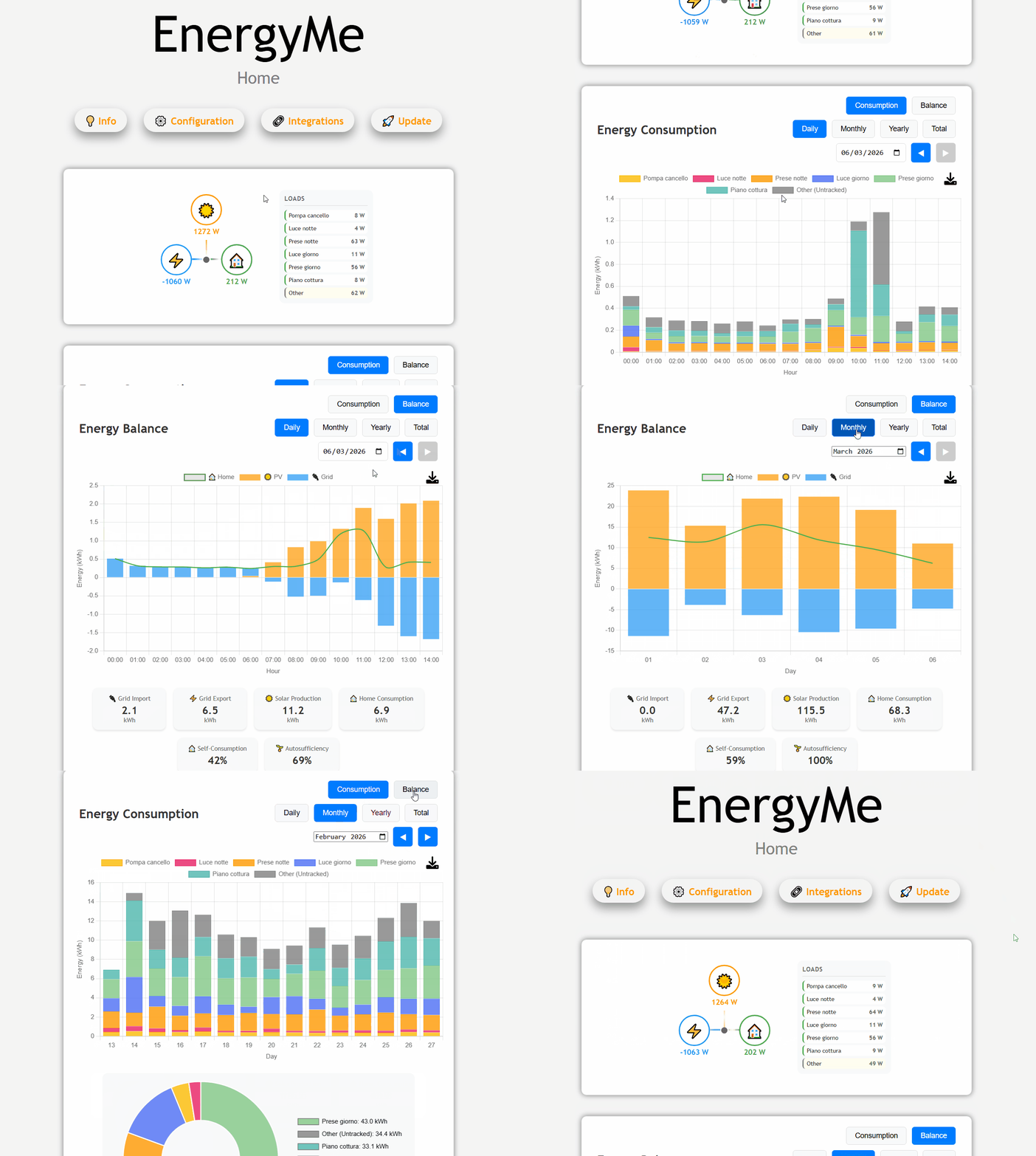
EnergyMe-Home is an open-source energy monitoring system for home use, capable of monitoring up to 16 circuits. It integrates with any platform through REST API, MQTT, Modbus TCP, and InfluxDB.
Built for makers and DIY enthusiasts who want to track their home's energy consumption. The hardware uses ESP32-S3 and ADE7953 energy measurement IC, while the firmware is written in C++ with PlatformIO and Arduino framework. You can build and customize it yourself - all hardware designs and software are open-source. Prefer it ready to go? Grab a pre-assembled unit.
A demo speaks more than 1000 words: try the demo dashboard!
Join the community! Head over to GitHub Discussions - ask questions, share your builds and dashboards, suggest features, and exchange integration tips. It's the home for everyone building, installing, or tinkering with EnergyMe-Home
Supported Electrical Systems
EnergyMe-Home is compatible with various electrical systems worldwide:
| System Type | Voltage | Configuration | Supported |
|---|---|---|---|
| Single Phase | 230V | L + N | ✅ Europe, Asia, Africa, Oceania |
| Split Phase | 120V/240V | L1 + L2 + N | ✅ North America residential |
| Split Phase | 120V/240V | L1 + L2 (no N) | ✅ Old electrical systems |
| Three Phase | 400V/230V | 3L + N | ❕ Europe commercial/industrial (derived voltages) |
| Three Phase | 208V/120V | 3L + N | ❕ North America commercial (derived voltages) |
Current Transformers Supported:
- 333 mV output CTs (+- 500 mV absolute)
- 3.5 mm jack connectors for easy plug-and-play
Monitoring Capacity:
- Up to 16 circuits simultaneously
- 1× main circuit, sampled at high frequency for accurate total energy measurement
- 15× branch circuits, multiplexed for individual monitoring
⚠️ Important: Installation requires working with your main electrical panel. Always consult a qualified electrician if you're not experienced with electrical installations. The user is responsible for ensuring compliance with local electrical codes and regulations, and assumes all risks associated with the installation and use of this device.
Hardware
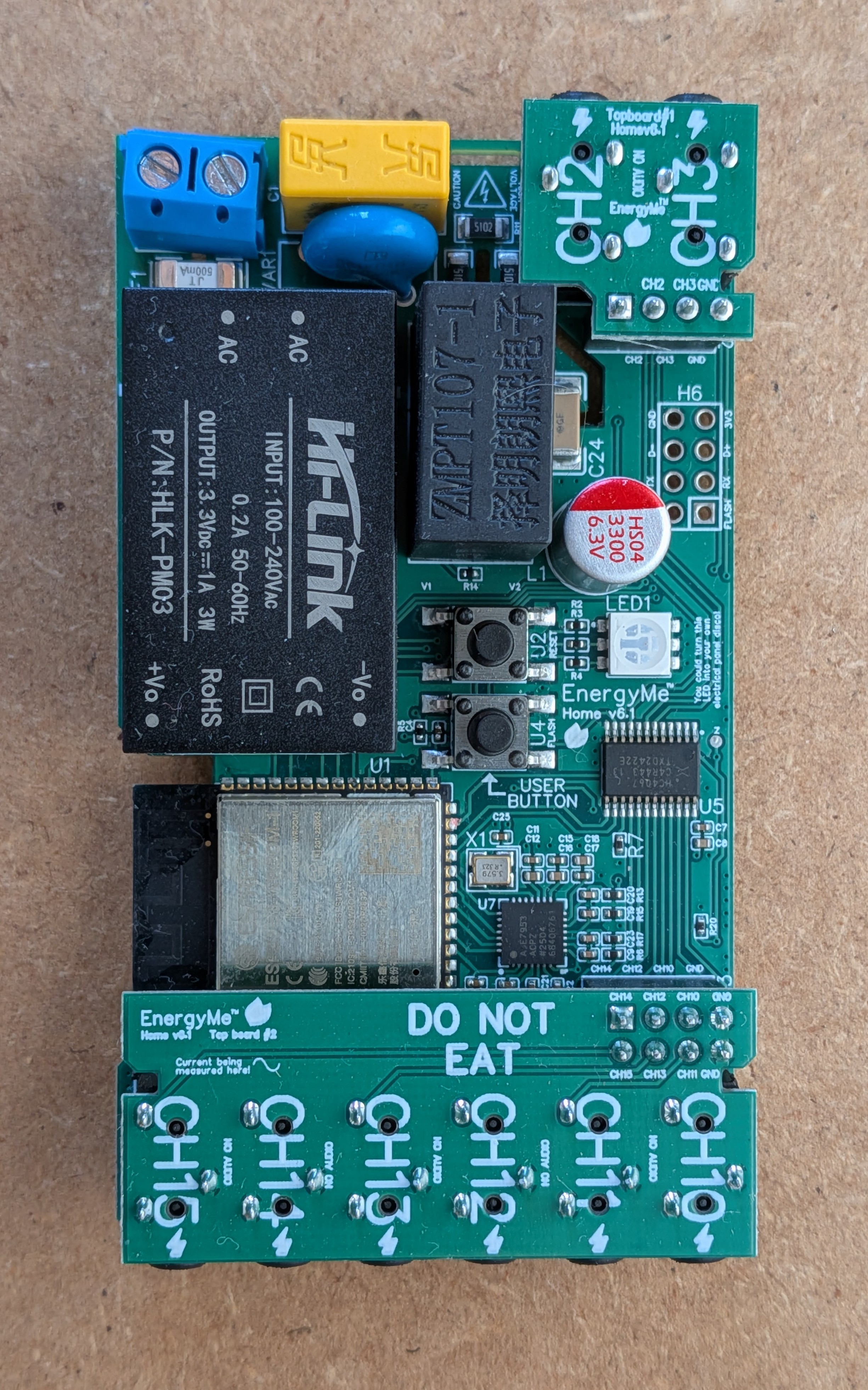
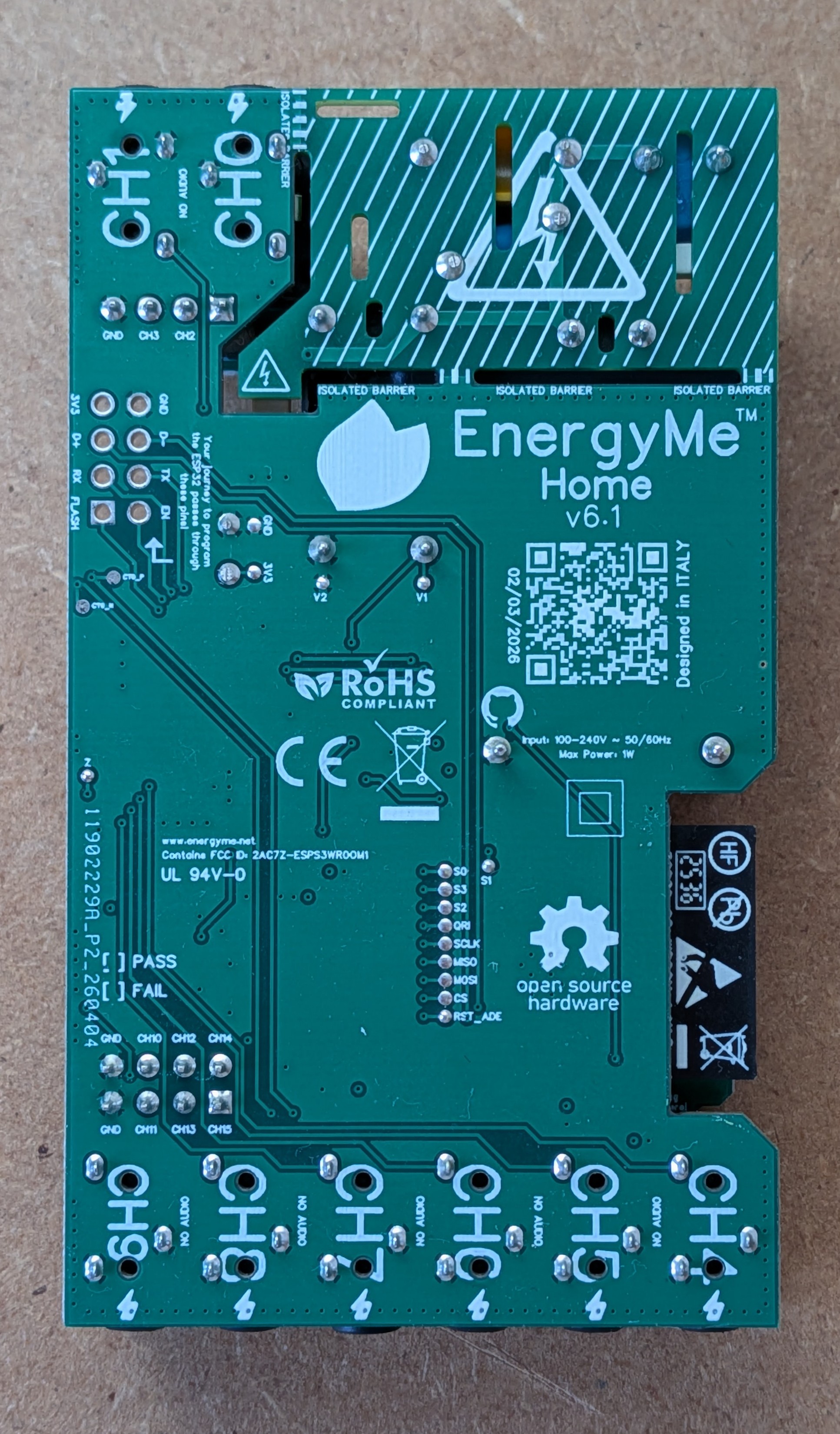
The hardware (currently at v6.1) consists of both the PCB design and the components used to build the energy monitoring system.
The key components include:
- ESP32-S3: the brain of the project
- ADE7953: single-phase energy measurement IC
- ZMPT107-1: voltage transformer providing full galvanic isolation between the AC mains and the low-voltage measurement circuitry, with no direct connection between mains and the board's ground
- Multiplexers: used to monitor multiple circuits at once
- 3.5 mm jack connectors: used to easily connect current transformers
PCB schematics and BOMs are available in the hardware/pcb directory, while datasheets for key components are in the hardware/components directory. Additional hardware specifications and technical details can be found in the hardware/README.md, with a condensed one-page summary in the PCB & Firmware Datasheet.
The project is published on EasyEDA for easy access to the PCB design files. You can find the project on EasyEDA OSHWLab.
Software
The firmware is built with C++ using the PlatformIO ecosystem and Arduino 3.x framework, with a task-based architecture using FreeRTOS.
Key Features:
- Energy Monitoring: ADE7953 driver with energy accumulation and CSV logging
- Web Interface: Dashboard for monitoring and system configuration
- Authentication: Token-based security with password protection
- Integration Options: REST API, MQTT, InfluxDB, and Modbus TCP
- Crash Recovery: Automatic recovery and firmware rollback on failures
- WiFi Setup: Captive portal for configuration and mDNS support (
energyme.local) - OTA Updates: Firmware updates with MD5 verification and rollback
- Waveform Analyzer: Capture high-resolution voltage & current waveforms per channel from the web UI
For detailed architecture, implementation details, and API documentation, see source/README.md.
Integration
EnergyMe-Home offers multiple integration options:
- REST API: Complete Swagger-documented API for all data and configuration (swagger.yaml)
- MQTT: Publish energy data to any MQTT broker with optional authentication
- Modbus TCP: Industrial protocol for SCADA systems integration
- InfluxDB: Support for both v1.x and v2.x with SSL/TLS and buffering
- Home Assistant: Dedicated custom integration (homeassistant-energyme)
For detailed integration guides and implementation details, see the source README.
Home Assistant Integration
EnergyMe-Home integrates with Home Assistant through a dedicated custom integration.
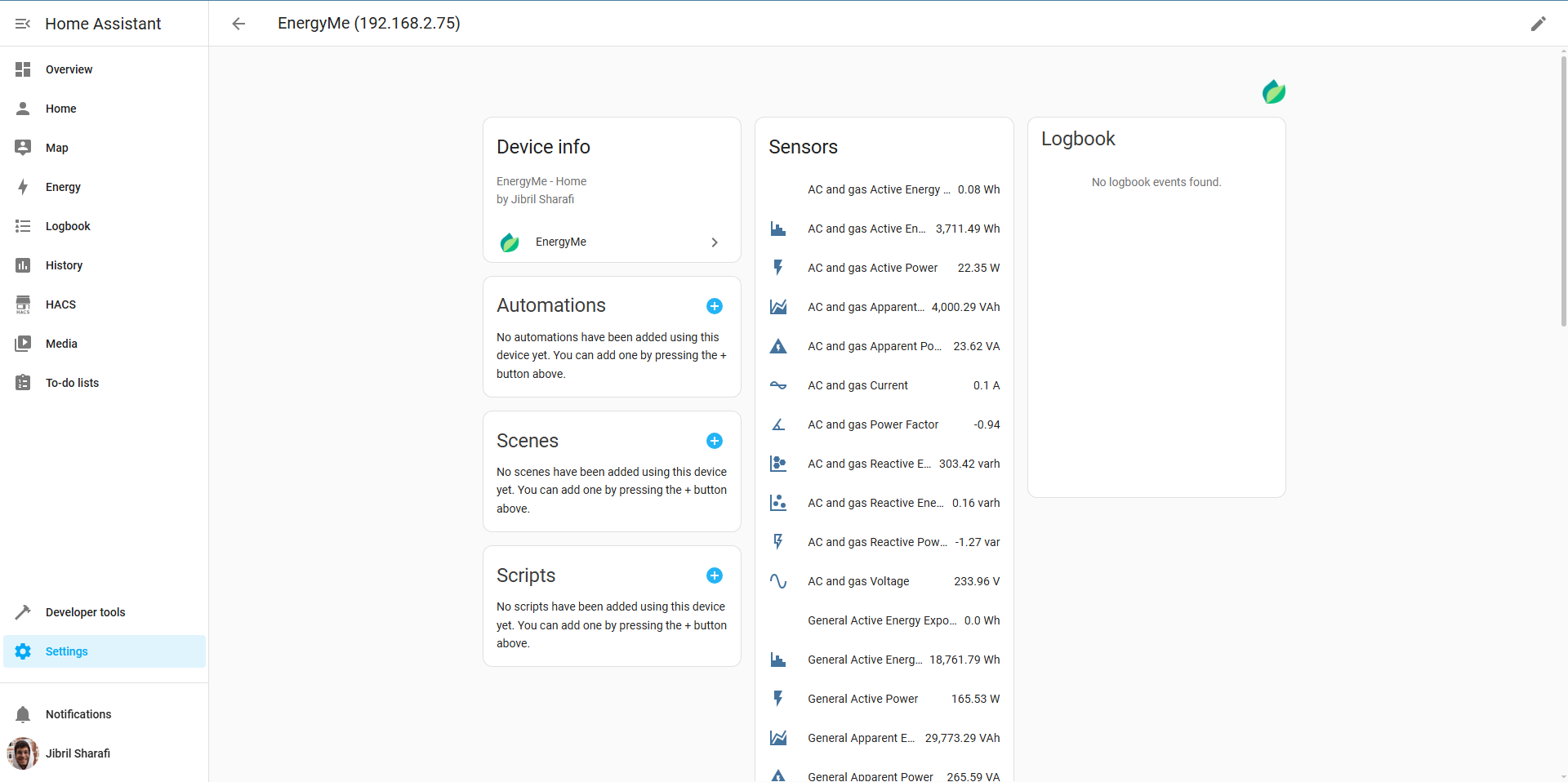
- Setup: Requires device IP address (automatic discovery via mDNS coming soon)
- Data: All energy measurements and system information as Home Assistant entities
- Access: Monitor all circuits and aggregate data within Home Assistant
Get started at homeassistant-energyme.
Getting Started
- Order the PCB: Download the design files from the Schematics folder and order from your preferred PCB manufacturer
- Populate the board: Solder all components using the BOMs in
hardware/pcb/main_board/,hardware/pcb/top_board_1/, andhardware/pcb/top_board_2/ - Flash the firmware: Connect a USB-to-UART adapter to the UART pins and flash using PlatformIO
- Configure WiFi: Power on the device and connect to the captive portal to set up WiFi credentials
- Start monitoring: Access the web interface at
http://energyme.local(default credentials: admin/energyme)
For detailed build instructions and troubleshooting, see the manual.
Privacy & Telemetry
Optional anonymous usage statistics sent once per boot: hashed device ID, firmware version, country/city (from public IP). Helps count active installations. No personal data or usage patterns collected. Disable in platformio.ini: set ENABLE_OPEN_SOURCE_TELEMETRY=0.
Releases
Firmware binaries and per-version release notes are published on GitHub Releases. See CHANGELOG.md for an index of versions and links to the corresponding pull requests.
Contributing
Contributions are welcome! Please read the contributing guidelines for more information.
License
This project contains both software and hardware components:
- Software: Licensed under the GNU General Public License v3.0 (GPL-3.0)
- Hardware: Licensed under the CERN Open Hardware Licence Version 2 - Strongly Reciprocal (CERN-OHL-S-2.0)
See the respective license files for full details.