

Eshop template




Server :  Nest.js with Express and
  MongoDB (Mongoose)
Client :  Angular (Server-side rendering)
Description
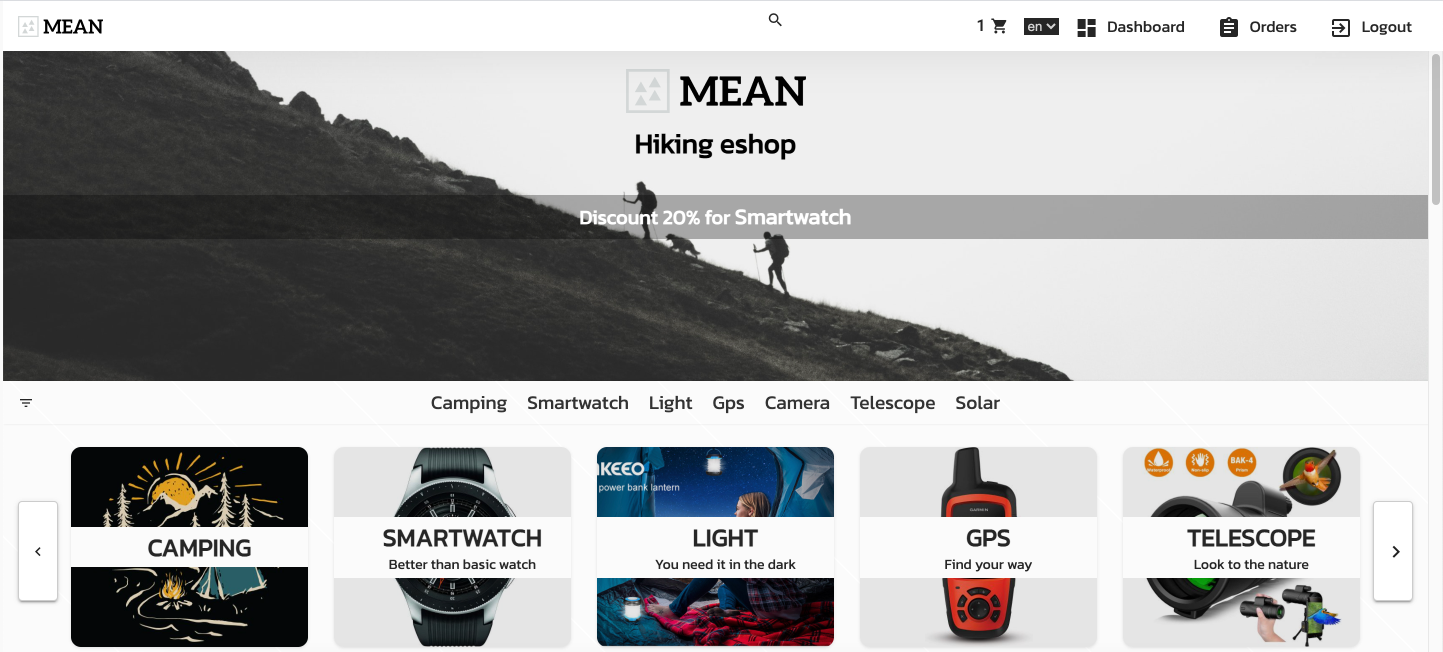
- Eshop with products and administration
- Typescript stack with decorators, use MongoDB and mongoose schemas, JWT Passport
- Theming with css variables
Blog
- more info in blog https://miroslavsmrtic.sk/blogs

Installation
One package.json contain now all neccessary for Nest and Angular, so server-side rendering with Angular is possible
$ npm install
Running the app
# development - start BE - port 4000
$ npm run start:dev

# development - start FE - port 3000
$ npm run start:client

# watch mode server
$ npm run start:dev

# build ssr and serve
$ npm run build
$ npm run start
For another commands look to package.json
Set enviroment for BE
- Rename .env.example to .env
# BE HOST
PORT=4000
SERVER_URL="http://localhost:4000"

# FE HOST
ORIGIN="http://localhost:3000"

# JWT settings
JWT_EXPIRATION="7d"
JWT_SECRET="youhavetochoseone"

COOKIE_KEY="youhavetochoseone"

# DB URI
MONGO_URI="mongodb://{user}:{password}@{host}:{port}/{databaseName}"

# Emails
SENDGRID_KEY="set if you want have notification for order or contact from https://sendgrid.com (ADMIN_EMAILS and user will get notification)"

# Images
CLOUDINARY_NAME="set name from cloudinary api https://cloudinary.com (for images upload)"
CLOUDINARY_KEY="set key from cloudinary api  https://cloudinary.com (for images upload)"
CLOUDINARY_SECRET="set secret from cloudinary api https://cloudinary.com (for images upload)"

# Pay
STRIPE_PUBLISHABLE_KEY="set for paying with card for orders with stripe https://stripe.com"
STRIPE_SECRETKEY="set for paying with card for orders with stripe https://stripe.com"

# Google login
GOOGLE_CLIENT_ID="set for google login activation"
GOOGLE_CLIENT_SECRET="set for google login activation"

# Admin emails get notification from sendgrid when order or contact are submitted
ADMIN_EMAILS="[email protected], [email protected]"

# Recaptcha server key from google
RECAPTCHA_SERVER_KEY="RECAPTCHA_SERVER_KEY"

# Get location from IP - https://geolocation-db.com
GEO_LOCATION_API_KEY="GEO_LOCATION_API_KEY"

# FE ENV SEND FROM BE
FE_STRIPE_PUBLISHABLE_KEY="FE_STRIPE_PUBLISHABLE_KEY"
FE_TINYMCE_API_KEY="FE_TINYMCE_API_KEY"
FE_RECAPTCHA_CLIENT_KEY="FE_RECAPTCHA_CLIENT_KEY"
Docker
# pull docker
docker pull pararel/eshop-mean:latest

# run docker with env file
docker run --env-file $PathToEnv --network=host pararel/eshop-mean:latest

# run docker with env set in cmd line
docker run --e MONGO_URI=mongodbUrl --e OTHER_ENV=otherEnvValue --network=host pararel/eshop-mean:latest