
A whiteboard supporting Chinese hand writing style and multi-canvas based on excalidraw.
Try it now
- ReveZone
- Handraw 已全面升级至 ReveZone(目前处在公测阶段,动动小手给个 star 吧),支持更方便的多画布文件管理和自定义字体,欢迎体验。
- Github 地址:https://github.com/revezone/revezone 👈 给个 Star 吧
- 线上体验版 (数据存储在浏览器): https://revezone.com
- 桌面应用版 (数据存储在本地): https://github.com/revezone/revezone/releases
- Handraw has been fully upgraded to ReveZone, with more features and better experience, supporting desktop applications and custom fonts. Please go to use it now.
- Github: https://github.com/revezone/revezone
- Online (basic fuction): https://revezone.com
- Desktop app (full function): https://github.com/revezone/revezone/releases
- Handraw 已全面升级至 ReveZone(目前处在公测阶段,动动小手给个 star 吧),支持更方便的多画布文件管理和自定义字体,欢迎体验。
Online Try (Deprecated,不推荐)访问 handraw.top 使用。Visit handraw.top to use.
- Obsidian Plugin
- 开源插件(欢迎 Star :point_right:)obsidian-excalidraw-cn-plugin v1.0.0 开发完成,已通过官方评审,并上架。
- Comming soon, welcome to Star the plugin repo :point_right: obsidian-excalidraw-cn-plugin, v1.0.0 development done, official reviewing.
:purple_heart:Sponsors
Welcome sponsors to contact me for customized advertising information. Quick link: 投喂猫粮(大陆用户) or Buy me a coffee.
Thanks for all the sponsors
Chinese Handwriting Style(中文手写效果)
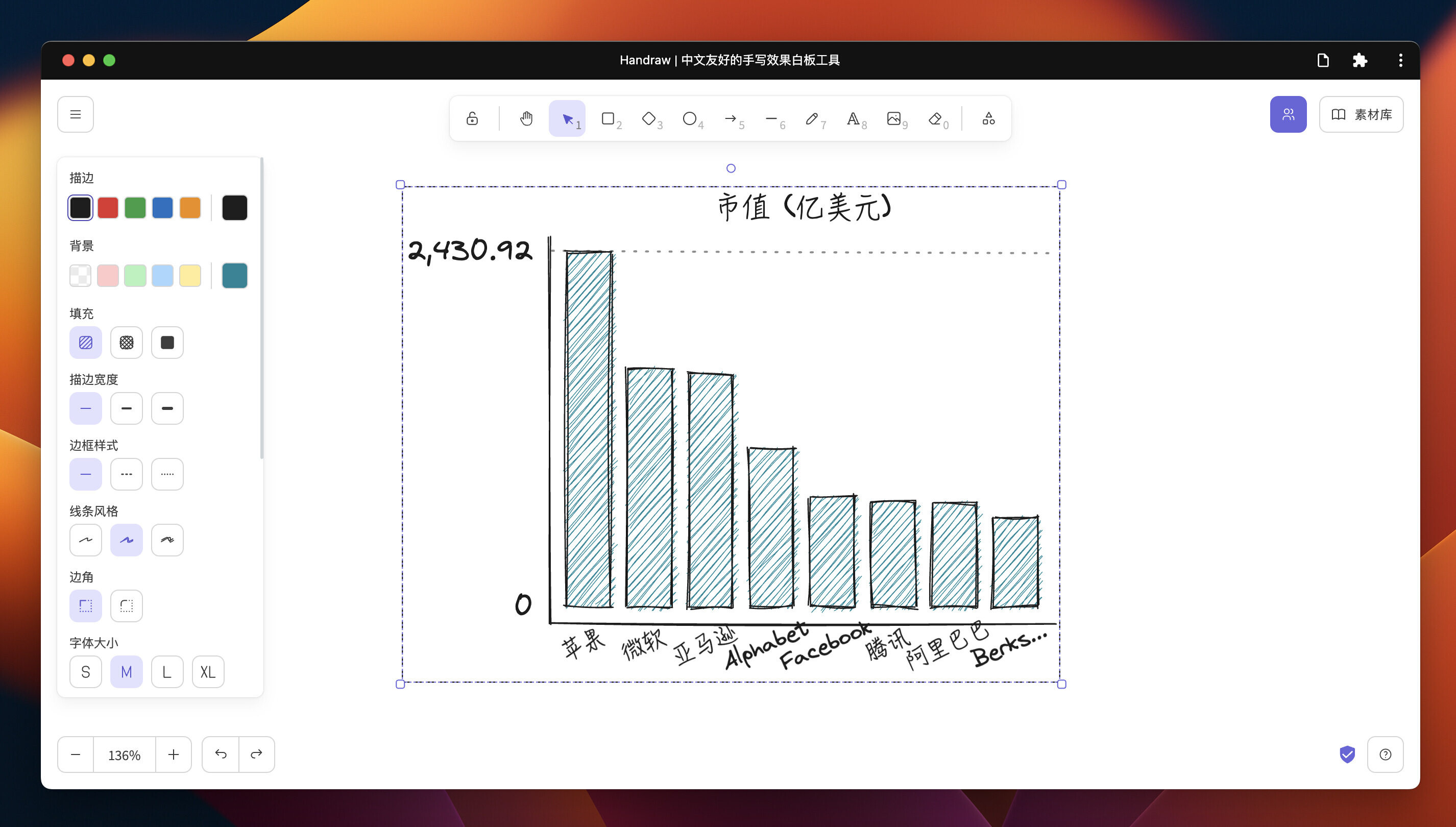
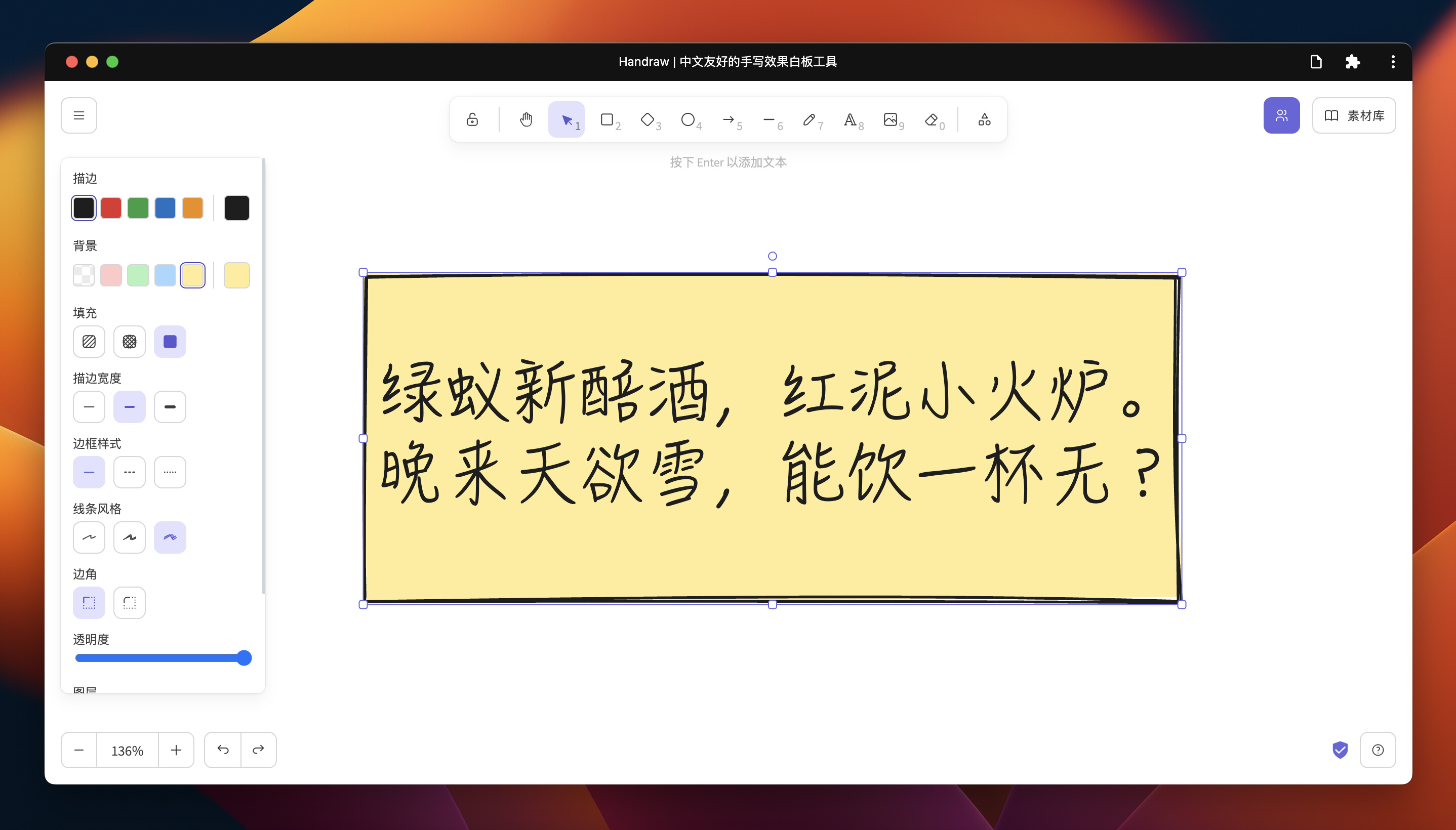
Windows System Support(Windows 支持)
The Chinese handwriting fonts are different between MacOS and Windows systems. The displayed effect in the previous section is for MacOS, while the displayed effect here is for Windows.
MacOS 系统和 Windows 系统下中文手写字体不同,前文展示效果为 MacOS 效果,这里的展示效果为 Windows 效果。
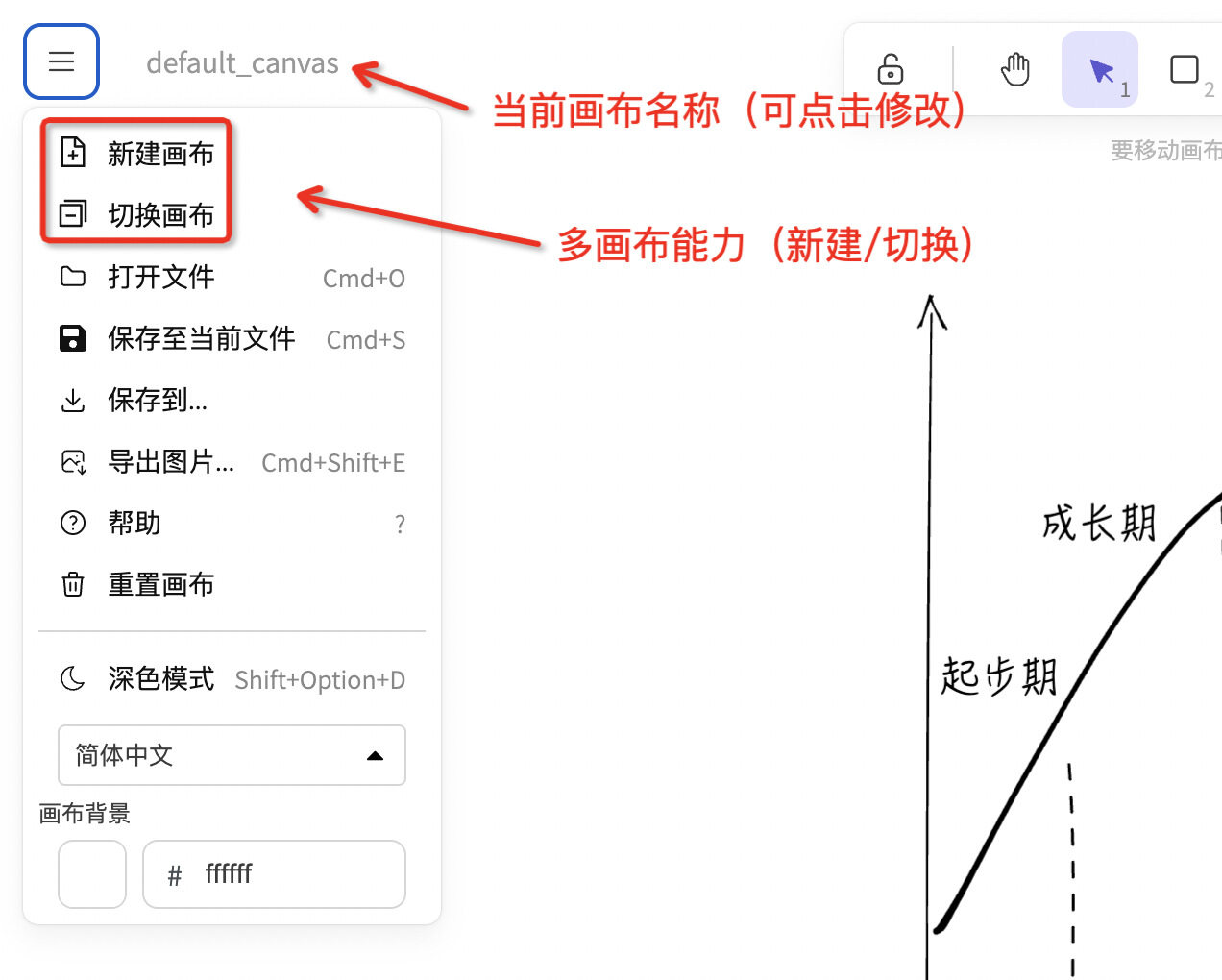
Multiple Canvas(多画布能力)
Local Installation
These instructions will get you a copy of the project up and running on your local machine for development and testing purposes.
Requirements
Clone the repo
git clone [email protected]:korbinzhao/excalidraw-cn.git
Install the dependencies
yarn
Start the server
yarn start
Now you can open http://localhost:3000 and start coding in your favorite code editor.
Collaboration
For collaboration, you will need to set up collab server in local.
Commands
Install the dependencies
yarn
Run the project
yarn start
Reformat all files with Prettier
yarn fix
Run tests
yarn test
Update test snapshots
yarn test:update
Test for formatting with Prettier
yarn test:code
Docker Compose
You can use docker-compose to work on Excalidraw locally if you don't want to setup a Node.js env.
docker-compose up --build -d
Contributing
Pull requests are welcome. For major changes, please open an issue first to discuss what you would like to change.
投喂猫粮
国内小伙伴欢迎直接「投喂猫粮」。
Buy me a coffee
