
excalidraw-collaboration
Demo:
demo on Railway (Please using the referral code help me get Railway credits to running the demo.)
If the demo is down (sometime no free plan credits), you can one click to deploy your excalidraw with collaboration.

demo on Zeabur (Please using the referral code help me get Zeabur credits to running the demo.)
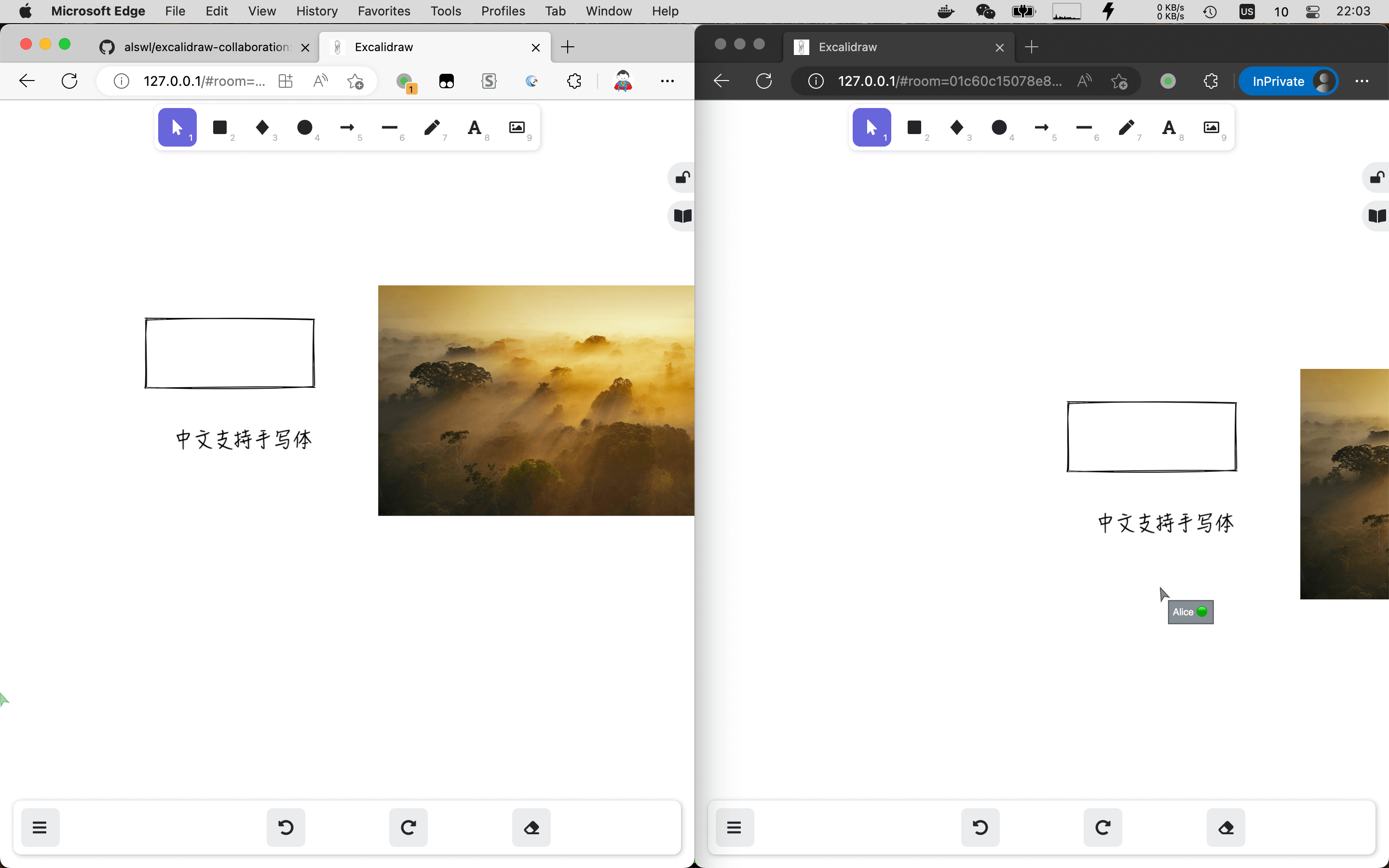
Snapshot:
Related docs:
Deploy (Basic)
Clone, and run:
git clone [email protected]:alswl/excalidraw-collaboration.git
cd excalidraw-collaboration/basic

docker-compose up # run the containers

open "http://localhost" # open browser, and you can using the collbration functions
Browse it:
- open http://127.0.0.1/ ,and you will see the excalidraw page
- Click the
Live Collaborationbutton, and you will see the collaboration page - Now you can share the collaboration page with your friends, and you can draw together.
About public network release:
if you want to release your own excalidraw in public network,
you should modify the docker-compose.yaml file,
Replace the VITE_APP_HTTP_STORAGE_BACKEND_URL and VITE_APP_WS_SERVER_URL with your own domain.
Advanced mode
advanced-nginx
Features:
- Setup with one domain, and use nginx to proxy the requests to the backend services
- HTTPS support
traefik (not part of this repo)
A configurable docker-compose example for a traefik setup can be found here:
https://github.com/Someone0nEarth/excalidraw-self-hosted
Roadmap
- self-host
- collaboration feature works
- docker-compose support
- no pre-build image, dynamic env
- upload Docker Hub image
- S3 storage support
- SSO support
- HTTPS Demo and
- HTTPS docs
- Helm support
- online demo
- one click to deploy Railway
Upgrade Guide
- v0.15.0 -> v0.16.1
- replace
REACT_APP_env withVITE_APP_
- replace
Q & A
How to deploy on the cloud(aws etc)
The docker-compose.yaml file is for local deploy, if you want to deploy on the cloud,
you should prepare 2 Load Balancer(with HTTPS cert), one for websocket server, one for storage server.
The VITE_APP_HTTP_STORAGE_BACKEND_URL is for the Load Balancer URL(HTTPS) for storage,
and the VITE_APP_WS_SERVER_URL is for the Load Balancer URL(HTTPS) for websocket.
Here is a conversation about how to deploy on the aws: https://github.com/alswl/excalidraw-collaboration/issues/22
generateKey problem
Error message:
TypeError: Cannot read properties of undefined (reading 'generateKey')
Why: The excalidraw is using crypto module of Javascript, the HTTPS is required.
How to solve: use HTTPS to access the page, or use http://localhost instead.
Contributors