
🚀 FaceTime with Stream
Welcome to FaceTime, a video communication app powered by GetStream.io.
Check out the blog post on how I built this app here.
Demo
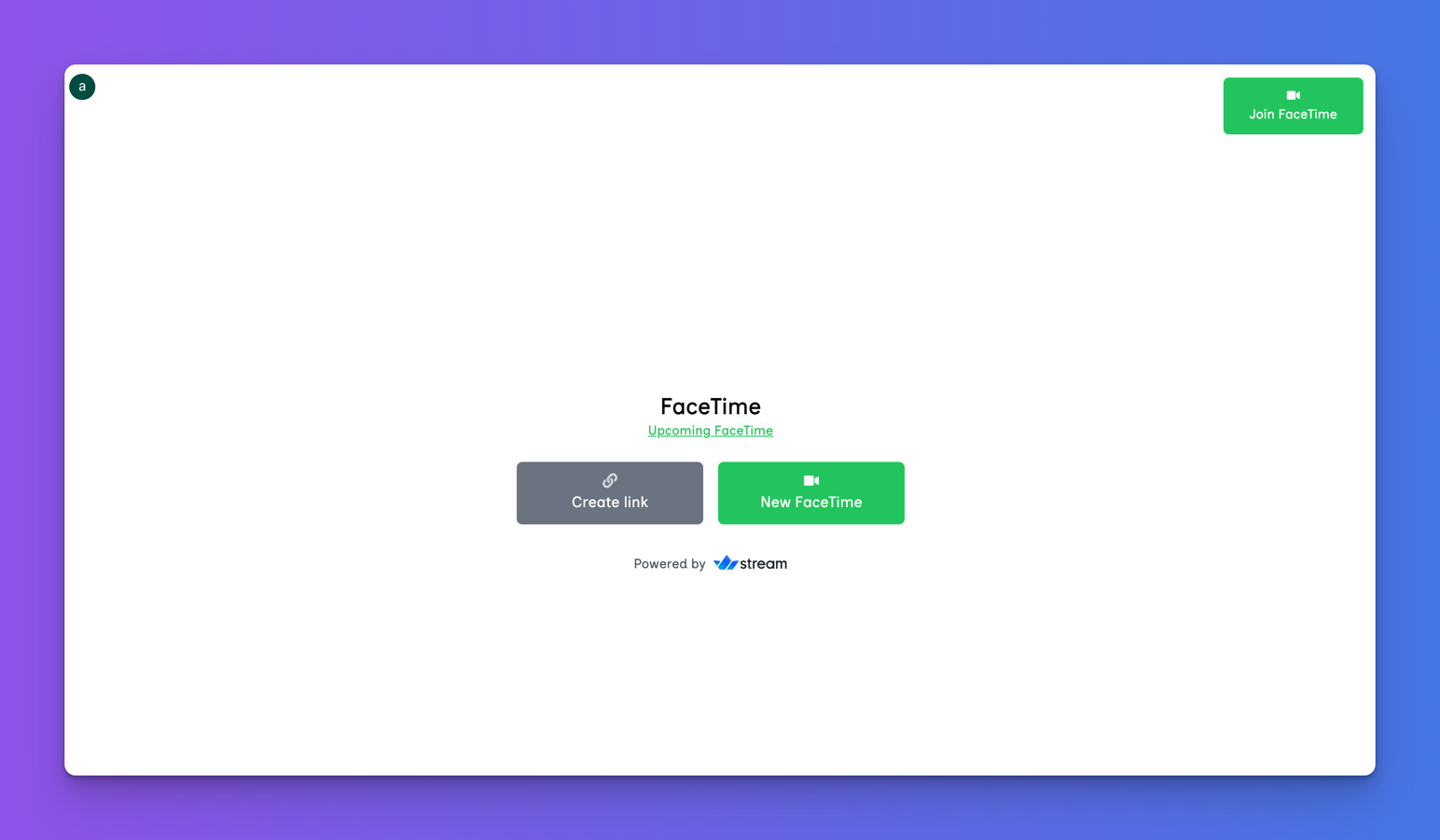
Check out the live demo here.
🌟 Key Features
- Real-time Video Communication: Powered by GetStream.io for smooth, high-quality video calls.
- Instant Meetings: Create on-the-fly video sessions with a single click.
- Scheduled Calls: Plan ahead with our calendar integration.
- Shareable Links: Generate and share meeting links easily.
📋 Prerequisites
Before you begin, ensure you have the following:
- Node.js (v14.x or higher)
- npm (usually comes with Node.js)
- Clerk account for auth
- GetStream.io account for video streaming
🚀 Getting Started
Follow these steps to set up the project locally:
1. Clone the Repository
git clone https://github.com/your-username/face-time-on-stream.git
cd face-time-on-stream
2. Install Dependencies
npm install
3. Set Up Environment Variables
Create a .env.local file in the root directory and add the following:
# Clerk Authentication
NEXT_PUBLIC_CLERK_PUBLISHABLE_KEY=your_clerk_publishable_key
CLERK_SECRET_KEY=your_clerk_secret_key

# GetStream.io
STREAM_APP_ID=your_stream_app_id
NEXT_PUBLIC_STREAM_API_KEY=your_stream_api_key
STREAM_SECRET_KEY=your_stream_secret_key

# App Configuration
NEXT_PUBLIC_FACETIME_HOST=http://localhost:3000/facetime
Replace the placeholder values with your actual credentials.
4. Run the Development Server
npm run dev
Your app should now be running at http://localhost:3000.
🛠 Project Structure
face-time-on-stream/
│
├── src/
│   ├── app/
│   │   ├── modals/
│   │   │   ├── CreateLink.tsx
│   │   │   ├── InstantMeeting.tsx
│   │   │   ├── JoinMeeting.tsx
│   │   │   └── UpcomingMeeting.tsx
│   │   │
│   │   ├── layout.tsx
│   │   └── page.tsx
│   │
│   ├── hooks/
│   │   └── []
│   │
│   └── lib/
│       └── [util.ts]
│
├── public/
│   └── stream-logo.png
│
├── .env.local
├── next.config.js
├── package.json
└── README.md
📚 API Reference
Clerk Authentication
I use Clerk for user auth. Learn more about Clerk's API.
GetStream.io Video
All video calls are powered by GetStream.io. Explore GetStream's video API.
🙏 Acknowledgements
- GetStream.io for their excellent video streaming platform.
Built with ❤️ by Ankur Tyagi