
Family Vault
A self-hostable "Family Operating System" for securely managing IDs, insurance, business documents, and important family information.


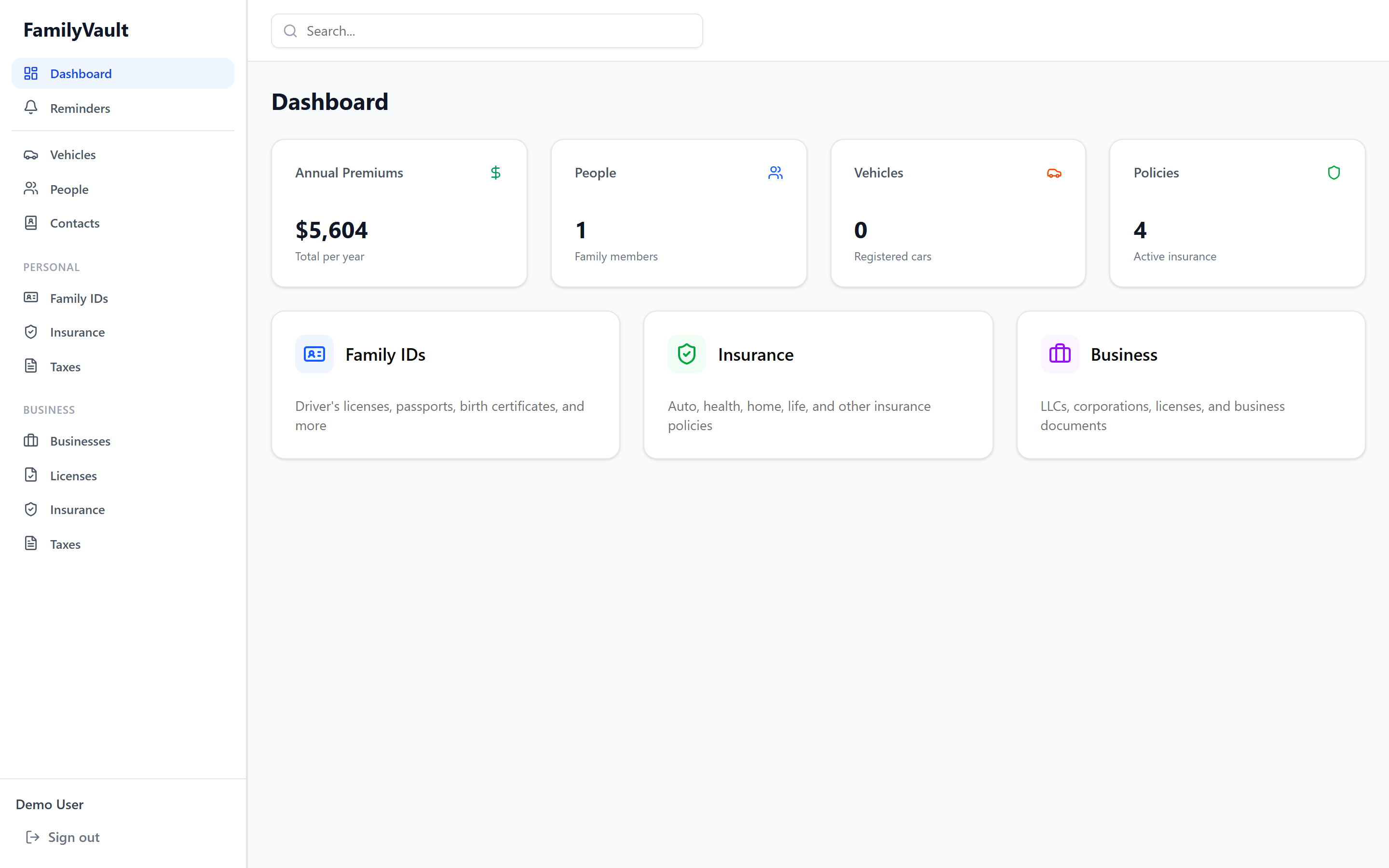
Overview
Family Vault is a secure, self-hosted digital vault that helps families organize and manage their important documents and information in one centralized place. Think of it as your family's personal operating system for managing IDs, insurance policies, business documents, and more.
Key Features
- 📇 Digital ID Management - Driver's licenses, passports, visas, social security cards, birth certificates
- 🏥 Insurance Tracking - Health, auto, home, and life insurance with coverage details and reminders
- 💼 Business Documents - LLCs, corporations, licenses, tax documents
- 🔔 Smart Reminders - Automatic expiration tracking and custom reminder system with email notifications
- 🔐 Zero-Knowledge Encryption - Client-side AES-256-GCM encryption; server never sees plaintext
- 👥 Multi-User Organizations - Share access with family members with role-based permissions
- 🌍 Visa Management - Track visas with automatic country-specific help contact information
- 📎 File Attachments - Securely store card images and documents with built-in image editing
- 🔍 Powerful Search - Find anything across all your items instantly
Quick Start
Prerequisites
- Docker and Docker Compose
- 2GB RAM minimum (4GB recommended)
- 10GB disk space for data storage
Option A: Docker Hub (Fastest)
Pre-built images are available on Docker Hub:
# Download the compose file and env template
curl -LO https://raw.githubusercontent.com/DEADSEC-SECURITY/family-vault/master/docker-compose.yml
curl -LO https://raw.githubusercontent.com/DEADSEC-SECURITY/family-vault/master/.env.example
cp .env.example .env
# Edit .env and set SECRET_KEY (run: openssl rand -hex 32)
# Optionally set API_URL if the backend isn't on localhost
docker-compose up -d
The frontend image supports runtime API URL configuration via the API_URL environment variable. Set it in .env to point to your backend (e.g., API_URL=http://192.168.1.10:8000/api for a NAS deployment).
Option B: Build from Source
-
Clone the repository
git clone https://github.com/DEADSEC-SECURITY/family-vault.git cd family-vault -
Configure environment variables
cp .env.example .env # Edit .env and change SECRET_KEY and any other settings -
Start the application
docker-compose -f docker-compose.dev.yml up -d -
Access Family Vault
- Open your browser to
http://localhost:3000 - Register a new account (first user becomes the organization owner)
- Open your browser to
That's it! Your Family Vault is now running locally.
Architecture
Family Vault consists of four main services:
- Frontend - Next.js 16 with React, TypeScript, and Tailwind CSS
- Backend - Python FastAPI with SQLAlchemy 2.0
- Database - PostgreSQL 17
- File Storage - MinIO (S3-compatible object storage)
All services run in Docker containers and can be easily deployed together or scaled independently.
Tech Stack
| Component | Technology |
|---|---|
| Frontend Framework | Next.js 16 (App Router) |
| UI Components | shadcn/ui + Tailwind CSS |
| Backend API | Python FastAPI |
| Database | PostgreSQL 17 |
| ORM | SQLAlchemy 2.0 |
| Migrations | Alembic |
| File Storage | MinIO (S3-compatible) |
| Authentication | Zero-knowledge (PBKDF2 + bcrypt) |
| Encryption | Client-side AES-256-GCM + RSA-OAEP key wrapping |
| SMTP (optional, for reminders) |
Configuration
Environment Variables
Copy .env.example to .env and customize:
# Database
POSTGRES_DB=familyvault
POSTGRES_USER=familyvault
POSTGRES_PASSWORD=change_me_in_production

# MinIO (S3)
S3_ACCESS_KEY=minioadmin
S3_SECRET_KEY=change_me_in_production
S3_BUCKET=familyvault

# Backend
SECRET_KEY=change_me_to_a_long_random_string
CORS_ORIGINS=["http://localhost:3000"]

# Optional: Email for reminder notifications
SMTP_HOST=smtp.gmail.com
SMTP_PORT=587
[email protected]
SMTP_PASSWORD=your_app_password
[email protected]
Using External Services
Family Vault can use external PostgreSQL and S3-compatible storage:
# Use external PostgreSQL
POSTGRES_HOST=mydb.example.com
POSTGRES_PORT=5432

# Use AWS S3 instead of MinIO
S3_ENDPOINT_URL=https://s3.amazonaws.com
S3_ACCESS_KEY=your_aws_access_key
S3_SECRET_KEY=your_aws_secret_key
S3_REGION=us-east-1
Then remove the postgres and minio services from docker-compose.yml.
Security
Zero-Knowledge Architecture
Family Vault is designed so the server never sees your plaintext data. All encryption and decryption happens client-side in the browser using the Web Crypto API. A fully compromised server — database dump, file storage, and application code — reveals nothing but encrypted blobs.
Key Hierarchy
Master Password
│
├─► PBKDF2 (600,000 iterations, salt = email)
│   └─► Master Key (256-bit)
│       ├─► HKDF ("enc") ──► Symmetric Key ── encrypts your RSA private key
│       ├─► HKDF ("mac") ──► MAC Key (reserved for future integrity checks)
│       └─► PBKDF2 (1 iteration) ──► Master Password Hash ── sent to server
│
├─► Per-User RSA-OAEP 2048-bit Keypair
│   ├─► Public key: stored plaintext on server
│   └─► Private key: AES-256-GCM encrypted with Symmetric Key, stored on server
│
└─► Organization Key (AES-256-GCM, 256-bit)
    └─► Wrapped per-member with their RSA public key ── stored in org_member_keys
What the server stores: encrypted private keys, public keys, encrypted org keys, and encrypted data blobs. What the server never sees: your master password, master key, symmetric key, plaintext private key, plaintext org key, or any plaintext item/file data.
How Data Is Protected
| Data | Encryption | Where |
|---|---|---|
| Item fields (names, IDs, policy numbers) | AES-256-GCM with org key | Encrypted in browser, ciphertext stored in DB |
| File attachments (card images, documents) | AES-256-GCM with org key (unique IV per file) | Encrypted in browser, ciphertext stored in MinIO |
| User's RSA private key | AES-256-GCM with user's symmetric key | Encrypted blob stored in DB |
| Org key (per member) | RSA-OAEP wrapped with member's public key | Wrapped blob stored in DB |
| Master password | PBKDF2 → hash-of-hash → bcrypt | Only bcrypt hash stored in DB |
Multi-User Key Sharing
When a new member joins an organization:
- New member generates their RSA keypair on registration
- An existing member fetches the new member's public key
- Existing member unwraps the org key with their own private key, then re-wraps it with the new member's public key
- The newly wrapped org key is stored — the new member can now decrypt all org data
No plaintext keys ever transit the server during this ceremony.
Authentication Flow
Browser                                          Server
  │                                                 │
  ├─ GET /prelogin?email=...  ─────────────────────►│
  │◄──────────────────── { kdf_iterations: 600000 } │
  │                                                 │
  │  derive masterKey = PBKDF2(password, email)     │
  │  derive masterPasswordHash = PBKDF2(masterKey)  │
  │                                                 │
  ├─ POST /login { masterPasswordHash } ───────────►│
  │                                       bcrypt ── │ ── verify
  │◄──── { token, encrypted_private_key, pub_key }  │
  │                                                 │
  │  decrypt private key with symmetric key         │
  │  unwrap org key with private key                │
  │  store keys in memory only (never to disk)      │
  │                                                 │
  ├─ GET /items (Authorization: Bearer token) ─────►│
  │◄──────────────────────── { encrypted fields }   │
  │  decrypt fields in browser with org key         │
- The server only receives a hash-of-hash — never your password or master key
- Password verification uses bcrypt on the master password hash
- Session tokens are opaque 256-bit random values, expiring after 72 hours
- Keys are held in memory only — closing the browser tab wipes them
Recovery Key
On registration, a 24-word recovery key is generated and shown once. This key independently encrypts a copy of your RSA private key. If you forget your master password, the recovery key can restore access to your data. Store it offline — if both are lost, your data is unrecoverable by design.
Best Practices
- Change the SECRET_KEY - Use a long random string (
openssl rand -hex 32) - Use strong passwords - The master password protects all your data
- Save your recovery key - Write it down and store it physically; it cannot be regenerated
- Enable HTTPS - Use a reverse proxy (nginx, Caddy) with SSL certificates
- Regular backups - Back up PostgreSQL database and MinIO data regularly
- Keep updated - Pull the latest Docker images regularly for security patches
Features in Detail
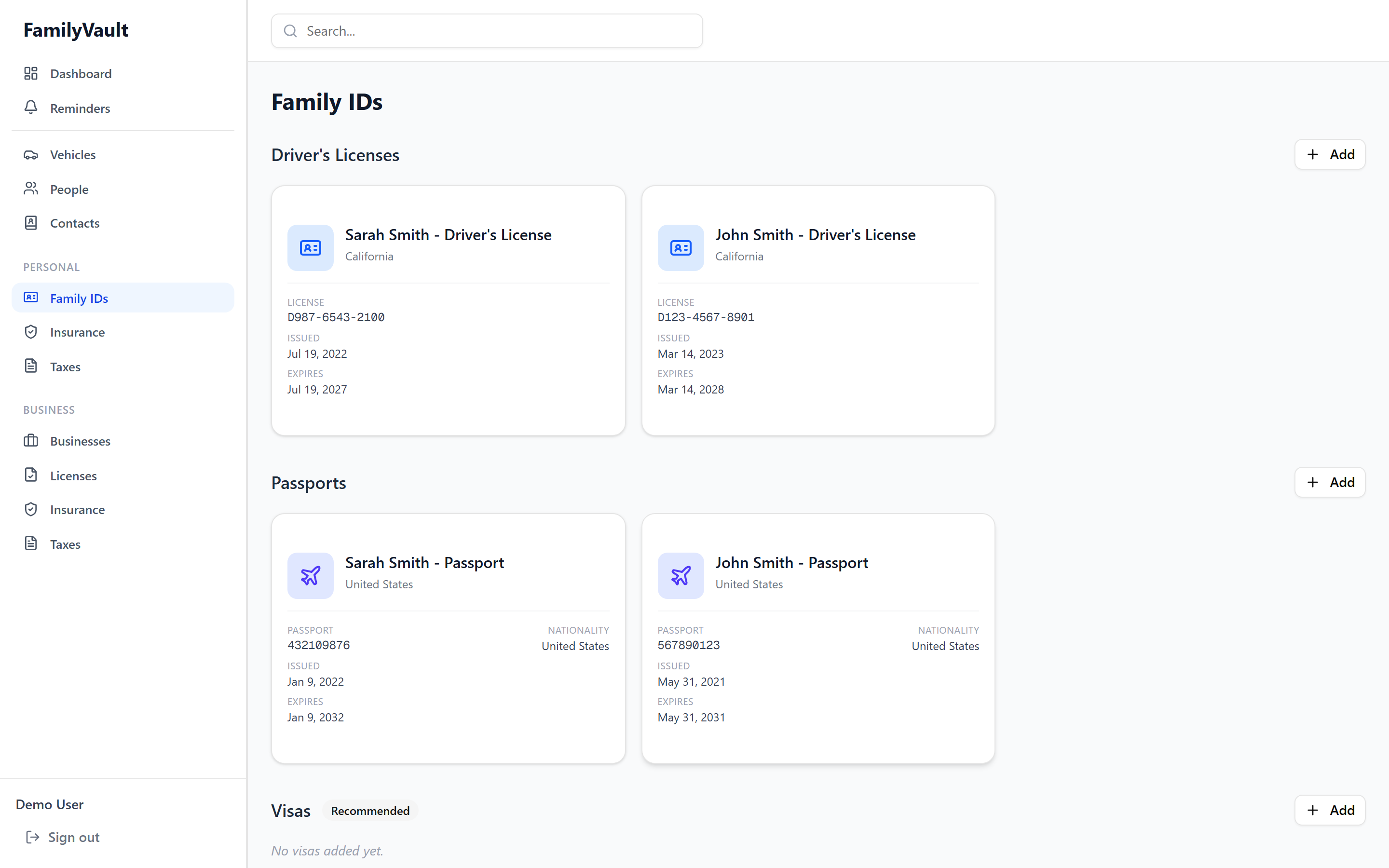
Family IDs
Manage all your family's identification documents:
- Driver's Licenses
- Passports
- Visas (with passport linking and automatic country contact info)
- Social Security Cards
- Birth Certificates
- Custom ID Types
Each ID card displays with a specialized layout and automatic security number masking.
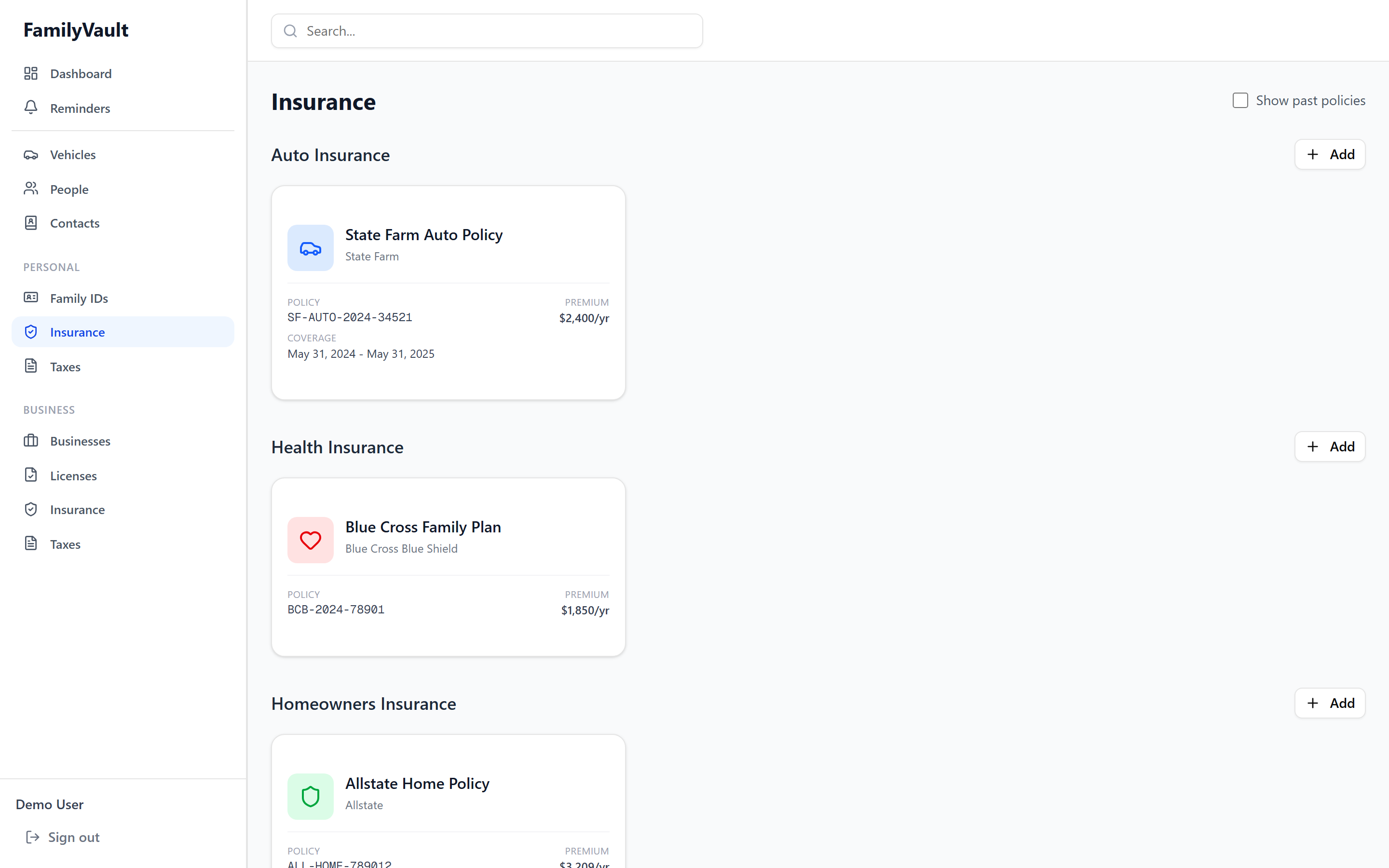
Insurance
Track all insurance policies with comprehensive coverage details:
- Health Insurance - Plan limits, copays, coinsurance, in-network providers
- Auto Insurance - Link vehicles, track coverage types and limits
- Home Insurance - Property coverage and liability details
- Life Insurance - Beneficiaries and policy details
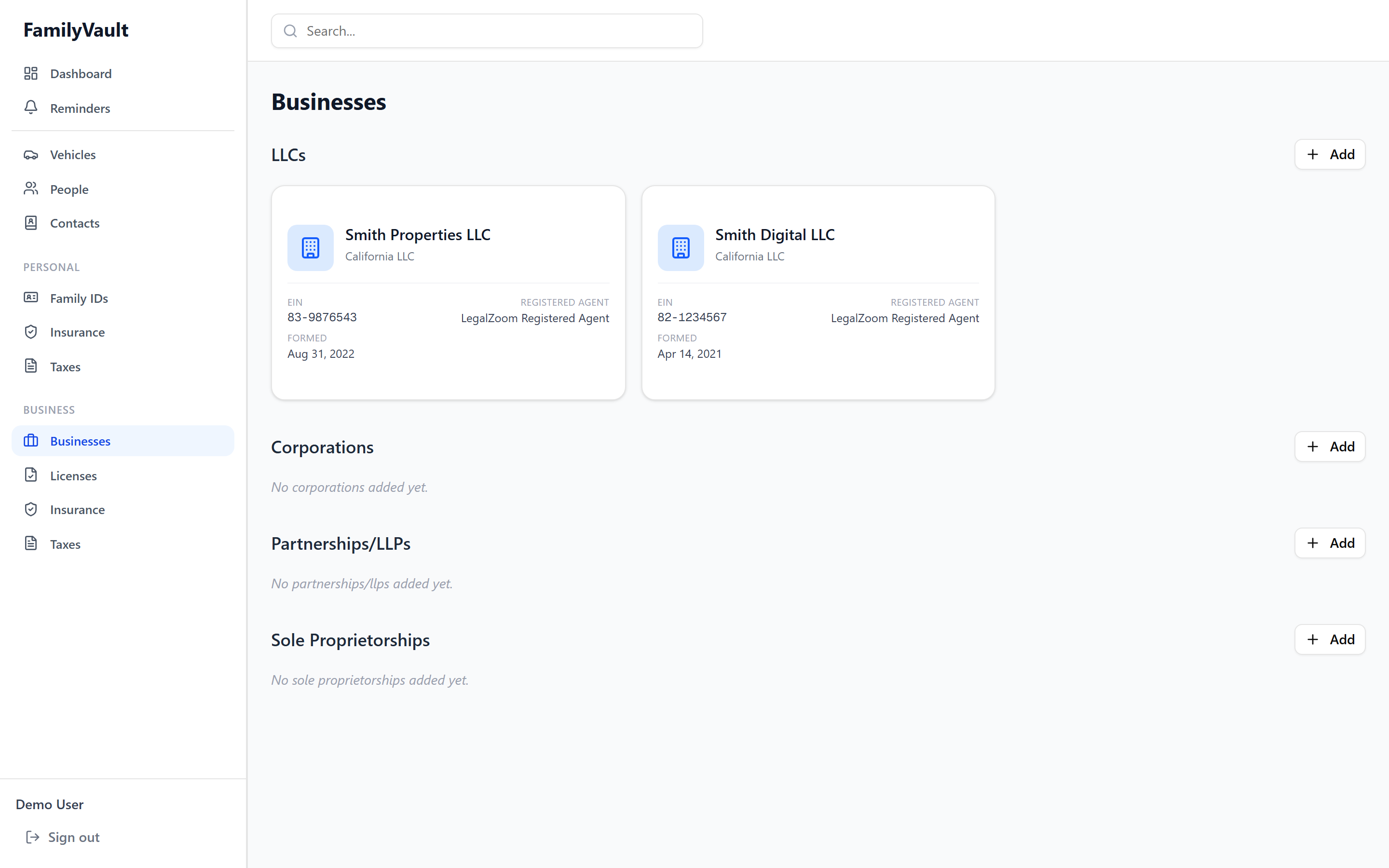
Business Documents
Manage your business entities, licenses, and commercial insurance:
- LLCs, Corporations, Partnerships, Sole Proprietorships
- Business licenses and permits with expiration tracking
- General liability, professional liability, workers' comp, and more
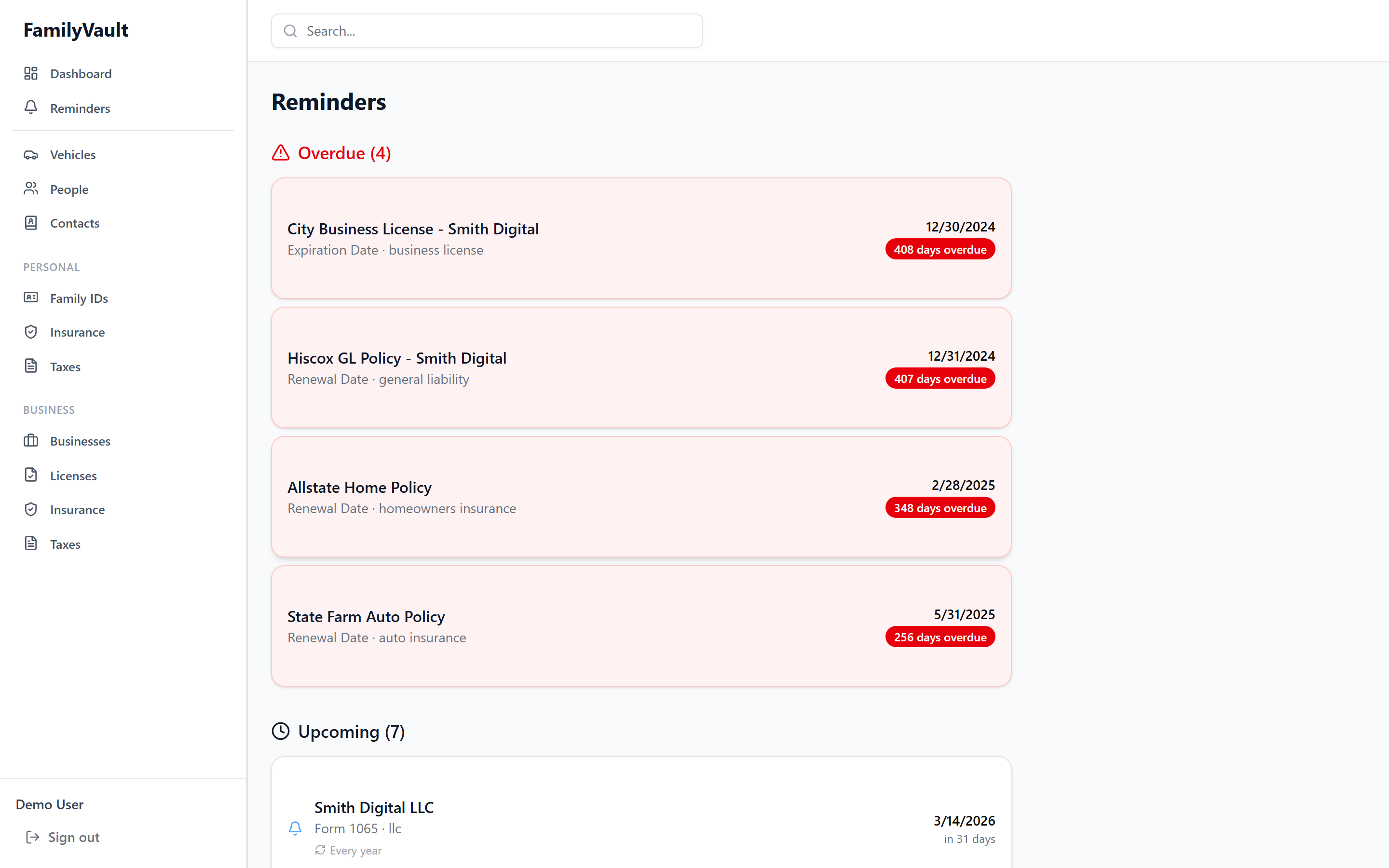
Reminders
Never miss an expiration date:
- Auto-detected Reminders - Automatically tracks expiration dates from your items
- Custom Reminders - Set manual reminders for any item
- Email Notifications - Optional hourly check sends emails when reminders are due
- Repeating Reminders - Set reminders to repeat annually
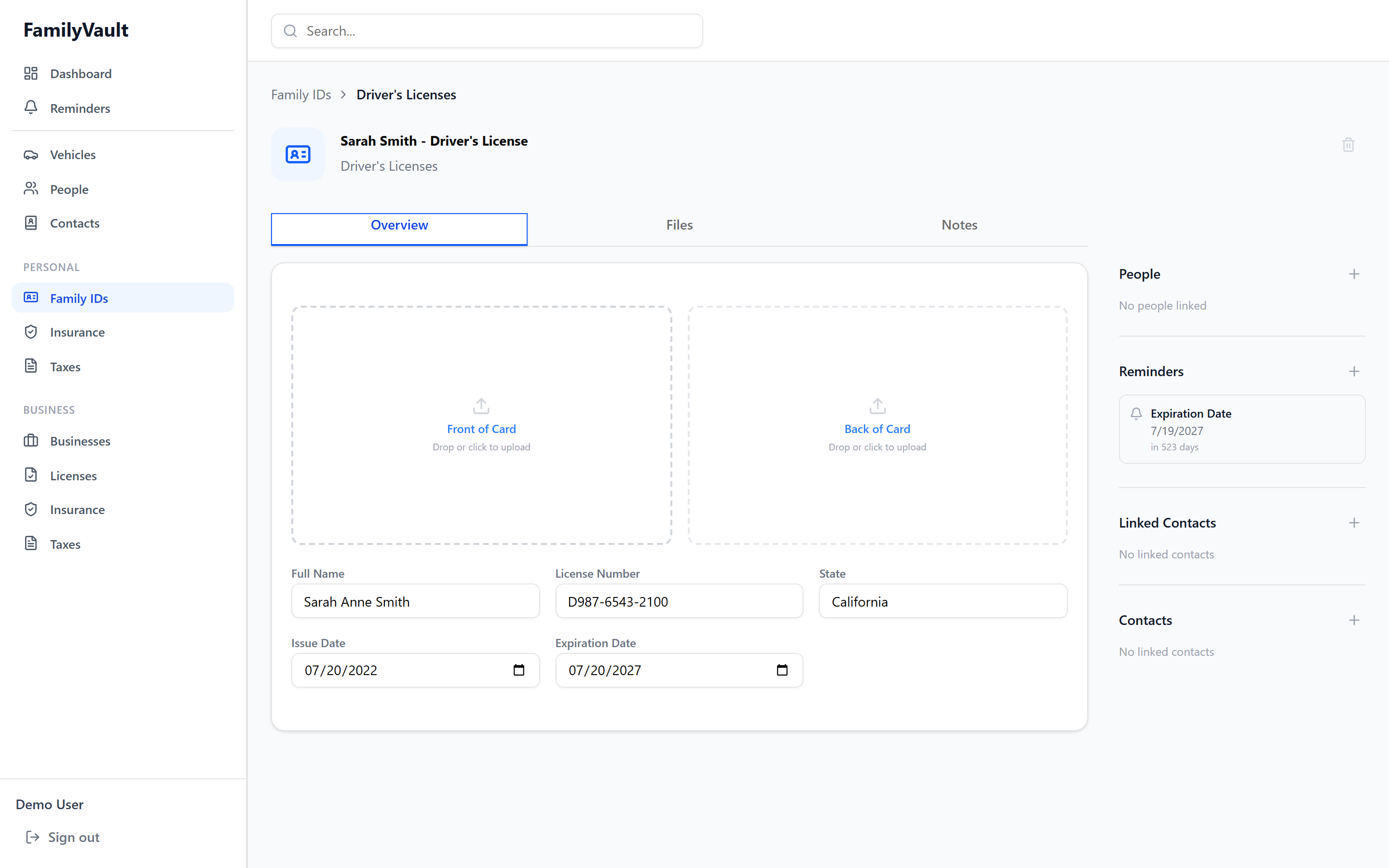
Item Detail & File Management
Each item has a full detail view with editable fields, file upload slots, linked contacts, people, and reminders.
- Drag & Drop Upload - Easy file attachment
- Image Editor - Built-in crop and rotate for card images
- Auto-orientation - Portrait images automatically rotate to landscape
- Multiple File Slots - Front/back of cards, policy documents, etc.
- Secure Download - Files are decrypted on-the-fly when you download
Development
Prerequisites
- Node.js 20+
- Python 3.12+
- Docker and Docker Compose
Local Development Setup
-
Backend
cd backend python -m venv venv source venv/bin/activate # On Windows: venv\Scripts\activate pip install -r requirements.txt # Run migrations alembic upgrade head # Start dev server uvicorn app.main:app --reload -
Frontend
cd frontend npm install npm run dev -
Database & MinIO
docker-compose up postgres minio
Running Tests
# Backend tests
cd backend
pytest

# Frontend tests
cd frontend
npm test
Deployment
Docker Compose (Recommended)
See Quick Start section above. For production:
- Use a reverse proxy (nginx/Caddy) with SSL
- Change all default passwords and keys
- Set up regular backups
- Enable SMTP for email notifications
Manual Deployment
See DEPLOYMENT.md for detailed deployment instructions for various platforms (AWS, Google Cloud, DigitalOcean, etc.).
Contributing
We welcome contributions! Please see CONTRIBUTING.md for details.
Development Workflow
- Fork the repository
- Create a feature branch (
git checkout -b feature/amazing-feature) - Make your changes
- Write or update tests
- Commit your changes (
git commit -m 'Add amazing feature') - Push to the branch (
git push origin feature/amazing-feature) - Open a Pull Request
Roadmap
- Mobile apps (iOS/Android)
- Document OCR for automatic field extraction
- Shared item permissions (granular access control)
- Audit log for all changes
- Export/import functionality
- Two-factor authentication
- API key authentication for automation
- Webhook integrations
License
This project is licensed under the Business Source License 1.1 (BSL 1.1).
- Personal / non-commercial use: Free, no restrictions
- Commercial use: Requires a commercial license — contact us
- Change Date: February 12, 2030 — on this date, the code automatically converts to GPL v2.0 (fully open-source)
See the LICENSE file for full details.
Support
- Documentation: docs/
- Issues: GitHub Issues
- Discussions: GitHub Discussions
Acknowledgments
- Built with Next.js, FastAPI, and shadcn/ui
- Inspired by Trustworthy
- Icons by Lucide
Made with ❤️ for families who value security and organization